Tintd
Iconos de carpeta automáticos para tu Mac
Mac
Versión 2.0.0
macOS 14.0 o posterior
55.8 MB
11 idiomas
Las carpetas de tu Mac tienen todas el mismo aspecto, y organizarlas una por una con iconos personalizados es una tarea pesada. Tintd soluciona esto asignando automáticamente iconos y colores según los nombres de las carpetas. Crea una carpeta llamada "Facturas" y obtendrá un icono de factura. «Vacaciones 2026» tendrá una palmera. Solo ocurre en segundo plano, sin aplicación que abrir ni nada que configurar. Para tener más control, haz clic derecho en cualquier carpeta o abre el editor completo con más de 11.000 iconos y emojis. Todo funciona localmente en tu Mac: sin nube, sin servicios de IA, totalmente privado.
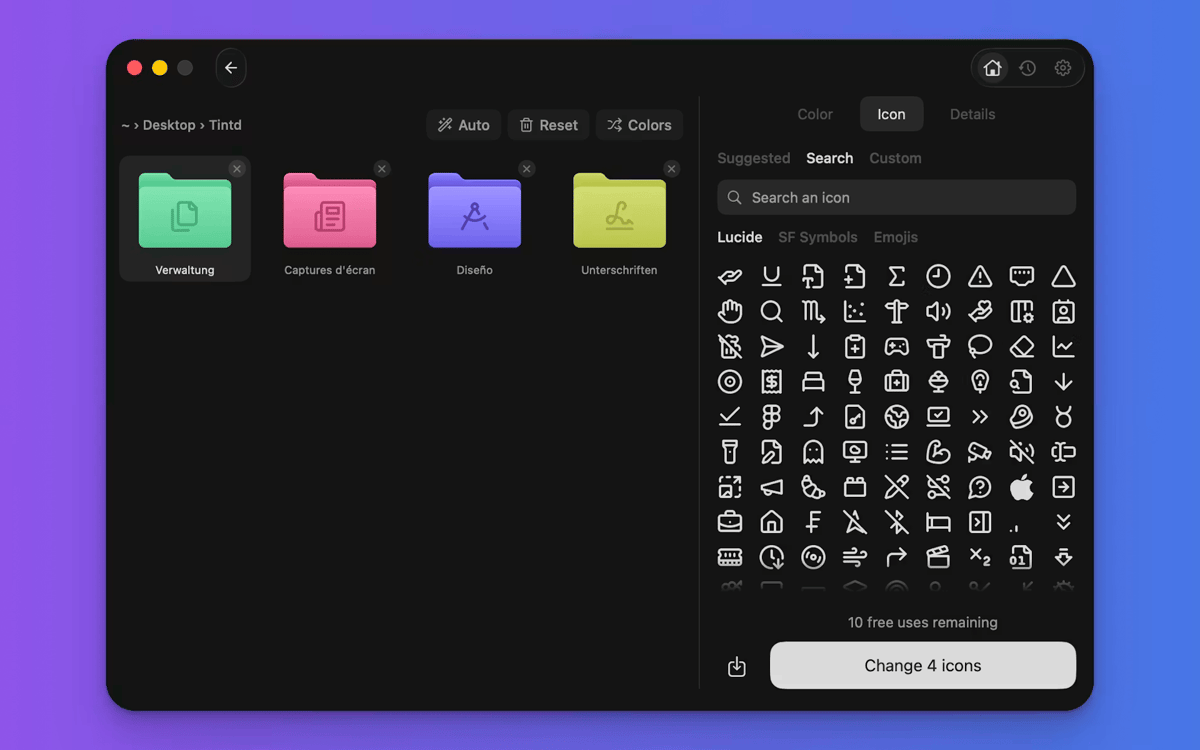
Iconos automáticos según nombre de carpeta
Da estilo a carpetas nuevas automáticamente
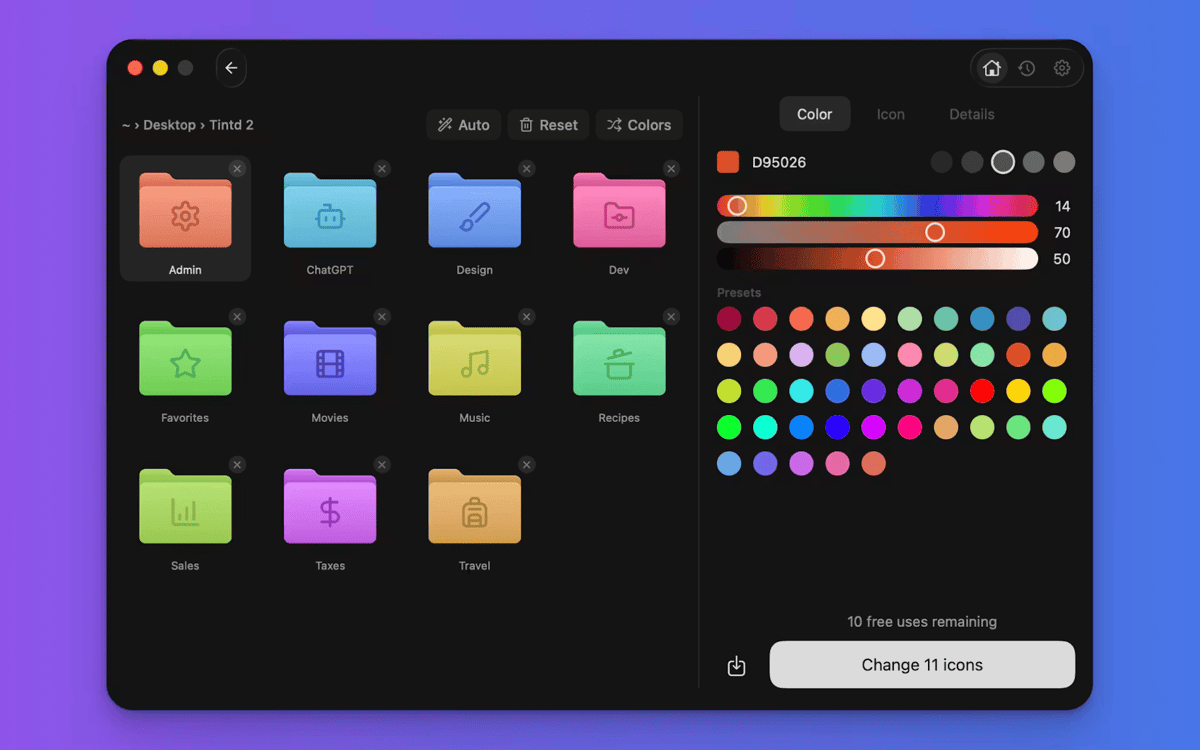
Colorea carpetas con un clic
Aplica estilos a decenas de carpetas
Características de Tintd
Iconos que se establecen
Esto es lo que hace que Tintd sea diferente. Lee el nombre de tu carpeta, lo coteja con más de 11.000 iconos y elige el que mejor encaja, al instante y sin conexión. "Capturas de pantalla" consigue una cámara. La "música" recibe una nota. No navegas, no arrastras, no piensas en ello. Funciona perfectamente con 11 idiomas, incluso mezclados en la misma carpeta.
Nuevas carpetas, estilizadas al momento
Activa Folder Watcher y Tintd funcionará en segundo plano. Cada carpeta nueva que crees tendrá un icono y color personalizados al momento de aparecer en el Finder. Tus carpetas se mantienen organizadas a medida que crece tu sistema de archivos, sin que tengas que mover un dedo.
Haz clic con el botón derecho en cualquier carpeta.
¿Ya tienes carpetas que necesitan un cambio de imagen? Haz clic derecho sobre uno en el Finder y Tintd le asigna un icono inteligente con un solo clic. No necesitas abrir la aplicación ni interrumpir tu flujo de trabajo.
Personaliza completamente cuando quieras
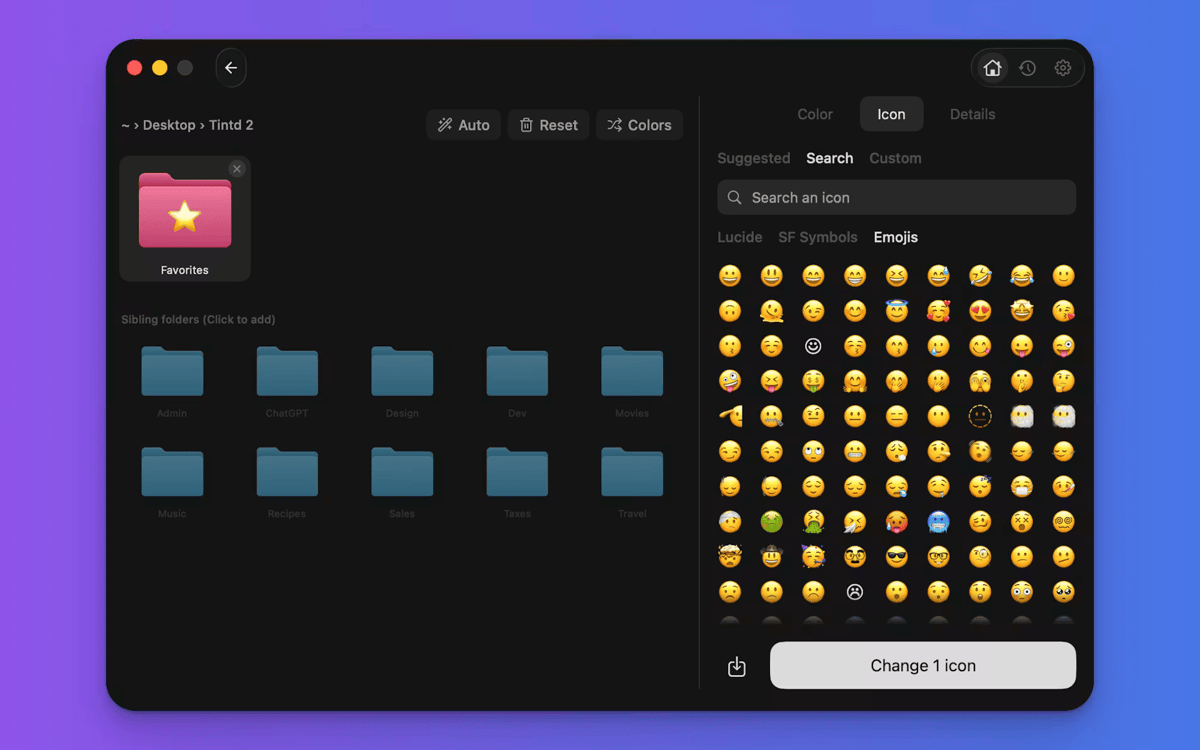
Tintd no te bloquea en el modo automático. Abre cualquier carpeta en el editor para elegir tu propio color, selecciona entre más de 11.000 iconos y emojis, importa imágenes personalizadas o cambia el tamaño y el color de las superposiciones. Todos los iconos que creas se guardan en tu historial para reutilizarlos fácilmente.
Edita carpetas por lotes rápidamente
Selecciona varias carpetas y dales estilo a todas a la vez. Aleatoriza los colores, aplica un icono a todas las carpetas o deja que Smart Icon encuentre la combinación perfecta para cada una. Perfecto para configurar una carpeta de proyecto o limpiar tu escritorio de una vez.
Colores inteligentes que se mantienen uniformes
Smart Color de Tintd analiza las carpetas cercanas a la que personalizas y elige un color que complete el círculo cromático. El resultado parece intencional y coherente, incluso si no lo habías planeado.
Suscríbete y accede a cientos de apps
Suscríbete a Setapp y usa cientos de apps fantásticas con una sola suscripción.
Pruébalo 7 días gratis y luego paga una única cuota.
Instala Setapp en tu Mac
Apps de Mac, iOS y web para encontrar soluciones a tus desafíos cotidianos.

Consigue la app que buscabas
Esa app increíble y reluciente te espera en Setapp. Instálala con un clic.

Tintd
Elige la suscripción
Una app o más con Setapp Membership. Consigue las apps a tu manera.

Suscríbete y accede a cientos de apps
Suscríbete a Setapp y usa cientos de apps fantásticas con una sola suscripción.
Pruébalo 7 días gratis y luego paga una única cuota.
1
Instala Setapp en tu Mac
Apps de Mac, iOS y web para encontrar soluciones a tus desafíos cotidianos.
2
Consigue la app que buscabas
Esa app increíble y reluciente te espera en Setapp. Instálala con un clic.
Tintd
3
Elige la suscripción
Una app o más con Setapp Membership. Consigue las apps a tu manera.
Las mejores apps bajo un mismo paraguas
Tanto para las tareas rutinarias como para los proyectos creativos, programación o planificación, todo es más fácil con las apps de Setapp.

TypingMind
Chat de IA con una interfaz alternativa
genera o resume texto
usa la biblioteca de prompts
IA

Spark Mail
Gestiona tus correos
IA

CleanMyMac
Elimina los archivos de más

Bartender
Personaliza la barra de menús

CleanShot X
Personaliza tus capturas de pantalla

Luminar Neo
Edita tus fotos
IA

ClearVPN
Conéctate con más seguridad

Craft
Trabaja con documentos
IA
Tintd
Iconos de carpeta automáticos para tu Mac