USB Connection Information
Deja de adivinar. Empieza a conocer.

Mac
Versión 26.41
macOS 14.0 o posterior
17.9 MB
22 idiomas
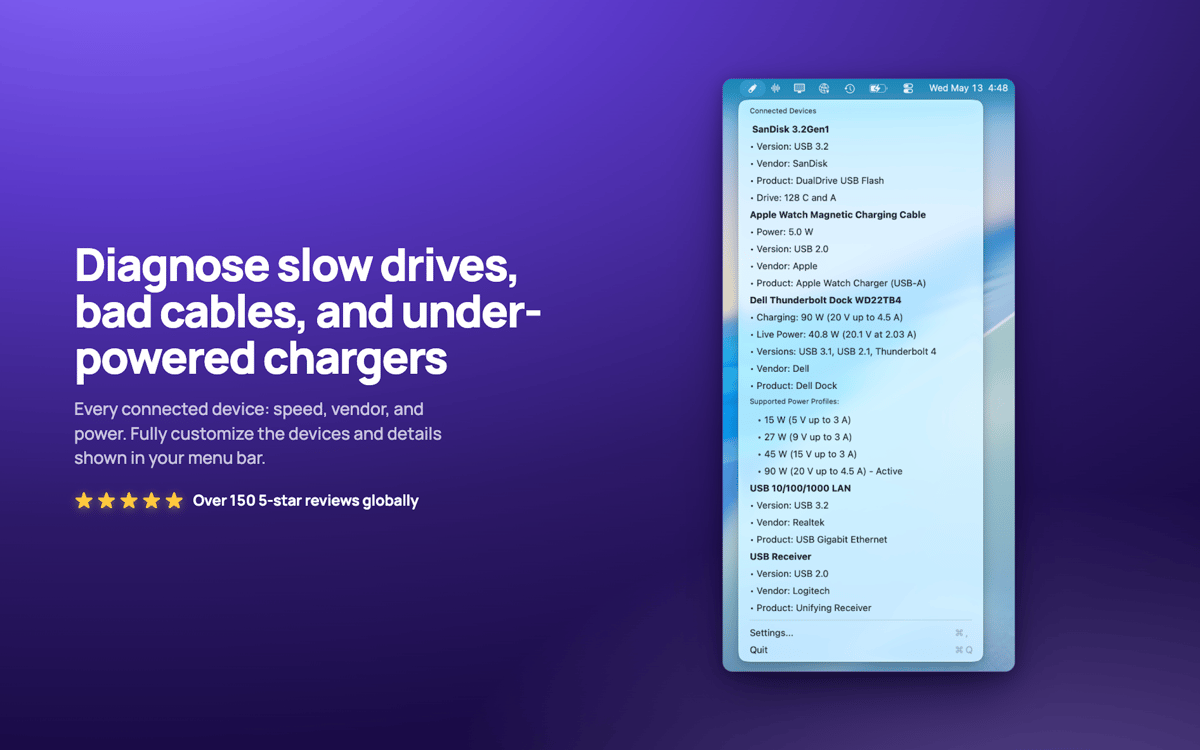
USB Connection Information: monitor USB y Thunderbolt para Mac. Se ubica en la barra de menú y muestra la velocidad real negociada de cada dispositivo conectado, para que sepas al instante si un cable de "10 Gbps" en realidad funciona a velocidad USB 2.0. Comprueba la potencia del cargador en tiempo real, el consumo de energía del dispositivo y qué unidades pertenecen a qué dispositivos. Se acabó el tener que adivinar si tu base de conexión tiene limitaciones o si el cable es el punto débil.
Comprueba las velocidades USB reales de un vistazo
Potencia y consumo del cargador en tiempo real
Detecta cables lentos al instante
Asociar unidades con dispositivos en Finder
Características de USB Connection Information
Verificación de velocidad real
Consulta la velocidad real negociada de cada conexión, desde USB 1.0 hasta USB 3.2 y Thunderbolt 1-3. Las especificaciones mienten. Tu Mac no.
Una barra de menú que se adapta a ti
Responde rápidamente a tus preguntas sobre USB. Mostrar solo el icono, o el número de dispositivos, la potencia del cargador o la velocidad. Lo que mejor se adapte a tu forma de trabajar.
Información de carga en tiempo real
Observa cómo se actualizan en tiempo real la potencia, el voltaje, la versión PD y los perfiles de energía compatibles del cargador de tu MacBook.
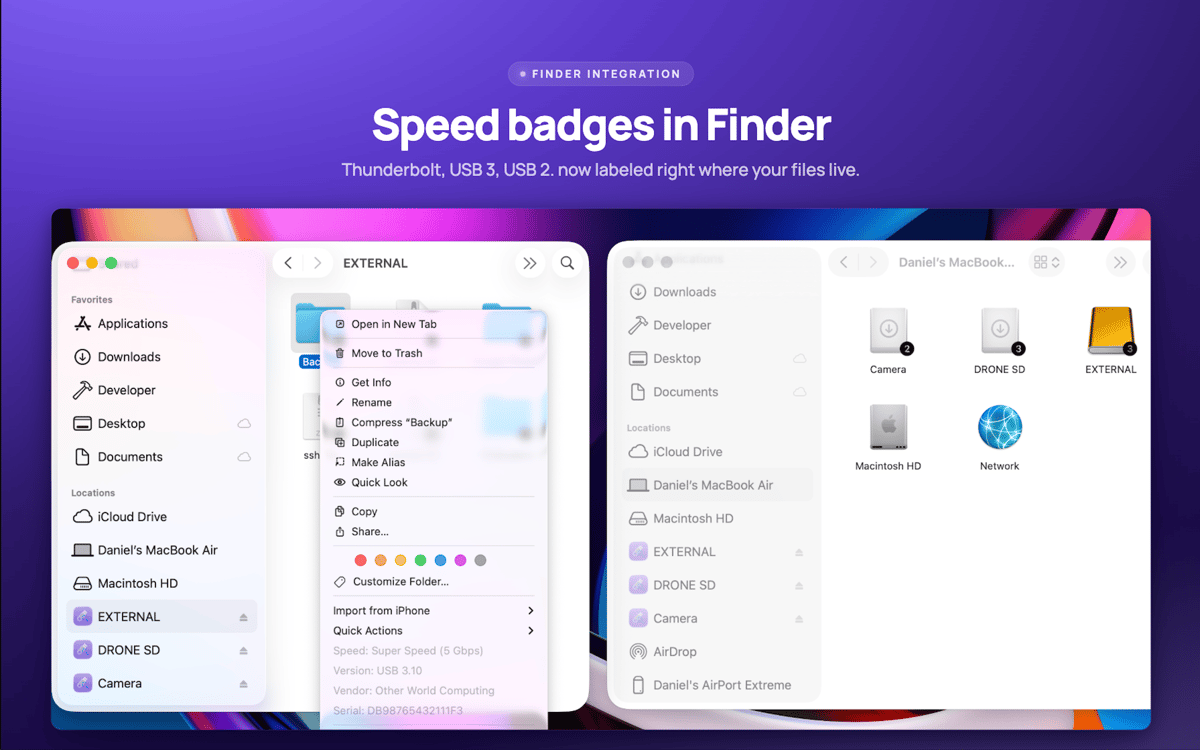
Etiquetas de unidad de Finder
La velocidad de conexión se muestra directamente en los iconos de tus unidades en Finder. Haz clic con el botón derecho en cualquier unidad para obtener detalles del dispositivo al instante.
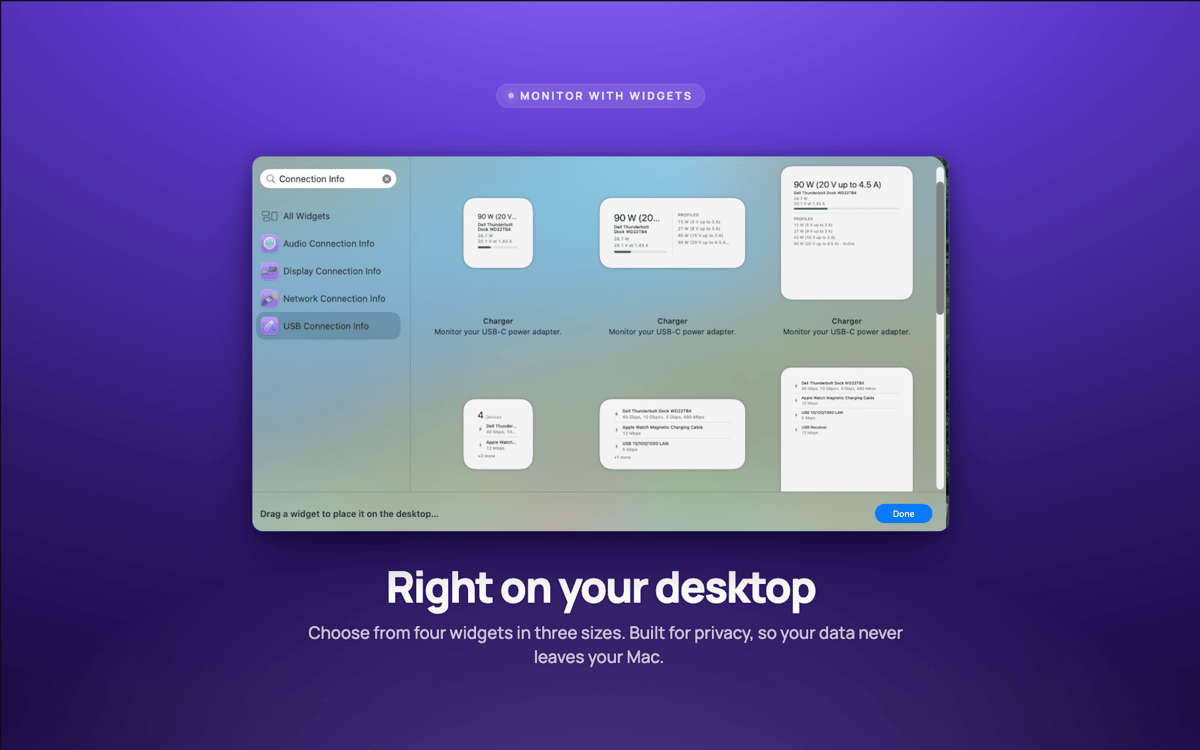
Widgets de escritorio
Los widgets pequeños, medianos y grandes vigilan tus conexiones sin abrir nada.
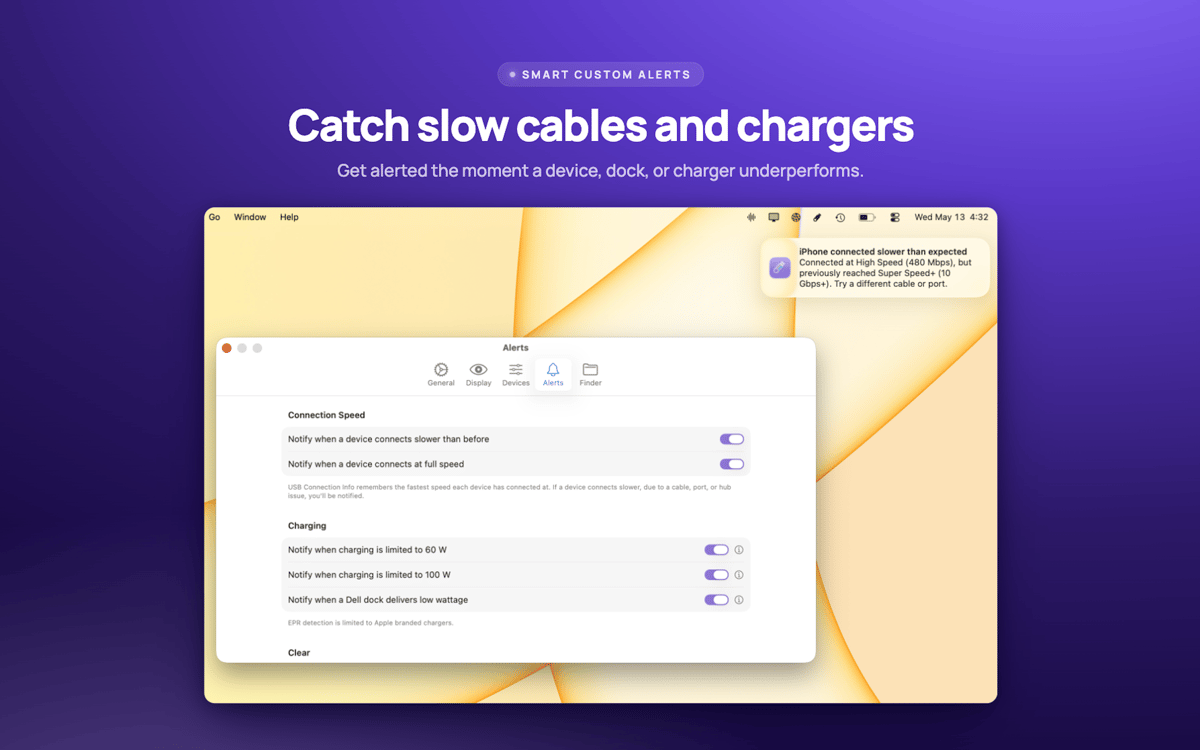
Alertas de velocidad
Recibe una alerta en cuanto un dispositivo negocie más lento de lo debido, generalmente señal de que el cable es el problema.
Valoraciones y reseñas
USB Connection Information
•
3 valoraciones
Pelle Wessman
5 jun 2026
Versión de la app: 26.33
Excellent app that surfaces real useful information and has a really responsive and enthusiastic creator who replies real quick to feature requests and feedback!
Suscríbete y accede a cientos de apps
Suscríbete a Setapp y usa cientos de apps fantásticas con una sola suscripción.
Pruébalo 7 días gratis y luego paga una única cuota.
Instala Setapp en tu Mac
Apps de Mac, iOS y web para encontrar soluciones a tus desafíos cotidianos.

Consigue la app que buscabas
Esa app increíble y reluciente te espera en Setapp. Instálala con un clic.

USB Connection Information
Elige la suscripción
Una app o más con Setapp Membership. Consigue las apps a tu manera.

Suscríbete y accede a cientos de apps
Suscríbete a Setapp y usa cientos de apps fantásticas con una sola suscripción.
Pruébalo 7 días gratis y luego paga una única cuota.
1
Instala Setapp en tu Mac
Apps de Mac, iOS y web para encontrar soluciones a tus desafíos cotidianos.
2
Consigue la app que buscabas
Esa app increíble y reluciente te espera en Setapp. Instálala con un clic.
USB Connection Information
3
Elige la suscripción
Una app o más con Setapp Membership. Consigue las apps a tu manera.
Las mejores apps bajo un mismo paraguas
Tanto para las tareas rutinarias como para los proyectos creativos, programación o planificación, todo es más fácil con las apps de Setapp.

TypingMind
Chat de IA con una interfaz alternativa
genera o resume texto
usa la biblioteca de prompts
IA

Spark Mail
Gestiona tus correos
IA

CleanMyMac
Elimina los archivos de más

Bartender
Personaliza la barra de menús

CleanShot X
Personaliza tus capturas de pantalla

Luminar Neo
Edita tus fotos
IA

ClearVPN
Conéctate con más seguridad

Craft
Trabaja con documentos
IA
USB Connection Information
Deja de adivinar. Empieza a conocer.