
WhoPays
Dividir los costos. Evita el drama.
Mac, iOS, Web
Versión 1.0.0
macOS 11.0 o posterior
561.5 MB
1 idiomas
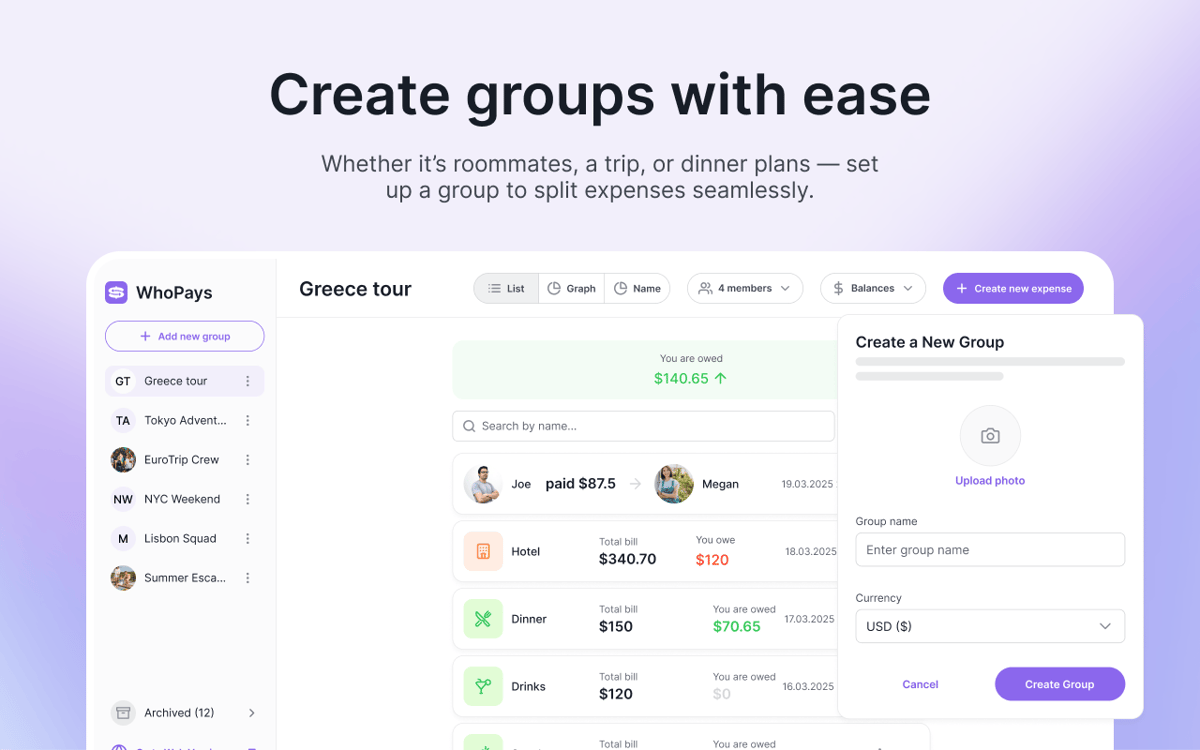
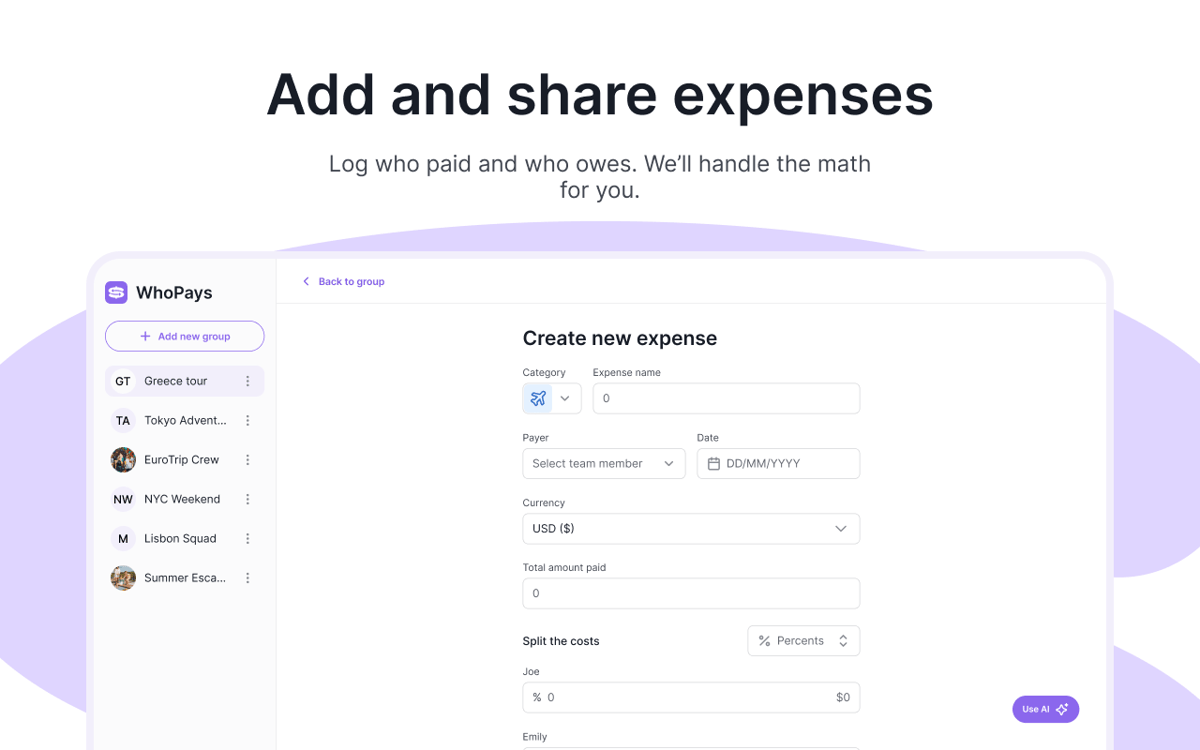
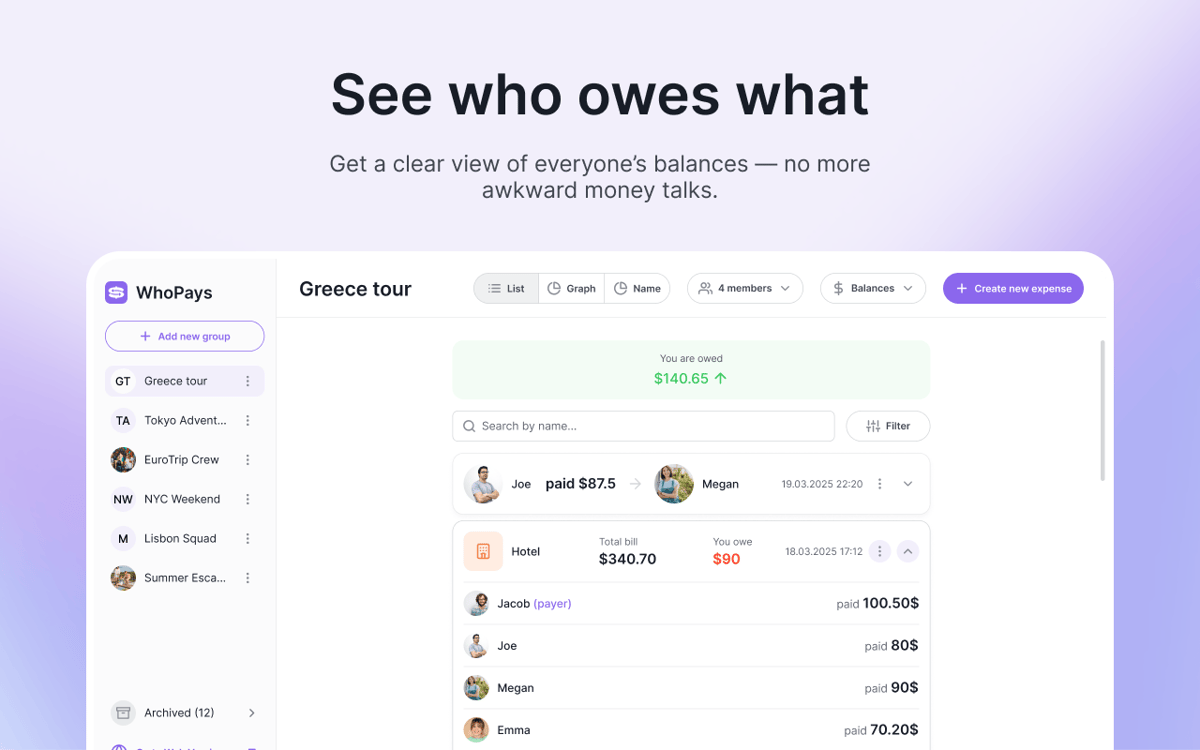
WhoPays es una app de seguimiento de gastos compartidos para Mac, iOS y web. Te ayuda a dividir gastos compartidos, gestionar miembros y consultar los saldos en tiempo real, todo en un mismo lugar. Es una opción muy práctica para viajes, compañeros de piso, parejas y cualquier otra situación en la que los gastos se acumulen rápidamente. Añade los gastos manualmente, explora los recibos con IA o créalos a partir de notas de voz.
Divide los gastos del viaje fácilmente
Seguimiento de facturas compartidas en grupos
Explora recibos con IA
Añadir gastos por voz
Características de WhoPays
Controla los gastos compartidos sin líos
Añade, edita y elimina gastos dentro de un grupo. Adjunta notas y archivos cuando los detalles importan. Cuando llegue el momento de hacer cuentas, liquida los saldos en pocos clics.
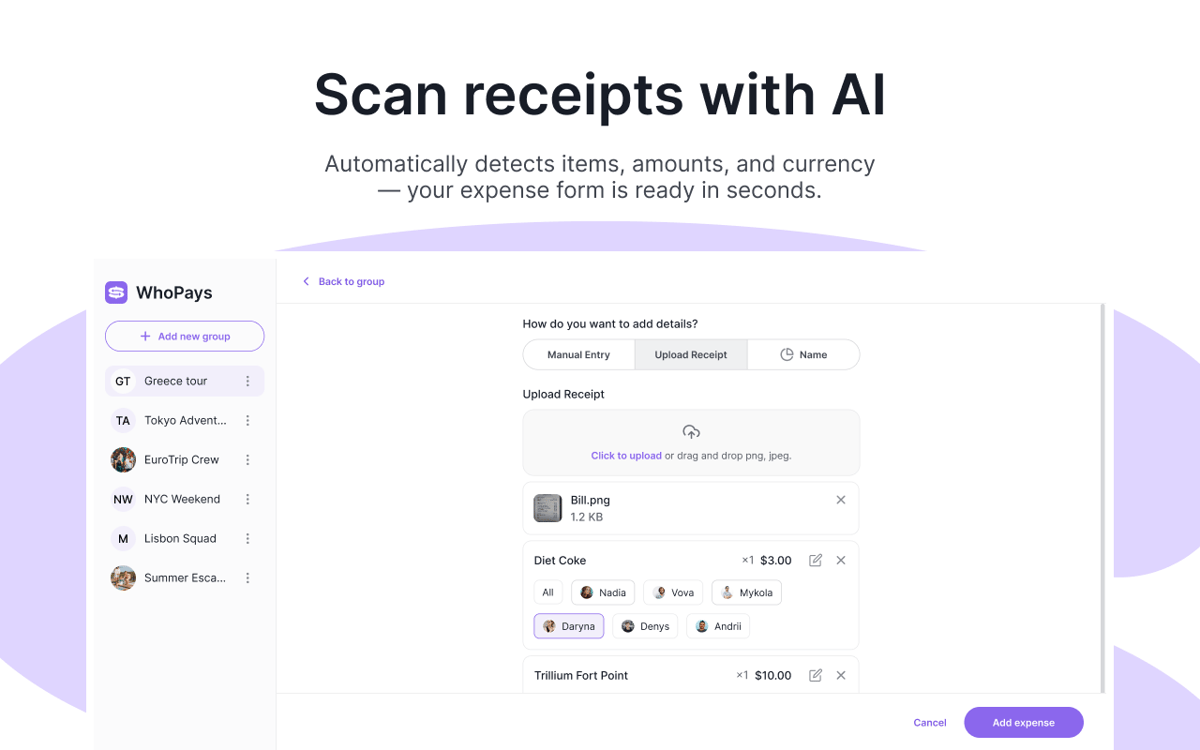
Escanea recibos con IA
Haz una foto del recibo y deja que WhoPays extraiga automáticamente cada artículo. También puede detectar la moneda y guardar la imagen del recibo original junto con el gasto.
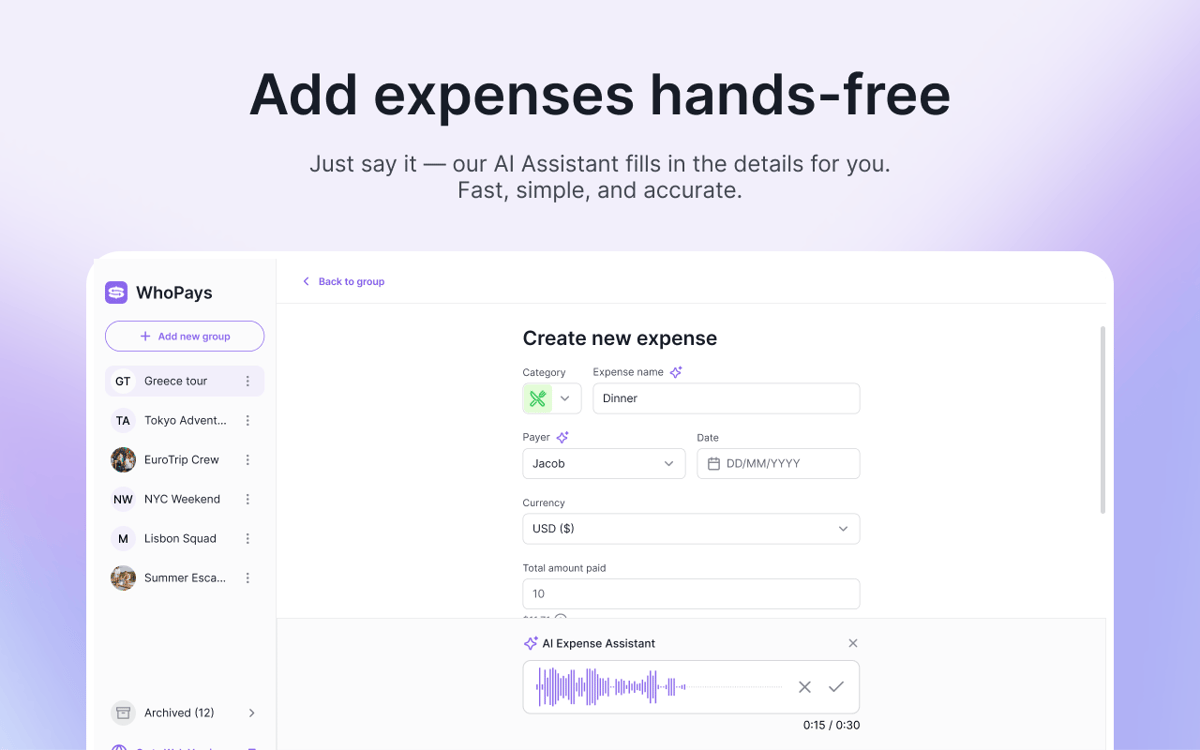
Crea gastos con tu voz
¿No quieres escribirlo todo? O graba una nota de voz. WhoPays puede detectar la categoría, el nombre, la fecha, la moneda, el pagador y los importes de los participantes del gasto.
Consulta saldos, estadísticas e historial de un vistazo
Consulta los saldos en tiempo real, ve los totales por categoría y consulta los desgloses por miembro. Cada cambio se guarda en una línea de tiempo, para que siempre puedas hacer un seguimiento de las ediciones, las invitaciones, los acuerdos y las eliminaciones.
Mantén a todos en la misma página
Crea grupos, invita a miembros, elimínalos cuando sea necesario y comparte enlaces de invitación. Las personas pueden unirse mediante una invitación por correo electrónico o un enlace directo, lo que hace que la configuración sea sencilla y cómoda.
Divide los gastos en más de 150 divisas
Establece una moneda para el grupo y añade gastos o liquidaciones en cualquier moneda que necesites. WhoPays los convierte automáticamente, para que todos puedan seguir las cifras sin cálculos adicionales.
Valoraciones y reseñas
WhoPays
•
8 valoraciones
Christian Saborio
30 ago 2026
Versión de la app: 1.0.0
Love it - a very likely replacement for Splitwise. Only feature I’d like that’s not there is to export to PDF to share to people, but overall, a fantastic app.
Mykola
3 jun 2026
Versión de la app: 1.1.0
Great app, with a much better design than Splitwise. I like the AI adding, which saves tons of time.
Nadiia
2 jun 2026
Versión de la app: 1.0.0
Really good app! It helps me split bills with my friends. We often order lunch at work, and one person pays for everyone, so this app makes it easy to share the costs.
Suscríbete y accede a cientos de apps
Suscríbete a Setapp y usa cientos de apps fantásticas con una sola suscripción.
Pruébalo 7 días gratis y luego paga una única cuota.
Instala Setapp en tu Mac
Apps de Mac, iOS y web para encontrar soluciones a tus desafíos cotidianos.

Consigue la app que buscabas
Esa app increíble y reluciente te espera en Setapp. Instálala con un clic.

WhoPays
Elige la suscripción
Una app o más con Setapp Membership. Consigue las apps a tu manera.

Suscríbete y accede a cientos de apps
Suscríbete a Setapp y usa cientos de apps fantásticas con una sola suscripción.
Pruébalo 7 días gratis y luego paga una única cuota.
1
Instala Setapp en tu Mac
Apps de Mac, iOS y web para encontrar soluciones a tus desafíos cotidianos.
2
Consigue la app que buscabas
Esa app increíble y reluciente te espera en Setapp. Instálala con un clic.
WhoPays
3
Elige la suscripción
Una app o más con Setapp Membership. Consigue las apps a tu manera.
Las mejores apps bajo un mismo paraguas
Tanto para las tareas rutinarias como para los proyectos creativos, programación o planificación, todo es más fácil con las apps de Setapp.

TypingMind
Chat de IA con una interfaz alternativa
genera o resume texto
usa la biblioteca de prompts
IA

Spark Mail
Gestiona tus correos
IA

CleanMyMac
Elimina los archivos de más

Bartender
Personaliza la barra de menús

CleanShot X
Personaliza tus capturas de pantalla

Luminar Neo
Edita tus fotos
IA

ClearVPN
Conéctate con más seguridad

Craft
Trabaja con documentos
IA
WhoPays
Dividir los costos. Evita el drama.