
Wifilicious
Conozca su Wi-Fi

Mac
Versión 2.0.1
macOS 15.0 o posterior
21.7 MB
12 idiomas
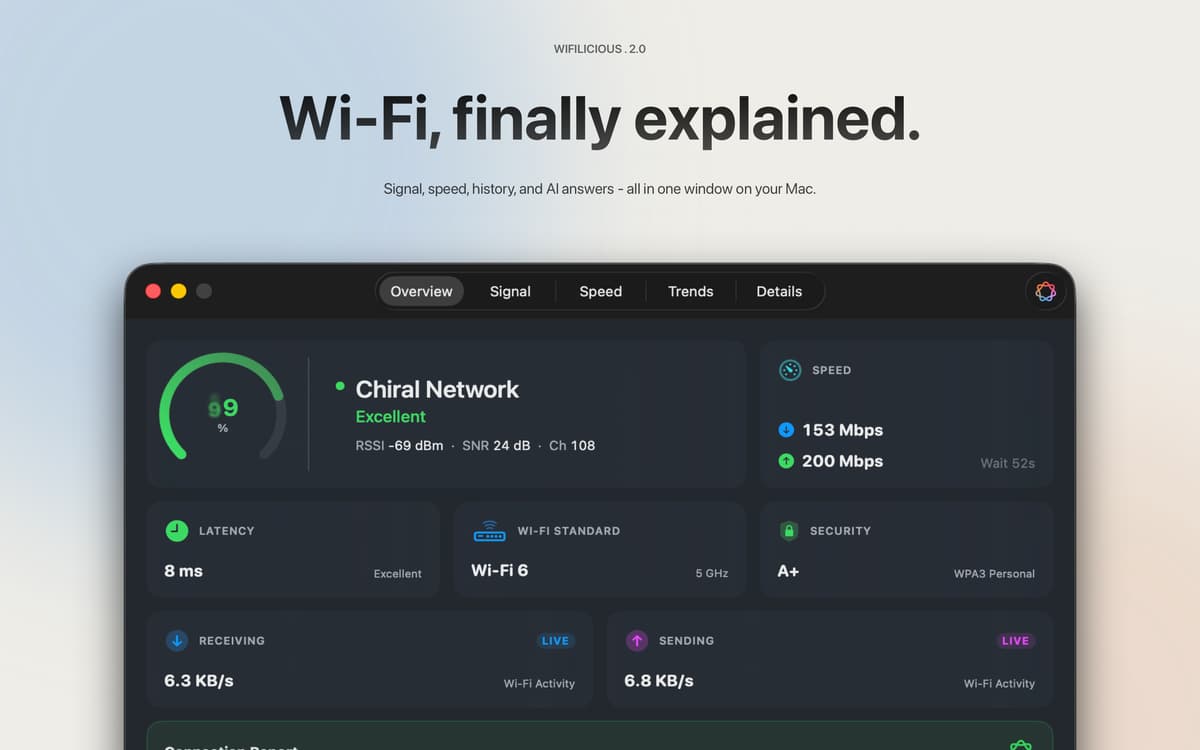
Wifilicious es un analizador de Wi-Fi para Mac. Te muestra toda la información sobre tu conexión actual: intensidad de señal, latencia, rendimiento, seguridad y tiempo de DNS, actualizada cada dos segundos. Ejecuta una prueba de velocidad, revisa el historial de las dos últimas semanas o simplemente pregúntale a Apple Intelligence qué está pasando. Todo se procesa en tu Mac. Nada sale de ahí.
Diagnostica rápidamente el Wi-Fi lento o inestable
Comprueba la velocidad real de tu conexión Wi-Fi
Rastrea tendencias de señal por horas y días
Pregunta a la IA por qué tu conexión no va bien
Características de Wifilicious
Una visión completa de un vistazo
Calidad de señal, estándar de seguridad, rendimiento en vivo, latencia y temporización DNS: todo en un panel de control, actualizado cada dos segundos. Los datos que tu Mac ha estado recopilando silenciosamente, por fin en un lugar donde puedes verlos.
Pruebas de velocidad que realmente miden tu Wi-Fi
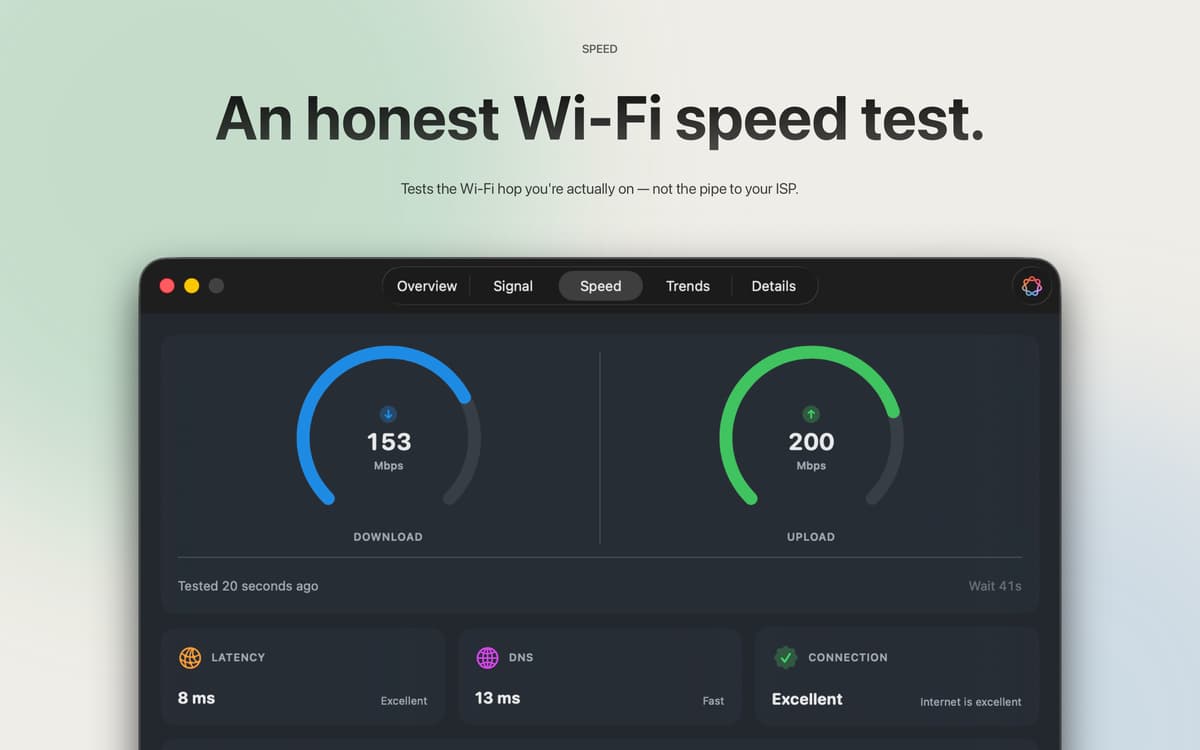
La mayoría de las pruebas de velocidad miden la conexión de tu proveedor de servicios de Internet. Este mide el salto de Wi-Fi entre tu Mac y tu router, que es donde suele estar el problema. Tres muestras, resultado promedio, no necesita cuenta. Usa aproximadamente 9 MB de descarga y 5 MB de subida por ejecución, así que puedes hacer pruebas siempre que algo no funcione bien sin pensártelo dos veces.
Las cifras brutas, explicadas
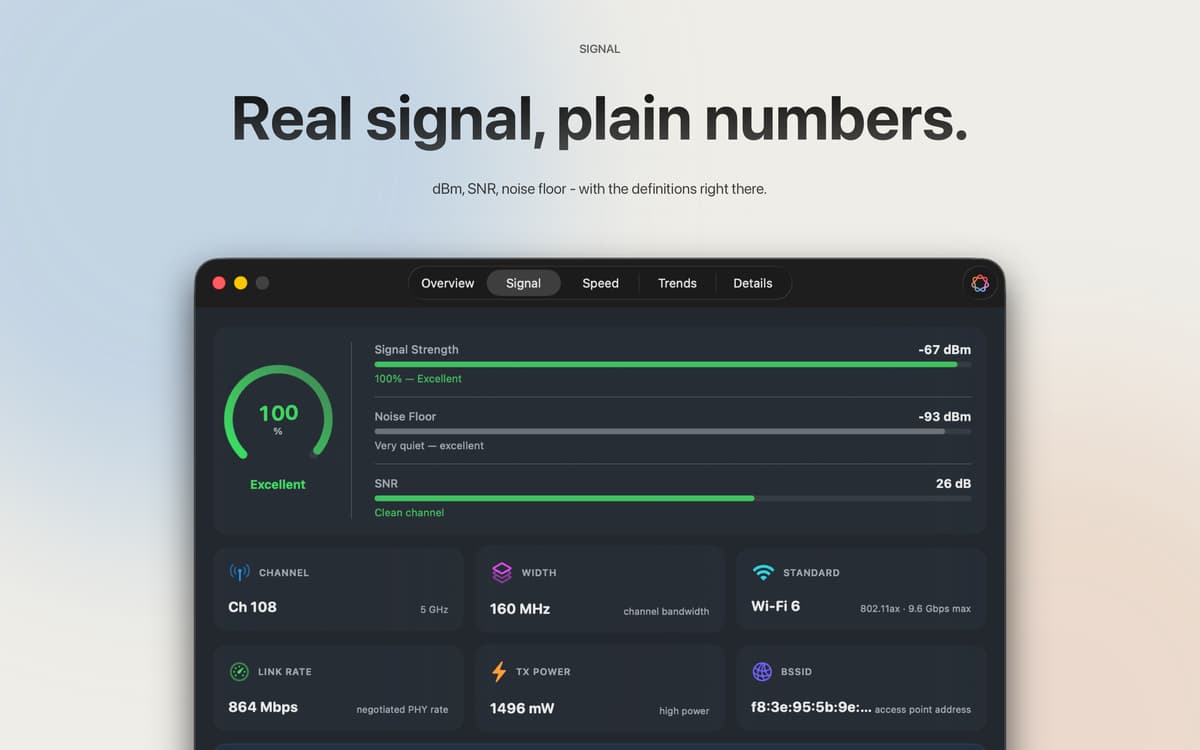
RSSI en dBm, relación señal-ruido, potencia de transmisión, ancho de canal, modo PHY: todo eso, al alcance de tu mano. Todos los campos se pueden copiar y pegar. Cada métrica viene acompañada de una explicación en lenguaje sencillo, por lo que no necesitas un título en redes para saber lo que estás viendo.
Dos semanas de historia
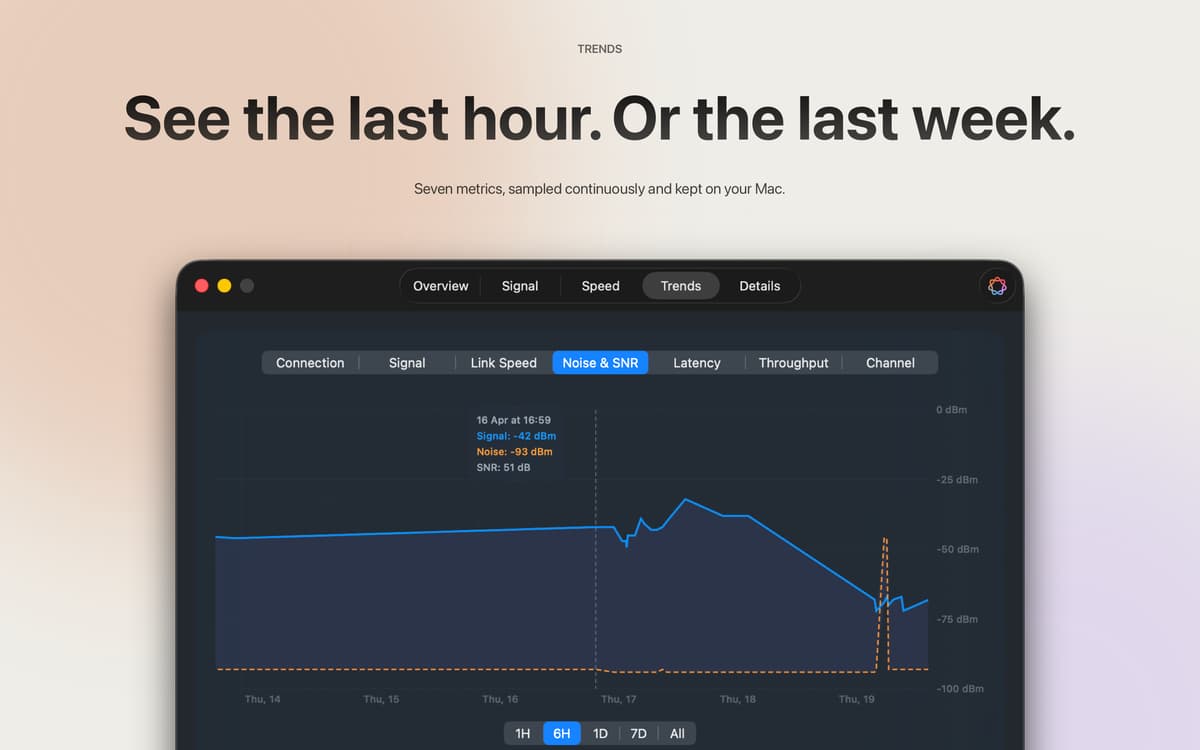
Intensidad de la señal, velocidad del enlace, ruido, relación señal/ruido (SNR), latencia, rendimiento y canal: datos muestreados cada cinco minutos y conservados durante 14 días. Retrocede una hora, un día o las dos semanas completas para ver exactamente cuándo las cosas se complicaron. Todas las muestras se mantienen en tu Mac.
Apple Intelligence, basada en tus datos reales
En macOS 26 y versiones posteriores, Apple Intelligence lee los datos de tu conexión en directo y responde como un amigo que realmente entiende de redes. Pregunta «¿Esta conexión es buena para una videollamada?» y obtén una respuesta real basada en tu señal y velocidad, no consejos genéricos sacados de internet. En tu dispositivo, en tu idioma, nunca se sube.
Barra de menús, panel de control o ambos
Una lectura rápida de la señal en la barra de menús te permite comprobar si todo va bien en este momento. El panel completo se encarga de todo lo demás. Seis estilos de iconos, colores de señal personalizables: tú decides qué se muestra y cómo.
Suscríbete y accede a cientos de apps
Suscríbete a Setapp y usa cientos de apps fantásticas con una sola suscripción.
Pruébalo 7 días gratis y luego paga una única cuota.
Instala Setapp en tu Mac
Apps de Mac, iOS y web para encontrar soluciones a tus desafíos cotidianos.

Consigue la app que buscabas
Esa app increíble y reluciente te espera en Setapp. Instálala con un clic.

Wifilicious
Elige la suscripción
Una app o más con Setapp Membership. Consigue las apps a tu manera.

Suscríbete y accede a cientos de apps
Suscríbete a Setapp y usa cientos de apps fantásticas con una sola suscripción.
Pruébalo 7 días gratis y luego paga una única cuota.
1
Instala Setapp en tu Mac
Apps de Mac, iOS y web para encontrar soluciones a tus desafíos cotidianos.
2
Consigue la app que buscabas
Esa app increíble y reluciente te espera en Setapp. Instálala con un clic.
Wifilicious
3
Elige la suscripción
Una app o más con Setapp Membership. Consigue las apps a tu manera.
Las mejores apps bajo un mismo paraguas
Tanto para las tareas rutinarias como para los proyectos creativos, programación o planificación, todo es más fácil con las apps de Setapp.

TypingMind
Chat de IA con una interfaz alternativa
genera o resume texto
usa la biblioteca de prompts
IA

Spark Mail
Gestiona tus correos
IA

CleanMyMac
Elimina los archivos de más

Bartender
Personaliza la barra de menús

CleanShot X
Personaliza tus capturas de pantalla

Luminar Neo
Edita tus fotos
IA

ClearVPN
Conéctate con más seguridad

Craft
Trabaja con documentos
IA
Wifilicious
Conozca su Wi-Fi