Chunk
Time-block your whole day
Mac
Versione 3.4.4
macOS 13.0 o successivo
223.5 MB
32 lingue
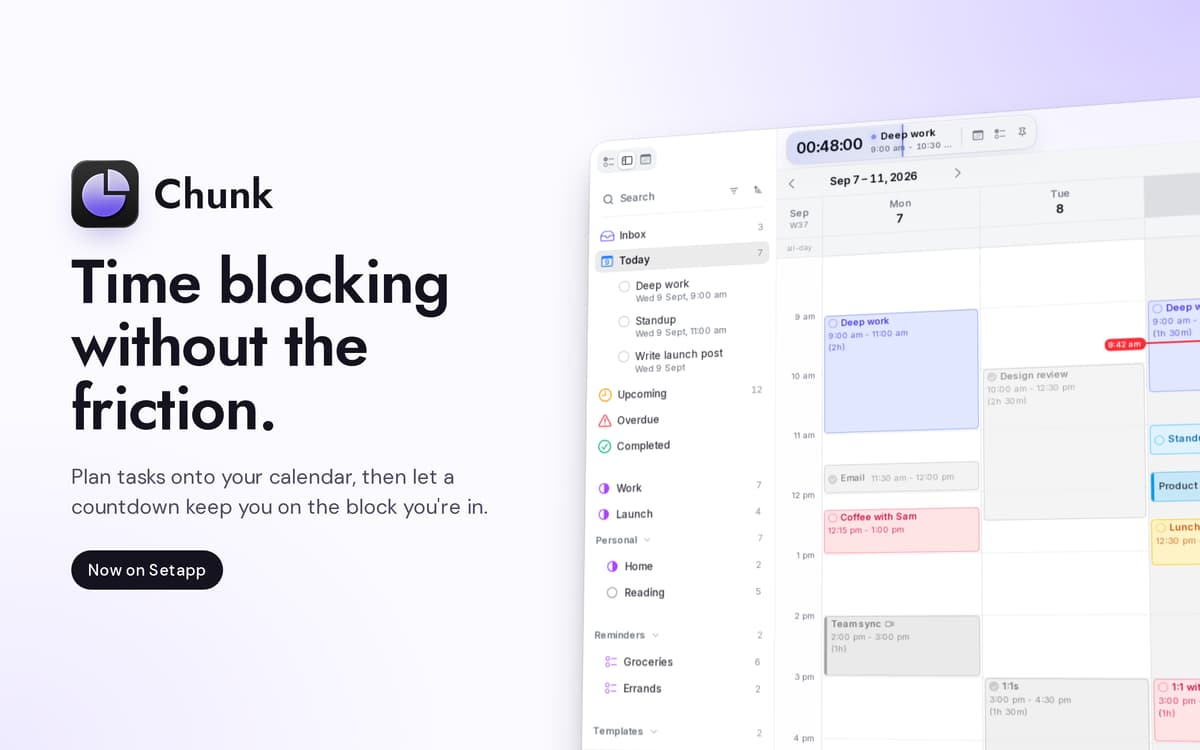
Chunk è un'app per Mac che blocca il tempo dalla barra dei menu. Premi Cmd+/ e apparirà un pannello traslucido, pronto per blocchi colorati. Trascina riunioni, lavoro intenso e il caffè del pomeriggio su una timeline di 24 ore, e la barra dei menu conterà alla rovescia il tempo rimasto nel blocco corrente. La sincronizzazione bidirezionale con Google, Outlook e Apple Calendar mantiene tutto in un posto; l'agenda rimane sul tuo Mac.
Pianifica il domani in 30 secondi netti
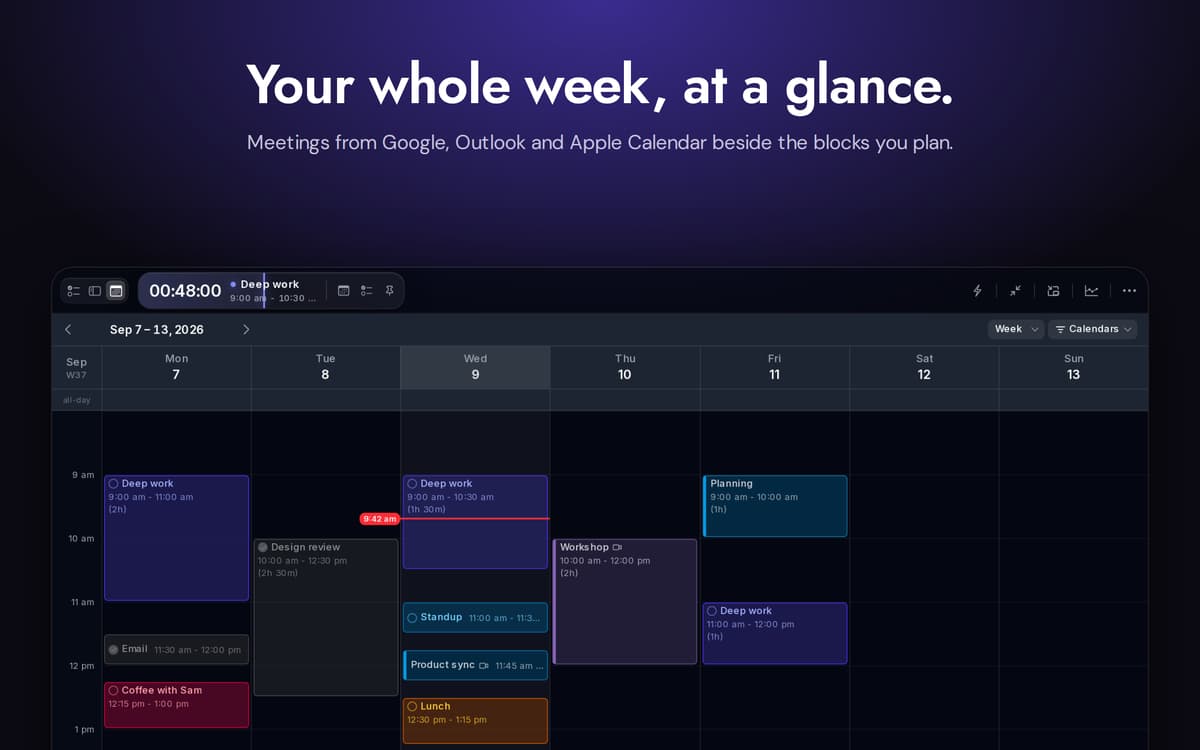
Sincronizza Google, Outlook e Apple Calendar
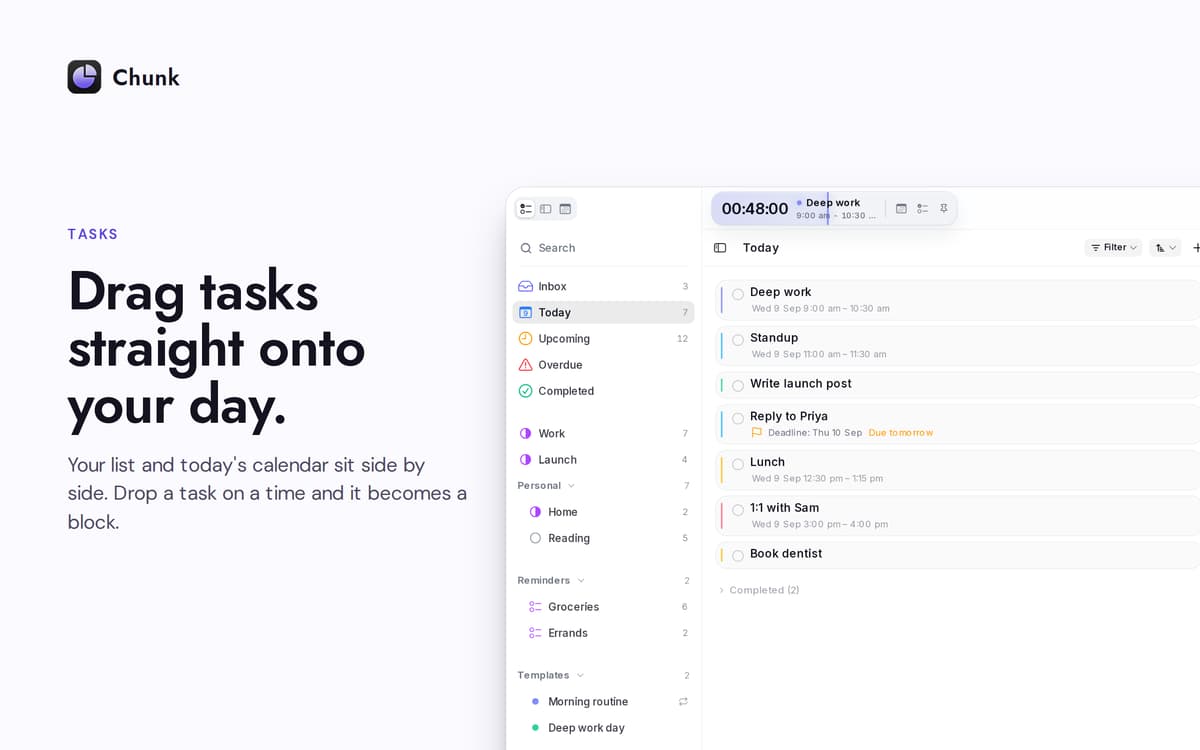
Trascina le attività sulla tua giornata
Ripianifica senza perdere la concentrazione
Funzionalità di Chunk
Timeline trascinabile
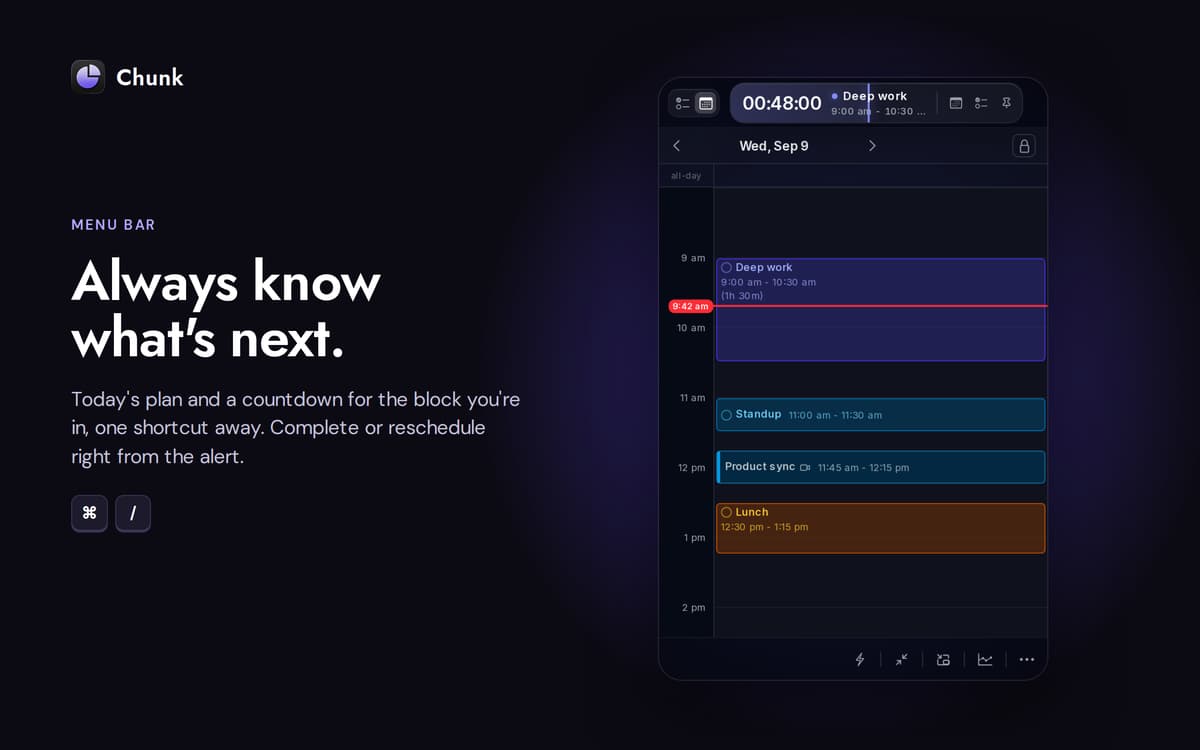
Una timeline verticale di 24 ore che crei trascinando. Ridimensiona i blocchi da entrambi i lati. L'intervallo di snap si riduce più ingrandisci, arrivando fino a un minuto quando ne hai bisogno.
Calendari sincronizzati
Collega Google, Outlook o Apple Calendar: scegline uno o tutti e tre. Qualsiasi modifica apporti in Chunk viene sincronizzata con la fonte originale in pochi secondi. Gli eventi esterni appaiono sulla stessa timeline dei tuoi blocchi, così hai un solo posto da controllare.
Apple Promemoria, affiancati
Le tue liste di Promemoria appaiono nella barra laterale delle attività di Chunk. Spunta qualcosa qui e verrà spuntato anche nell'app Promemoria del sistema. Trascina un promemoria sulla tua giornata per trasformarlo in un blocco di tempo.
Template che si mostrano automaticamente
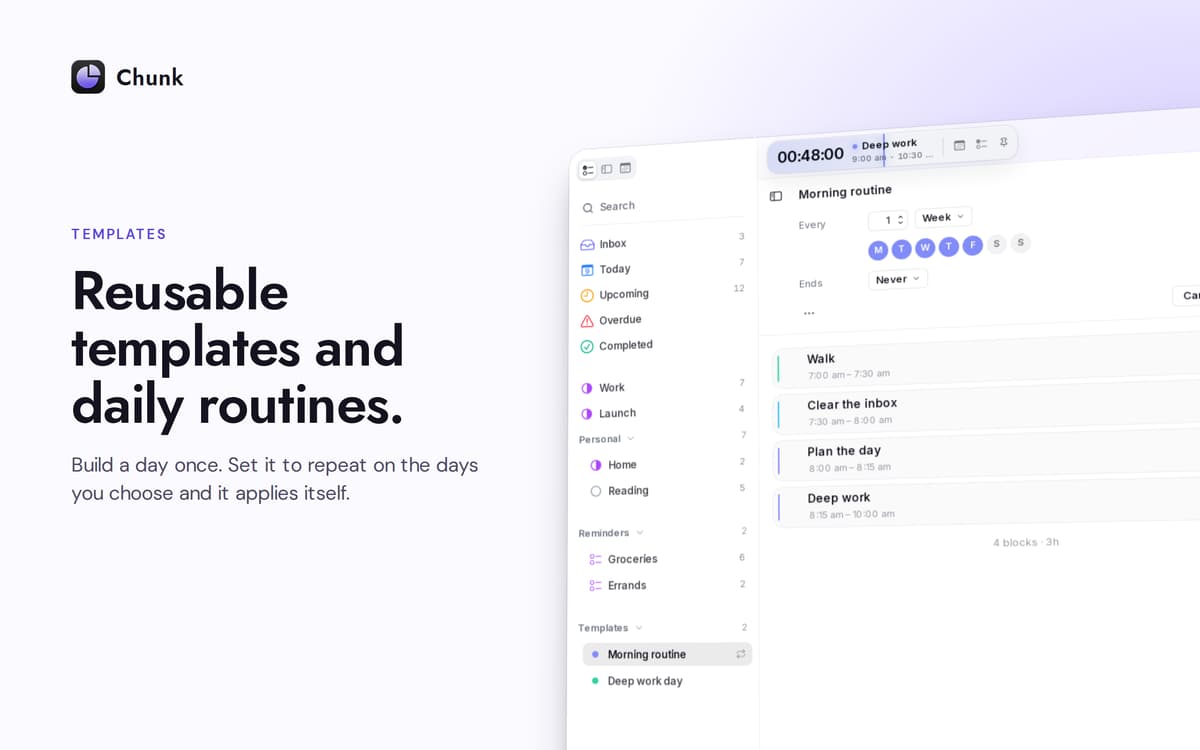
Salva una giornata tipo una volta sola. Scegli i giorni della settimana in cui applicarlo automaticamente. Chunk riempie il programma prima ancora che tu apra il pannello: una settimana fresca, già organizzata.
Un countdown che resta sempre visibile
La barra dei menu mostra il tempo rimanente nel blocco attuale. Il pannello principale rimane sospeso sopra le app a schermo intero, quindi una rapida occhiata — o una rapida ripianificazione — non ti fa mai perdere quello che stavi facendo.
Pianifica con Claude, sul tuo Mac
Collega Chunk a Claude e lascia che organizzi, sposti o rimodelli la tua giornata tramite comandi in linguaggio naturale. La connessione avviene localmente; la tua pianificazione non lascia mai il dispositivo.
Centinaia di app con la Membership
Diventa membro di Setapp e utilizza centinaia di app straordinarie con un unico abbonamento.
Prova gratis per 7 giorni, poi paga una tariffa unica.
Installa Setapp sul Mac
Scopri le app per Mac, iOS e il web. Trova modi semplici per risolvere le attività quotidiane.

Ottieni l'app che stavi cercando
Quell'app tanto desiderata ti aspetta in Setapp. Installala con un clic.

Chunk
Scegli un abbonamento
Una o più app con un abbonamento Setapp. Acquista le app come preferisci.

Centinaia di app con la Membership
Diventa membro di Setapp e utilizza centinaia di app straordinarie con un unico abbonamento.
Prova gratis per 7 giorni, poi paga una tariffa unica.
1
Installa Setapp sul Mac
Scopri le app per Mac, iOS e il web. Trova modi semplici per risolvere le attività quotidiane.
2
Ottieni l'app che stavi cercando
Quell'app tanto desiderata ti aspetta in Setapp. Installala con un clic.
Chunk
3
Scegli un abbonamento
Una o più app con un abbonamento Setapp. Acquista le app come preferisci.
Sede delle migliori app
Dalla pianificazione e dai lavori di routine alle attività creative e di scrittura di codice, con le app di Setapp potrai affrontare di tutto.

TypingMind
Chat IA con un'interfaccia utente diversa
genera o riassumi un testo
usa la libreria di prompt
IA

Spark Mail
Gestisci le email
IA

CleanMyMac
Elimina i file spazzatura

Bartender
Personalizza la barra dei menu

CleanShot X
Cattura screenshot versatili

Luminar Neo
Modifica le tue foto
IA

ClearVPN
Connessione più sicura

Craft
Lavora con i documenti
IA
Chunk
Time-block your whole day