CrossHair
Measure pixels. Stay precise
Mac
Versione 1.7
macOS 14.0 o successivo
13.6 MB
11 lingue
CrossHair — pixel-precision toolkit for Mac designers and developers. It lives in your menu bar — or hides entirely and runs on hotkeys alone. Summon a fullscreen crosshair, zoom into individual pixels, drop persistent alignment guides, and measure any element on screen. Four overlays, each a keystroke away, gone the moment you're done. No background services, no Electron, no browser — just a tiny native binary that launches instantly.
Zoom into any pixel with the loupe
Drop alignment guides anywhere on screen
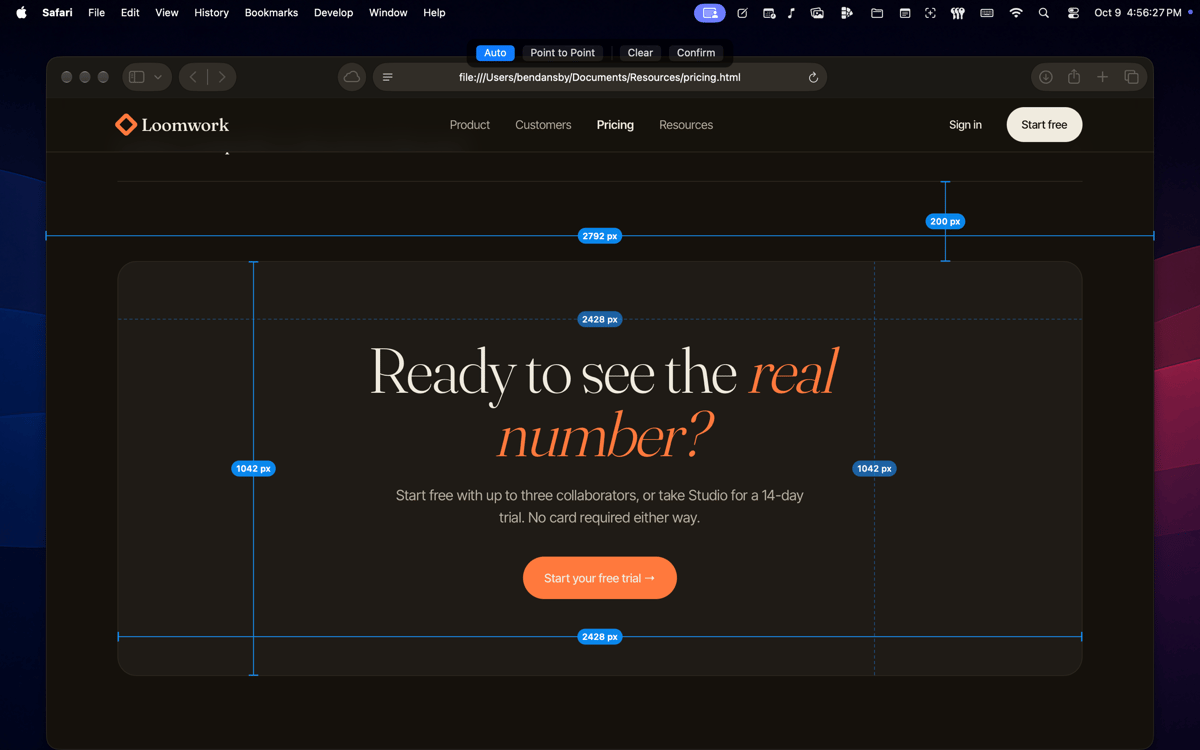
Measure UI elements without leaving apps
Overlay a fullscreen crosshair instantly
Funzionalità di CrossHair
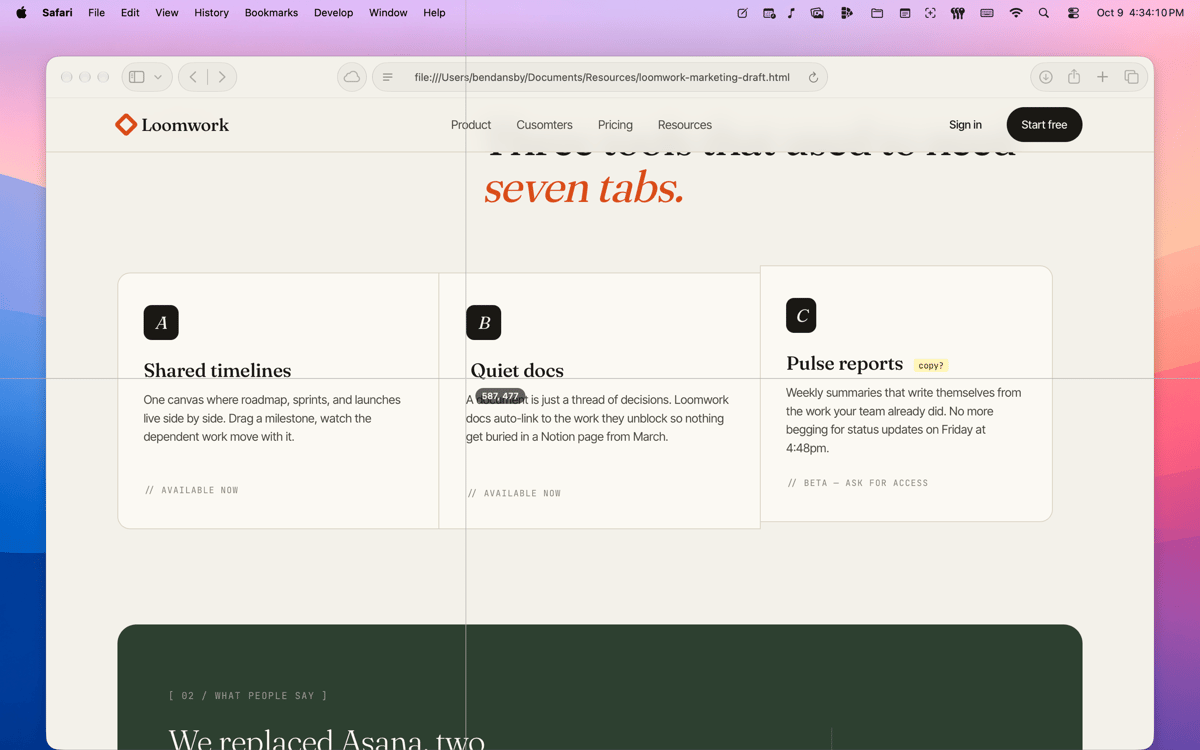
Fullscreen crosshair
A pair of 1-pixel lines follows your cursor across every window and app. It stays razor-thin regardless of display size — surgical accuracy, not decoration. One keystroke to summon (⌘⌥X), Esc to dismiss.
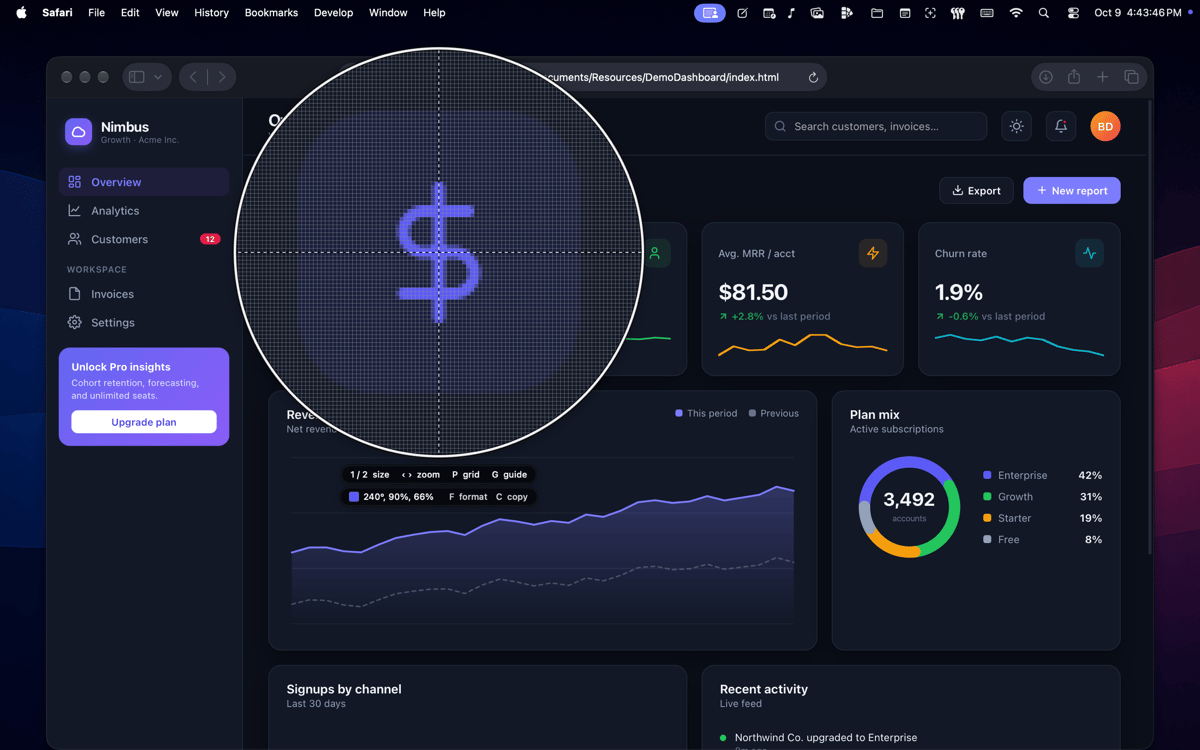
Pixel loupe
A circular magnified view centered on your cursor, with an optional pixel-accurate grid. Size the glass, adjust zoom, and walk the reticle one source pixel at a time — independent of the system cursor. Land on the exact pixel you need and read its neighbours without disturbing anything else.
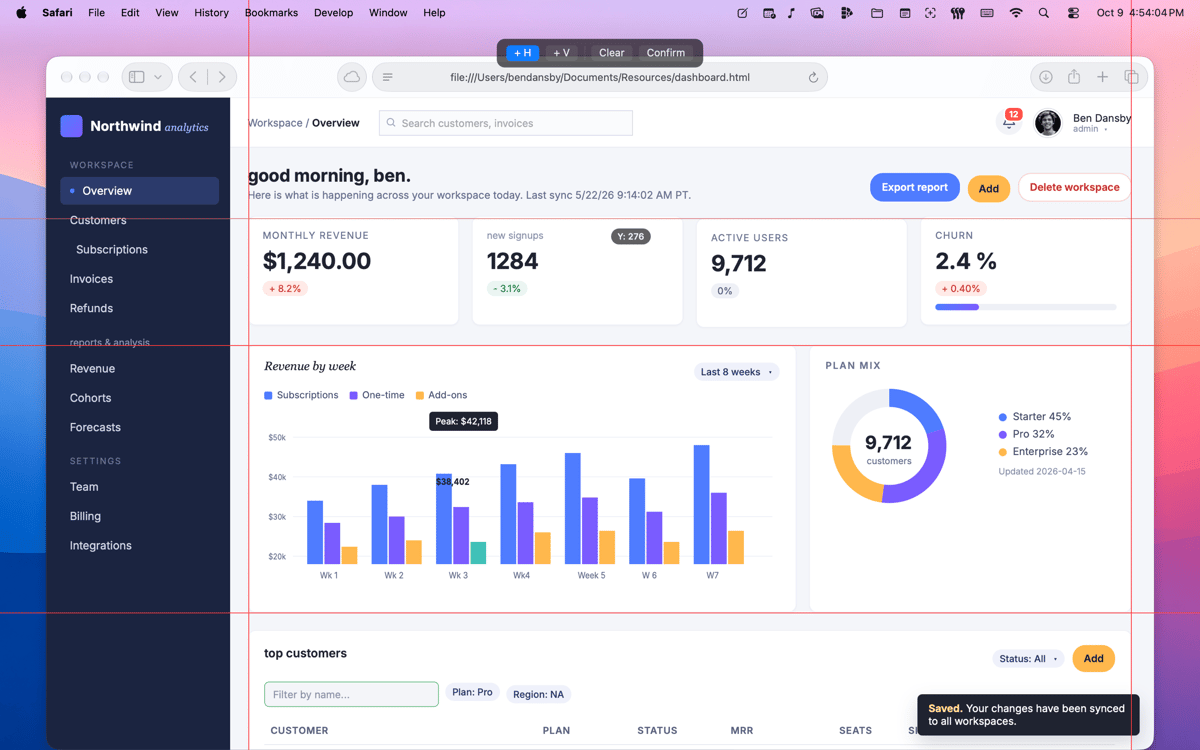
On-screen guides
Drop laser-thin alignment lines anywhere on screen and leave them there. Drag to reposition, nudge by the pixel with arrow keys, undo with ⌘Z. Lock them and every click and keystroke passes straight through to the app underneath — the guides stay visible while you keep working.
Screen ruler
Drag out a line and read the length in points; hover to flip the readout to pixels. Click once inside a flat-colour region and the ruler auto-fits a cross to the full width and height of that area — size a button, a margin, a sidebar, or a padding gap in one click. Confirm to lock the overlay click-through so measurements stay on screen while you continue.
Quiet by default
Menu-bar icon, or hide it entirely and run on hotkeys alone. Every shortcut is rebindable in Preferences. Built in SwiftUI and AppKit as a universal binary — light and dark modes out of the box, instant launch, nothing running in the background.
Privacy by design
CrossHair needs Screen Recording permission to read the pixels under your cursor — that's what powers the loupe and colour reads. macOS asks the first time a feature needs it. CrossHair also shows its own explainer first, so you always know exactly why.
Centinaia di app con la Membership
Diventa membro di Setapp e utilizza centinaia di app straordinarie con un unico abbonamento.
Prova gratis per 7 giorni, poi paga una tariffa unica.
Installa Setapp sul Mac
Scopri le app per Mac, iOS e il web. Trova modi semplici per risolvere le attività quotidiane.

Ottieni l'app che stavi cercando
Quell'app tanto desiderata ti aspetta in Setapp. Installala con un clic.

CrossHair
Scegli un abbonamento
Una o più app con un abbonamento Setapp. Acquista le app come preferisci.

Centinaia di app con la Membership
Diventa membro di Setapp e utilizza centinaia di app straordinarie con un unico abbonamento.
Prova gratis per 7 giorni, poi paga una tariffa unica.
1
Installa Setapp sul Mac
Scopri le app per Mac, iOS e il web. Trova modi semplici per risolvere le attività quotidiane.
2
Ottieni l'app che stavi cercando
Quell'app tanto desiderata ti aspetta in Setapp. Installala con un clic.
CrossHair
3
Scegli un abbonamento
Una o più app con un abbonamento Setapp. Acquista le app come preferisci.
Sede delle migliori app
Dalla pianificazione e dai lavori di routine alle attività creative e di scrittura di codice, con le app di Setapp potrai affrontare di tutto.

TypingMind
Chat IA con un'interfaccia utente diversa
genera o riassumi un testo
usa la libreria di prompt
IA

Spark Mail
Gestisci le email
IA

CleanMyMac
Elimina i file spazzatura

Bartender
Personalizza la barra dei menu

CleanShot X
Cattura screenshot versatili

Luminar Neo
Modifica le tue foto
IA

ClearVPN
Connessione più sicura

Craft
Lavora con i documenti
IA
CrossHair
Measure pixels. Stay precise