
CueClip
Registra e modifica video automaticamente
Mac
Versione 1.6.31
macOS 12.0 o successivo
1388.5 MB
1 lingue
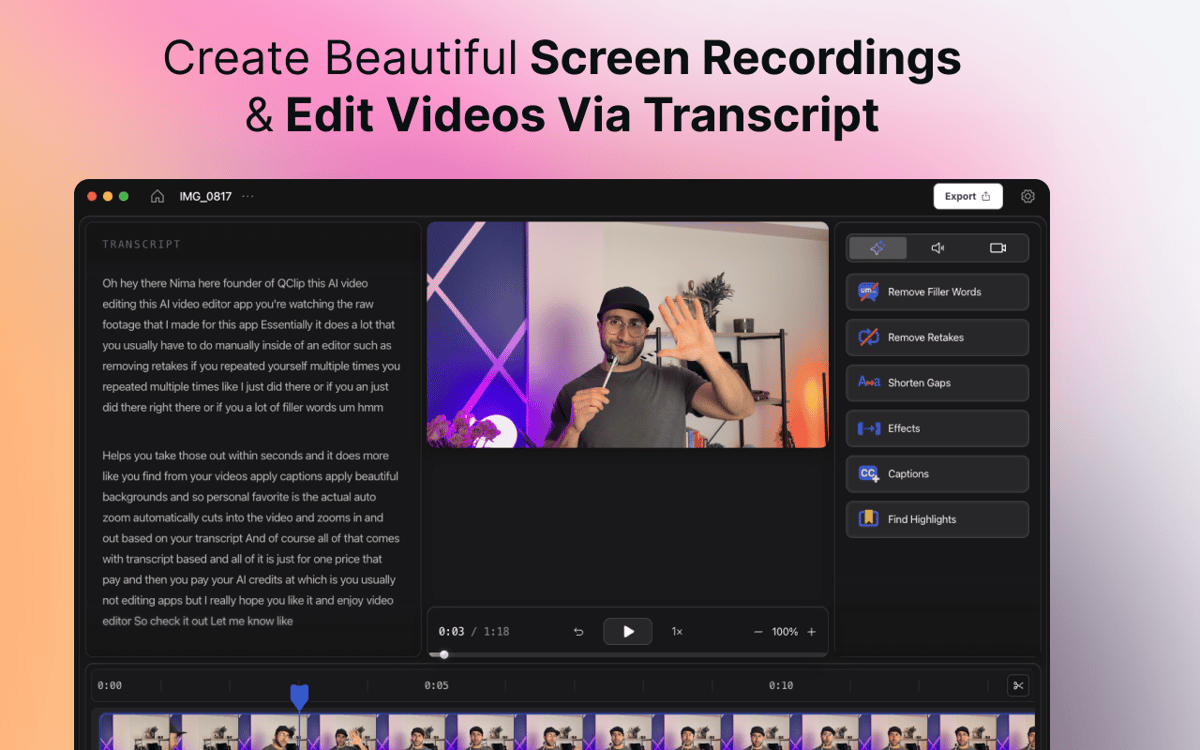
CueClip è un registratore schermo e editor video con IA per Mac che aiuta creator, educatori, coach e professionisti a trasformare registrazioni grezze in video rifiniti, più velocemente. Registra lo schermo, la videocamera o entrambi, quindi rimuovi automaticamente le parole di riempimento, le riprese ripetute, le pause prolungate e altre distrazioni. Modifica in base alla trascrizione, genera sottotitoli, crea clip con i momenti salienti ed esporta video curati pronti da condividere. La maggior parte dei video editor si basa su timeline complesse e workflow manuali. CueClip è pensato per i creator che vogliono registrare, ottimizzare e pubblicare video più velocemente.
Crea corsi online con facilità
Trasforma le demo in video raffinati
Crea contenuti YouTube più velocemente
Creare presentazioni per i clienti
Funzionalità di CueClip
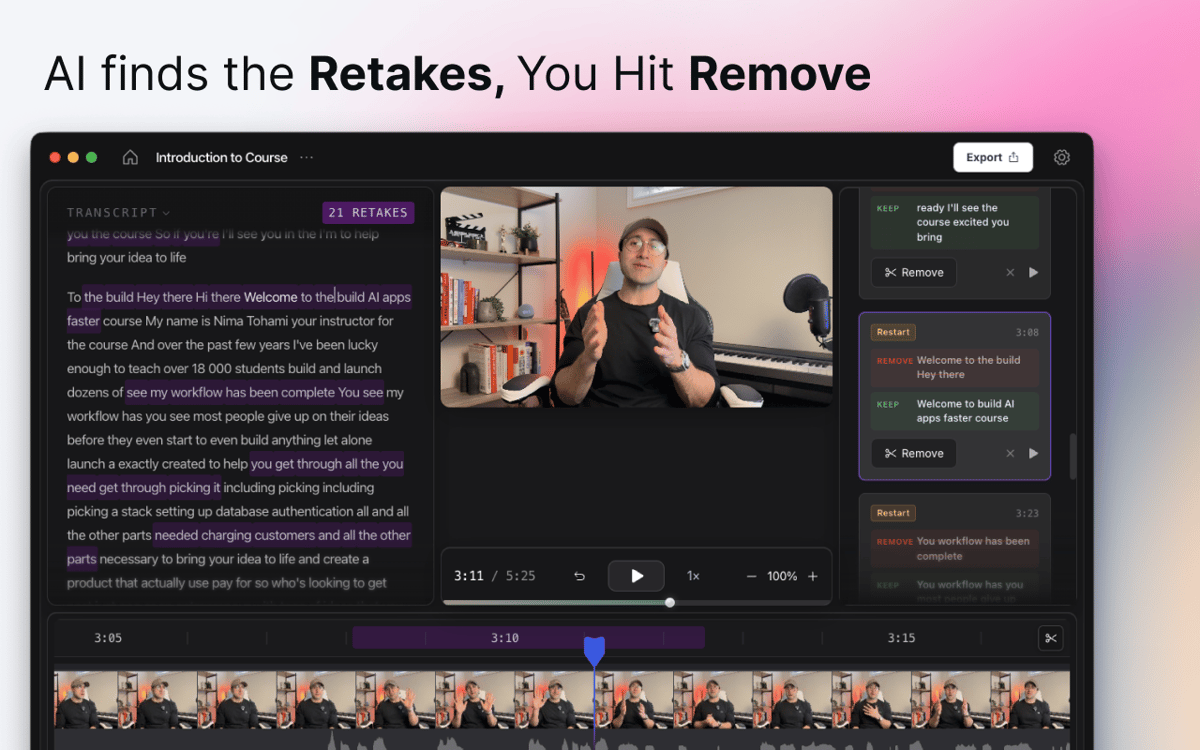
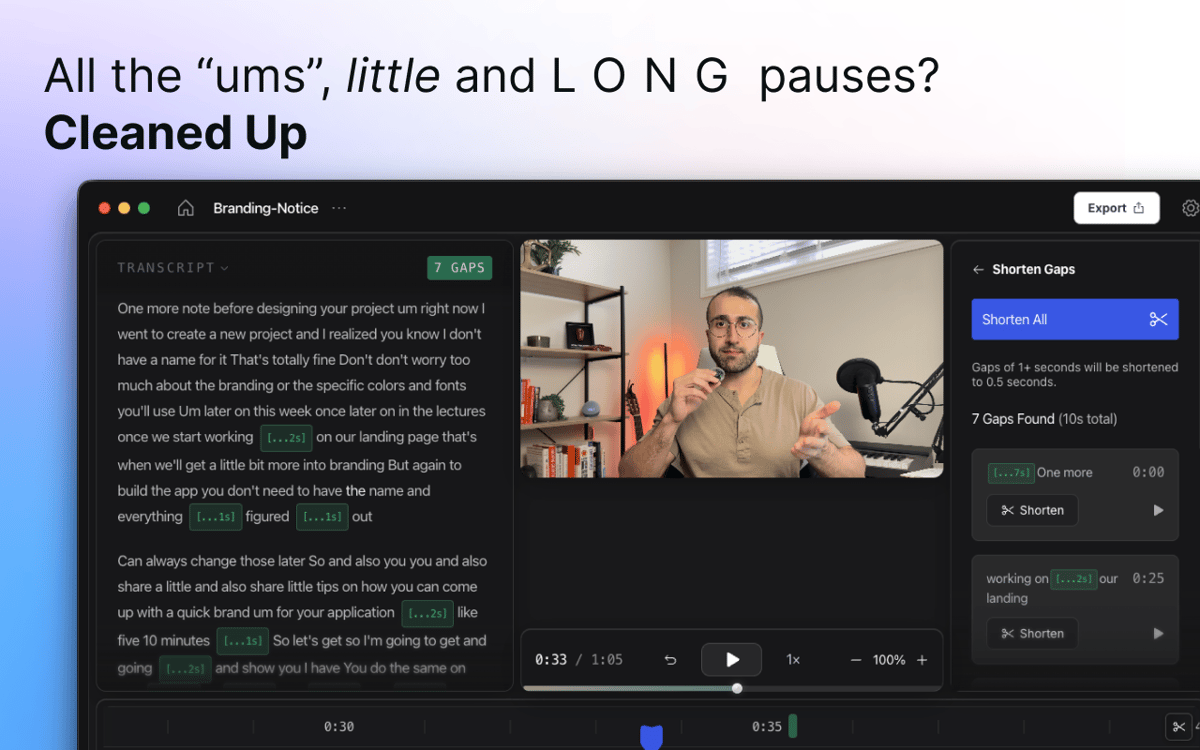
Pulizia tramite IA con un solo clic
Premi Registra, parla naturalmente e lascia che CueClip faccia il resto. L'intelligenza artificiale rileva automaticamente le parole riempitive, i lunghi silenzi, i take non riusciti e le pause imbarazzanti, quindi li elimina con un solo clic. Nessuno scorrimento manuale nella timeline richiesto.
Registra schermo e fotocamera insieme
Cattura il tuo schermo, il tuo viso o entrambi in un'unica sessione — senza passare da un'app all'altra. Che tu stia registrando un tutorial, una demo di prodotto, una presentazione o un video con il presentatore in camera, hai tutto ciò di cui hai bisogno in un unico posto fin dal primo fotogramma.
Modifica tramite trascrizione
Dimentica di cercare il momento giusto sulla timeline. CueClip trasforma la tua registrazione in una trascrizione che puoi modificare direttamente. Elimina una frase dalla trascrizione e scompare dal video. Pulito, veloce e intuitivo.
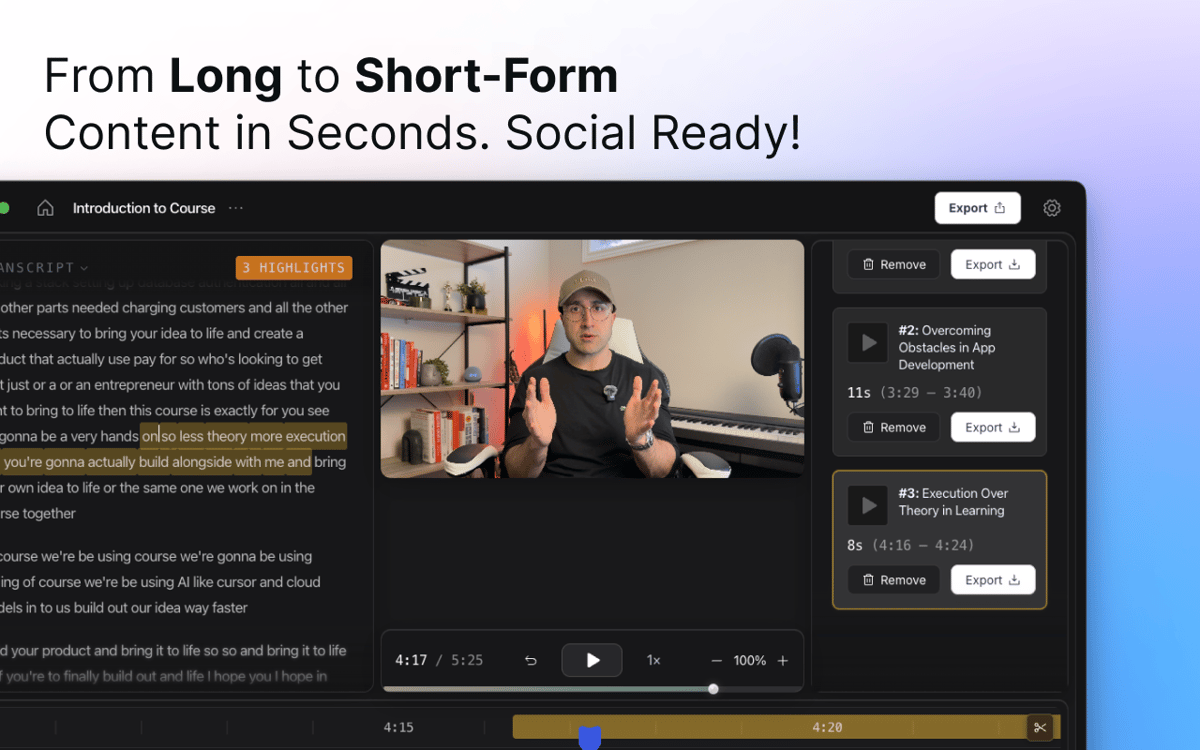
Didascalie e clip di approfondimento
Aggiungi didascalie generate automaticamente che si adattano ai tuoi contenuti, quindi personalizzale in base al tuo stile. Hai bisogno di un breve clip per i social media? CueClip può identificare i momenti chiave nelle registrazioni più lunghe e trasformarli in clip condivisibili.
Zoom intelligenti e rifinitura visiva
CueClip applica zoom automatici e miglioramenti visivi per guidare l'attenzione dello spettatore e rendere tutorial, dimostrazioni e presentazioni più curati, senza bisogno di keyframe manuali.
Esporta e condividi
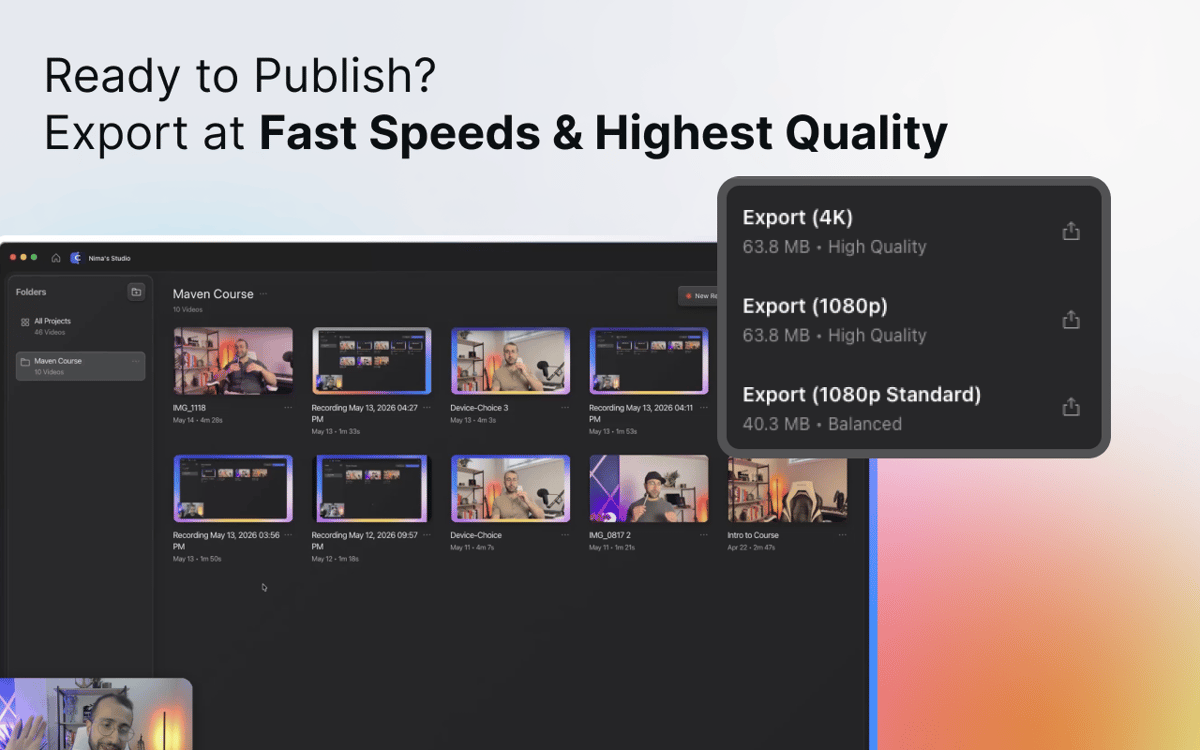
Quando sei pronto, esporta un video rifinito per YouTube, corsi online, materiali formativi, presentazioni ai clienti, documentazione o ovunque sia necessario. Nessun problema di rendering, nessuna incertezza sul formato: solo un video finito.
Centinaia di app con la Membership
Diventa membro di Setapp e utilizza centinaia di app straordinarie con un unico abbonamento.
Prova gratis per 7 giorni, poi paga una tariffa unica.
Installa Setapp sul Mac
Scopri le app per Mac, iOS e il web. Trova modi semplici per risolvere le attività quotidiane.

Ottieni l'app che stavi cercando
Quell'app tanto desiderata ti aspetta in Setapp. Installala con un clic.

CueClip
Scegli un abbonamento
Una o più app con un abbonamento Setapp. Acquista le app come preferisci.

Centinaia di app con la Membership
Diventa membro di Setapp e utilizza centinaia di app straordinarie con un unico abbonamento.
Prova gratis per 7 giorni, poi paga una tariffa unica.
1
Installa Setapp sul Mac
Scopri le app per Mac, iOS e il web. Trova modi semplici per risolvere le attività quotidiane.
2
Ottieni l'app che stavi cercando
Quell'app tanto desiderata ti aspetta in Setapp. Installala con un clic.
CueClip
3
Scegli un abbonamento
Una o più app con un abbonamento Setapp. Acquista le app come preferisci.
Sede delle migliori app
Dalla pianificazione e dai lavori di routine alle attività creative e di scrittura di codice, con le app di Setapp potrai affrontare di tutto.

TypingMind
Chat IA con un'interfaccia utente diversa
genera o riassumi un testo
usa la libreria di prompt
IA

Spark Mail
Gestisci le email
IA

CleanMyMac
Elimina i file spazzatura

Bartender
Personalizza la barra dei menu

CleanShot X
Cattura screenshot versatili

Luminar Neo
Modifica le tue foto
IA

ClearVPN
Connessione più sicura

Craft
Lavora con i documenti
IA
CueClip
Registra e modifica video automaticamente