
cyberWriter
Write privately, think clearly


Mac
Versione 3.95
macOS 15.0 o successivo
80.9 MB
1 lingue
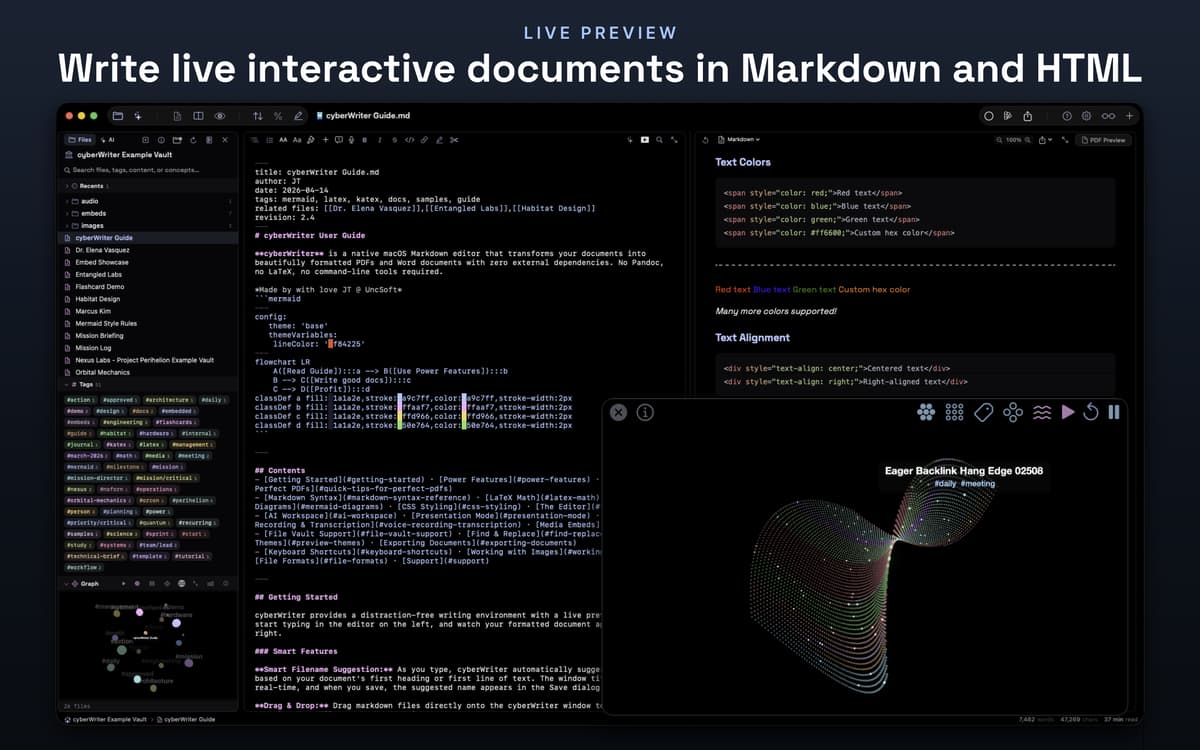
cyberWriter — Privacy-first Markdown editor for Mac. Write in plain text, watch it render live, and export to PDF, Word, or HTML — no Pandoc, no LaTeX, no terminal spelunking. Your notes live in a vault where they link to each other, so a single doc can quietly grow into a full knowledge base. AI is built right in — use Apple Intelligence on-device, or bring your own keys for Claude, OpenAI, or a local model. Unlike most Markdown editors, cyberWriter doesn't run with full system access or rely on community plugins — your files stay yours.
Draft and export polished docs
Build a linked knowledge base
Let AI rewrite your messy notes
Turn any doc into slides or cards
Funzionalità di cyberWriter
Write anywhere, export everywhere
Type in plain Markdown and watch the preview update live beside you. When you're done, export to pixel-perfect PDF with custom themes and page numbers, self-contained HTML, or Word with embedded diagrams — everything renders correctly, not just on screen.
Your notes, linked together
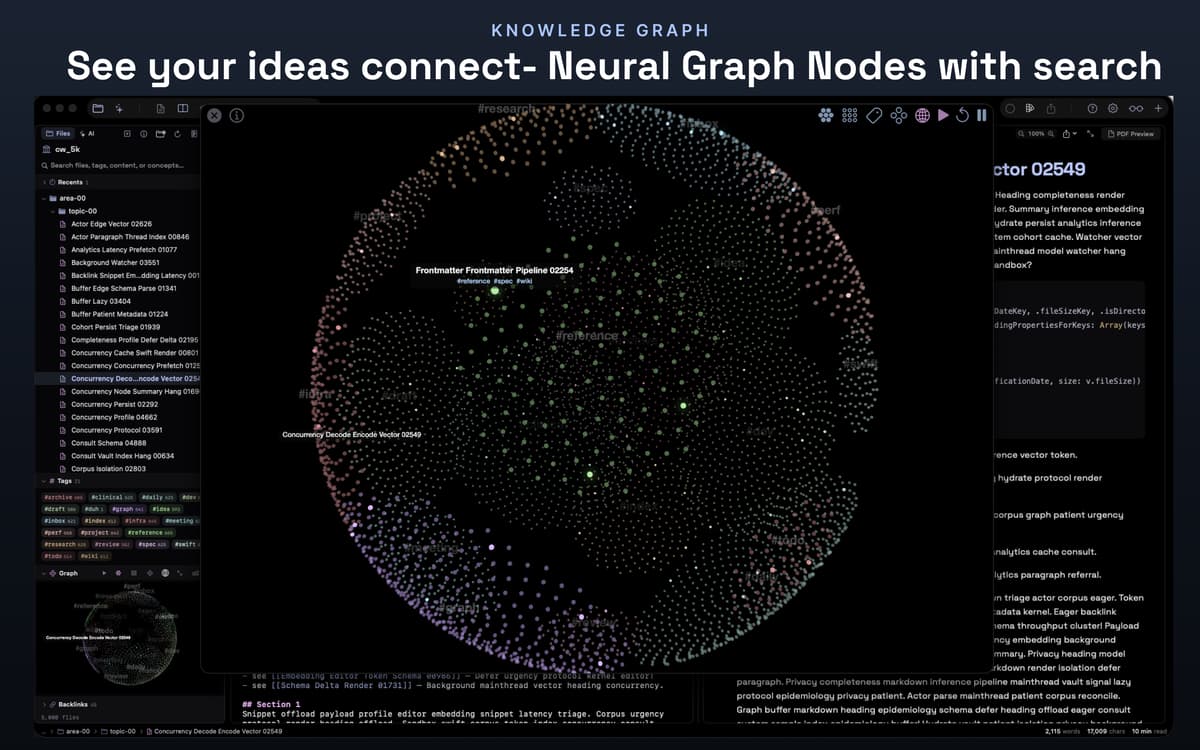
Open any existing Markdown vault or start fresh. `[[Wikilinks]]`, `#tags`, backlinks, hover previews, and file embeddings all work out of the box. An interactive 3D knowledge graph shows how your notes connect, so ideas don't get lost.
AI that actually knows your context
Chat with your full vault as context. Use Apple Intelligence for on-device privacy, or connect Claude, OpenAI, Ollama, MLX, and more with your own keys. Ask it to draft, rewrite, summarize, or explain — right inside the document you're working in.
Diagrams, math, and media — all inline
Embed audio, video, PDF, CSV, and YouTube links directly into your notes using `![[file]]`. Add Mermaid diagrams (16 types) or KaTeX equations, and they'll render in every export format — not just the preview pane.
Slides and flash cards, built in
Split any document into a slideshow with `---` or flip it into spaced-repetition flash cards using `???` for question/answer pairs. No extra app needed — presentations and study sessions live right inside your vault.
Voice notes that stay put
Record voice notes, dictate live, or transcribe recordings after the fact — all on-device. Audio embeds inline next to its transcript, so context never gets separated from the words it produced.
Centinaia di app con la Membership
Diventa membro di Setapp e utilizza centinaia di app straordinarie con un unico abbonamento.
Prova gratis per 7 giorni, poi paga una tariffa unica.
Installa Setapp sul Mac
Scopri le app per Mac, iOS e il web. Trova modi semplici per risolvere le attività quotidiane.

Ottieni l'app che stavi cercando
Quell'app tanto desiderata ti aspetta in Setapp. Installala con un clic.

cyberWriter
Scegli un abbonamento
Una o più app con un abbonamento Setapp. Acquista le app come preferisci.

Centinaia di app con la Membership
Diventa membro di Setapp e utilizza centinaia di app straordinarie con un unico abbonamento.
Prova gratis per 7 giorni, poi paga una tariffa unica.
1
Installa Setapp sul Mac
Scopri le app per Mac, iOS e il web. Trova modi semplici per risolvere le attività quotidiane.
2
Ottieni l'app che stavi cercando
Quell'app tanto desiderata ti aspetta in Setapp. Installala con un clic.
cyberWriter
3
Scegli un abbonamento
Una o più app con un abbonamento Setapp. Acquista le app come preferisci.
Sede delle migliori app
Dalla pianificazione e dai lavori di routine alle attività creative e di scrittura di codice, con le app di Setapp potrai affrontare di tutto.

TypingMind
Chat IA con un'interfaccia utente diversa
genera o riassumi un testo
usa la libreria di prompt
IA

Spark Mail
Gestisci le email
IA

CleanMyMac
Elimina i file spazzatura

Bartender
Personalizza la barra dei menu

CleanShot X
Cattura screenshot versatili

Luminar Neo
Modifica le tue foto
IA

ClearVPN
Connessione più sicura

Craft
Lavora con i documenti
IA
cyberWriter
Write privately, think clearly