DiskPress
Keep the files. Lose the bulk.
Mac
Versione 1.1.1
macOS 12.0 o successivo
6.8 MB
6 lingue
DiskPress is a storage optimizer for Mac. Use native file compression and APFS deduplication to reduce disk usage without deleting the files you want to keep. Files stay in their original folders, keep their familiar names, and open normally.
Compress files without making archives
Reduce space used by exact file copies
Optimize chosen folders automatically
Track how much storage you recover
Funzionalità di DiskPress
Compress files where they are
Reduce the space occupied by documents, source code, logs, and other eligible files. There are no archives to unpack and no extra steps when opening your files.
Make exact copies share space
Find identical files on the same APFS volume and let them share physical storage. Every copy keeps its own name and location and remains independently editable.
Optimize the folders you choose
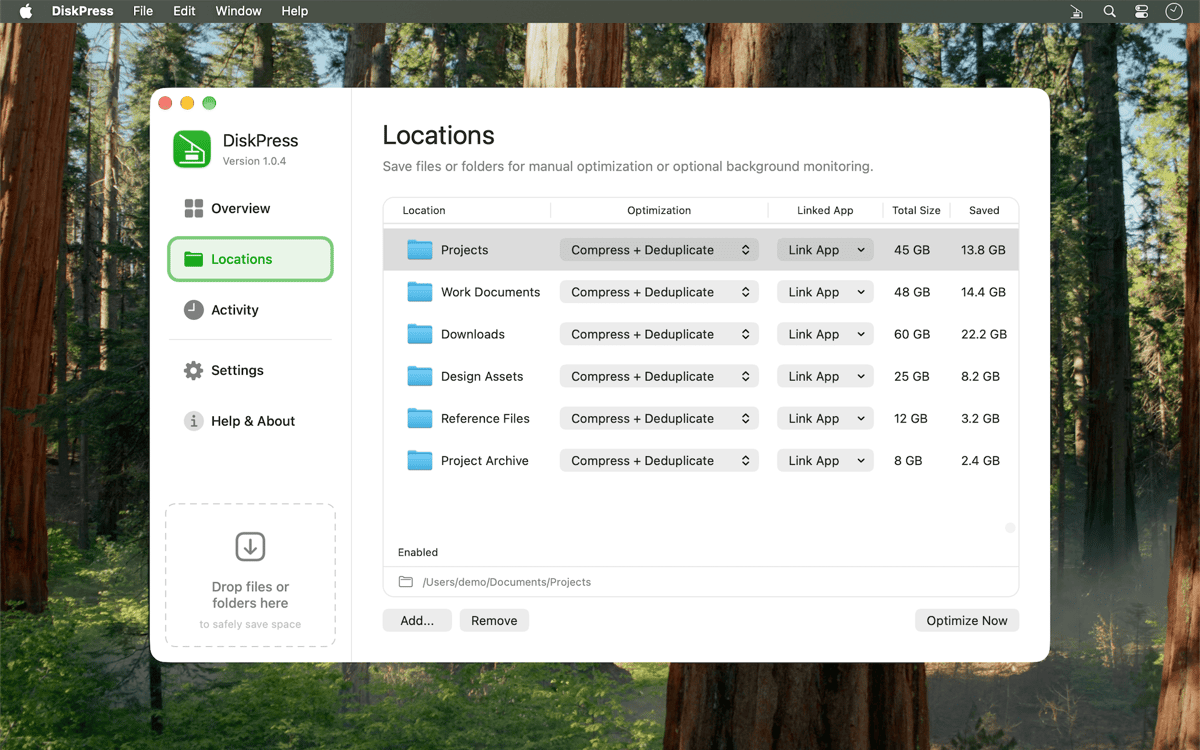
Drag in a selection for a one-time run or save locations for regular optimization. Enable automatic monitoring and let DiskPress revisit those folders from the menu bar.
Decide what gets processed
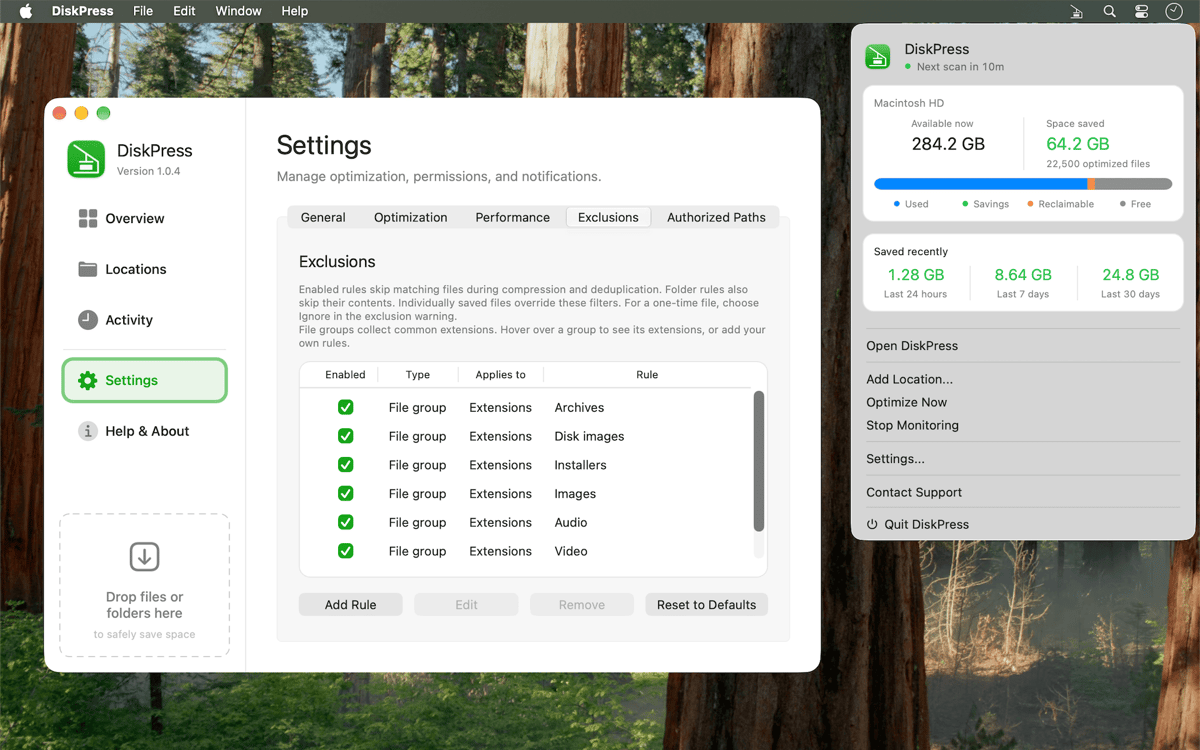
Protect recently used files, create custom exclusions, or link a folder to an app so DiskPress leaves it alone while that app is running. Turn compression and deduplication on or off separately for each job.
Balance speed and power use
Choose a performance profile that fits the moment. Set different behavior for battery and power, skip deduplication when you need a faster run, and avoid rescanning unchanged files with cached results.
See where the space went
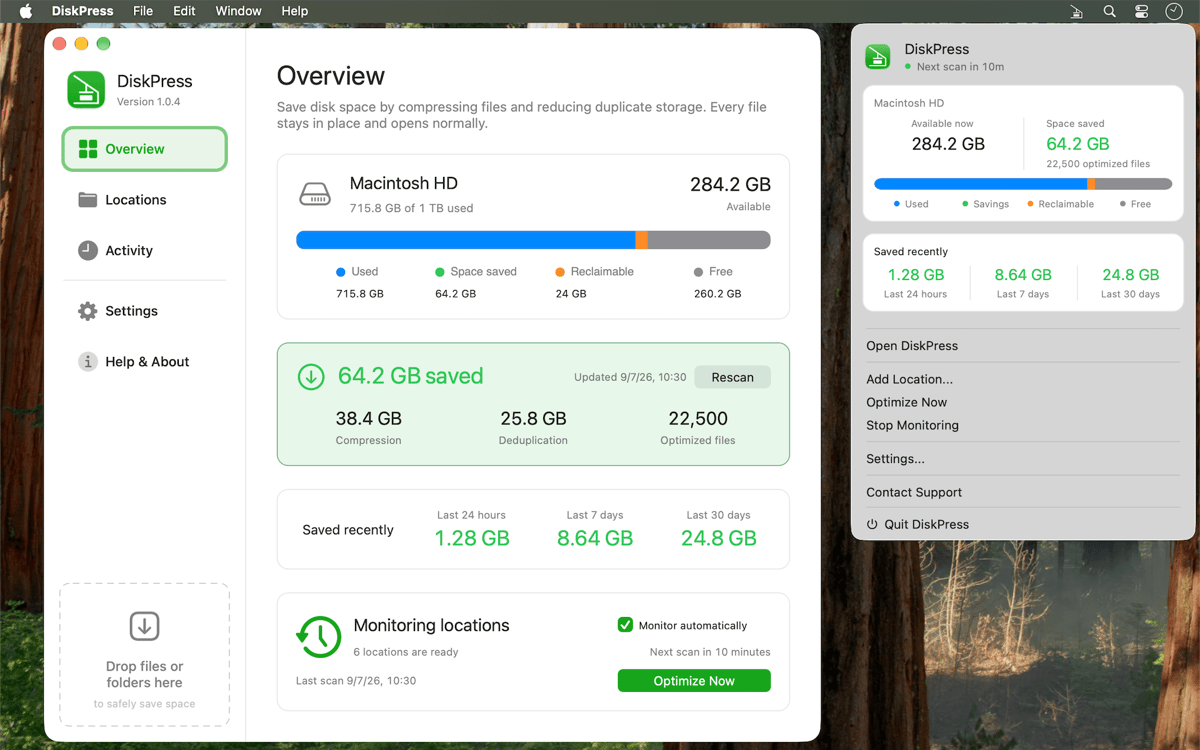
View current savings from compression and deduplication, along with totals from the last 24 hours, 7 days, and 30 days. Check the activity log to see what was optimized, skipped, or couldn’t be processed.
Centinaia di app con la Membership
Diventa membro di Setapp e utilizza centinaia di app straordinarie con un unico abbonamento.
Prova gratis per 7 giorni, poi paga una tariffa unica.
Installa Setapp sul Mac
Scopri le app per Mac, iOS e il web. Trova modi semplici per risolvere le attività quotidiane.

Ottieni l'app che stavi cercando
Quell'app tanto desiderata ti aspetta in Setapp. Installala con un clic.

DiskPress
Scegli un abbonamento
Una o più app con un abbonamento Setapp. Acquista le app come preferisci.

Centinaia di app con la Membership
Diventa membro di Setapp e utilizza centinaia di app straordinarie con un unico abbonamento.
Prova gratis per 7 giorni, poi paga una tariffa unica.
1
Installa Setapp sul Mac
Scopri le app per Mac, iOS e il web. Trova modi semplici per risolvere le attività quotidiane.
2
Ottieni l'app che stavi cercando
Quell'app tanto desiderata ti aspetta in Setapp. Installala con un clic.
DiskPress
3
Scegli un abbonamento
Una o più app con un abbonamento Setapp. Acquista le app come preferisci.
Sede delle migliori app
Dalla pianificazione e dai lavori di routine alle attività creative e di scrittura di codice, con le app di Setapp potrai affrontare di tutto.

TypingMind
Chat IA con un'interfaccia utente diversa
genera o riassumi un testo
usa la libreria di prompt
IA

Spark Mail
Gestisci le email
IA

CleanMyMac
Elimina i file spazzatura

Bartender
Personalizza la barra dei menu

CleanShot X
Cattura screenshot versatili

Luminar Neo
Modifica le tue foto
IA

ClearVPN
Connessione più sicura

Craft
Lavora con i documenti
IA
DiskPress
Keep the files. Lose the bulk.