
Evenlight
Controlla la luminosità dell’app
Mac
Versione 1.2.12
macOS 14 o successivo
41.4 MB
1 lingue
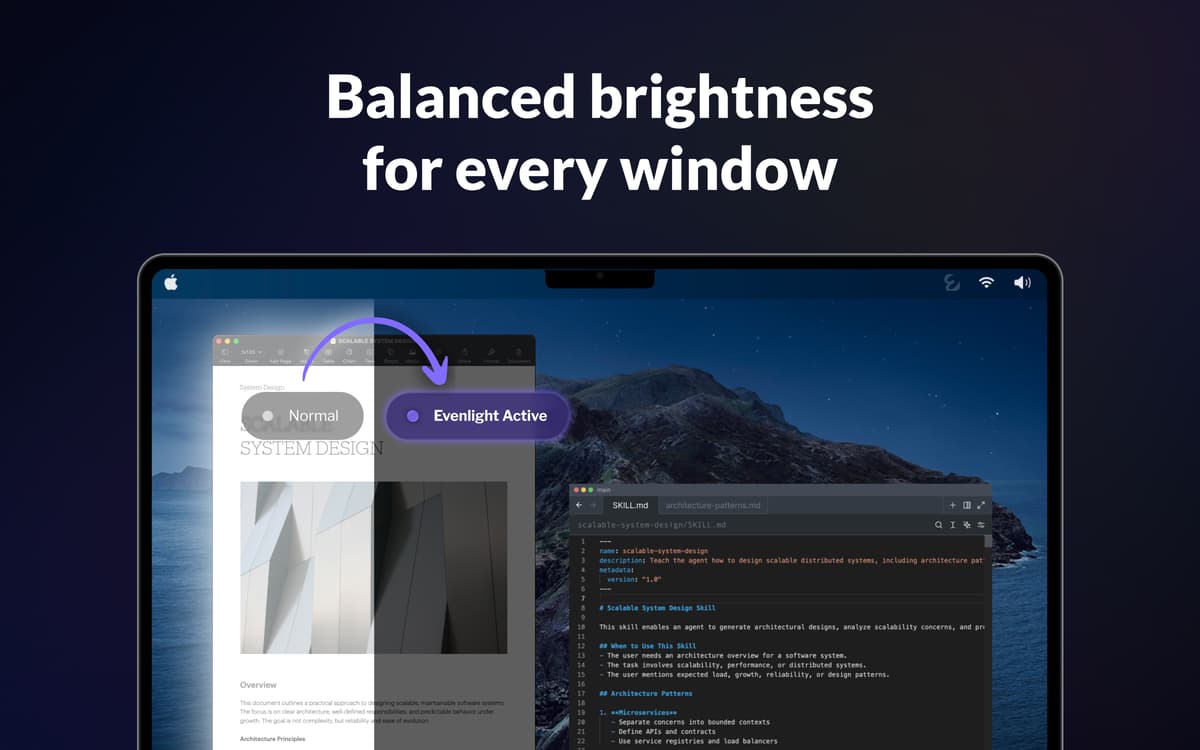
Apri Slack — un bianco accecante. Passa al tuo editor di codice — improvvisamente tutto scuro. Torna su un Google Doc — di nuovo tutto bianco. Fallo cento volte al giorno e i tuoi occhi saranno rovinati prima delle 15:00. Evenlight lavora silenziosamente in background e uniforma la luminosità fra le finestre, così ogni passaggio risulta naturale anziché brusco.
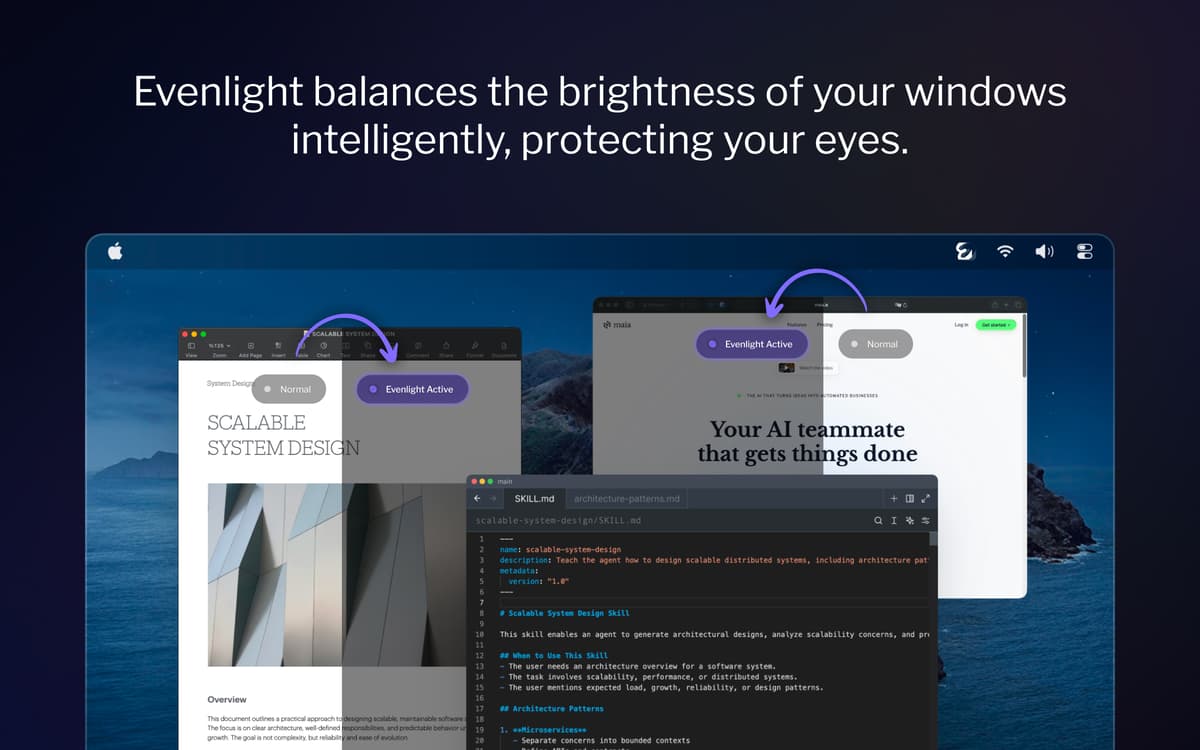
Bilancia la luminosità su tutte le finestre
Riduci l’affaticamento visivo allo schermo
Aumenta la produttività e la chiarezza mentale
Imposta oscuramento per la giornata
Funzionalità di Evenlight
Bilancia la luminosità tra tutte le finestre aperte
Ogni volta che passi da un’app scura a una chiara, i tuoi occhi devono riadattarsi. Evenlight rende più fluide queste transizioni in modo intelligente — su tutti i tuoi monitor — in modo che il contrasto smetta di essere qualcosa a cui fai caso.
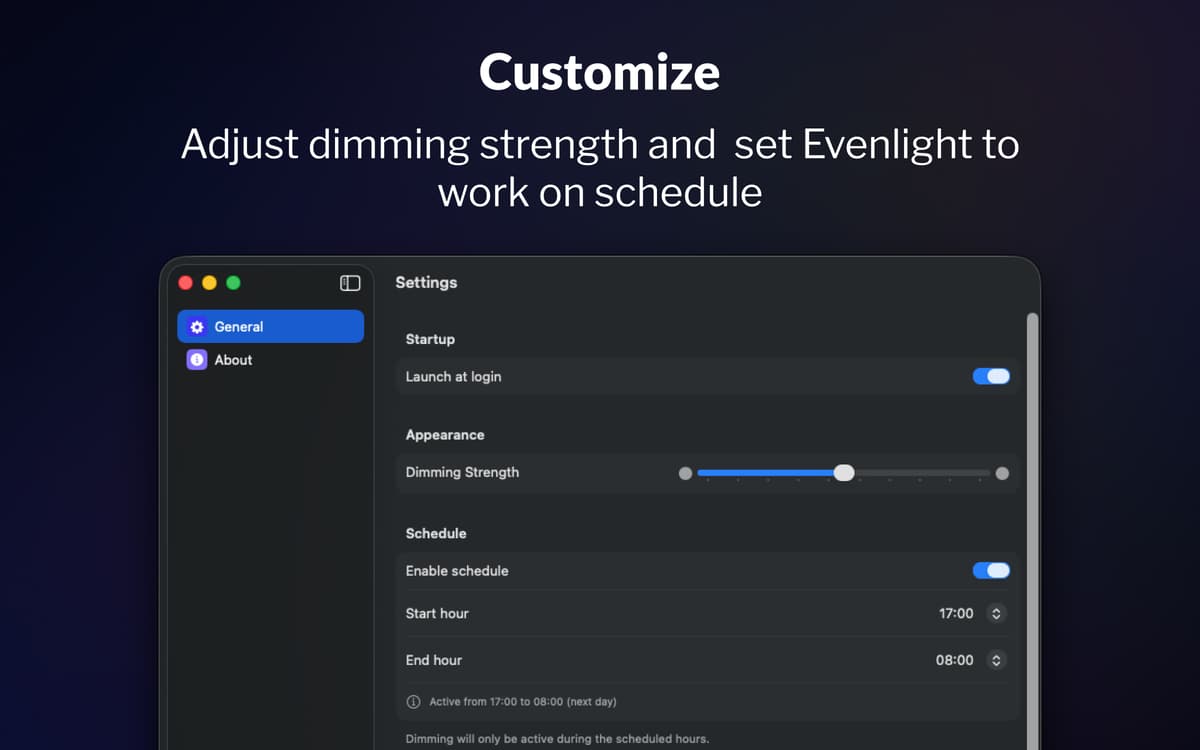
Programma l’oscuramento in base alla tua giornata
La maggior parte delle persone si ricorda di regolare la luminosità solo quando gli occhi sono già stanchi. Con la programmazione di Evenlight, scegli esattamente quando attivare l’oscuramento e quando disattivarlo. Imposta l’orario d’inizio, imposta l’orario di fine e l’app seguirà la tua routine.
Regolalo e controllalo istantaneamente dalla barra dei menu
Evenlight ti permette di regolare con precisione la forza dell’oscuramento in qualsiasi momento usando un semplice cursore, così puoi aumentare o ridurre l’intensità a seconda di come senti gli occhi. Se hai bisogno della massima luminosità per un po’, puoi mettere in pausa l’oscuramento istantaneamente o impostare una pausa temporanea per un periodo specifico. È sempre accessibile dalla barra dei menu, così le regolazioni richiedono solo pochi secondi e non interrompono mai il tuo flusso di lavoro.
Valutazioni e recensioni
Evenlight
•
33 valutazioni
Shrikant Meena
17 mag 2026
Versione app: 1.2.0
Not a quality app, the dimming mask keeps slipping with bright window visible when moved across screen
Risposta dello sviluppatore
17 mag 2026
Hi Shrikant, thank you for your feedback. It is the best macOS allows, so the quality is on Apple's part, but thank you for the comment.
Randy
2 apr 2026
Versione app: 1.1.5
This is a very useful utility! I would like to have an option to either disable it for blacklisted apps, or enable it only for whitelisted apps. I want to be able to manage this so that it does not affect watching movies or gaming.
Jeremy Weathers
2 apr 2026
Versione app: 1.1.5
This doesn’t work at all, and in fact is worse, with the menu bar and dock in light mode. The developer acknowledged that they are unable to modify the menu bar or dock brightness at least with macOS Tahoe.
Centinaia di app con la Membership
Diventa membro di Setapp e utilizza centinaia di app straordinarie con un unico abbonamento.
Prova gratis per 7 giorni, poi paga una tariffa unica.
Installa Setapp sul Mac
Scopri le app per Mac, iOS e il web. Trova modi semplici per risolvere le attività quotidiane.

Ottieni l'app che stavi cercando
Quell'app tanto desiderata ti aspetta in Setapp. Installala con un clic.

Evenlight
Scegli un abbonamento
Una o più app con un abbonamento Setapp. Acquista le app come preferisci.

Centinaia di app con la Membership
Diventa membro di Setapp e utilizza centinaia di app straordinarie con un unico abbonamento.
Prova gratis per 7 giorni, poi paga una tariffa unica.
1
Installa Setapp sul Mac
Scopri le app per Mac, iOS e il web. Trova modi semplici per risolvere le attività quotidiane.
2
Ottieni l'app che stavi cercando
Quell'app tanto desiderata ti aspetta in Setapp. Installala con un clic.
Evenlight
3
Scegli un abbonamento
Una o più app con un abbonamento Setapp. Acquista le app come preferisci.
Sede delle migliori app
Dalla pianificazione e dai lavori di routine alle attività creative e di scrittura di codice, con le app di Setapp potrai affrontare di tutto.

TypingMind
Chat IA con un'interfaccia utente diversa
genera o riassumi un testo
usa la libreria di prompt
IA

Spark Mail
Gestisci le email
IA

CleanMyMac
Elimina i file spazzatura

Bartender
Personalizza la barra dei menu

CleanShot X
Cattura screenshot versatili

Luminar Neo
Modifica le tue foto
IA

ClearVPN
Connessione più sicura

Craft
Lavora con i documenti
IA
Evenlight
Controlla la luminosità dell’app