Finder Audio Tools
Preview audio in Finder
Mac
Versione 1.4.5
macOS 12.0 o successivo
45.1 MB
1 lingue
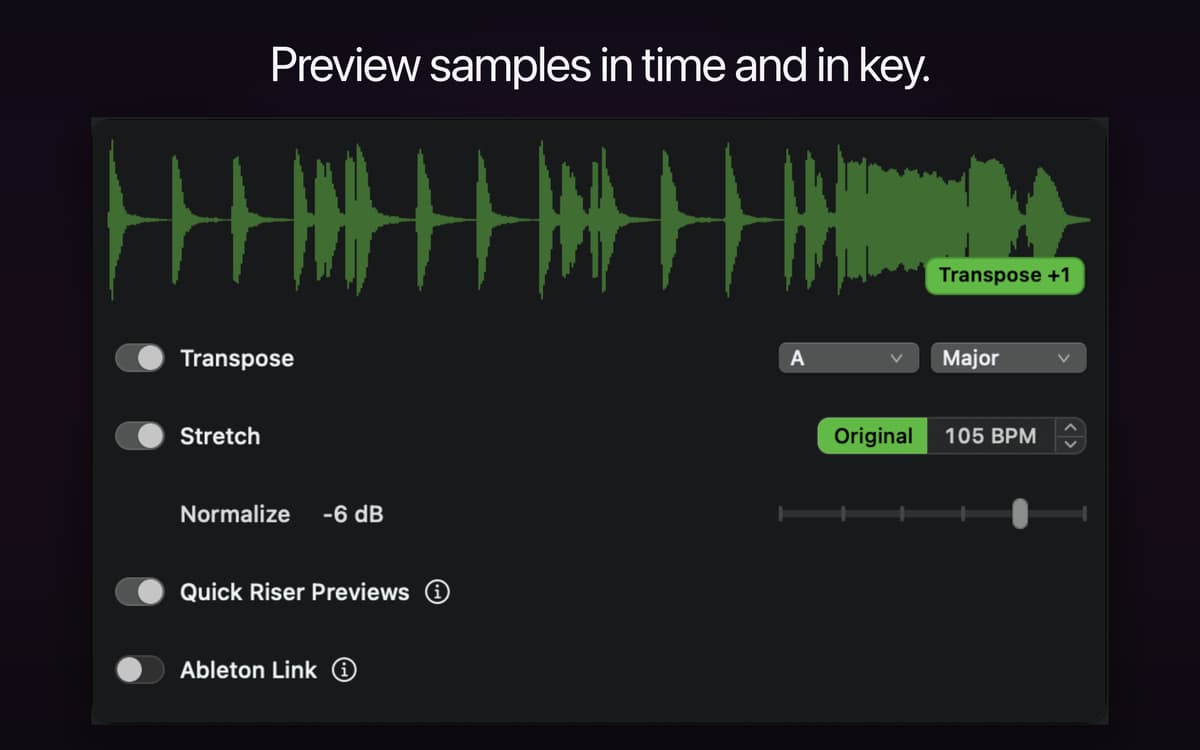
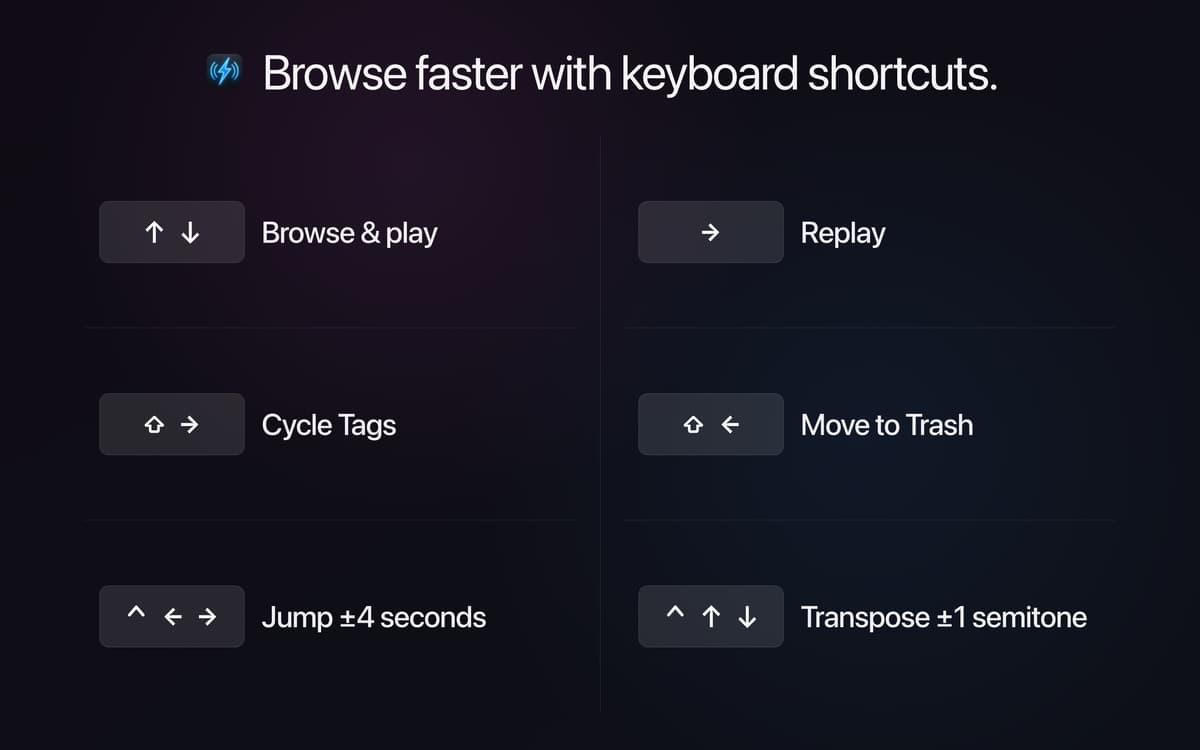
Finder Audio Tools turns your Mac's Finder into a proper audio browser. It swaps in a faster preview engine with volume-matched playback, waveform previews, and full keyboard control, so you can go through samples and know what you're hearing. Drag sounds into Stashes as you browse, then drop them straight into your DAW or sampler. It runs quietly in the menu bar, adds no CPU load when idle, and never touches your files.
Browse and audition samples fast
Compare sounds at matched volume
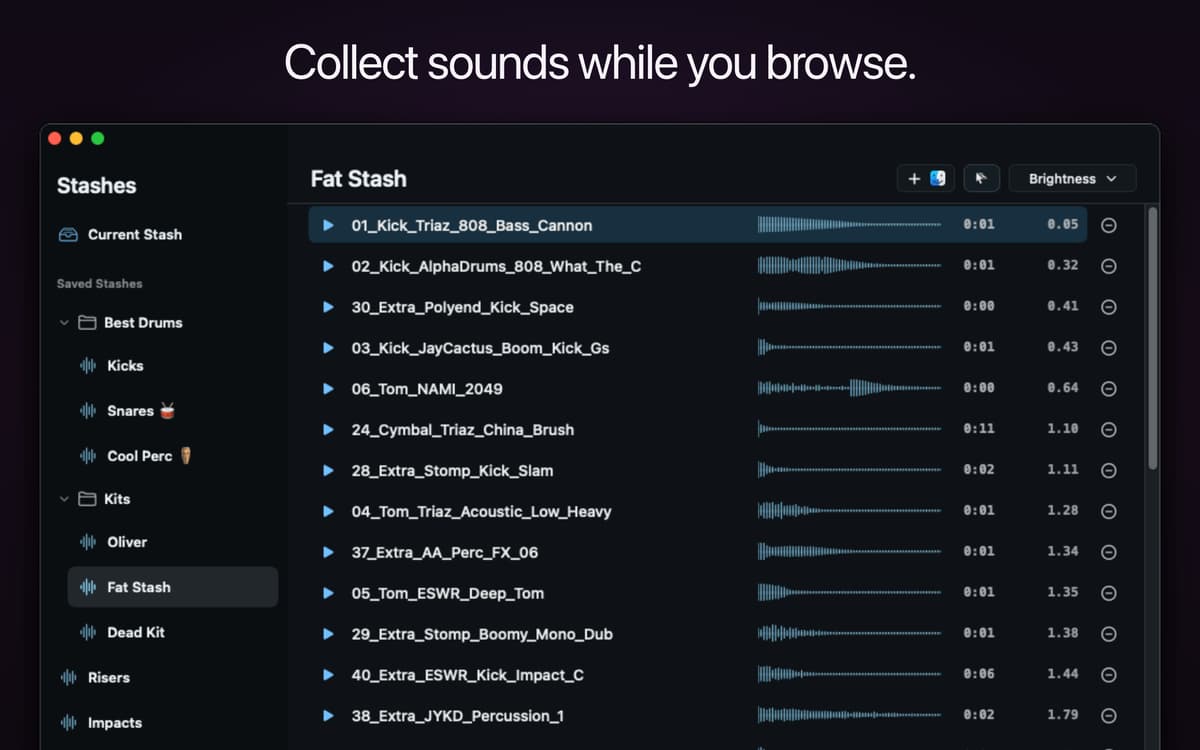
Collect samples into Stashes
Preview MIDI and NKS presets
Funzionalità di Finder Audio Tools
Volume-matched previews
Some samples blast, others whisper — Finder Audio Tools levels them out so every sound plays at a consistent volume. That makes it way easier to compare samples fairly and pick the right one on the first listen.
Waveform previews
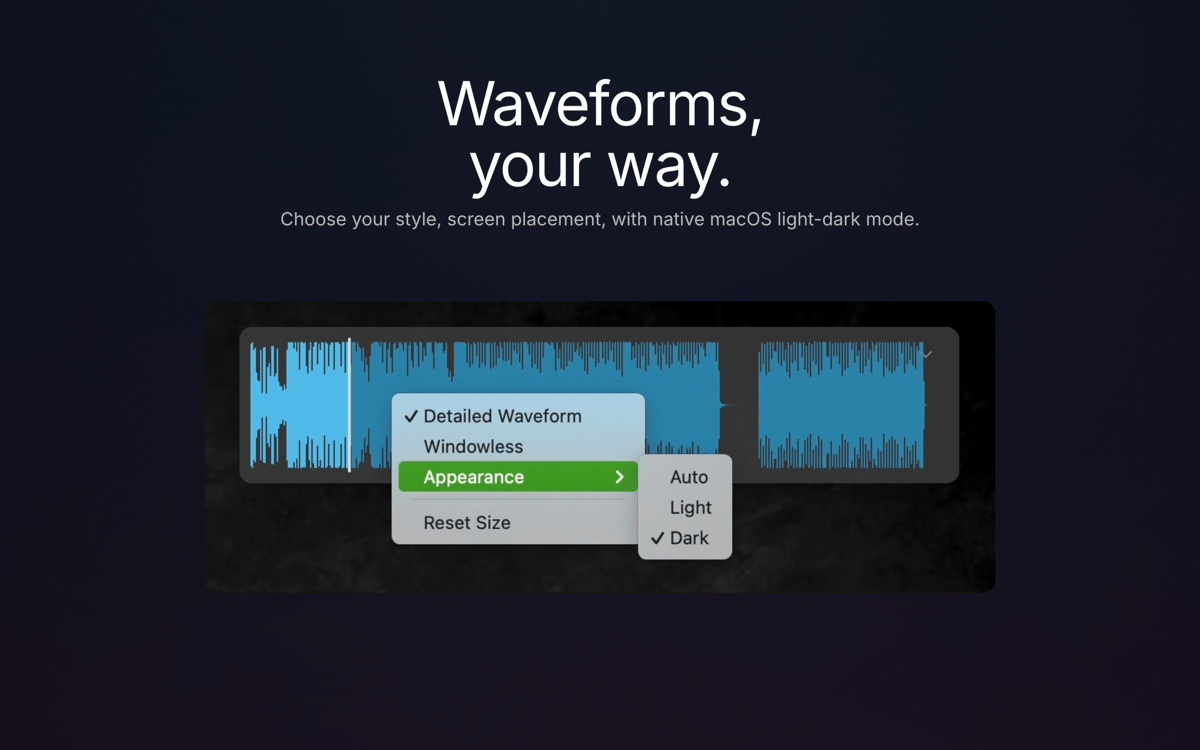
See the shape of a sound before you play it. Choose how and where waveforms show up as you browse, so you can spot transients, loops, and silence without hitting play every time.
Stashes
Found a sound you like? Drop it in a Stash. Group samples by project, drum kit, or favorite effect, then drag the whole stash into any app, DAW, or sampler when you're ready to use them.
MIDI and NKS preview
Preview MIDI files in real time and hear Native Instruments presets — including Kontakt, Massive, Battery, and Reaktor — play automatically as you browse NKS-compatible libraries.
Broad format support
Finder gets native support for formats it normally can't touch, including REX/RX2, FLAC, WavPack, and NCW, so your whole sample library becomes browsable in one place.
Lightweight by design
It lives in your menu bar, stays off your Dock, and uses zero CPU when you're not using it. Your files stay exactly as they are — Finder Audio Tools only changes how you preview them, not what's on disk.
Centinaia di app con la Membership
Diventa membro di Setapp e utilizza centinaia di app straordinarie con un unico abbonamento.
Prova gratis per 7 giorni, poi paga una tariffa unica.
Installa Setapp sul Mac
Scopri le app per Mac, iOS e il web. Trova modi semplici per risolvere le attività quotidiane.

Ottieni l'app che stavi cercando
Quell'app tanto desiderata ti aspetta in Setapp. Installala con un clic.

Finder Audio Tools
Scegli un abbonamento
Una o più app con un abbonamento Setapp. Acquista le app come preferisci.

Centinaia di app con la Membership
Diventa membro di Setapp e utilizza centinaia di app straordinarie con un unico abbonamento.
Prova gratis per 7 giorni, poi paga una tariffa unica.
1
Installa Setapp sul Mac
Scopri le app per Mac, iOS e il web. Trova modi semplici per risolvere le attività quotidiane.
2
Ottieni l'app che stavi cercando
Quell'app tanto desiderata ti aspetta in Setapp. Installala con un clic.
Finder Audio Tools
3
Scegli un abbonamento
Una o più app con un abbonamento Setapp. Acquista le app come preferisci.
Sede delle migliori app
Dalla pianificazione e dai lavori di routine alle attività creative e di scrittura di codice, con le app di Setapp potrai affrontare di tutto.

TypingMind
Chat IA con un'interfaccia utente diversa
genera o riassumi un testo
usa la libreria di prompt
IA

Spark Mail
Gestisci le email
IA

CleanMyMac
Elimina i file spazzatura

Bartender
Personalizza la barra dei menu

CleanShot X
Cattura screenshot versatili

Luminar Neo
Modifica le tue foto
IA

ClearVPN
Connessione più sicura

Craft
Lavora con i documenti
IA
Finder Audio Tools
Preview audio in Finder