
GapSucker
One cursor, zero dead ends
Mac
Versione 1.0.1
macOS 11.5 o successivo
10 MB
1 lingue
GapSucker — cursor manager for multi-monitor Mac setups. When your displays don't physically line up, your cursor gets stuck at the edges — GapSucker fixes that by automatically warping it across the gaps. Move from screen to screen as if the bezels aren't even there. It's lightweight, runs quietly in the background, and stays out of your way.
Move between screens without friction
Works with any multi-monitor layout
Skips gaps between misaligned displays
Control it all from your menu bar
Funzionalità di GapSucker
Move freely between displays
Got a vertical monitor sitting next to a horizontal one, or two screens that don't quite line up edge to edge? GapSucker detects the gap and bridges it automatically. Your cursor glides through to the adjacent screen — no nudging, no hunting, no dead zones.
Smart adjacent-screen detection
GapSucker doesn't warp blindly. It only teleports your cursor when there's actually a screen on the other side, so you won't get unexpected jumps if you push your cursor toward an empty edge. It knows your layout.
Works with any arrangement
Portrait, landscape, side by side, stacked — GapSucker works with whatever multi-monitor setup you're running, no matter how unusual the configuration. Plug in a new display and it adapts without any manual tweaking.
Quick controls from the menu bar
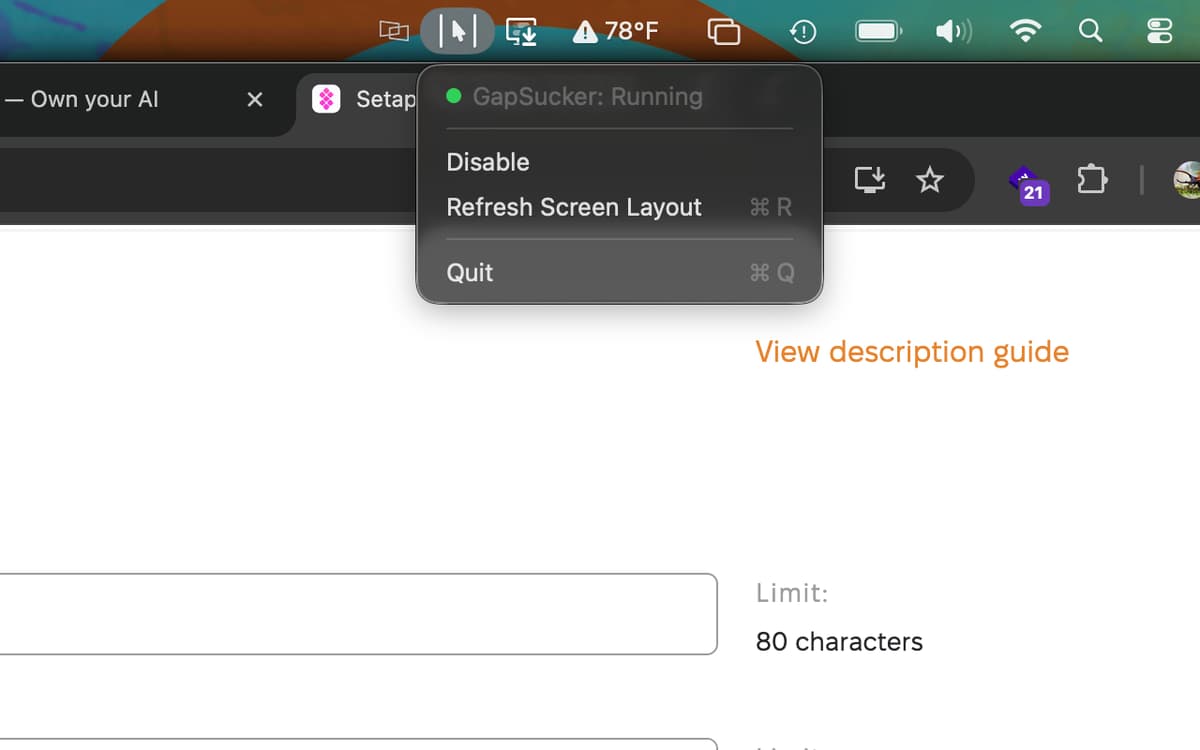
Enable it, disable it, or refresh your screen layout whenever things change — all from a simple menu bar icon. No preferences window to dig through, no configuration headaches. It's just there when you need it.
Runs quietly in the background
GapSucker is exactly the kind of app you forget is installed — until you try a multi-monitor setup without it. It uses minimal resources and doesn't interrupt your workflow. Set it up once and let it do its thing.
Centinaia di app con la Membership
Diventa membro di Setapp e utilizza centinaia di app straordinarie con un unico abbonamento.
Prova gratis per 7 giorni, poi paga una tariffa unica.
Installa Setapp sul Mac
Scopri le app per Mac, iOS e il web. Trova modi semplici per risolvere le attività quotidiane.

Ottieni l'app che stavi cercando
Quell'app tanto desiderata ti aspetta in Setapp. Installala con un clic.

GapSucker
Scegli un abbonamento
Una o più app con un abbonamento Setapp. Acquista le app come preferisci.

Centinaia di app con la Membership
Diventa membro di Setapp e utilizza centinaia di app straordinarie con un unico abbonamento.
Prova gratis per 7 giorni, poi paga una tariffa unica.
1
Installa Setapp sul Mac
Scopri le app per Mac, iOS e il web. Trova modi semplici per risolvere le attività quotidiane.
2
Ottieni l'app che stavi cercando
Quell'app tanto desiderata ti aspetta in Setapp. Installala con un clic.
GapSucker
3
Scegli un abbonamento
Una o più app con un abbonamento Setapp. Acquista le app come preferisci.
Sede delle migliori app
Dalla pianificazione e dai lavori di routine alle attività creative e di scrittura di codice, con le app di Setapp potrai affrontare di tutto.

TypingMind
Chat IA con un'interfaccia utente diversa
genera o riassumi un testo
usa la libreria di prompt
IA

Spark Mail
Gestisci le email
IA

CleanMyMac
Elimina i file spazzatura

Bartender
Personalizza la barra dei menu

CleanShot X
Cattura screenshot versatili

Luminar Neo
Modifica le tue foto
IA

ClearVPN
Connessione più sicura

Craft
Lavora con i documenti
IA
GapSucker
One cursor, zero dead ends