Hush
Blur the mess, share the work
Mac
Versione 2.8.5
macOS 14.0 o successivo
8.9 MB
23 lingue
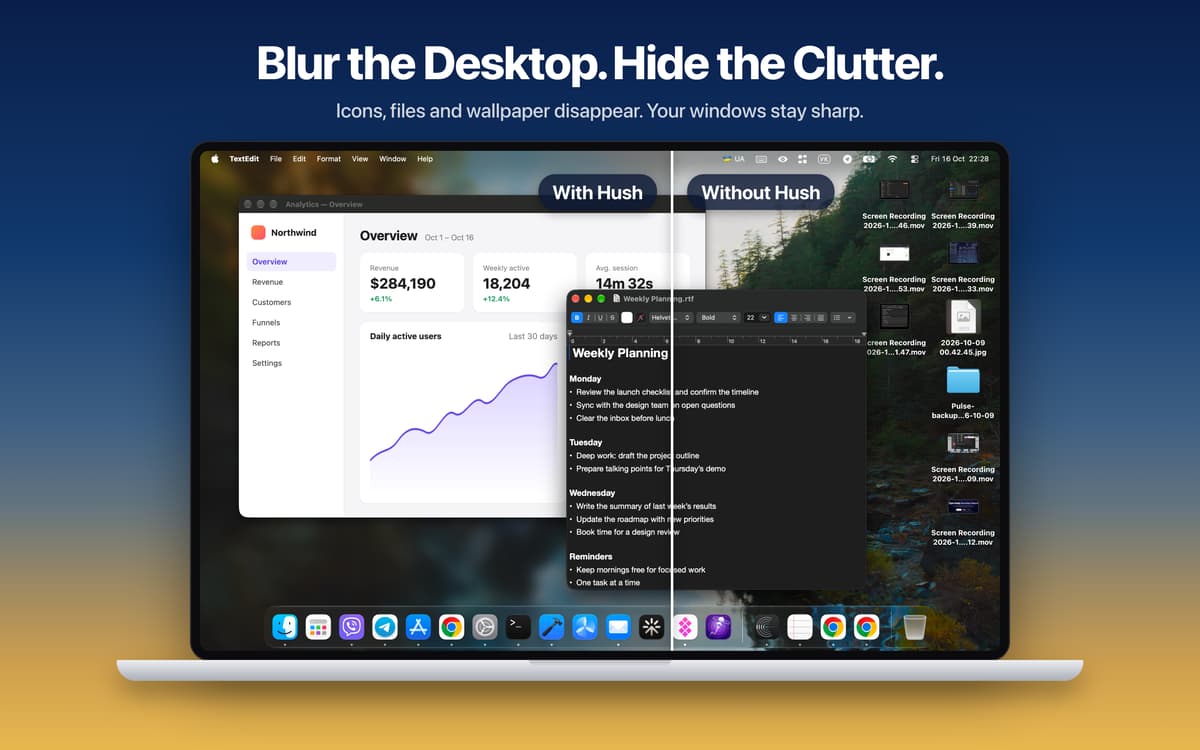
Hush is a screen focus app for Mac that hides visual clutter in one click. It blurs or dims everything around the window you're working in, so your calls, demos, and recordings show only what matters. Your windows and files stay untouched, and no Screen Recording permission is needed. Great for anyone who shares their screen, presents, or just wants a calmer desktop.
Share your screen without the clutter
Record clean tutorials and screencasts
Run live demos viewers can follow
Stay on one task all day
Funzionalità di Hush
Desktop
Messy desktop? Blur it, tint it, or cover it with your own image. Desktop icons and widgets disappear, while your app windows stay sharp and fully usable. The Dock stays right where it is.
Focus
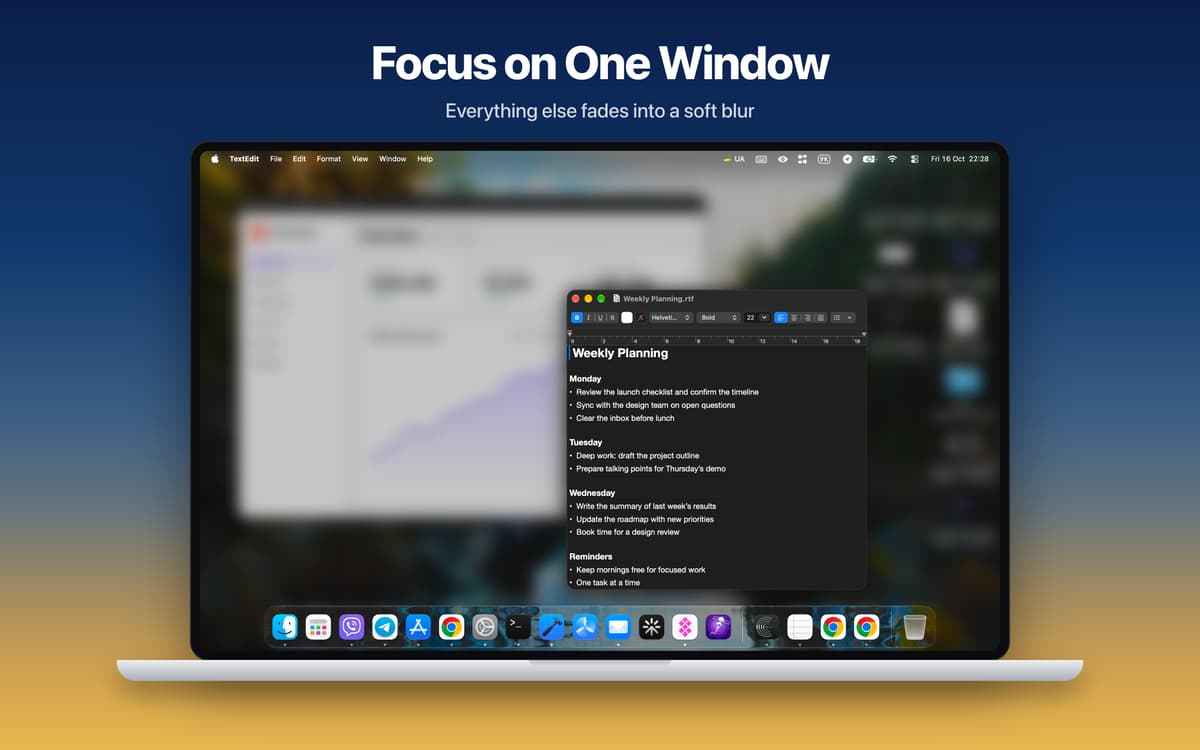
Hush dims or blurs everything except the active window and follows you as you switch apps. Want a few apps to stay visible? Pick them yourself. You can also cover the Dock and menu bar for a fully clean screen.
Cursor Focus
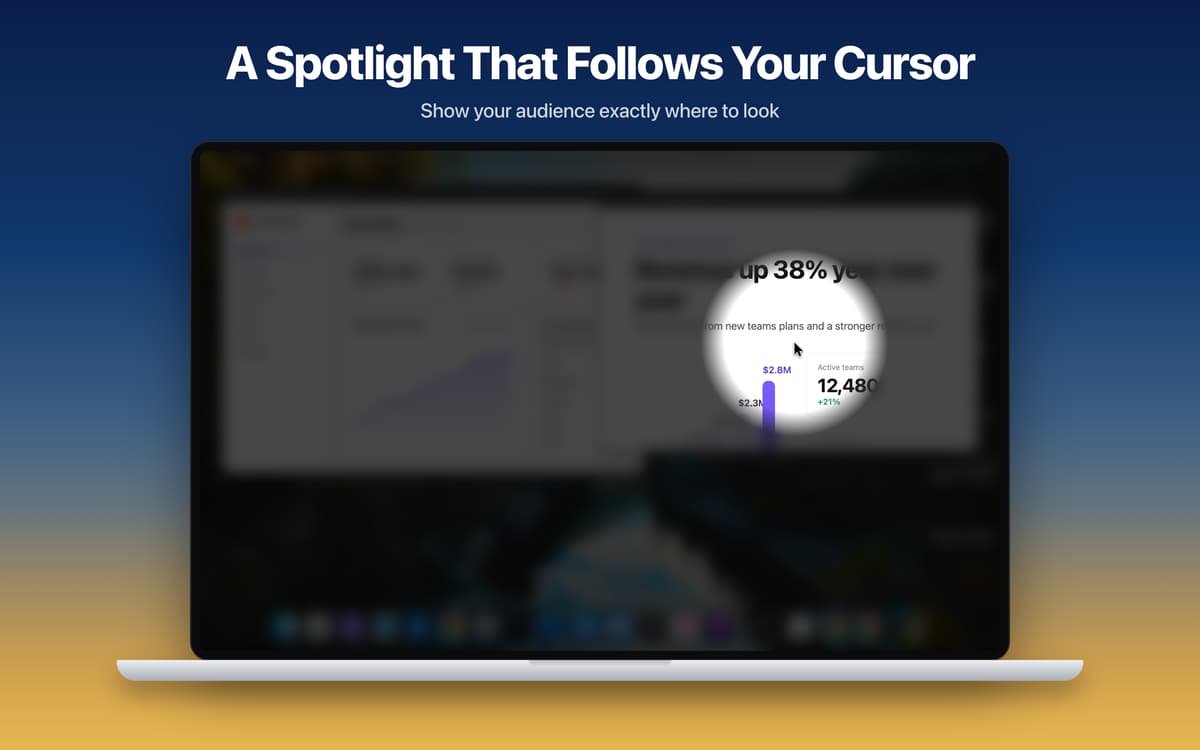
A soft spotlight follows your cursor and darkens the rest of the screen. Viewers always know where to look, which is handy for live demos and tutorials. Scroll to resize the spotlight, freeze it with a hotkey, or hold the hotkey to show it only when you need it.
Everyday
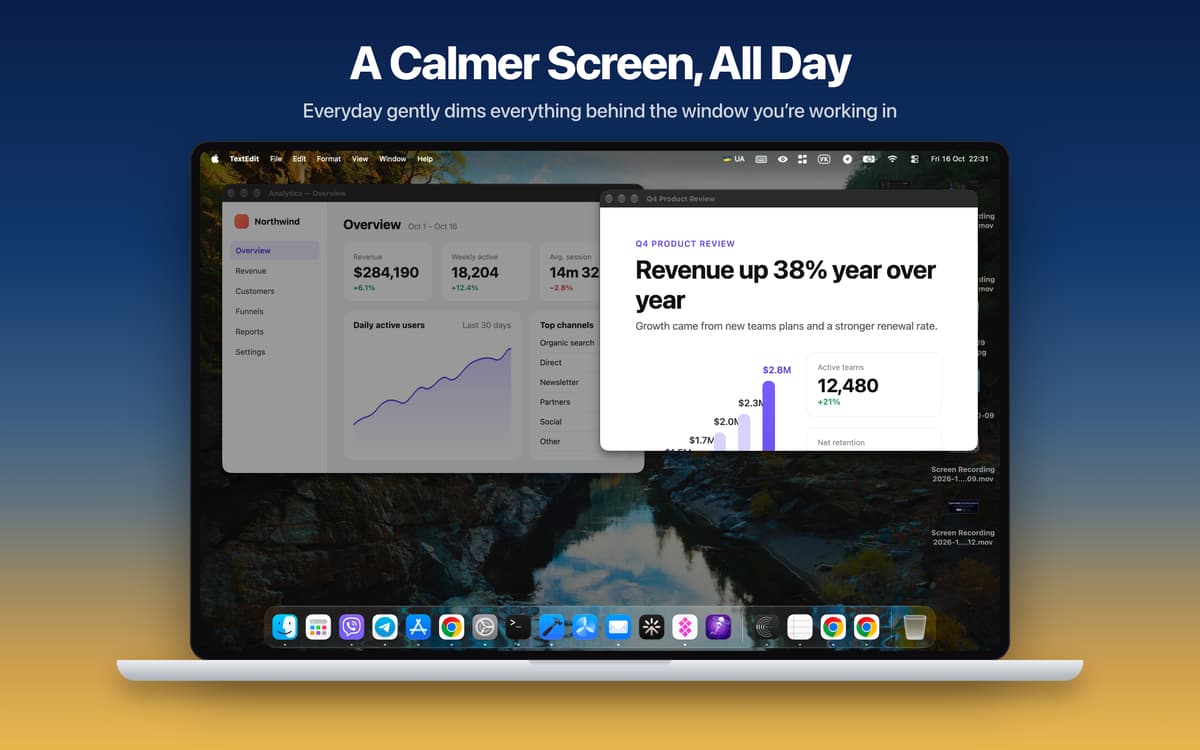
Light dimming behind your current window, all day long. It follows you from app to app and keeps you on one task. Hold Fn to peek at everything, then release to dim again. Hold Option and scroll to change the strength.
Made for screen sharing
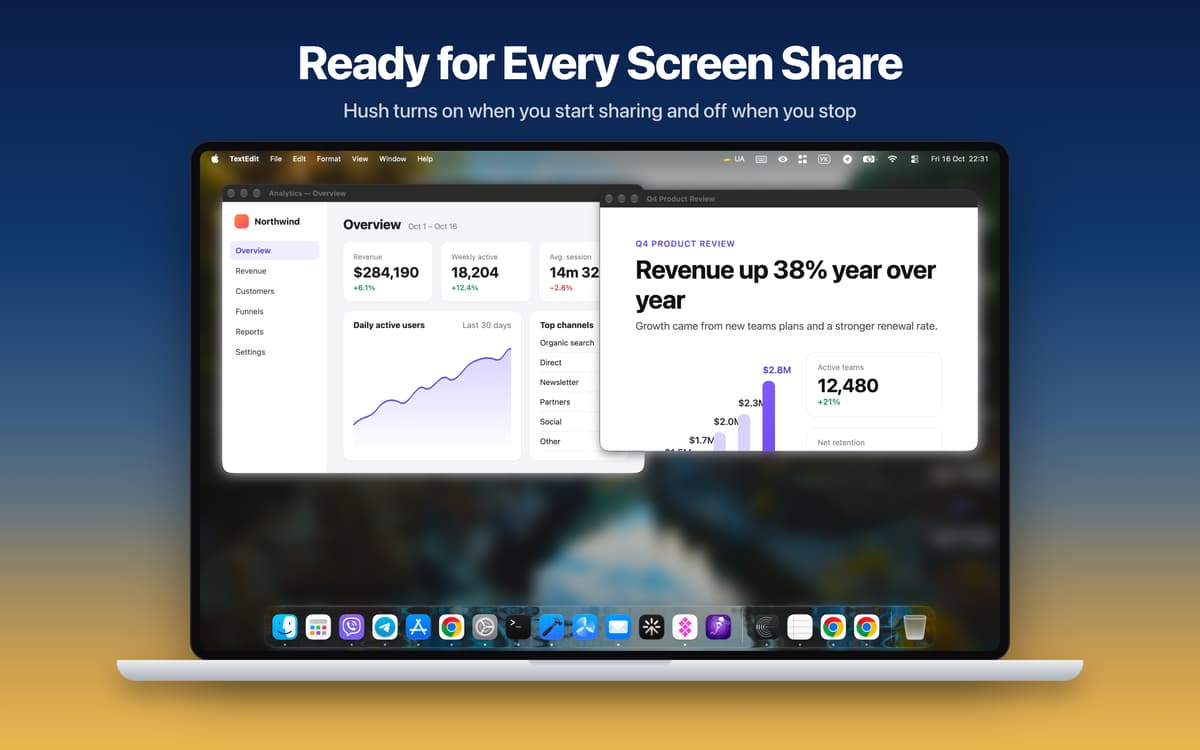
Hush turns on when you start sharing your screen and turns off when you stop. Save your ideal call setup as a Sharing Preset and apply it in one click. Need to toggle it manually? Use the global hotkey (Cmd+Shift+H by default) from anywhere.
Your Mac, your rules
Every display gets its own overlay, and you choose which ones to cover. Tweak blur strength, tint color, dim level, custom images, and the softness and size of the spotlight. Hush also works with Shortcuts and Focus Filters, and it's available in 24 languages. It's built in Swift, and Cursor Focus runs at your display's full refresh rate, up to 120 Hz.
Centinaia di app con la Membership
Diventa membro di Setapp e utilizza centinaia di app straordinarie con un unico abbonamento.
Prova gratis per 7 giorni, poi paga una tariffa unica.
Installa Setapp sul Mac
Scopri le app per Mac, iOS e il web. Trova modi semplici per risolvere le attività quotidiane.

Ottieni l'app che stavi cercando
Quell'app tanto desiderata ti aspetta in Setapp. Installala con un clic.

Hush
Scegli un abbonamento
Una o più app con un abbonamento Setapp. Acquista le app come preferisci.

Centinaia di app con la Membership
Diventa membro di Setapp e utilizza centinaia di app straordinarie con un unico abbonamento.
Prova gratis per 7 giorni, poi paga una tariffa unica.
1
Installa Setapp sul Mac
Scopri le app per Mac, iOS e il web. Trova modi semplici per risolvere le attività quotidiane.
2
Ottieni l'app che stavi cercando
Quell'app tanto desiderata ti aspetta in Setapp. Installala con un clic.
Hush
3
Scegli un abbonamento
Una o più app con un abbonamento Setapp. Acquista le app come preferisci.
Sede delle migliori app
Dalla pianificazione e dai lavori di routine alle attività creative e di scrittura di codice, con le app di Setapp potrai affrontare di tutto.

TypingMind
Chat IA con un'interfaccia utente diversa
genera o riassumi un testo
usa la libreria di prompt
IA

Spark Mail
Gestisci le email
IA

CleanMyMac
Elimina i file spazzatura

Bartender
Personalizza la barra dei menu

CleanShot X
Cattura screenshot versatili

Luminar Neo
Modifica le tue foto
IA

ClearVPN
Connessione più sicura

Craft
Lavora con i documenti
IA
Hush
Blur the mess, share the work