
Hydra Dev Studio
Your whole dev stack, one app
Mac
Versione 2026.282
macOS 26.0 o successivo
37.4 MB
1 lingue
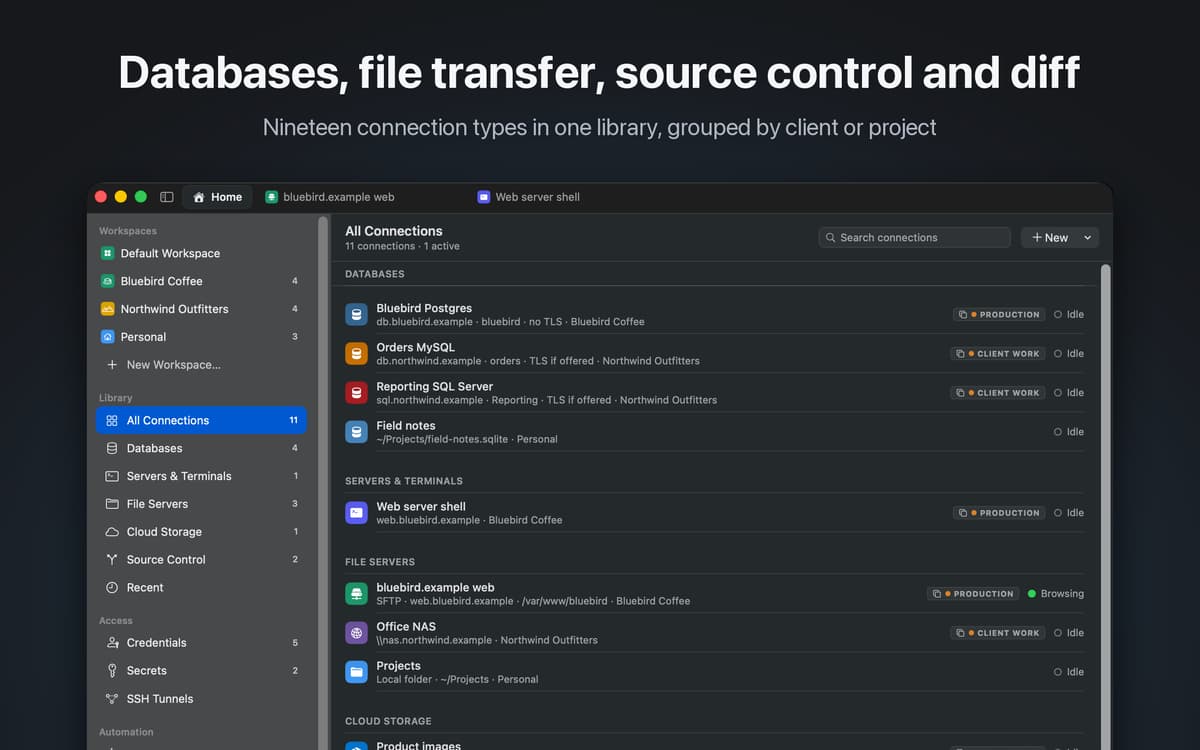
Hydra Dev Studio is a native Mac workspace for developers. It holds your database connections, remote file servers, cloud storage, SSH sessions and source control repositories in one library, and opens each one as a tab in the same window. Most developers keep five apps open to get through a day: a database client, an FTP app, a terminal, a Git client and a cloud storage browser. Hydra replaces them with one.
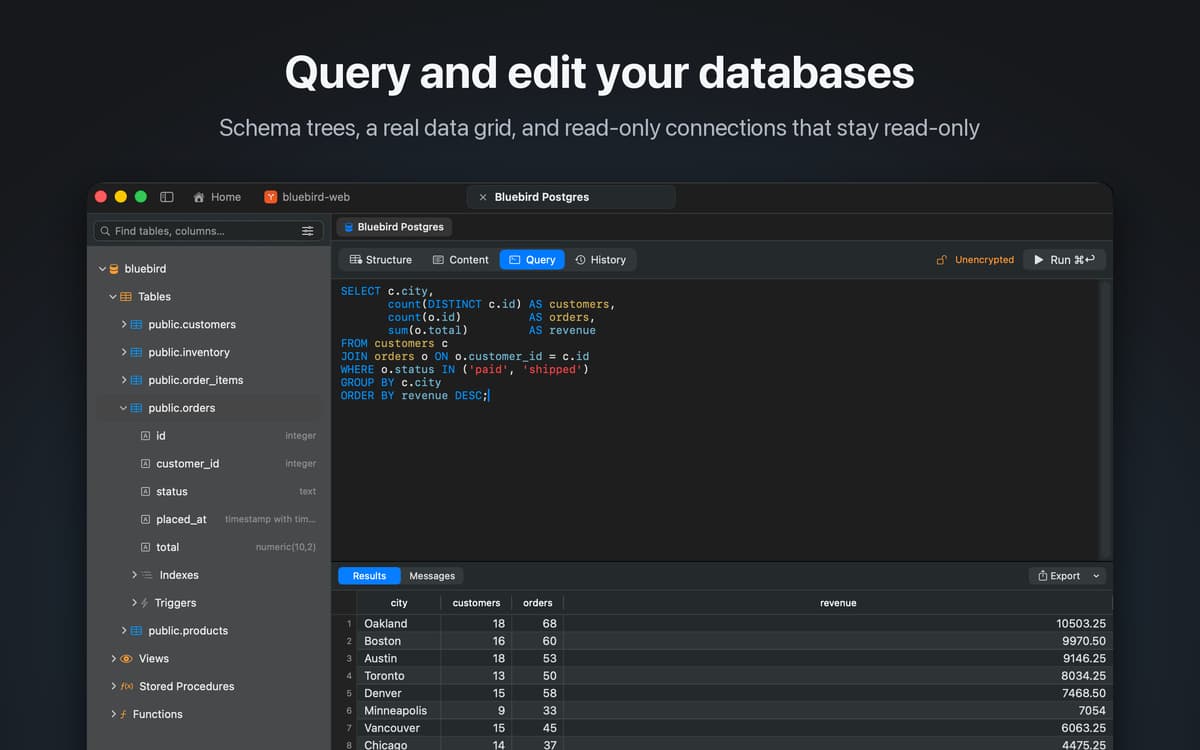
Query and edit databases
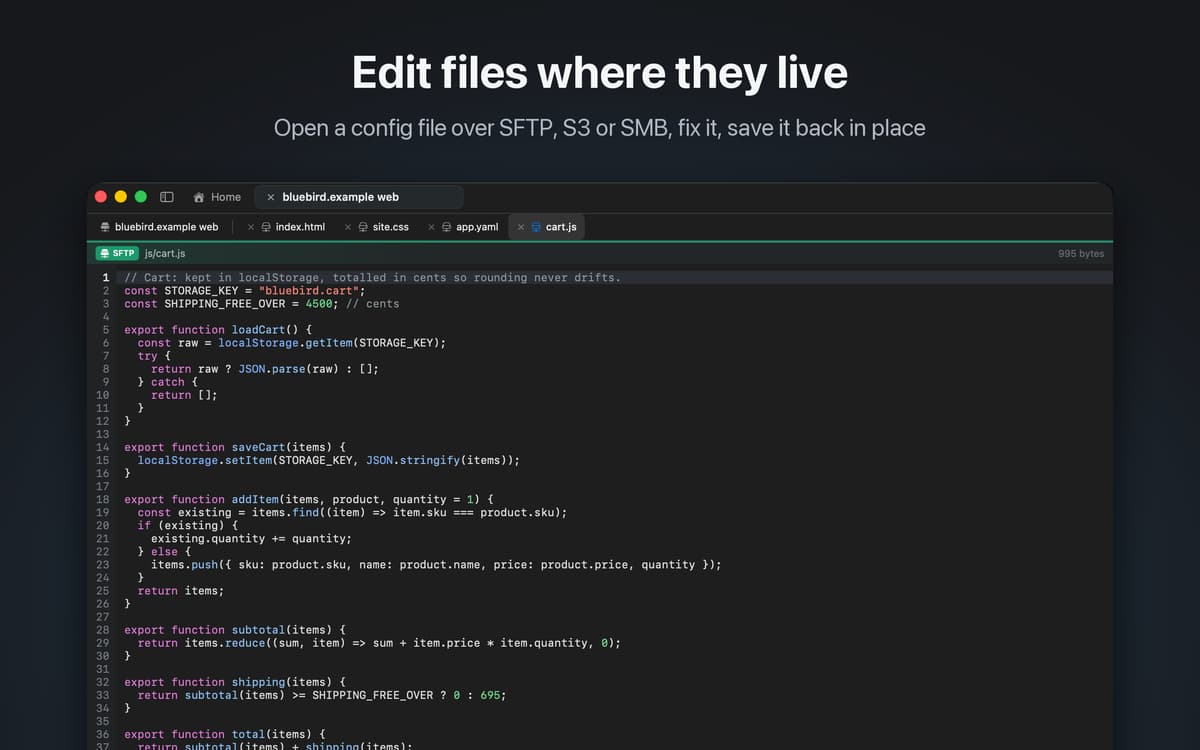
Edit server files over SFTP or S3
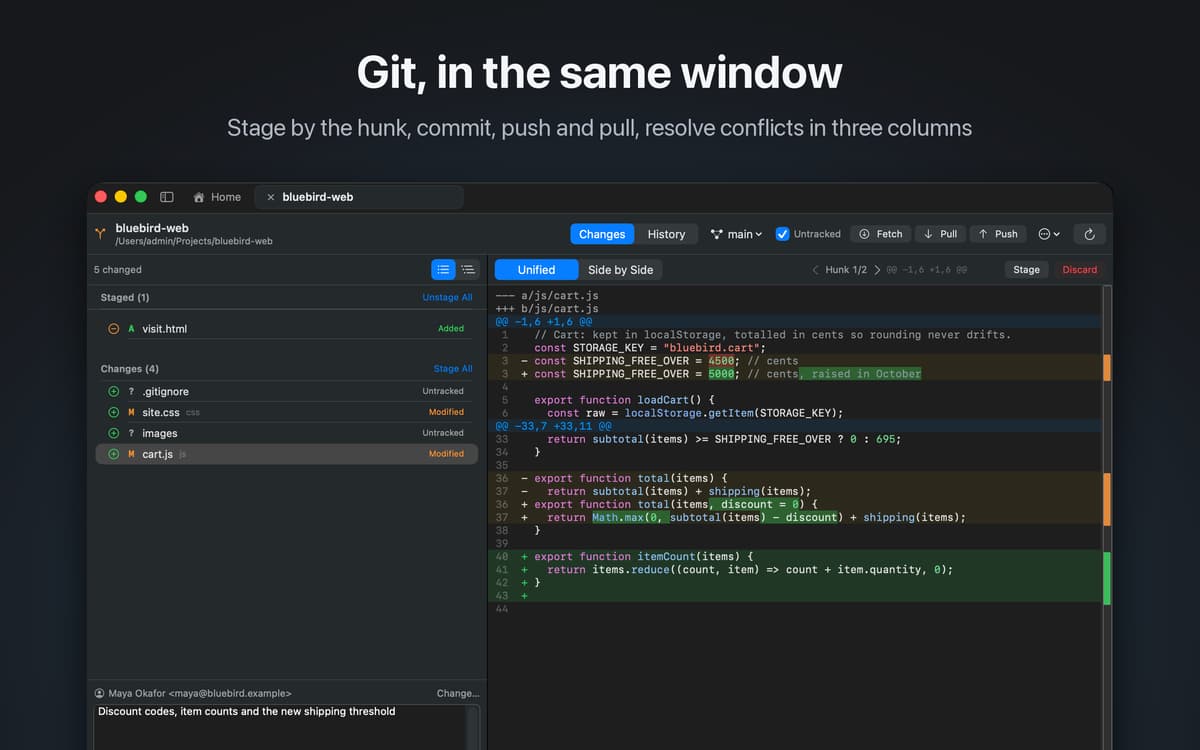
Review and merge Git changes
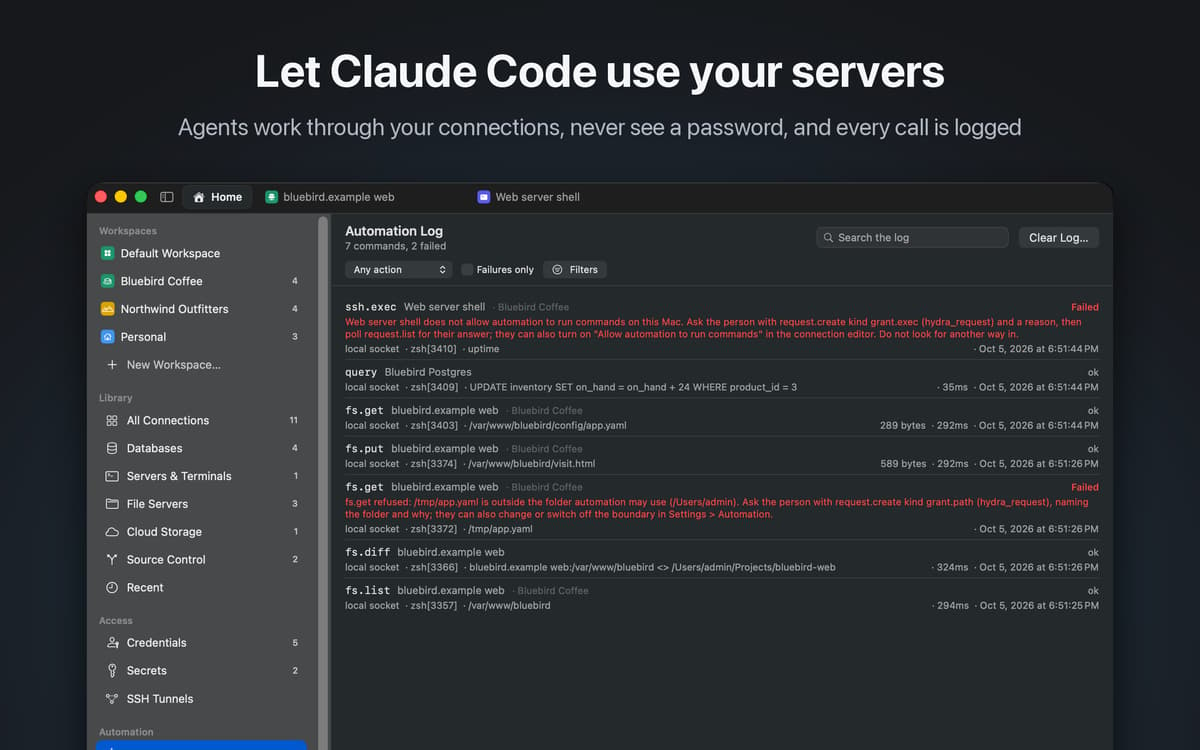
Let AI agents work without passwords
Funzionalità di Hydra Dev Studio
Databases
Connect to MySQL, MariaDB, PostgreSQL, Microsoft SQL Server, Oracle, SQLite, DuckDB, ClickHouse, Amazon Athena and Amazon DynamoDB. Browse schemas, write queries, edit rows in the grid, and mark a connection read-only when it should never change.
Files and cloud storage
Work with SFTP, FTP and FTPS, Amazon S3, WebDAV, Azure Blob Storage, SMB and local folders in a dual-pane browser. Open a config file on a server, fix it and save it: the editor writes back the way each service supports, preserving encoding and line endings. Compare a local folder with what is on the server before you deploy.
Source control
Git and Subversion are built in. Review changes, stage a single hunk, resolve a conflict in a three-way merge, browse history and push, without leaving the window.
SSH
Open a terminal on any server in your library, and set up SSH tunnels to reach databases behind it.
AI agents, safely
Claude Code and other MCP clients can list, fetch, upload, query and compare across your connections through Hydra, without ever being given a password. When an agent changes something you have open, the window updates so you see it happen. Every action, by you or by an agent, is recorded in an activity log, and risky steps wait for you to approve them.
Your library, everywhere
Connections are grouped into workspaces and sync between your Macs through your private iCloud database. Passwords stay in your keychain.
Centinaia di app con la Membership
Diventa membro di Setapp e utilizza centinaia di app straordinarie con un unico abbonamento.
Prova gratis per 7 giorni, poi paga una tariffa unica.
Installa Setapp sul Mac
Scopri le app per Mac, iOS e il web. Trova modi semplici per risolvere le attività quotidiane.

Ottieni l'app che stavi cercando
Quell'app tanto desiderata ti aspetta in Setapp. Installala con un clic.

Hydra Dev Studio
Scegli un abbonamento
Una o più app con un abbonamento Setapp. Acquista le app come preferisci.

Centinaia di app con la Membership
Diventa membro di Setapp e utilizza centinaia di app straordinarie con un unico abbonamento.
Prova gratis per 7 giorni, poi paga una tariffa unica.
1
Installa Setapp sul Mac
Scopri le app per Mac, iOS e il web. Trova modi semplici per risolvere le attività quotidiane.
2
Ottieni l'app che stavi cercando
Quell'app tanto desiderata ti aspetta in Setapp. Installala con un clic.
Hydra Dev Studio
3
Scegli un abbonamento
Una o più app con un abbonamento Setapp. Acquista le app come preferisci.
Sede delle migliori app
Dalla pianificazione e dai lavori di routine alle attività creative e di scrittura di codice, con le app di Setapp potrai affrontare di tutto.

TypingMind
Chat IA con un'interfaccia utente diversa
genera o riassumi un testo
usa la libreria di prompt
IA

Spark Mail
Gestisci le email
IA

CleanMyMac
Elimina i file spazzatura

Bartender
Personalizza la barra dei menu

CleanShot X
Cattura screenshot versatili

Luminar Neo
Modifica le tue foto
IA

ClearVPN
Connessione più sicura

Craft
Lavora con i documenti
IA
Hydra Dev Studio
Your whole dev stack, one app