
Insomniac
Mantieni il Mac sveglio, in modo intelligente
Mac
Versione 1.0.2
macOS 13.5 o successivo
21.8 MB
15 lingue
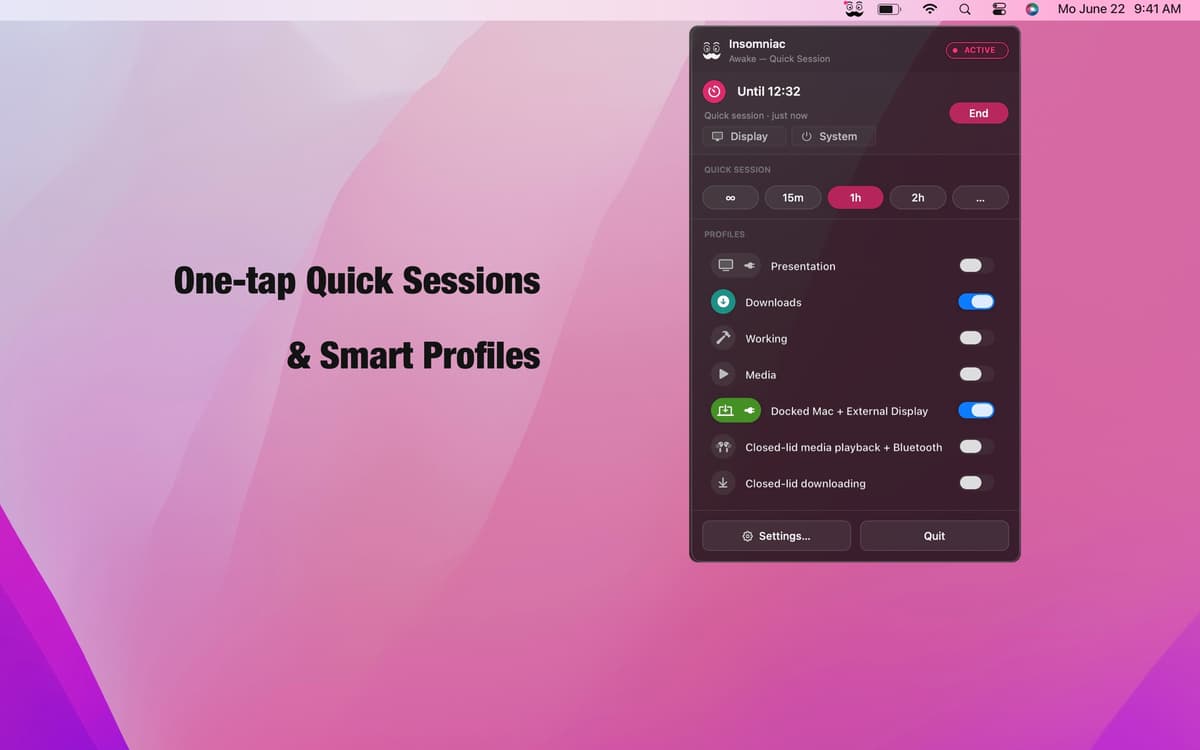
Insomniac è un'app per Mac che impedisce al computer di andare in standby in modo intelligente e contestuale. Dimentica l'interruttore sempre attivo: funziona con un motore di regole. Crea profili da oltre 30 trigger — come lo stato del coperchio, la riproduzione audio, il carico della CPU, gli eventi del calendario e l'alimentazione di rete — e Insomniac fa il resto: riattiva il Mac quando la condizione si verifica, lo mette in sospensione quando non si verifica. Gli override intelligenti per batteria, temperatura e calendario fanno sì che non lavori mai contro di te. Vive nella barra dei menu. Non ti disturba.
Mantieni il Mac sveglio durante le presentazioni
Impedisci il sonno durante il download dei file
Resta attivo quando il display esterno è acceso
Pausa automatica quando la batteria è scarica
Funzionalità di Insomniac
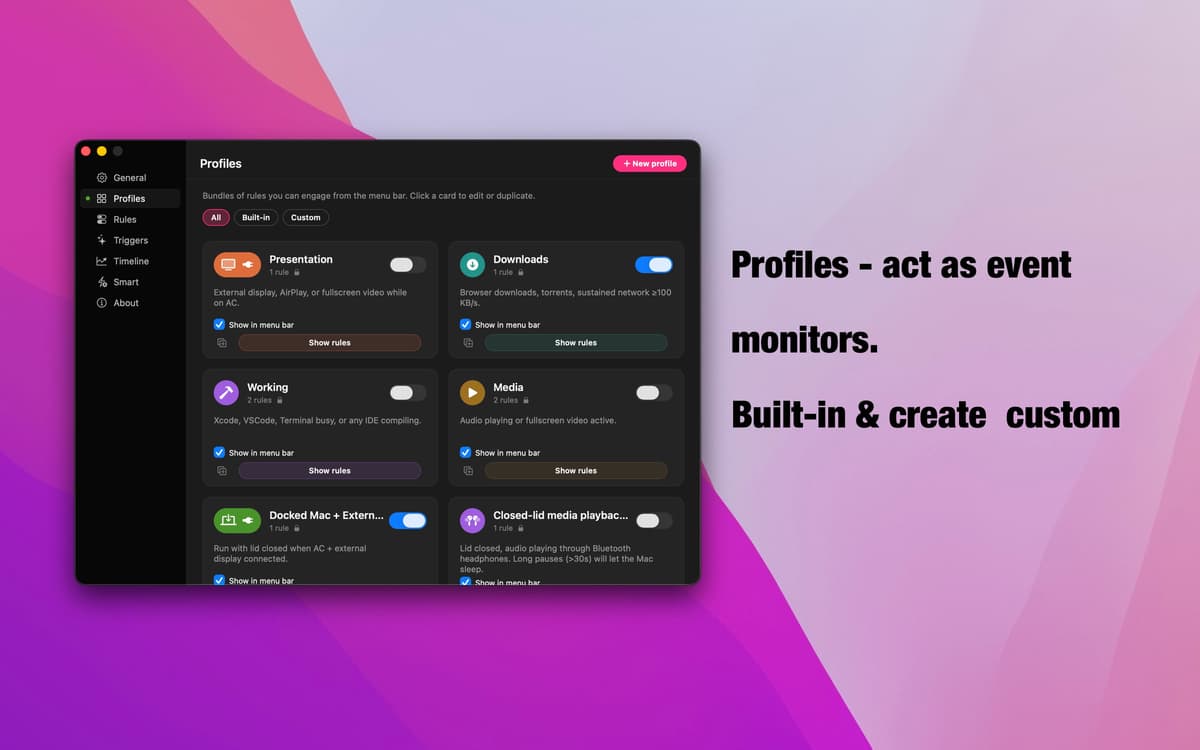
Profili: monitoraggio basato sugli eventi
Sette profili pronti all'uso coprono gli scenari più comuni: presentazioni, download, riproduzione multimediale, configurazioni con dock, modalità coperchio chiuso e altro ancora. Ognuno rileva un segnale specifico, si attiva automaticamente quando si verifica e si disattiva al termine. Crealo in pochi secondi: dagli un nome, aggiungi le tue regole e il gioco è fatto.
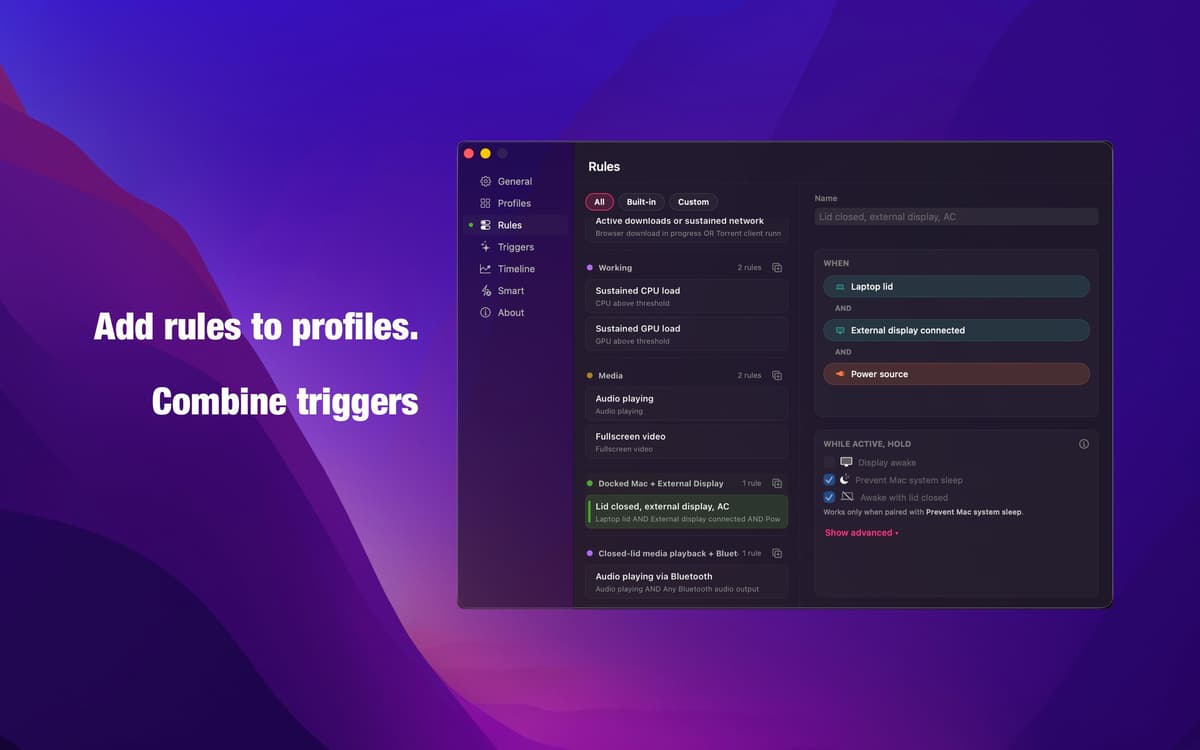
Editor di regole — logica che fa quello che dici
Combina i trigger con la logica AND, OR e NOT per creare esattamente la condizione di cui hai bisogno. Niente modalità automatiche vaghe, niente supposizioni. Lo stesso motore che alimenta ogni profilo integrato è completamente a tua disposizione: preciso, trasparente e tutto tuo da configurare.
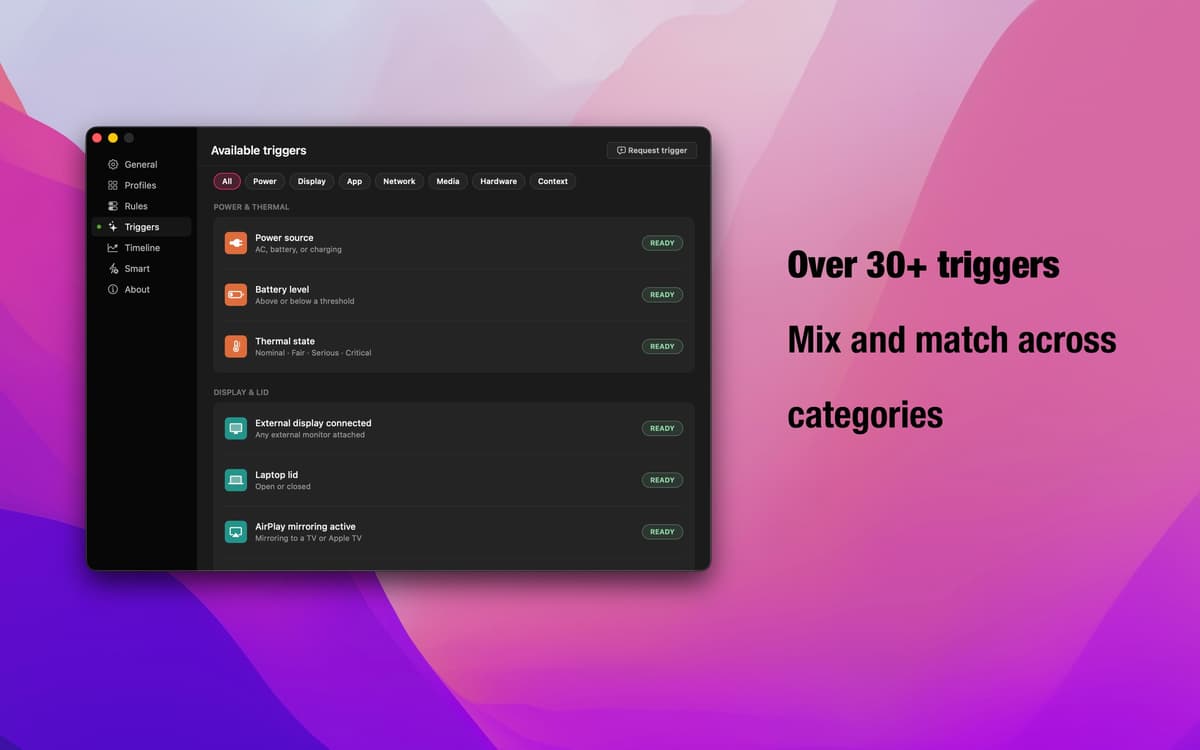
Oltre 30 trigger — ogni segnale di macOS
Stato del coperchio, display esterno, AirPlay, app in esecuzione, download dal browser, riproduzione audio, connessioni Bluetooth, eventi del calendario, carico di CPU e GPU, finestre temporali, alimentazione CA, throughput di rete e altro ancora. Combina categorie diverse per qualsiasi flusso di lavoro.
Override intelligenti: la tua rete di sicurezza
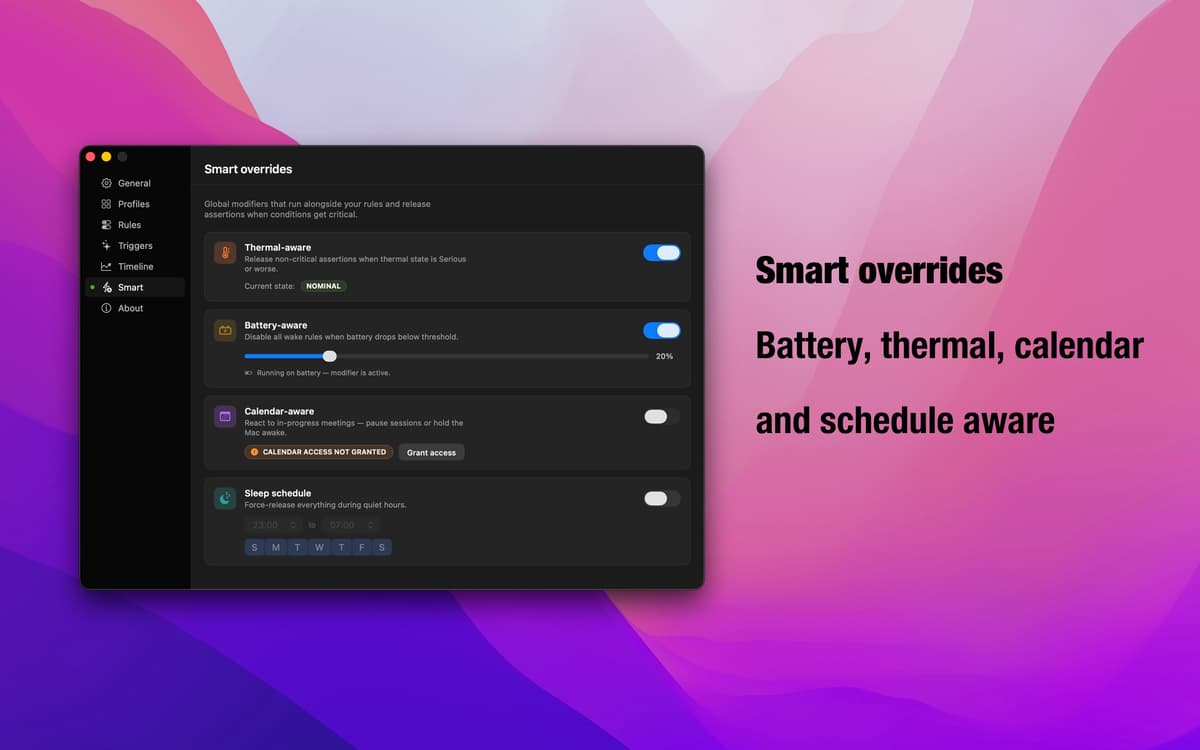
La batteria si sta scaricando? Il Mac sta rallentando a causa del calore? Riunioni una dietro l'altra? Gli override intelligenti rilevano queste condizioni e mettono automaticamente in pausa i profili attivi. Decidi tu se ogni override mette in pausa la prevenzione della sospensione o mantiene il Mac attivo. Insomniac si adatta a ciò che sta realmente accadendo.
App della barra dei menu — sempre presente, mai d'intralcio
Insomniac vive discretamente nella barra dei menu. Verifica cosa è attivo, cambia profilo o regola le impostazioni senza interrompere il tuo flusso. Nessuna icona nel Dock, nessuna finestra di configurazione a schermo intero: solo i controlli di cui hai bisogno, esattamente quando ti servono.
Centinaia di app con la Membership
Diventa membro di Setapp e utilizza centinaia di app straordinarie con un unico abbonamento.
Prova gratis per 7 giorni, poi paga una tariffa unica.
Installa Setapp sul Mac
Scopri le app per Mac, iOS e il web. Trova modi semplici per risolvere le attività quotidiane.

Ottieni l'app che stavi cercando
Quell'app tanto desiderata ti aspetta in Setapp. Installala con un clic.

Insomniac
Scegli un abbonamento
Una o più app con un abbonamento Setapp. Acquista le app come preferisci.

Centinaia di app con la Membership
Diventa membro di Setapp e utilizza centinaia di app straordinarie con un unico abbonamento.
Prova gratis per 7 giorni, poi paga una tariffa unica.
1
Installa Setapp sul Mac
Scopri le app per Mac, iOS e il web. Trova modi semplici per risolvere le attività quotidiane.
2
Ottieni l'app che stavi cercando
Quell'app tanto desiderata ti aspetta in Setapp. Installala con un clic.
Insomniac
3
Scegli un abbonamento
Una o più app con un abbonamento Setapp. Acquista le app come preferisci.
Sede delle migliori app
Dalla pianificazione e dai lavori di routine alle attività creative e di scrittura di codice, con le app di Setapp potrai affrontare di tutto.

TypingMind
Chat IA con un'interfaccia utente diversa
genera o riassumi un testo
usa la libreria di prompt
IA

Spark Mail
Gestisci le email
IA

CleanMyMac
Elimina i file spazzatura

Bartender
Personalizza la barra dei menu

CleanShot X
Cattura screenshot versatili

Luminar Neo
Modifica le tue foto
IA

ClearVPN
Connessione più sicura

Craft
Lavora con i documenti
IA
Insomniac
Mantieni il Mac sveglio, in modo intelligente