JoyTap
Aggiungi suoni di digitazione alla tastiera
Mac
Versione 26.1.30.0
macOS 14.0 o successivo
21.6 MB
1 lingue
JoyTap porta i suoni di una tastiera meccanica sulla tastiera silenziosa del tuo Mac. Questa semplice app per la barra dei menu riproduce suoni di switch autentici mentre digiti — in qualsiasi app, dagli editor di codice alle email. Che tu sia uno sviluppatore impegnato a scrivere codice o uno scrittore che lavora al suo prossimo articolo, il feedback audio rende la digitazione più soddisfacente e ti aiuta a rimanere concentrato durante sessioni più lunghe.
Aggiungi suoni di tastiera meccanica al tuo Mac
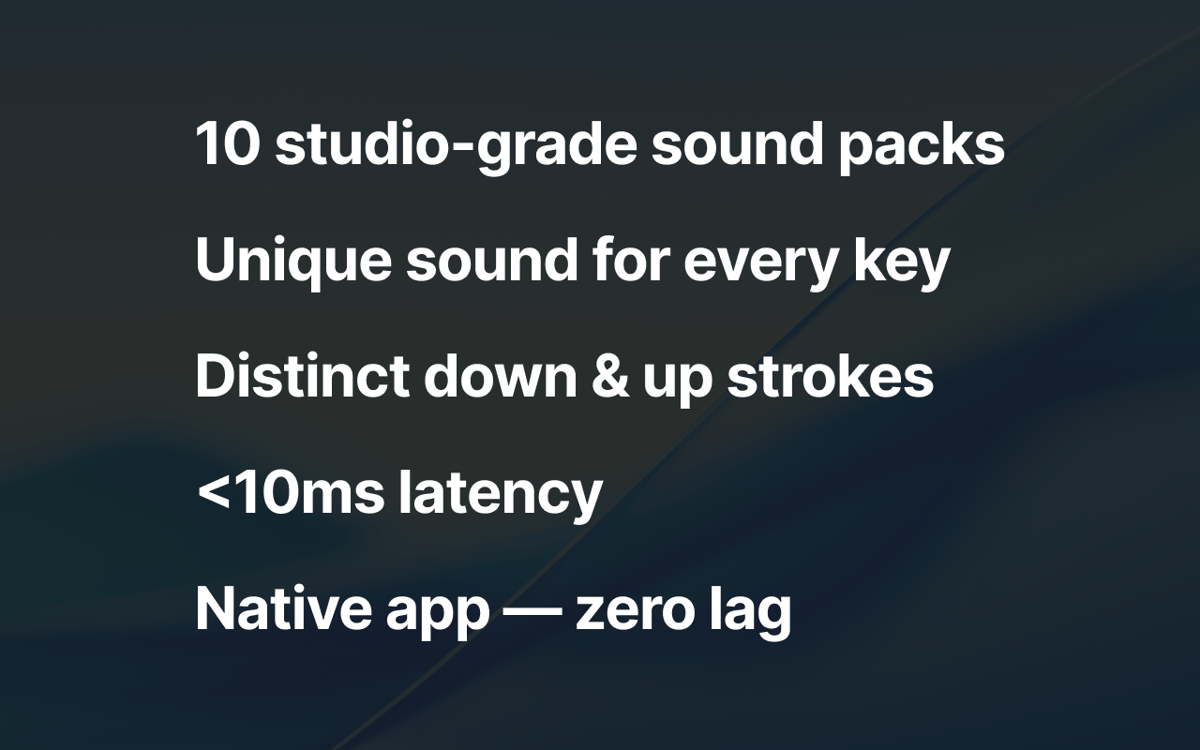
Scegli tra oltre 10 profili di switch autentici
Controlla il volume e accedi dalla barra dei menu
Goditi la digitazione su qualsiasi app di macOS
Funzionalità di JoyTap
Scegli tra suoni di switch meccanici autentici
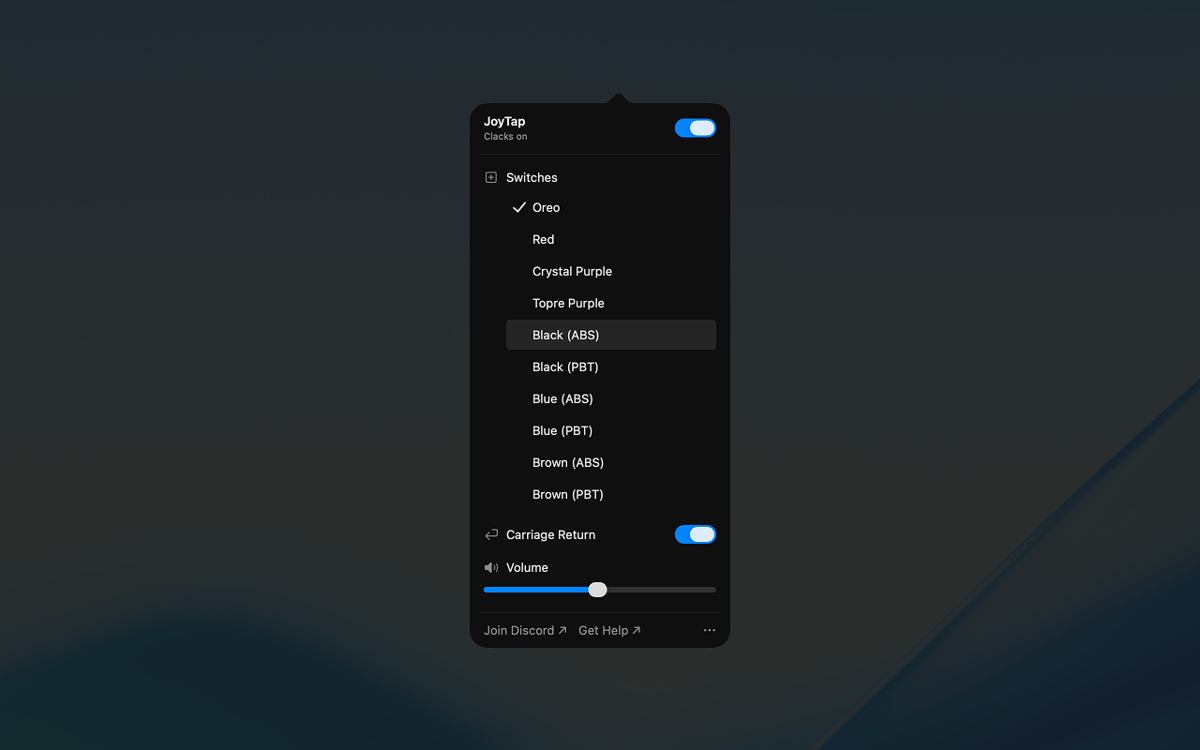
Seleziona tra oltre 10 profili di switch realistici basati su veri switch meccanici — Oreo, Crystal Purple, Topre Purple e i classici switch lineari e tattili nelle varianti ABS e PBT. Ogni profilo cattura le caratteristiche sonore distintive della sua controparte fisica, dai suoni profondi ai clic nitidi.
Accedi ai controlli dalla barra dei menu
JoyTap si trova nella barra dei menu per un accesso rapido. Attiva o disattiva i suoni all'istante quando hai bisogno di silenzio, passa da un profilo di switch all'altro con un solo clic e personalizza le impostazioni senza interrompere il flusso di lavoro.
Regola finemente il volume per adattarlo al tuo ambiente
Regola il livello del suono in modo indipendente per adattarlo a qualsiasi situazione. Alzalo quando lavori da solo per la massima soddisfazione o abbassalo quando hai bisogno di rimanere silenzioso in spazi condivisi o durante le chiamate.
Valutazioni e recensioni
JoyTap
•
141 valutazioni
Rach Safdieh
26 ago 2026
Versione app: 26.1.30.0
It’s a great app but uses a tonnnn of memory
Bikram Choudhury
5 ago 2026
Versione app: 26.1.30.0
It’s fun. I never realised that I typed so fast!
Aditya Balasubramanian
29 giu 2026
Versione app: 26.1.30.0
4.5/5
Centinaia di app con la Membership
Diventa membro di Setapp e utilizza centinaia di app straordinarie con un unico abbonamento.
Prova gratis per 7 giorni, poi paga una tariffa unica.
Installa Setapp sul Mac
Scopri le app per Mac, iOS e il web. Trova modi semplici per risolvere le attività quotidiane.

Ottieni l'app che stavi cercando
Quell'app tanto desiderata ti aspetta in Setapp. Installala con un clic.

JoyTap
Scegli un abbonamento
Una o più app con un abbonamento Setapp. Acquista le app come preferisci.

Centinaia di app con la Membership
Diventa membro di Setapp e utilizza centinaia di app straordinarie con un unico abbonamento.
Prova gratis per 7 giorni, poi paga una tariffa unica.
1
Installa Setapp sul Mac
Scopri le app per Mac, iOS e il web. Trova modi semplici per risolvere le attività quotidiane.
2
Ottieni l'app che stavi cercando
Quell'app tanto desiderata ti aspetta in Setapp. Installala con un clic.
JoyTap
3
Scegli un abbonamento
Una o più app con un abbonamento Setapp. Acquista le app come preferisci.
Sede delle migliori app
Dalla pianificazione e dai lavori di routine alle attività creative e di scrittura di codice, con le app di Setapp potrai affrontare di tutto.

TypingMind
Chat IA con un'interfaccia utente diversa
genera o riassumi un testo
usa la libreria di prompt
IA

Spark Mail
Gestisci le email
IA

CleanMyMac
Elimina i file spazzatura

Bartender
Personalizza la barra dei menu

CleanShot X
Cattura screenshot versatili

Luminar Neo
Modifica le tue foto
IA

ClearVPN
Connessione più sicura

Craft
Lavora con i documenti
IA
JoyTap
Aggiungi suoni di digitazione alla tastiera