
Kepter
Find files by sight, not name
Mac
Versione 1.3.8
macOS 26.0 o successivo
12.4 MB
1 lingue
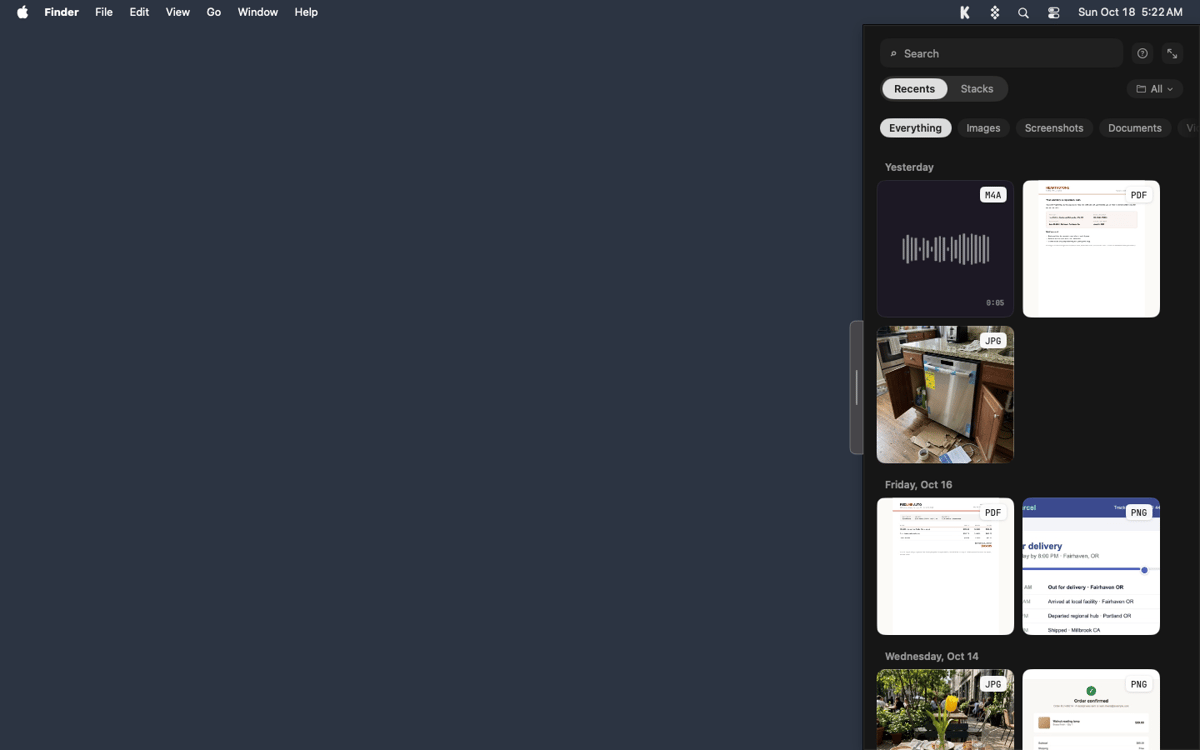
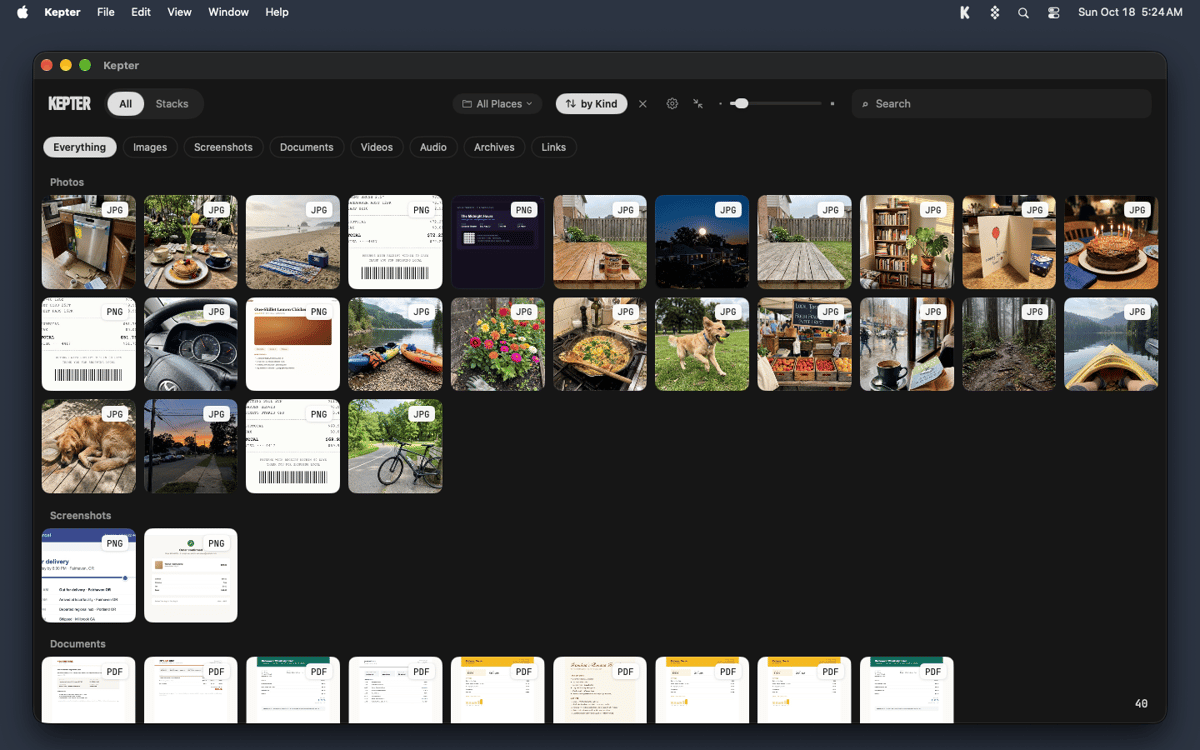
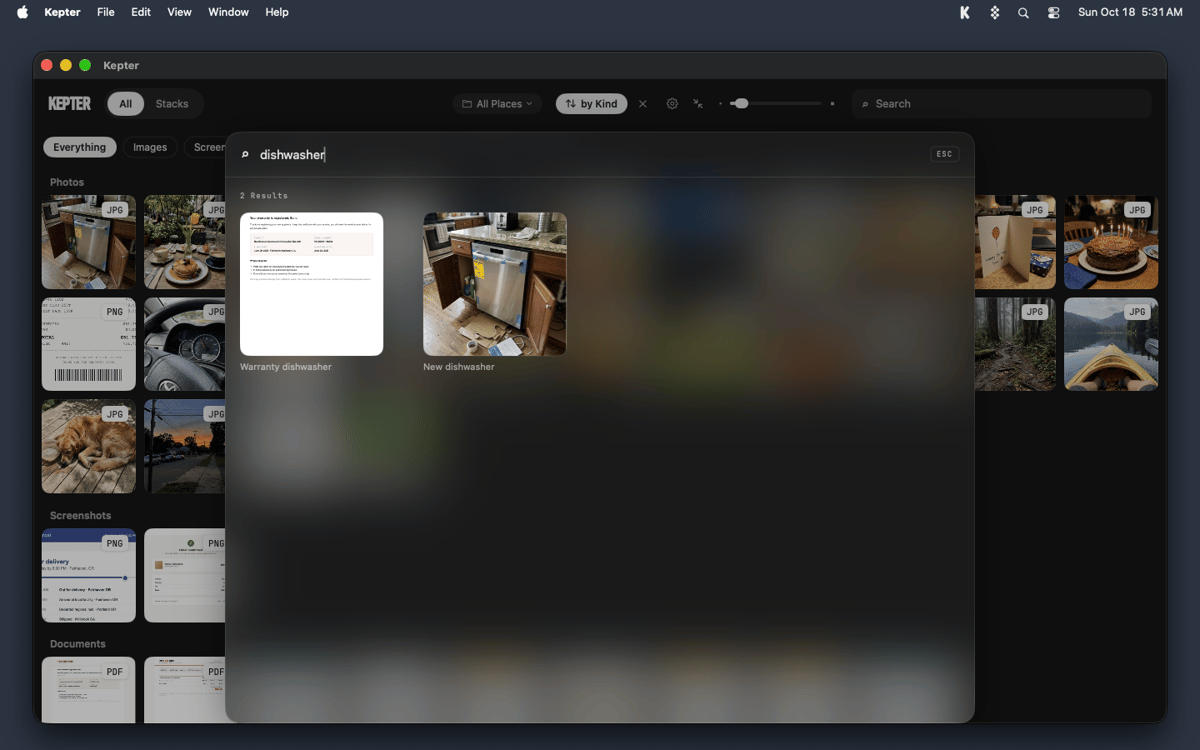
Kepter is a visual file finder for Mac that shows what you’ve saved, so you don’t have to remember it. It watches the folders you choose and lays your files out as tiles in a drawer at the edge of your screen. You recognize your own stuff on sight, with no file name or folder needed. Find also looks inside files, so scans and recordings turn up by what’s in them.
Find a file you saved last week
Spot a screenshot without its name
Search inside scans and recordings
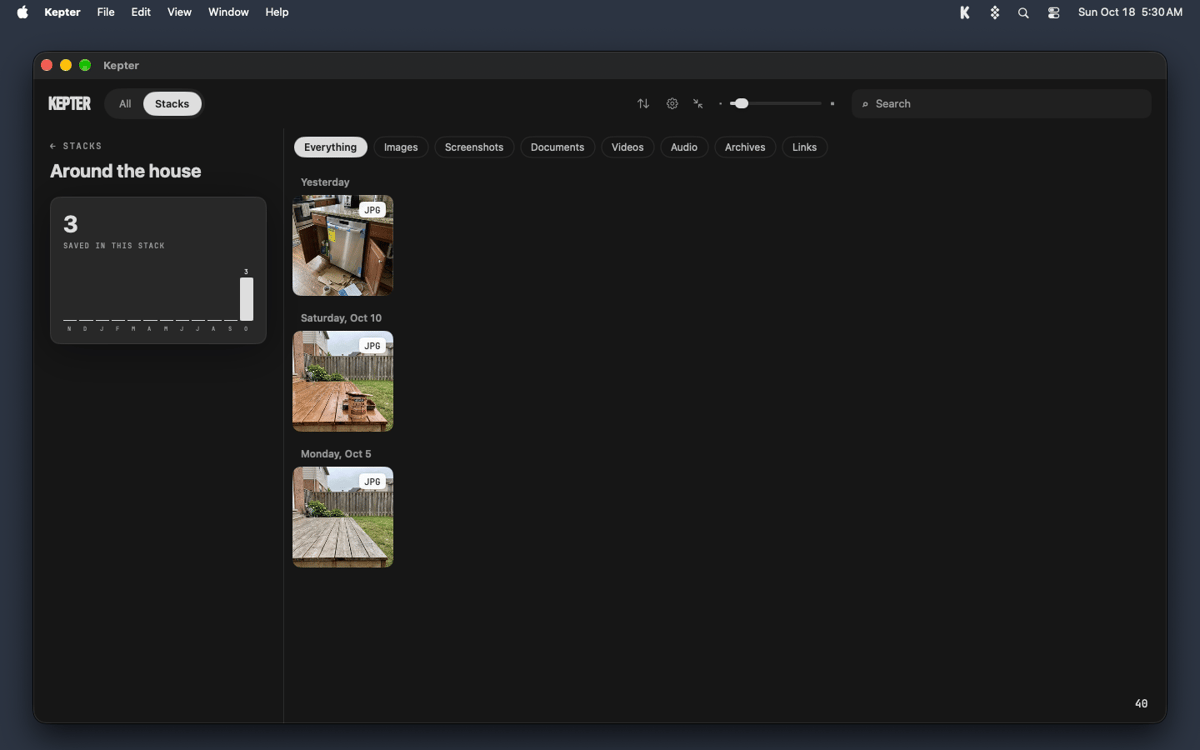
Keep related files together in stacks
Funzionalità di Kepter
A drawer for everything you save
Pick Desktop, Documents, Downloads, or any folder, and Kepter shows what lands there as tiles in a drawer at the edge of your screen. Setup takes 2 screens, and tiles start arriving while you watch. A week later, you’ll still know your file when you see it.
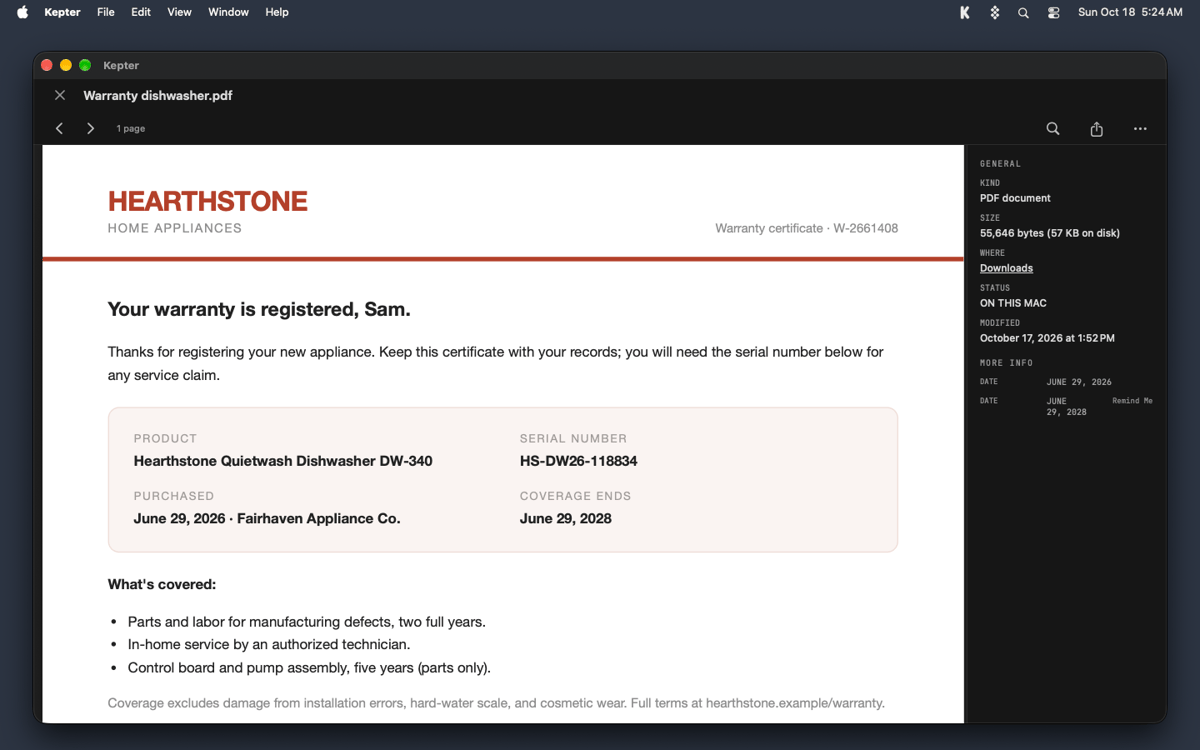
Open and manage files without leaving the drawer
Double-click a tile to open the file right in Kepter. Right-click for Get Info, Rename, or Move to Trash. Rename and Move to Trash act on the real file, just like in Finder, and Command-Z undoes either one.
Stacks for files that belong together
Right-click a tile and choose Add to Stack to start your own. Contracts, trip photos, and that one recipe PDF can all hang out in one place.
Find that looks inside your files
Press Option-Space to search by what’s inside a file, not only by its name. Kepter reads the words in scans and recordings too, so you can find a recording by what was said. The slower reading waits until you step away from your Mac. Open a recording and macOS asks once whether Kepter can use Speech Recognition. Kepter never opens your microphone.
Your files stay put
Kepter never copies your files and never moves one on its own. Move to Trash puts a file in your Trash, nowhere else. Everything stays on your Mac. Kepter reads files where they sit, so if you delete the original, Kepter loses it too.
Centinaia di app con la Membership
Diventa membro di Setapp e utilizza centinaia di app straordinarie con un unico abbonamento.
Prova gratis per 7 giorni, poi paga una tariffa unica.
Installa Setapp sul Mac
Scopri le app per Mac, iOS e il web. Trova modi semplici per risolvere le attività quotidiane.

Ottieni l'app che stavi cercando
Quell'app tanto desiderata ti aspetta in Setapp. Installala con un clic.

Kepter
Scegli un abbonamento
Una o più app con un abbonamento Setapp. Acquista le app come preferisci.

Centinaia di app con la Membership
Diventa membro di Setapp e utilizza centinaia di app straordinarie con un unico abbonamento.
Prova gratis per 7 giorni, poi paga una tariffa unica.
1
Installa Setapp sul Mac
Scopri le app per Mac, iOS e il web. Trova modi semplici per risolvere le attività quotidiane.
2
Ottieni l'app che stavi cercando
Quell'app tanto desiderata ti aspetta in Setapp. Installala con un clic.
Kepter
3
Scegli un abbonamento
Una o più app con un abbonamento Setapp. Acquista le app come preferisci.
Sede delle migliori app
Dalla pianificazione e dai lavori di routine alle attività creative e di scrittura di codice, con le app di Setapp potrai affrontare di tutto.

TypingMind
Chat IA con un'interfaccia utente diversa
genera o riassumi un testo
usa la libreria di prompt
IA

Spark Mail
Gestisci le email
IA

CleanMyMac
Elimina i file spazzatura

Bartender
Personalizza la barra dei menu

CleanShot X
Cattura screenshot versatili

Luminar Neo
Modifica le tue foto
IA

ClearVPN
Connessione più sicura

Craft
Lavora con i documenti
IA
Kepter
Find files by sight, not name