
Kerlig
Scrivi meglio in ogni app su Mac
Mac
Versione 2.8.4
macOS 12.0 o successivo
573.5 MB
1 lingue
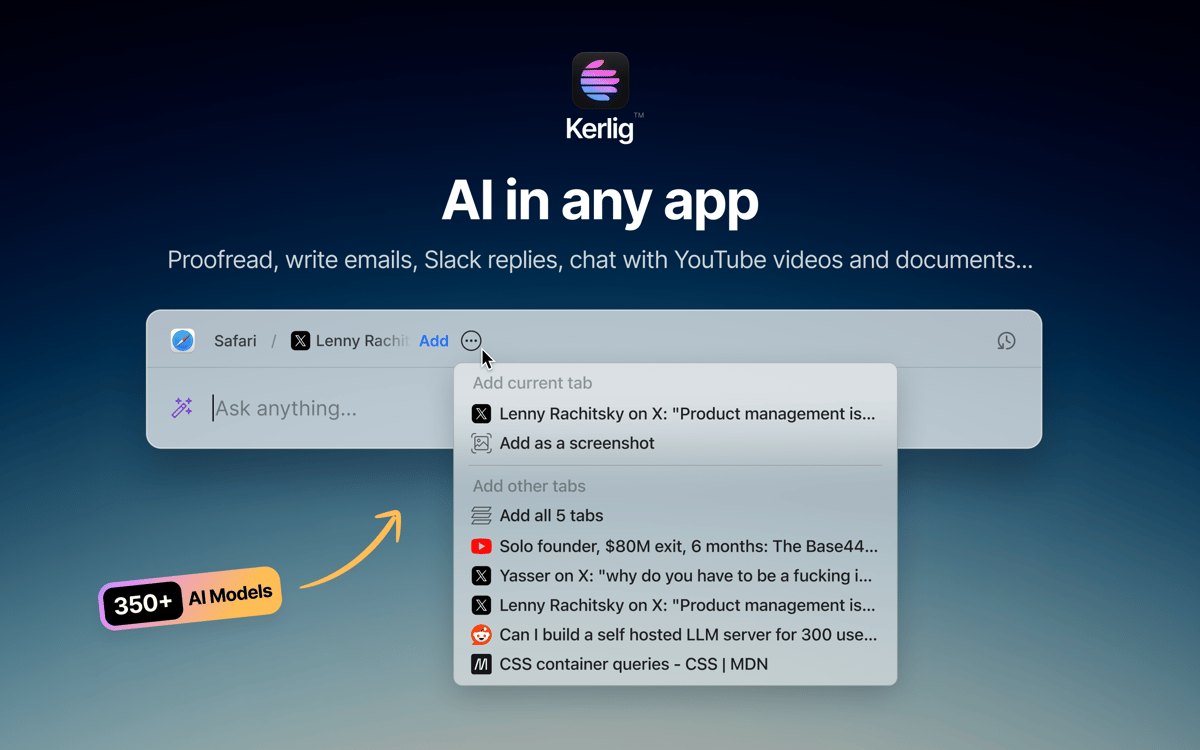
Kerlig è un assistente di scrittura AI che vive nella barra dei menu del tuo Mac. Premi una scorciatoia ed è lì — niente schede del browser, niente cambi di contesto. Usalo per revisionare messaggi, scrivere risposte, riassumere documenti o eseguire azioni personalizzate su qualsiasi app. Funziona con oltre 350 modelli di OpenAI, Anthropic, Google e altri, utilizzando le tue chiavi API.
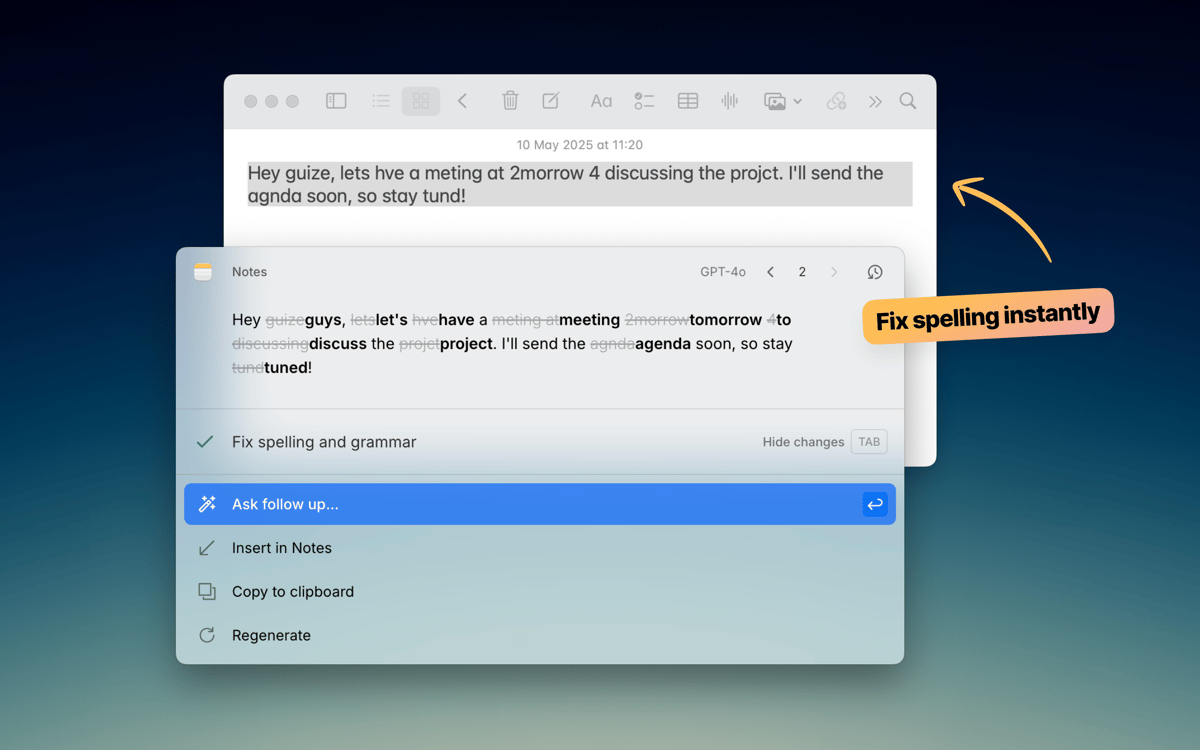
Revisiona il testo prima di premere Invia
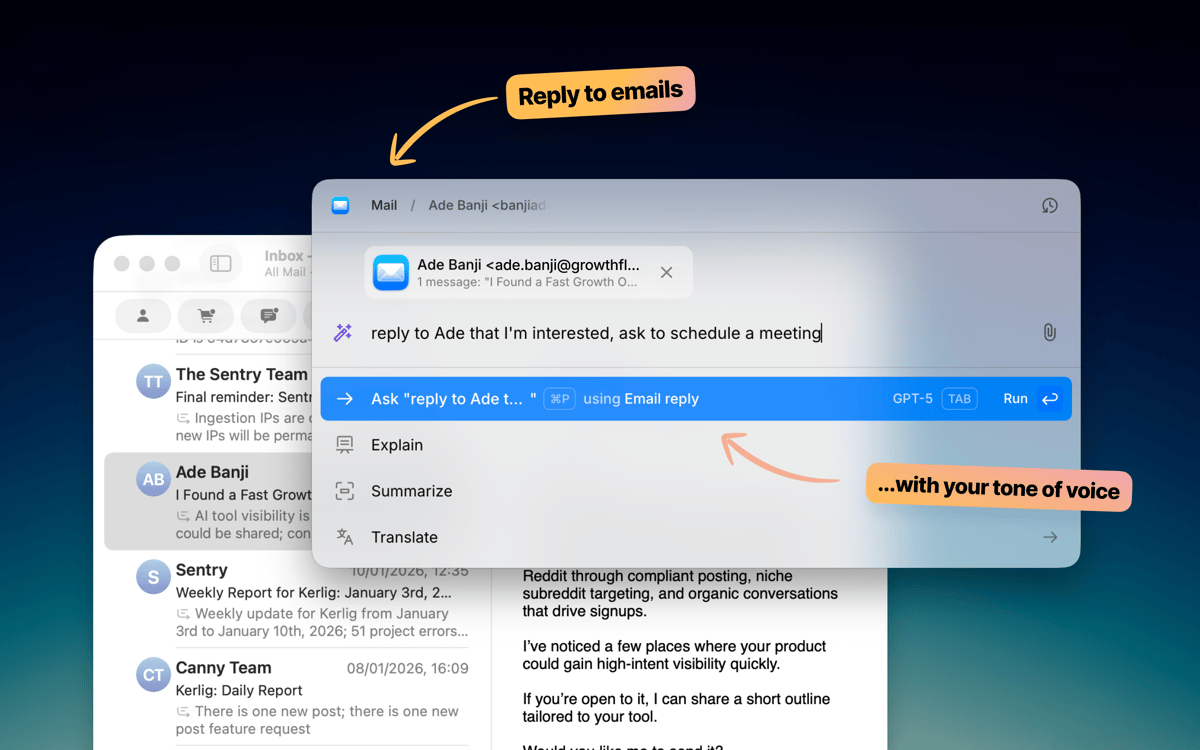
Scrivi email e risposte Slack più velocemente
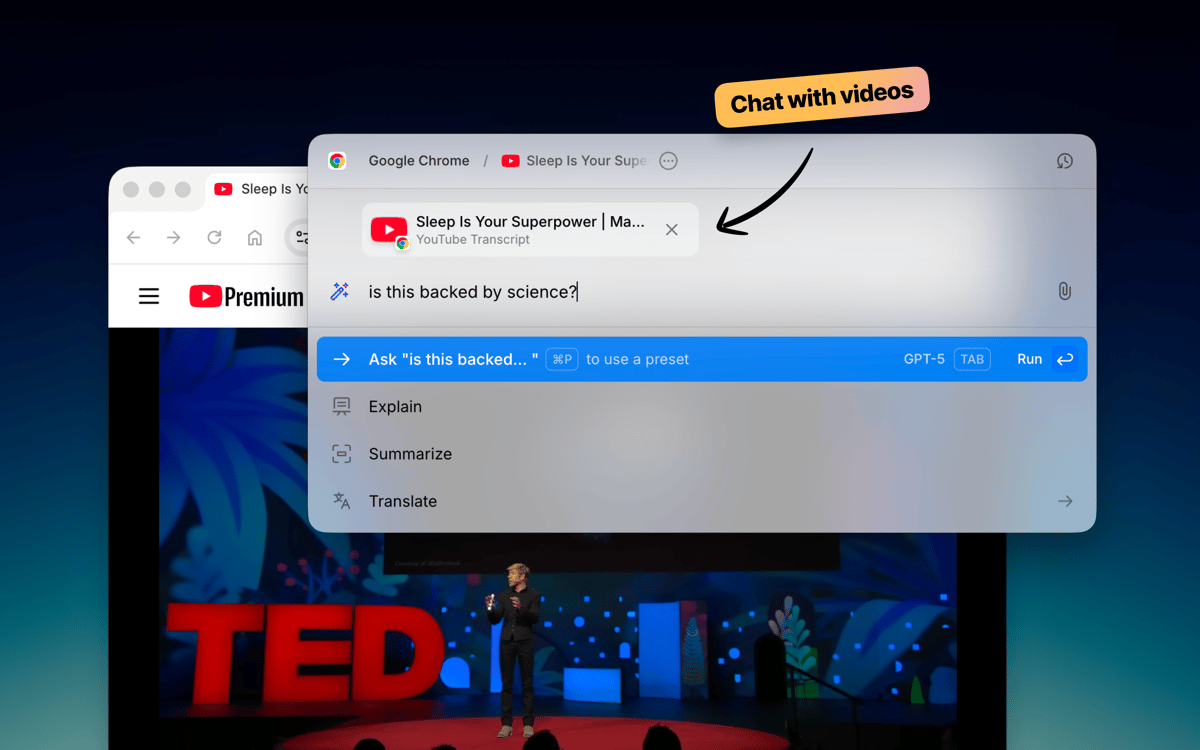
Chatta con documenti e pagine web
Esegui azioni AI personalizzate in qualsiasi app
Funzionalità di Kerlig
Scrivi senza uscire dalla tua app
Kerlig resta in disparte finché non ti serve. Premi una scorciatoia da tastiera e compare proprio dove stai lavorando — sia che sia Mail, Slack, Notion o qualsiasi altro. Correggi la grammatica, migliora un messaggio o scrivi una risposta senza aprire nemmeno una scheda del browser. Si integra perfettamente nel tuo modo di lavorare su Mac.
Scegli il tuo modello AI
Non tutti i compiti richiedono lo stesso modello. Kerlig si collega a oltre 350 modelli tra OpenAI, Anthropic, Google, Groq, Perplexity e altri. Passa da uno all'altro con un solo clic. Puoi anche eseguire modelli locali tramite Ollama, LM Studio o Apple Foundation Models se preferisci mantenere tutto sul dispositivo.
Crea le tue azioni
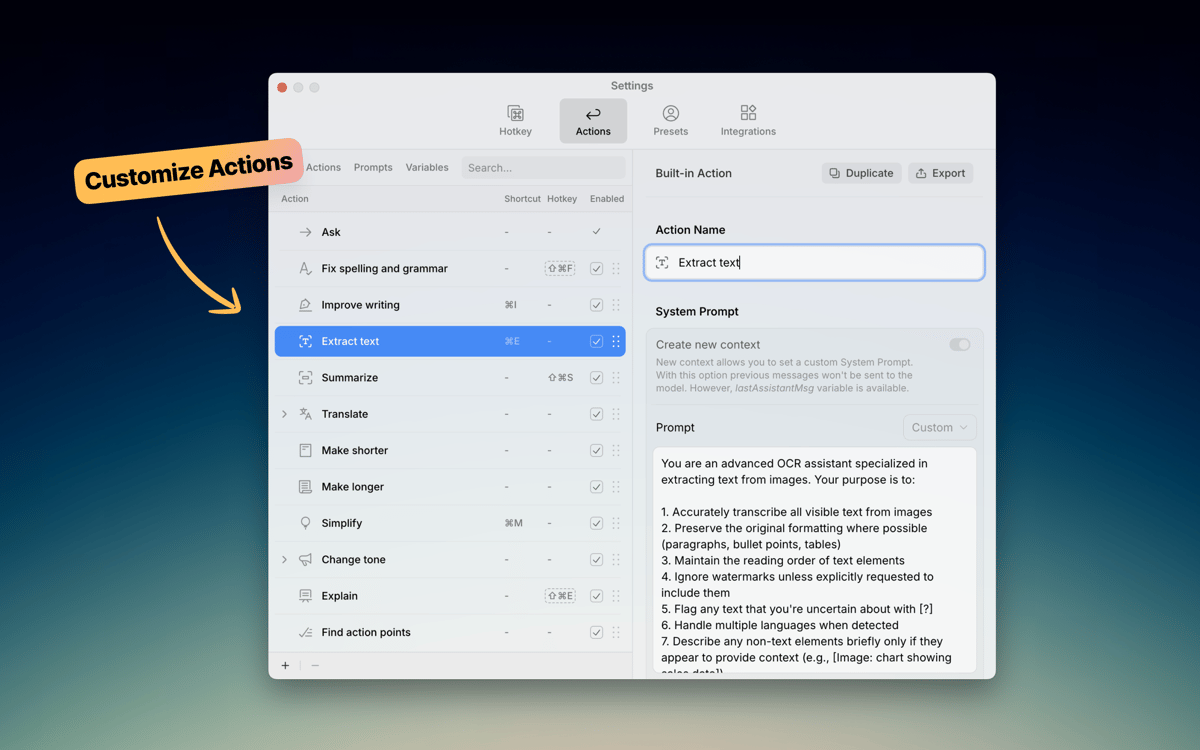
Kerlig include azioni predefinite utili come revisione, riassunto e traduzione. Ma il vero potere è crearne di tue. Crea prompt personalizzati per ciò che fai spesso — scrivere ticket Jira, convertire codice, generare post social — e avviali istantaneamente dal menu della scorciatoia. I tuoi flussi di lavoro, le tue regole.
Chatta con i documenti
Carica un PDF, una pagina web, un ebook o un'immagine e inizia a fare domande. Kerlig ti permette di analizzare e riassumere documenti direttamente nell'app, senza copiare e incollare parti di testo in un browser. È un modo veloce per ricavare informazioni dai file su cui stai già lavorando.
Imposta il tuo tono di voce
Ognuno scrive in modo diverso. Kerlig ti consente di salvare preset di tono — informale per Slack, formale per email clienti, conciso per ticket — così il testo generato dall'AI suona come te. Passa da un tono all'altro con un clic e mantieni coerente la tua voce in ogni messaggio.
Mantieni la tua scrittura privata
Kerlig non memorizza né utilizza i tuoi dati per l'addestramento. La cronologia delle tue chat rimane crittografata sul tuo Mac e hai sempre il controllo di quale provider AI gestisce le tue richieste. Scrivi liberamente, sapendo che i tuoi messaggi e documenti non vengono raccolti né condivisi dietro le quinte.
Valutazioni e recensioni
Kerlig
•
25 valutazioni
Matthias Honert
15 lug 2026
Versione app: 2.6.0
Yeah, nice tool. Text review is now easier than before in during different apps
kyo kou
8 mag 2026
Versione app: 2.5.5
This app is really amazing! I particularly love its action feature, which makes everything so much easier. Before, I had to open a website to get certain AI responses, but now I can do it all with just a shortcut key.
Bowser
1 mag 2026
Versione app: 2.5.4
This app is fantastic. I LOVE it. It’s easy to use, does what it says, and is great for changing copy on the fly without using the Claude / ChatGPT platform. Highly Recommended.
Centinaia di app con la Membership
Diventa membro di Setapp e utilizza centinaia di app straordinarie con un unico abbonamento.
Prova gratis per 7 giorni, poi paga una tariffa unica.
Installa Setapp sul Mac
Scopri le app per Mac, iOS e il web. Trova modi semplici per risolvere le attività quotidiane.

Ottieni l'app che stavi cercando
Quell'app tanto desiderata ti aspetta in Setapp. Installala con un clic.

Kerlig
Scegli un abbonamento
Una o più app con un abbonamento Setapp. Acquista le app come preferisci.

Centinaia di app con la Membership
Diventa membro di Setapp e utilizza centinaia di app straordinarie con un unico abbonamento.
Prova gratis per 7 giorni, poi paga una tariffa unica.
1
Installa Setapp sul Mac
Scopri le app per Mac, iOS e il web. Trova modi semplici per risolvere le attività quotidiane.
2
Ottieni l'app che stavi cercando
Quell'app tanto desiderata ti aspetta in Setapp. Installala con un clic.
Kerlig
3
Scegli un abbonamento
Una o più app con un abbonamento Setapp. Acquista le app come preferisci.
Sede delle migliori app
Dalla pianificazione e dai lavori di routine alle attività creative e di scrittura di codice, con le app di Setapp potrai affrontare di tutto.

TypingMind
Chat IA con un'interfaccia utente diversa
genera o riassumi un testo
usa la libreria di prompt
IA

Spark Mail
Gestisci le email
IA

CleanMyMac
Elimina i file spazzatura

Bartender
Personalizza la barra dei menu

CleanShot X
Cattura screenshot versatili

Luminar Neo
Modifica le tue foto
IA

ClearVPN
Connessione più sicura

Craft
Lavora con i documenti
IA
Kerlig
Scrivi meglio in ogni app su Mac