
KeyCue
Work faster with shortcuts
Mac
Versione 11.1.1
macOS 12.4 o successivo
8 MB
3 lingue
macOS shortcuts are meant to help you work faster by providing quick access to common commands. But how many of us can remember them all? KeyCue gives an instant overview of what each app can do, allowing you to start working more efficiently right away.
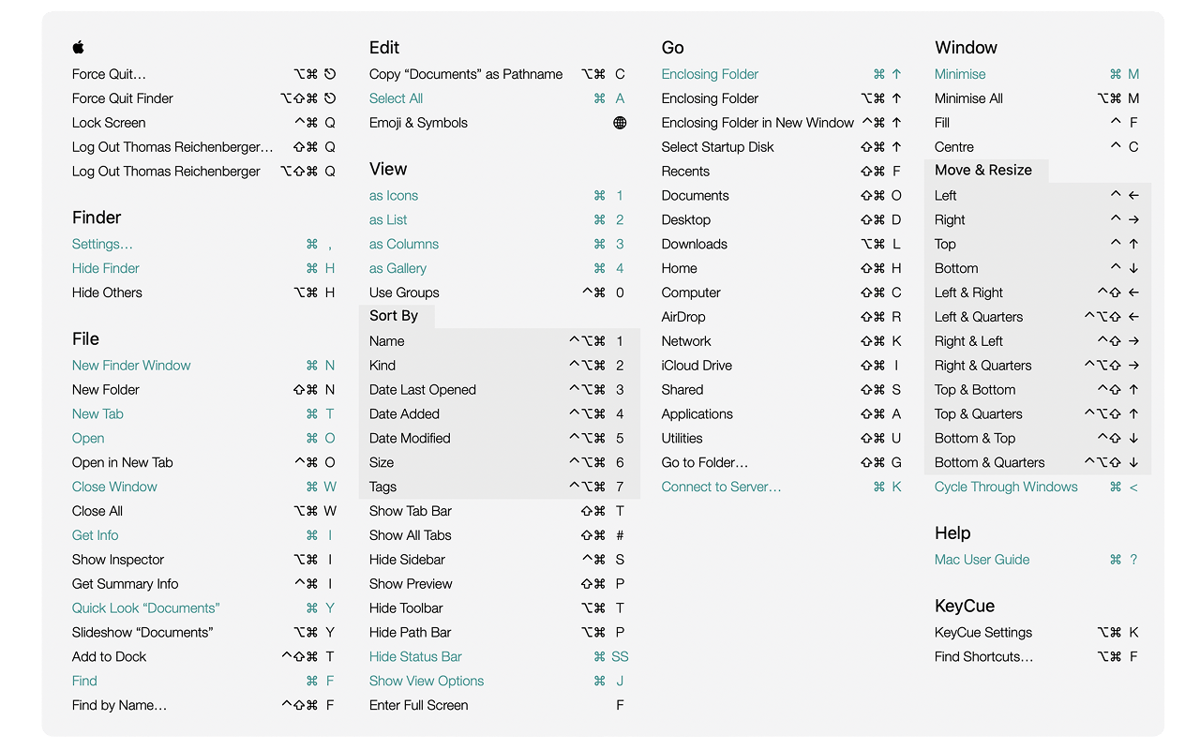
View all shortcuts from the menu bar
Create custom shortcuts
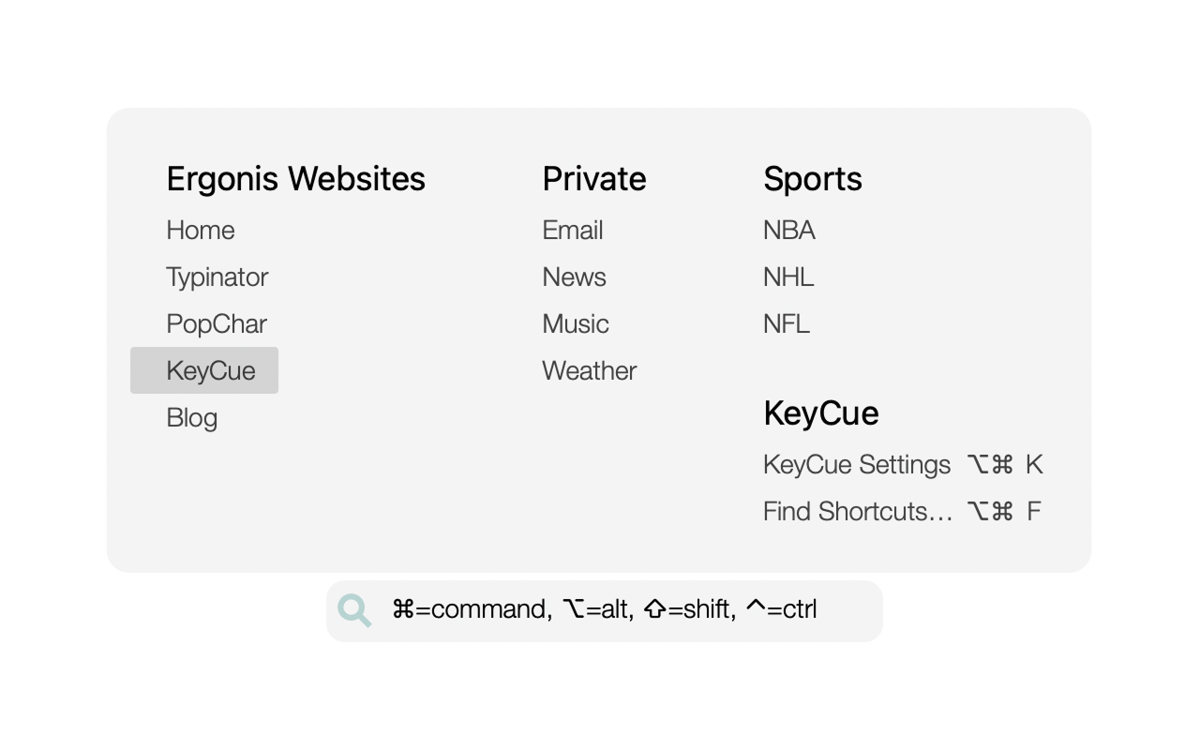
Access files, folders, and sites instantly
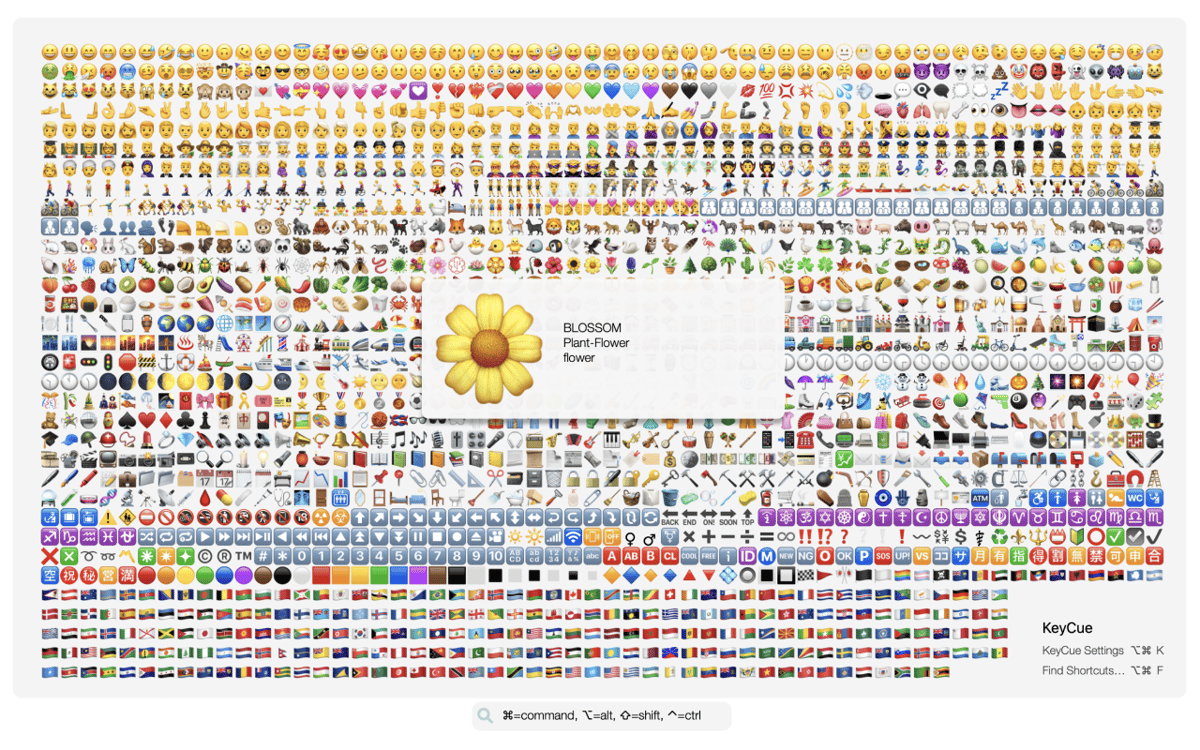
Quickly search for and insert emojis
Funzionalità di KeyCue
View shortcuts at a glance
Hold down the ⌘ key to instantly reveal a table of all shortcuts for the current app, as well as system-wide shortcuts. Searching for shortcuts is easy. Just press the key or shortcut you remember, and KeyCue will highlight all the matching commands. If you don’t remember the shortcut, type a keyword, such as “screenshot” or “zoom in,” and KeyCue will find what you need.
Personalize your shortcuts
Stop relying on default shortcuts that might not suit your workflow. With KeyCue, you can create custom keyboard commands or modify existing ones on the fly. For example, you could set a shortcut to quickly toggle your favorite app or jump to a specific part of your project. This will make your work more personalized and efficient.
Open files, folders, and URLs instantly
Tired of wasting time digging through folders to find your files? With KeyCue, you can quickly access your most-used folders and browse their contents with a single shortcut. If you often visit certain websites, KeyCue helps you get there in an instant. Create a list of your go-to URLs and open them with just one shortcut!
Quickly search for and insert emojis
Finding emojis in macOS can be difficult. Scrolling through long lists or trying to guess the right keyword can disrupt your focus. KeyCue simplifies the process by letting you browse your recent favorites, making it effortless to add a fun touch to your messages. You can also search for emojis by keyword.
Valutazioni e recensioni
KeyCue
•
164 valutazioni
A Mo
16 ago 2026
Versione app: 11.1.1
I was unsure at first, not knowing if it would be updated or have issues but I’m definitely glad I finally tried this app! Idk why I always feel the urge to change the default shortcuts of every single app I ever use, but I do. For years I have used several sticky notes apps, so they sit neatly in the corner of my screen for all of the many shortcuts I need to remember or change. This is a lot better. I’ve only noticed a couple small things but I’ll just mention one but when the settings window is open, it stays in the front, on top of everything and that can be a little tedious when trying to quickly click something else but have to move the window off to the side or below it.. not a big deal tho. Anyways, this solves many of the issues with my previous system! Thank you!
Jason Wu
3 lug 2026
Versione app: 11.1.1
good app willl use again
Risposta dello sviluppatore
3 lug 2026
That's great to hear, could you be so nice to change the vot then to "UP" ;-) ... we're happy you like it.
Nadir Palacios
15 apr 2026
Versione app: 11.1.1
Good app
Centinaia di app con la Membership
Diventa membro di Setapp e utilizza centinaia di app straordinarie con un unico abbonamento.
Prova gratis per 7 giorni, poi paga una tariffa unica.
Installa Setapp sul Mac
Scopri le app per Mac, iOS e il web. Trova modi semplici per risolvere le attività quotidiane.

Ottieni l'app che stavi cercando
Quell'app tanto desiderata ti aspetta in Setapp. Installala con un clic.

KeyCue
Scegli un abbonamento
Una o più app con un abbonamento Setapp. Acquista le app come preferisci.

Centinaia di app con la Membership
Diventa membro di Setapp e utilizza centinaia di app straordinarie con un unico abbonamento.
Prova gratis per 7 giorni, poi paga una tariffa unica.
1
Installa Setapp sul Mac
Scopri le app per Mac, iOS e il web. Trova modi semplici per risolvere le attività quotidiane.
2
Ottieni l'app che stavi cercando
Quell'app tanto desiderata ti aspetta in Setapp. Installala con un clic.
KeyCue
3
Scegli un abbonamento
Una o più app con un abbonamento Setapp. Acquista le app come preferisci.
Sede delle migliori app
Dalla pianificazione e dai lavori di routine alle attività creative e di scrittura di codice, con le app di Setapp potrai affrontare di tutto.

TypingMind
Chat IA con un'interfaccia utente diversa
genera o riassumi un testo
usa la libreria di prompt
IA

Spark Mail
Gestisci le email
IA

CleanMyMac
Elimina i file spazzatura

Bartender
Personalizza la barra dei menu

CleanShot X
Cattura screenshot versatili

Luminar Neo
Modifica le tue foto
IA

ClearVPN
Connessione più sicura

Craft
Lavora con i documenti
IA
KeyCue
Work faster with shortcuts