
Leftovers
Ordina i file senza sforzo
Mac
Versione 1.3
macOS 14.6 o successivo
26.3 MB
1 lingue
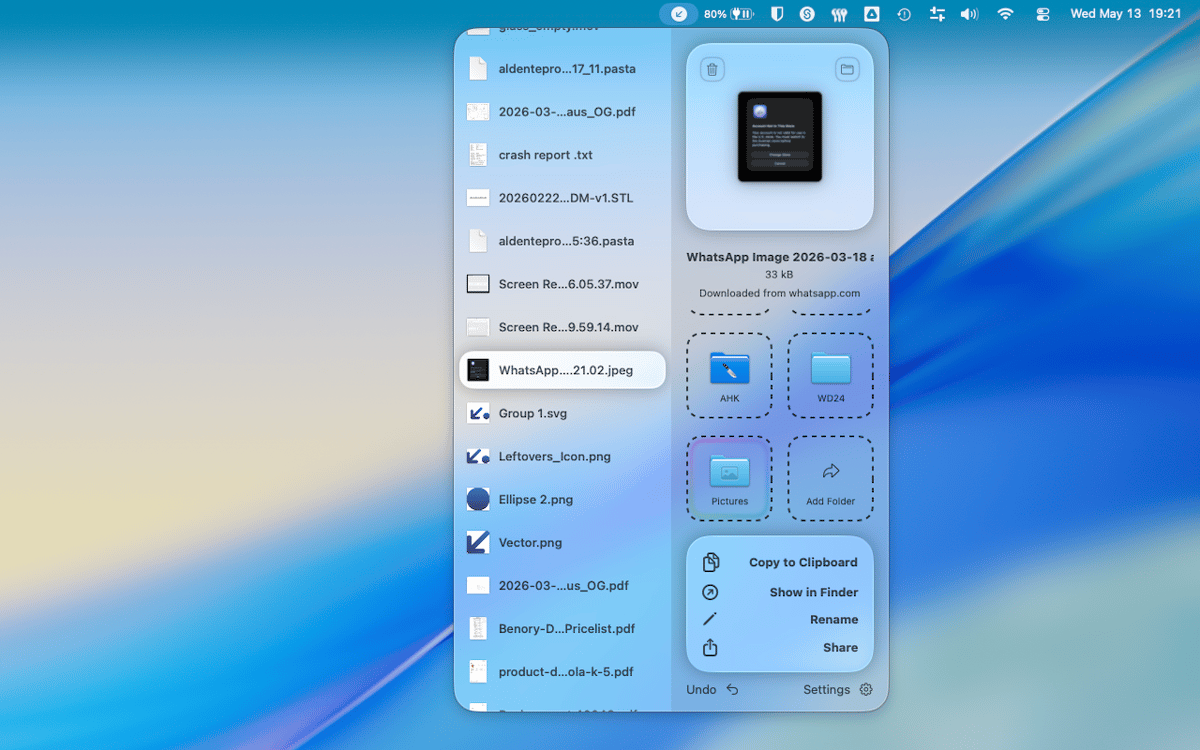
Leftovers è un'app per Mac che organizza la cartella Download. La tua cartella Download è probabilmente un cimitero di vecchi DMG, PDF sparsi e file che dovevi sistemare sei mesi fa. Leftovers risolve il problema con un semplice gesto: conserva, elimina o sposta i file uno alla volta, senza che sembri una seccatura. Un popup nell'area notch ti avvisa pochi secondi dopo che un file viene scaricato, così niente si accumula fin dall'inizio.
Svuota rapidamente la cartella Download
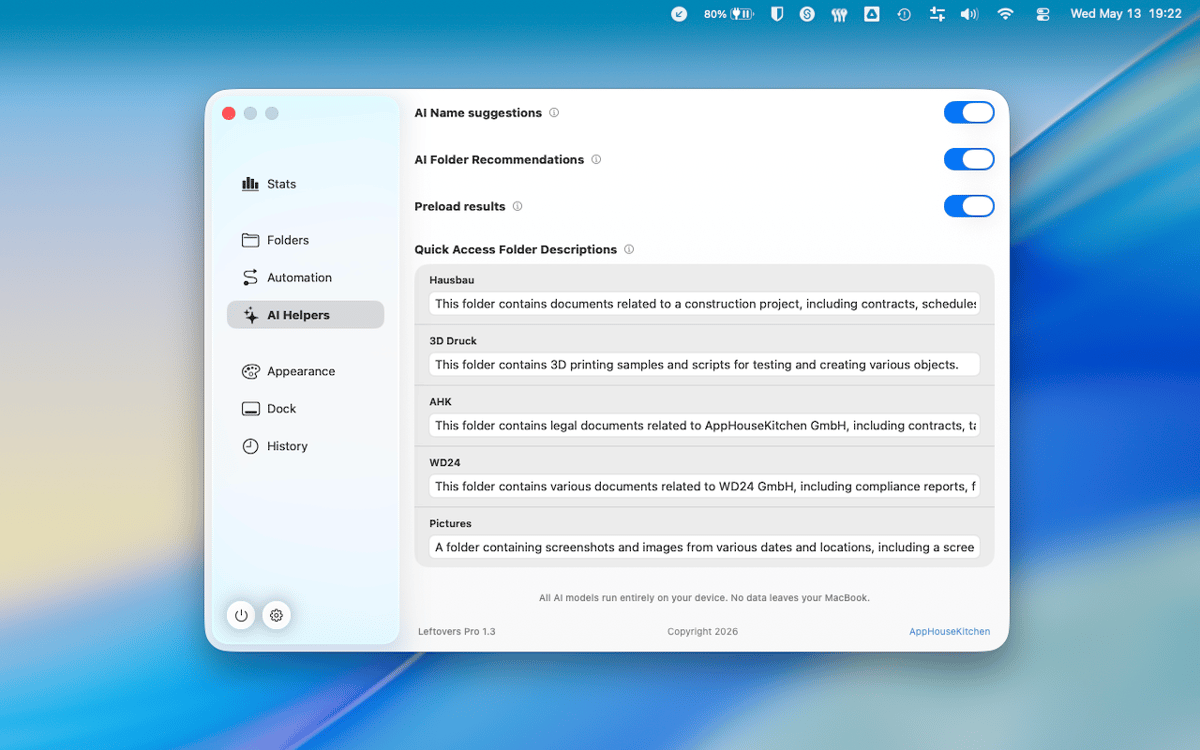
Organizza i nuovi file appena arrivano
Rinomina e condividi file senza Finder
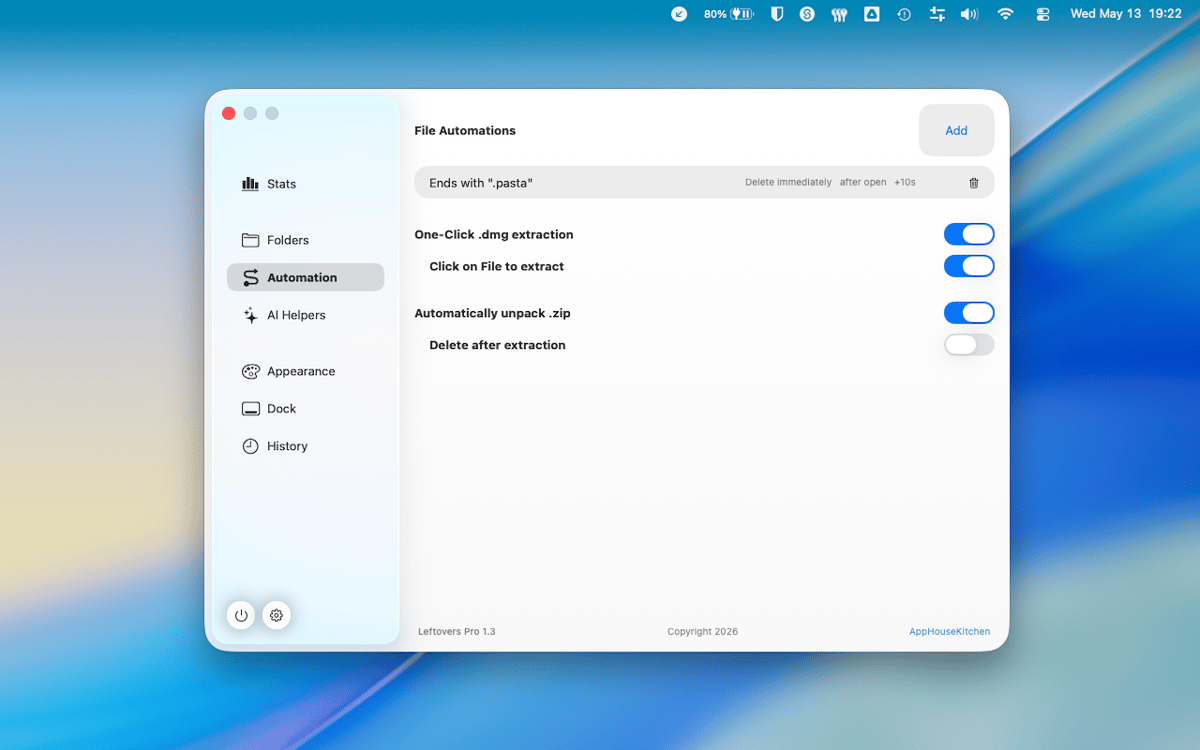
Tieni solo quello che ti serve davvero
Funzionalità di Leftovers
Scorri per ordinare
Riordina la cartella Download come se stessi scorrendo delle carte. Scorri un file a sinistra per eliminarlo, a destra per tenerlo, oppure trascinalo direttamente in una cartella. È veloce, soddisfacente e sorprendentemente difficile da sbagliare.
Popup del notch per i nuovi download
Pochi secondi dopo che un file arriva nella cartella Download, Leftovers appare nel notch per chiederti cosa vuoi farne. Affrontalo subito o rimandalo a più tardi: in ogni caso, niente verrà dimenticato.
Accesso rapido, ovunque
Copia un file negli appunti, rinominalo o condividilo: tutto senza uscire da Leftovers o aprire Finder. Le funzioni di accesso rapido ci sono quando ti servono e spariscono quando non ne hai bisogno.
Annulla tutto
Hai commesso un errore? Ogni azione in Leftovers è annullabile. Hai spostato qualcosa nella cartella sbagliata o eliminato il file per errore? Niente paura: annulla e vai avanti. Niente panico.
Funziona su qualsiasi cartella
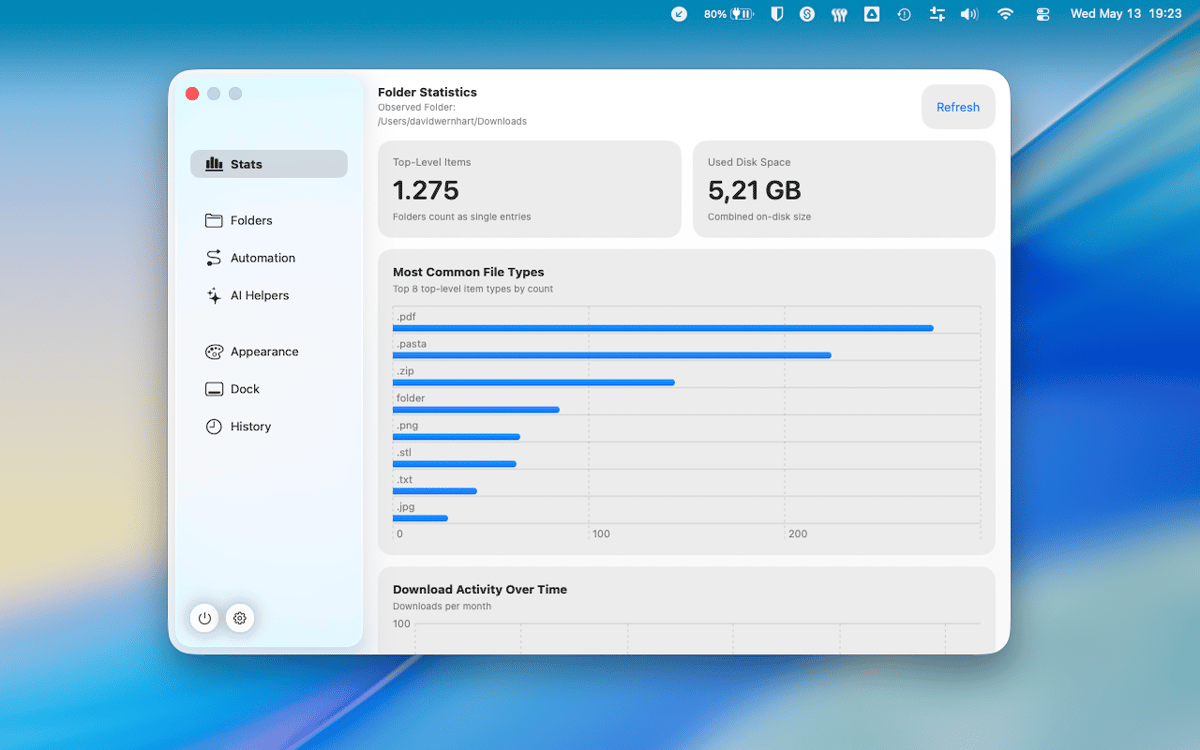
Downloads è quella predefinita, ma Leftovers funziona su qualsiasi cartella tu gli indichi. Caos del desktop, cartelle di progetto, cumuli di screenshot: lo stesso flusso di lavoro scorrevole, ovunque sul tuo Mac.
Nessun dato raccolto
Leftovers non raccoglie alcun dato da te. Quello che è sul tuo Mac rimane sul tuo Mac, punto e basta.
Centinaia di app con la Membership
Diventa membro di Setapp e utilizza centinaia di app straordinarie con un unico abbonamento.
Prova gratis per 7 giorni, poi paga una tariffa unica.
Installa Setapp sul Mac
Scopri le app per Mac, iOS e il web. Trova modi semplici per risolvere le attività quotidiane.

Ottieni l'app che stavi cercando
Quell'app tanto desiderata ti aspetta in Setapp. Installala con un clic.

Leftovers
Scegli un abbonamento
Una o più app con un abbonamento Setapp. Acquista le app come preferisci.

Centinaia di app con la Membership
Diventa membro di Setapp e utilizza centinaia di app straordinarie con un unico abbonamento.
Prova gratis per 7 giorni, poi paga una tariffa unica.
1
Installa Setapp sul Mac
Scopri le app per Mac, iOS e il web. Trova modi semplici per risolvere le attività quotidiane.
2
Ottieni l'app che stavi cercando
Quell'app tanto desiderata ti aspetta in Setapp. Installala con un clic.
Leftovers
3
Scegli un abbonamento
Una o più app con un abbonamento Setapp. Acquista le app come preferisci.
Sede delle migliori app
Dalla pianificazione e dai lavori di routine alle attività creative e di scrittura di codice, con le app di Setapp potrai affrontare di tutto.

TypingMind
Chat IA con un'interfaccia utente diversa
genera o riassumi un testo
usa la libreria di prompt
IA

Spark Mail
Gestisci le email
IA

CleanMyMac
Elimina i file spazzatura

Bartender
Personalizza la barra dei menu

CleanShot X
Cattura screenshot versatili

Luminar Neo
Modifica le tue foto
IA

ClearVPN
Connessione più sicura

Craft
Lavora con i documenti
IA
Leftovers
Ordina i file senza sforzo