
MacMD Viewer
Lettore Markdown nativo per Mac
Mac
Versione 1.6.1
macOS 14.0 o successivo
20.1 MB
1 lingue
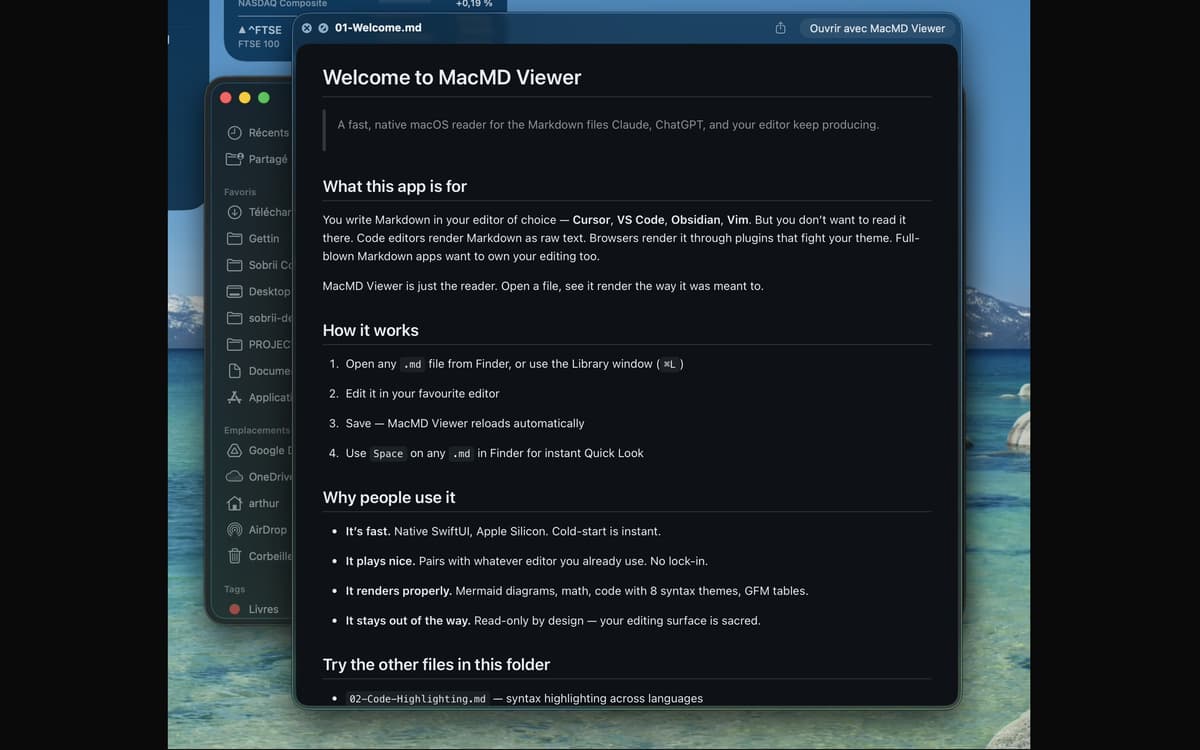
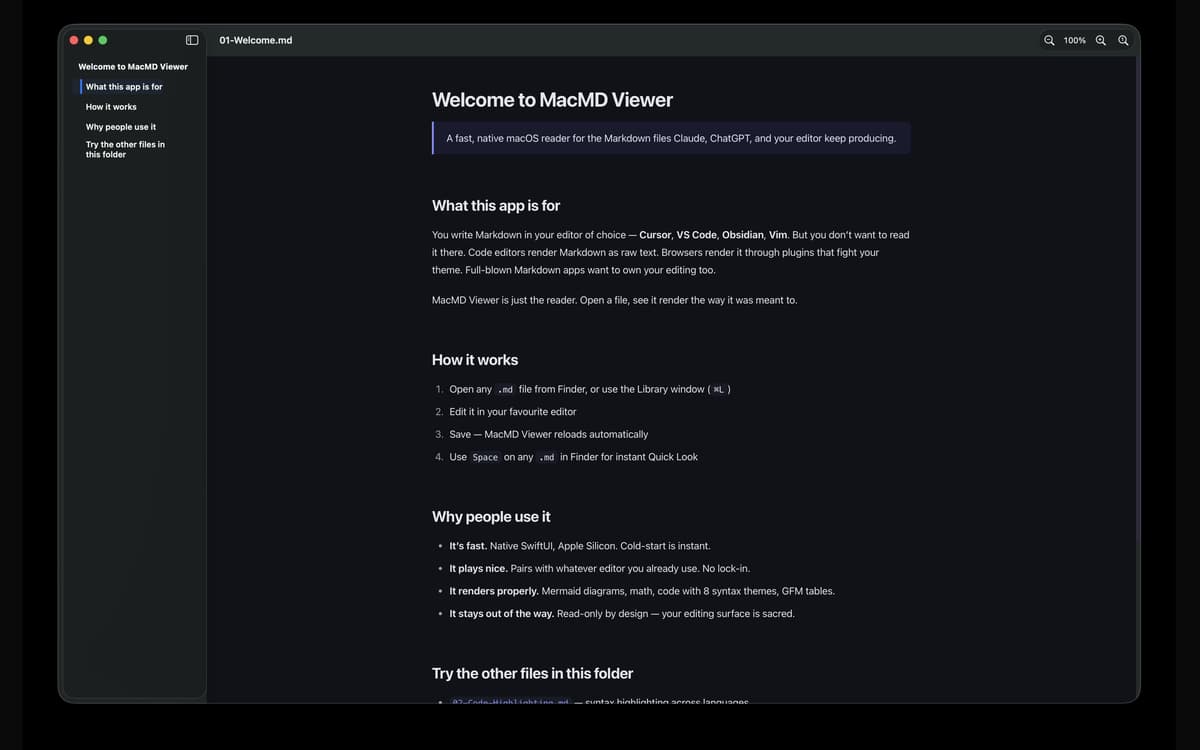
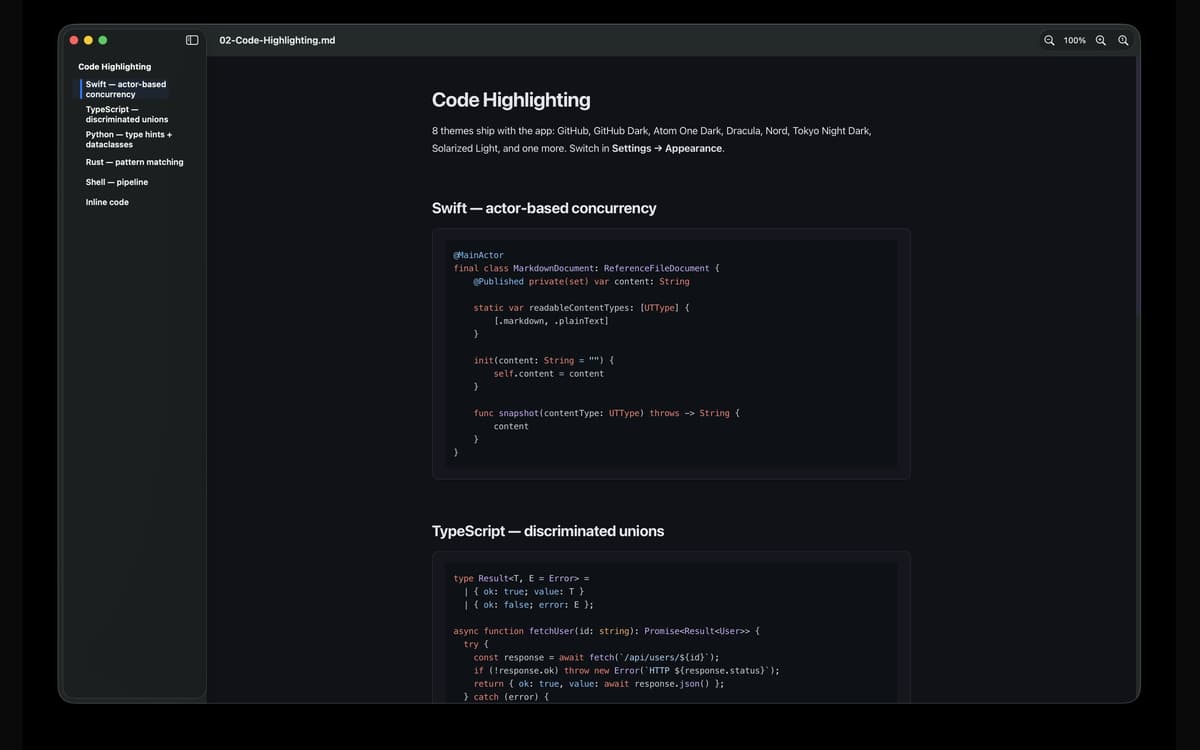
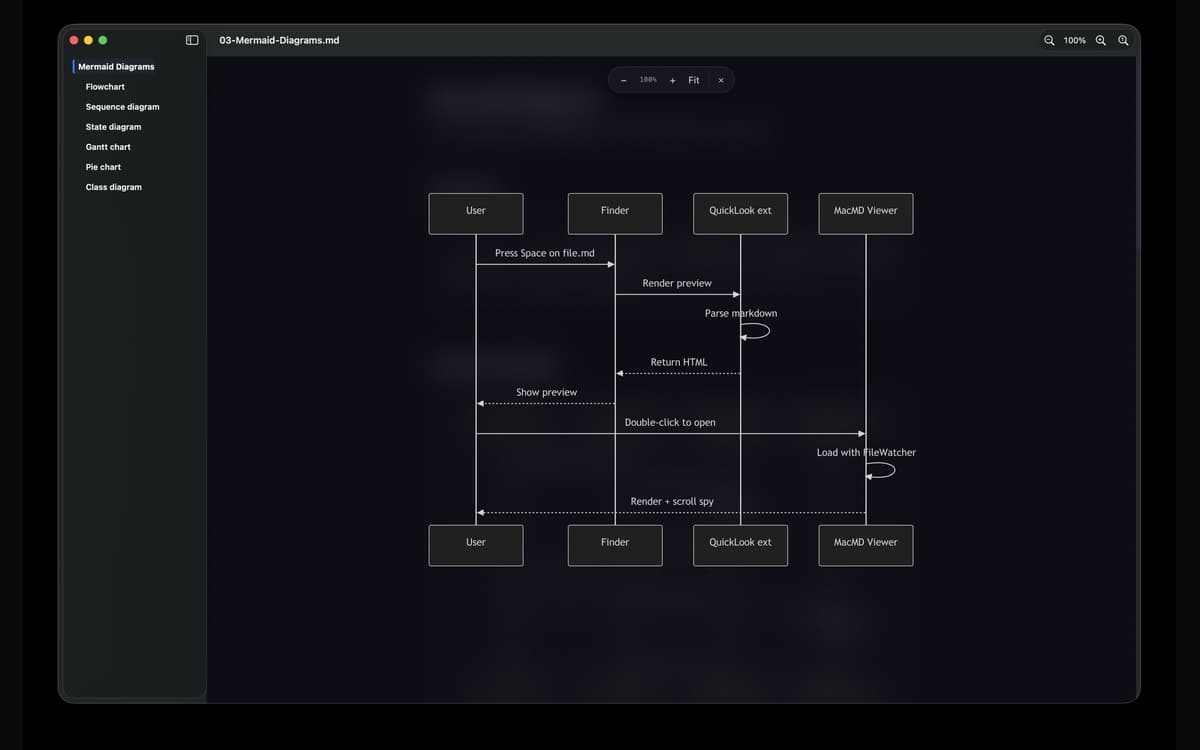
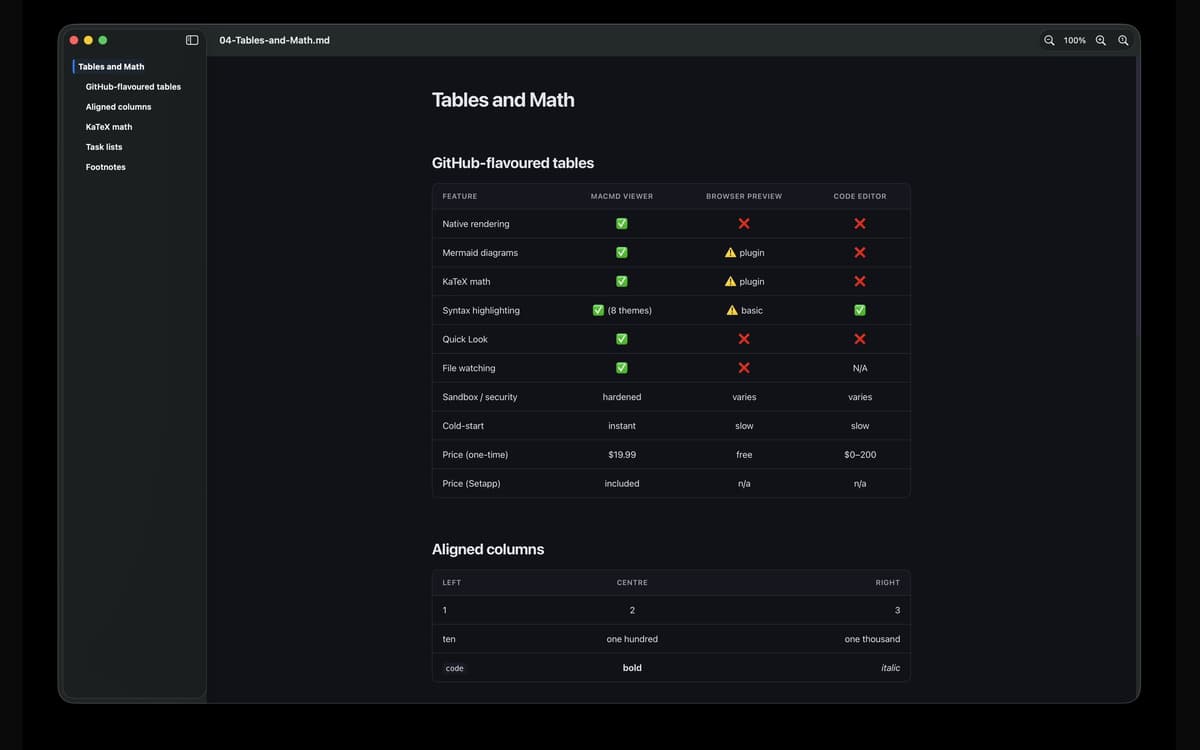
MacMD Viewer è un lettore markdown per Mac. Apri un file .md e viene visualizzato esattamente come dovrebbe: tipografia pulita, blocchi di codice con evidenziazione della sintassi, tabelle funzionanti e diagrammi Mermaid. Si abbina a qualsiasi editor tu stia già usando, monitora il file e lo ricarica nel momento in cui lo salvi. Nessuna modifica, nessun attrito: solo i tuoi contenuti, con l'aspetto che dovrebbero avere.
Anteprima dei file README senza testo grezzo
Leggi documenti generati dall'IA da Claude o GPT
Visualizza i diagrammi Mermaid renderizzati
Anteprima di file .md dal Finder
Funzionalità di MacMD Viewer
Bellissimo rendering, subito
Apri qualsiasi file .md e MacMD Viewer fa l'unica cosa per cui è stato creato: lo visualizza correttamente. I tavoli si allineano. Evidenziazione dei blocchi di codice. I diagrammi delle sirene sono effettivamente disegnati. Niente testo grezzo, niente supposizioni.
Anteprima rapida che funziona davvero
Premi Spazio su qualsiasi file .md in Finder e vedrai un'anteprima reale renderizzata — non un muro di sintassi. È l'aggiornamento che Quick Look di macOS avrebbe dovuto avere sin dall'inizio.
Visualizzazione in diretta dei file
MacMD Viewer tiene sotto controllo il tuo file. Nel momento in cui salvi nel tuo editor — VS Code, Cursor, Vim, Obsidian, qualsiasi cosa — l'anteprima si aggiorna automaticamente. Non è necessario alcun aggiornamento manuale.
Indice dei contenuti (barra laterale)
I documenti lunghi sono più facili da esplorare con una barra laterale che tiene traccia della tua posizione mentre scorri. Vai a qualsiasi sezione con un clic e sappi sempre a che punto del documento ti trovi.
Sette temi che evidenziano la sintassi
Passa tra GitHub, GitHub Dark, Atom One Dark, Dracula, Nord, Solarized Light e Tokyo Night Dark. Chiaro, Scuro o Segui sistema: personalizzazione dell'aspetto per singola app inclusa. I tuoi occhi, la tua chiamata.
Progettato per Mac, correttamente
Interfaccia utente nativa SwiftUI. Binario universale Apple Silicon e Intel. L'avvio a freddo è istantaneo. Runtime protetto e in ambiente sandbox, così i file collegati si aprono attraverso le autorizzazioni standard di macOS — nessuna sorpresa, niente di nascosto.
Valutazioni e recensioni
MacMD Viewer
•
1 valutazioni
Aldo Bergamini
1 lug 2026
Versione app: 1.2.2
Surprised by how well the app fits with my evolving AI coding setup. Well thought product.
Centinaia di app con la Membership
Diventa membro di Setapp e utilizza centinaia di app straordinarie con un unico abbonamento.
Prova gratis per 7 giorni, poi paga una tariffa unica.
Installa Setapp sul Mac
Scopri le app per Mac, iOS e il web. Trova modi semplici per risolvere le attività quotidiane.

Ottieni l'app che stavi cercando
Quell'app tanto desiderata ti aspetta in Setapp. Installala con un clic.

MacMD Viewer
Scegli un abbonamento
Una o più app con un abbonamento Setapp. Acquista le app come preferisci.

Centinaia di app con la Membership
Diventa membro di Setapp e utilizza centinaia di app straordinarie con un unico abbonamento.
Prova gratis per 7 giorni, poi paga una tariffa unica.
1
Installa Setapp sul Mac
Scopri le app per Mac, iOS e il web. Trova modi semplici per risolvere le attività quotidiane.
2
Ottieni l'app che stavi cercando
Quell'app tanto desiderata ti aspetta in Setapp. Installala con un clic.
MacMD Viewer
3
Scegli un abbonamento
Una o più app con un abbonamento Setapp. Acquista le app come preferisci.
Sede delle migliori app
Dalla pianificazione e dai lavori di routine alle attività creative e di scrittura di codice, con le app di Setapp potrai affrontare di tutto.

TypingMind
Chat IA con un'interfaccia utente diversa
genera o riassumi un testo
usa la libreria di prompt
IA

Spark Mail
Gestisci le email
IA

CleanMyMac
Elimina i file spazzatura

Bartender
Personalizza la barra dei menu

CleanShot X
Cattura screenshot versatili

Luminar Neo
Modifica le tue foto
IA

ClearVPN
Connessione più sicura

Craft
Lavora con i documenti
IA
MacMD Viewer
Lettore Markdown nativo per Mac