MacNotch
Utilità per il notch del Mac
Mac
Versione 1.9.9.6
macOS 14.0 o successivo
241.6 MB
11 lingue
MacNotch - utility per il notch del Mac. Trasforma il notch del MacBook in un hub di controllo intelligente per musica, attività e azioni rapide. Controlla la riproduzione, monitora la giornata e accedi agli strumenti senza perdere la concentrazione. Mantiene visibile ciò che conta, senza mai intralciare.
Controlla la musica senza cambiare app
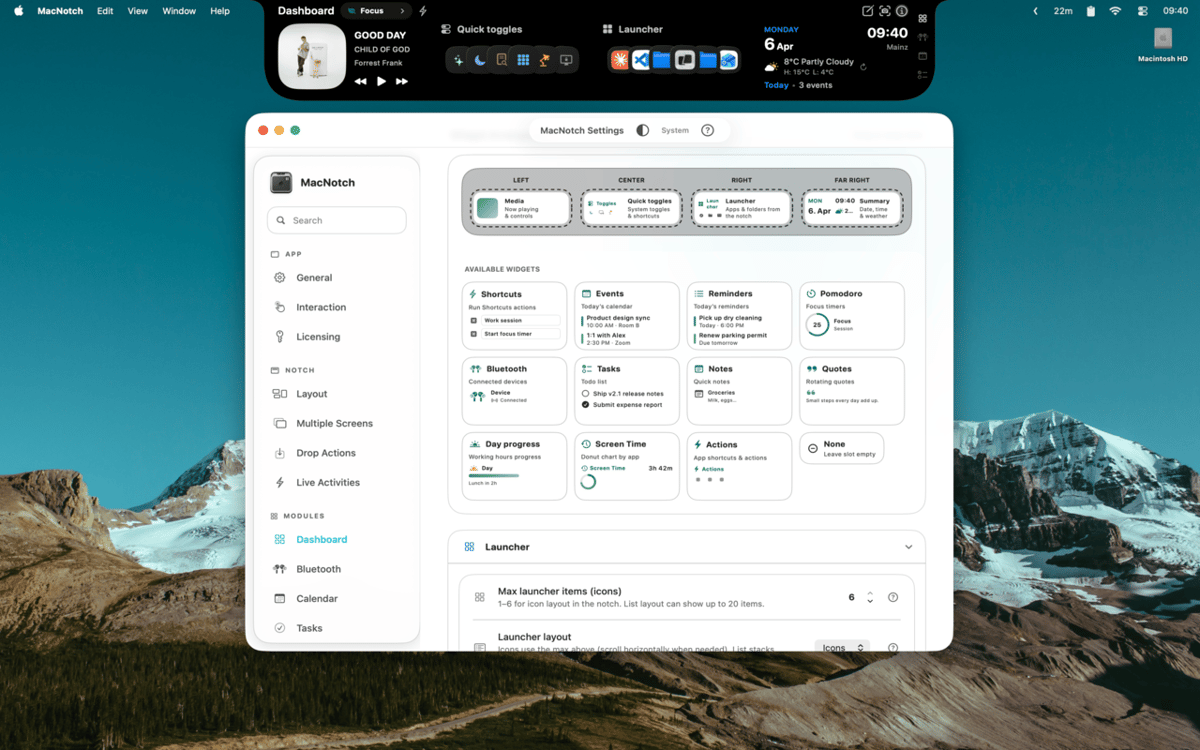
Personalizza il notch con i widget
Monitora attività, eventi e timer velocemente
Trascina file per agire all'istante
Funzionalità di MacNotch
Controlla musica e contenuti multimediali
Scopri cosa stai ascoltando con copertine degli album, barre musicali animate e controlli di riproduzione completi - direttamente dalla notch. MacNotch funziona con Spotify, Apple Music, YouTube e altri lettori del browser, quindi non importa da dove proviene l'audio. Cambia brano, scorri la canzone o dai un'occhiata alla copertina senza aprire nulla.
Tieni sotto controllo la tua giornata
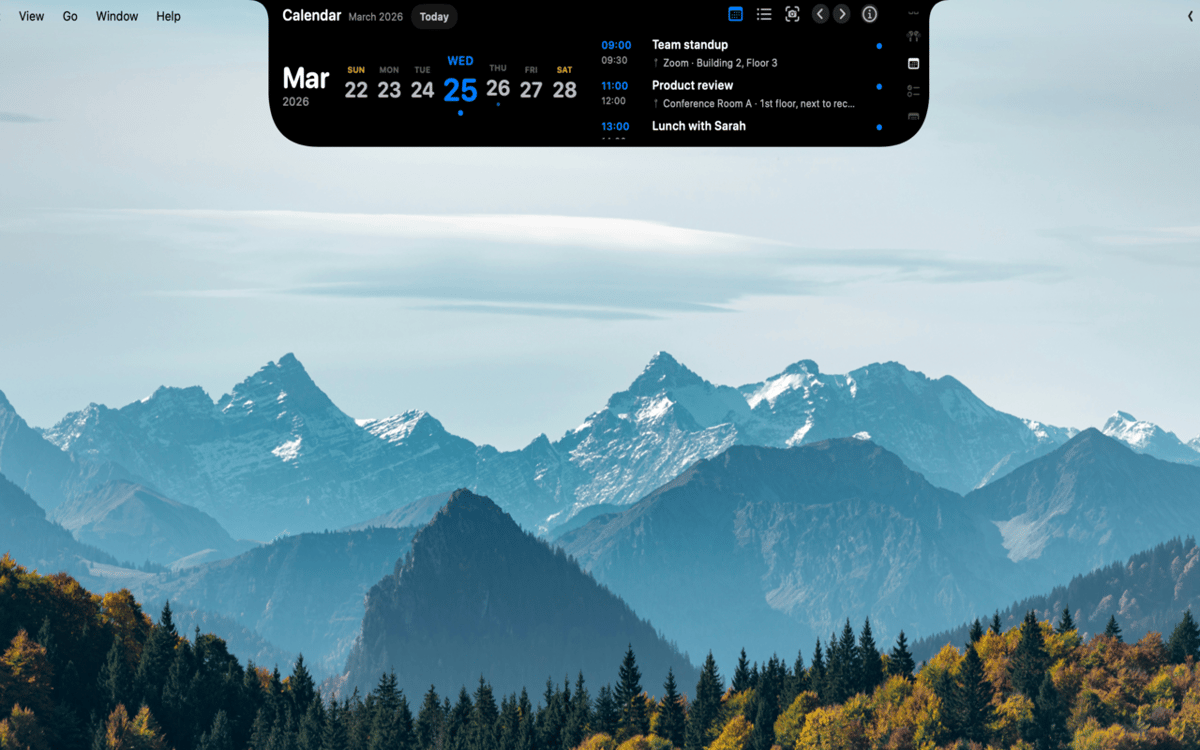
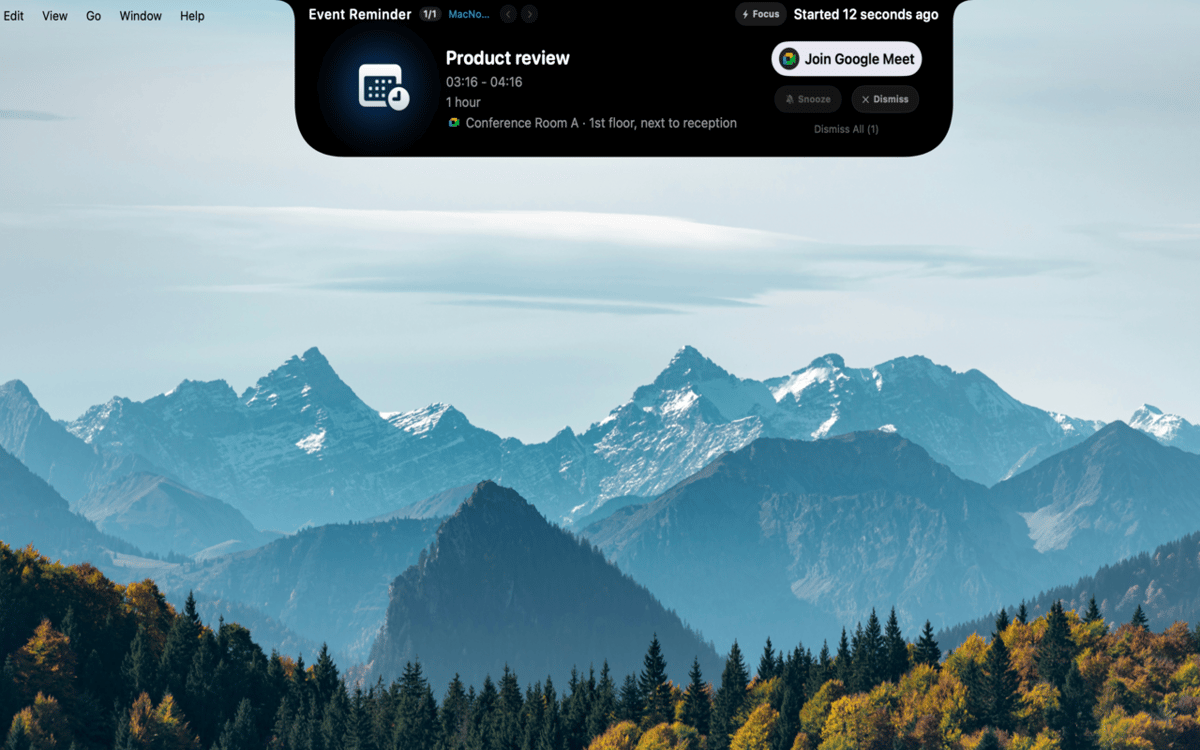
Mantieni eventi, promemoria e sessioni di concentrazione in un unico posto. MacNotch mostra i prossimi eventi del calendario con timer del conto alla rovescia e rileva le riunioni attive, così sai sempre cosa ti aspetta. Include un timer Pomodoro integrato con progresso visivo, un elenco attività leggero che si sincronizza con Promemoria di macOS e un modulo per note rapide - tutto senza abbandonare il tuo flusso di lavoro.
Crea il tuo dashboard
Riempi una griglia di widget personalizzabile con informazioni meteo, launcher delle app e controlli rapidi per Modalità scura, True Tone e Night Shift. Crea profili come Lavoro, Personale o Focus per adattare la configurazione alle tue attività. Puoi anche tenere sotto controllo l'utilizzo di CPU, RAM e storage oppure tradurre testi al volo con OpenAI o un'istanza locale di Ollama.
Monitora i tuoi dispositivi
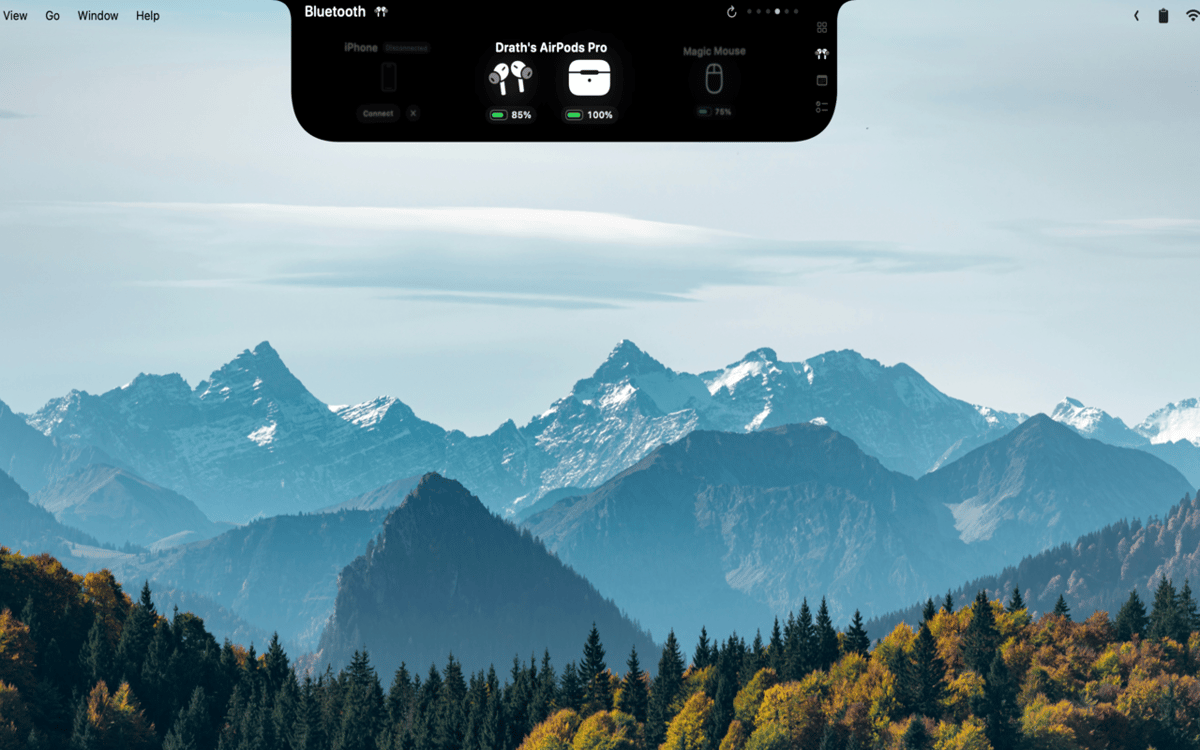
Visualizza in tempo reale i livelli della batteria di AirPods (sinistro, destro e custodia), cuffie, mouse, tastiere, trackpad e controller per videogiochi. MacNotch ti avvisa quando la batteria di qualsiasi dispositivo sta per scaricarsi, così non verrai mai colto di sorpresa durante una chiamata o una partita.
Trascina i file e porta a termine il lavoro
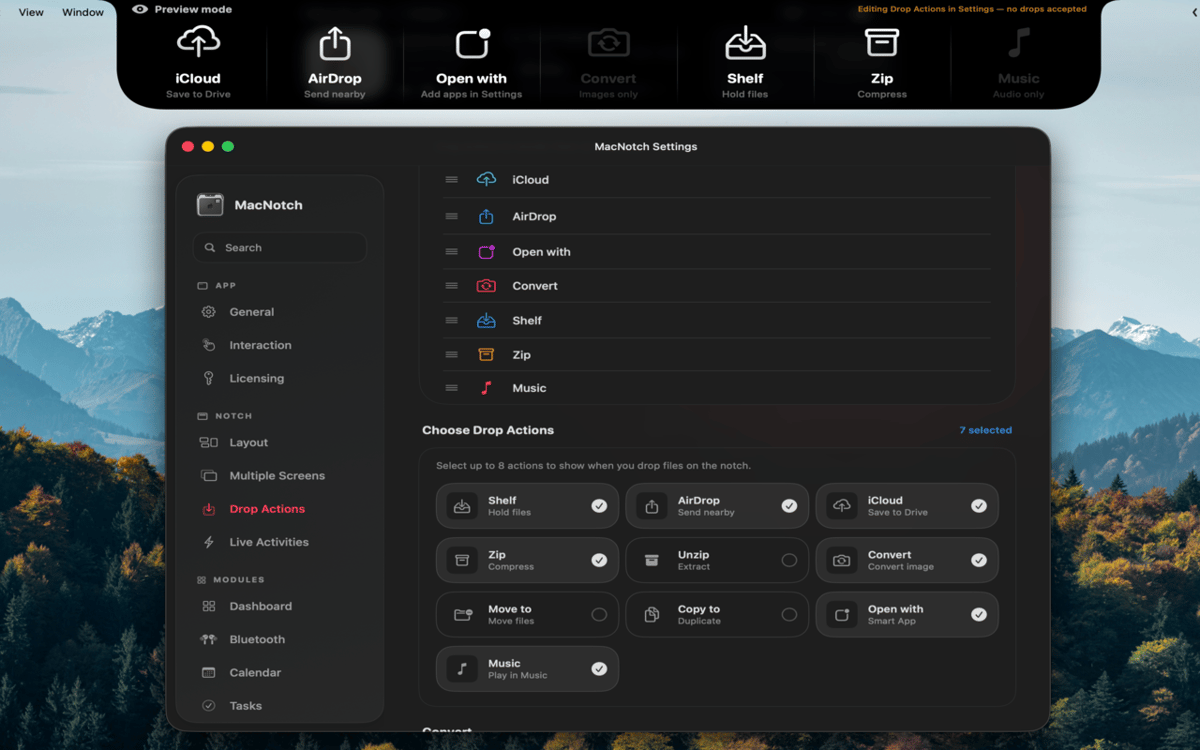
Trascina un file sulla tacca per condividerlo istantaneamente con AirDrop, comprimerlo, convertire immagini, spostarlo o copiarlo in una cartella, oppure aprirlo con un'app specifica. Niente più menu del Finder: basta trascinare e il gioco è fatto. È il tipo di scorciatoia che, una volta che ce l'hai, sembra ovvia.
Sempre utile, anche da ridotta
Anche quando la tacca è nascosta, mostra sempre le attività in tempo reale: info su ciò che stai riproducendo, countdown Pomodoro, eventi imminenti e stato Bluetooth. Le modifiche a volume e luminosità appaiono come HUD di sistema direttamente nella tacca. Le informazioni importanti sono sempre visibili, mai d'intralcio.
Valutazioni e recensioni
MacNotch
•
33 valutazioni
Aarsh Oza
21 set 2026
Versione app: 1.9.9.5
The app is looking and functioning top notch. Just few things that needs to be there is first to polish the look and also able to resize the notch when its active instead of taking up half of the width of screen.
Marcelo
10 set 2026
Versione app: 1.9.9.4
Estou gostando bastante do MacNotch! Só notei algo que talvez seja um bug: depois que desliguei e liguei o notebook novamente, a opção de mostrar em telas externas ficou desativada, mesmo estando ativada antes. Mas a ferramenta é sensacional!
Georgi Kolev
9 set 2026
Versione app: 1.9.9.4
Not bad but it needs live sports and finance tickers.
Centinaia di app con la Membership
Diventa membro di Setapp e utilizza centinaia di app straordinarie con un unico abbonamento.
Prova gratis per 7 giorni, poi paga una tariffa unica.
Installa Setapp sul Mac
Scopri le app per Mac, iOS e il web. Trova modi semplici per risolvere le attività quotidiane.

Ottieni l'app che stavi cercando
Quell'app tanto desiderata ti aspetta in Setapp. Installala con un clic.

MacNotch
Scegli un abbonamento
Una o più app con un abbonamento Setapp. Acquista le app come preferisci.

Centinaia di app con la Membership
Diventa membro di Setapp e utilizza centinaia di app straordinarie con un unico abbonamento.
Prova gratis per 7 giorni, poi paga una tariffa unica.
1
Installa Setapp sul Mac
Scopri le app per Mac, iOS e il web. Trova modi semplici per risolvere le attività quotidiane.
2
Ottieni l'app che stavi cercando
Quell'app tanto desiderata ti aspetta in Setapp. Installala con un clic.
MacNotch
3
Scegli un abbonamento
Una o più app con un abbonamento Setapp. Acquista le app come preferisci.
Sede delle migliori app
Dalla pianificazione e dai lavori di routine alle attività creative e di scrittura di codice, con le app di Setapp potrai affrontare di tutto.

TypingMind
Chat IA con un'interfaccia utente diversa
genera o riassumi un testo
usa la libreria di prompt
IA

Spark Mail
Gestisci le email
IA

CleanMyMac
Elimina i file spazzatura

Bartender
Personalizza la barra dei menu

CleanShot X
Cattura screenshot versatili

Luminar Neo
Modifica le tue foto
IA

ClearVPN
Connessione più sicura

Craft
Lavora con i documenti
IA
MacNotch
Utilità per il notch del Mac