
NameQuick
AI file renamer for Mac
Mac
Versione 3.0.35
macOS 12.0 o successivo
224.4 MB
4 lingue
NameQuick reads what's actually inside your files, PDFs, invoices, screenshots, scans, and more, then renames them with something that makes sense. Use Smart Rename for a quick one-off cleanup, or set up templates for naming formats you use again and again. Watch folders handle new files automatically, moving, tagging, or sorting them in the background. Your Downloads folder finally stops running the show.
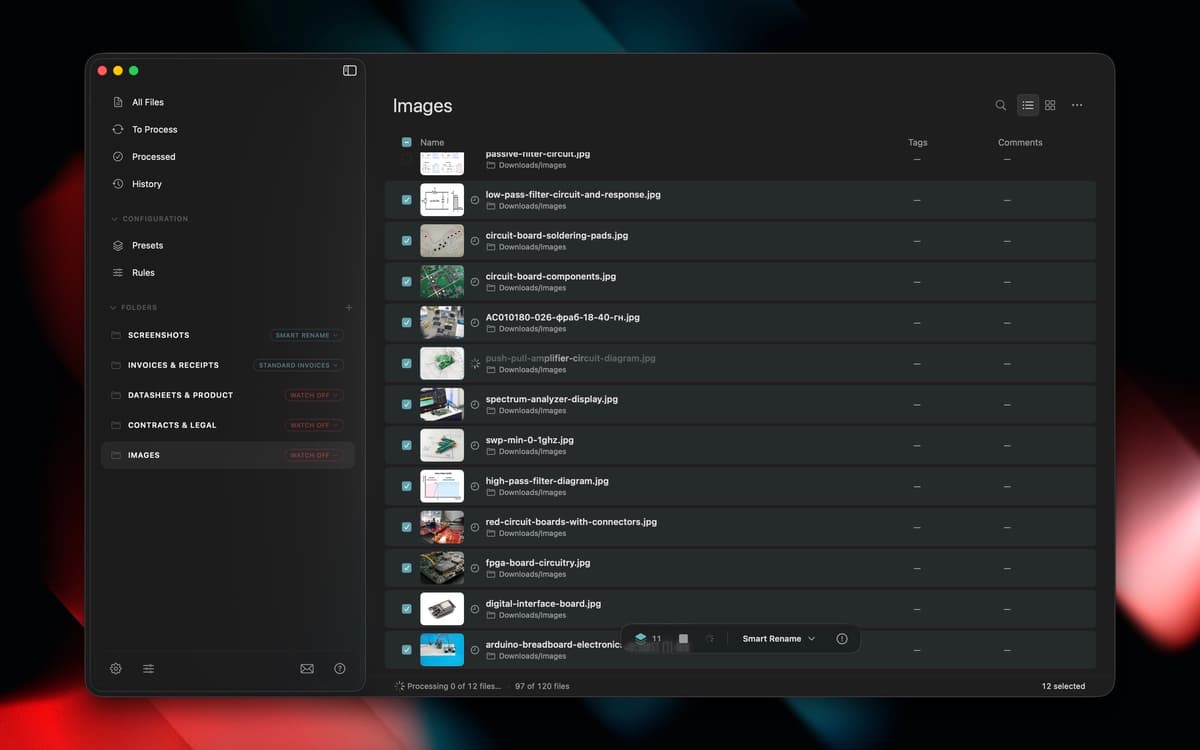
Rename files based on their content
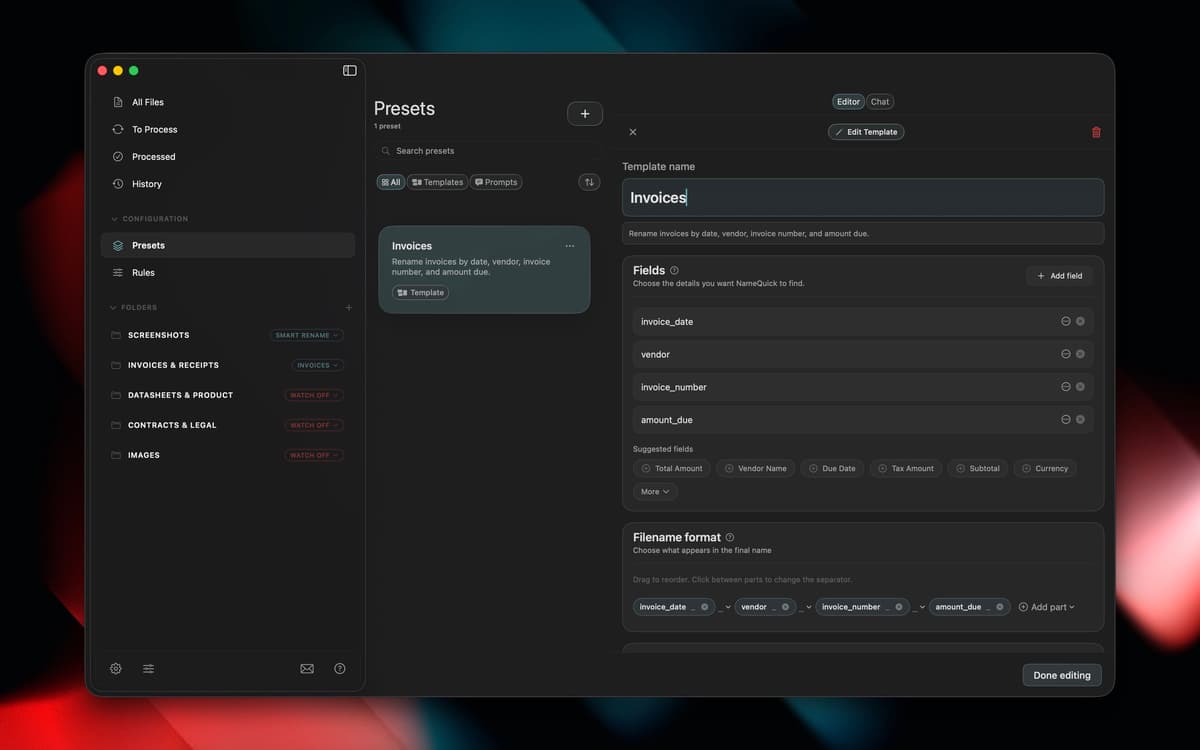
Set up templates for naming formats
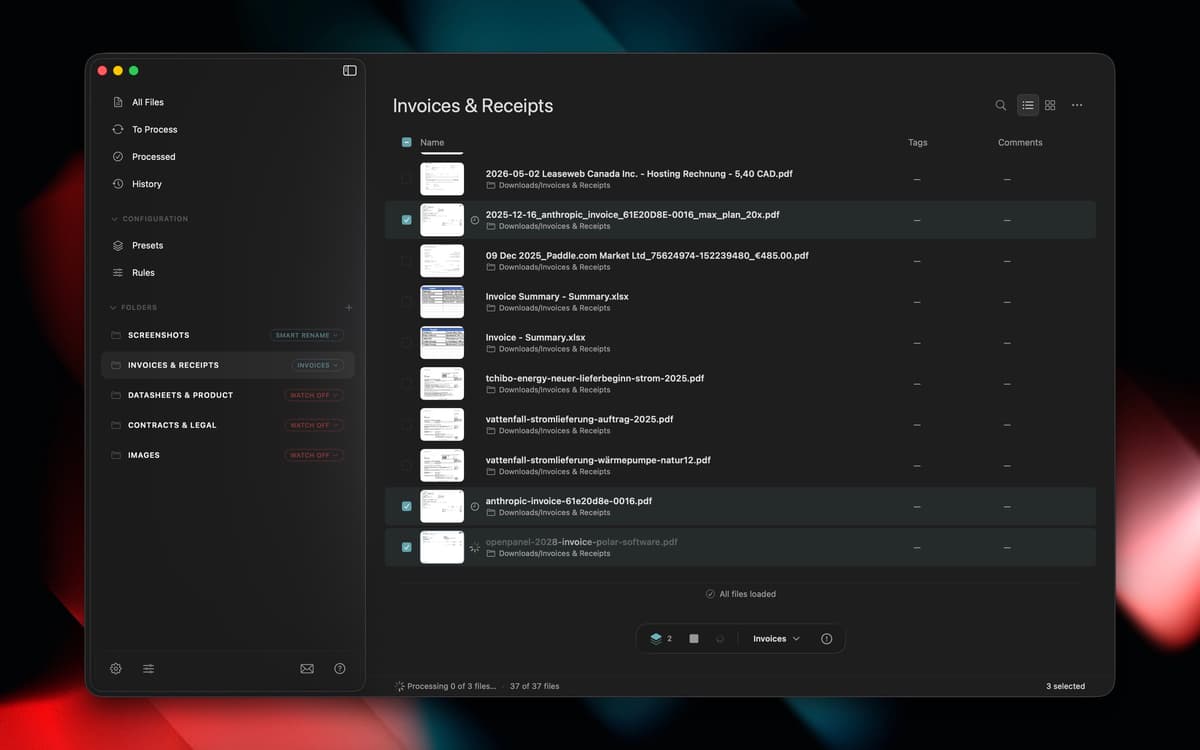
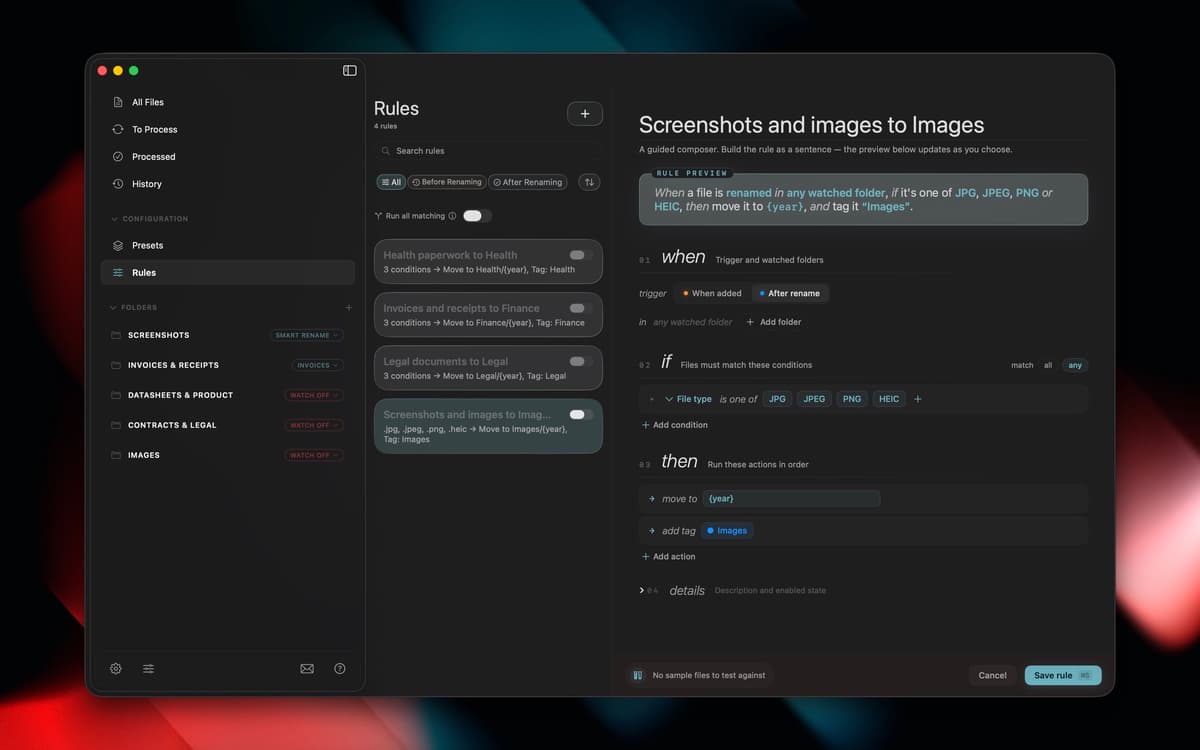
Auto-organize new files with watch folders
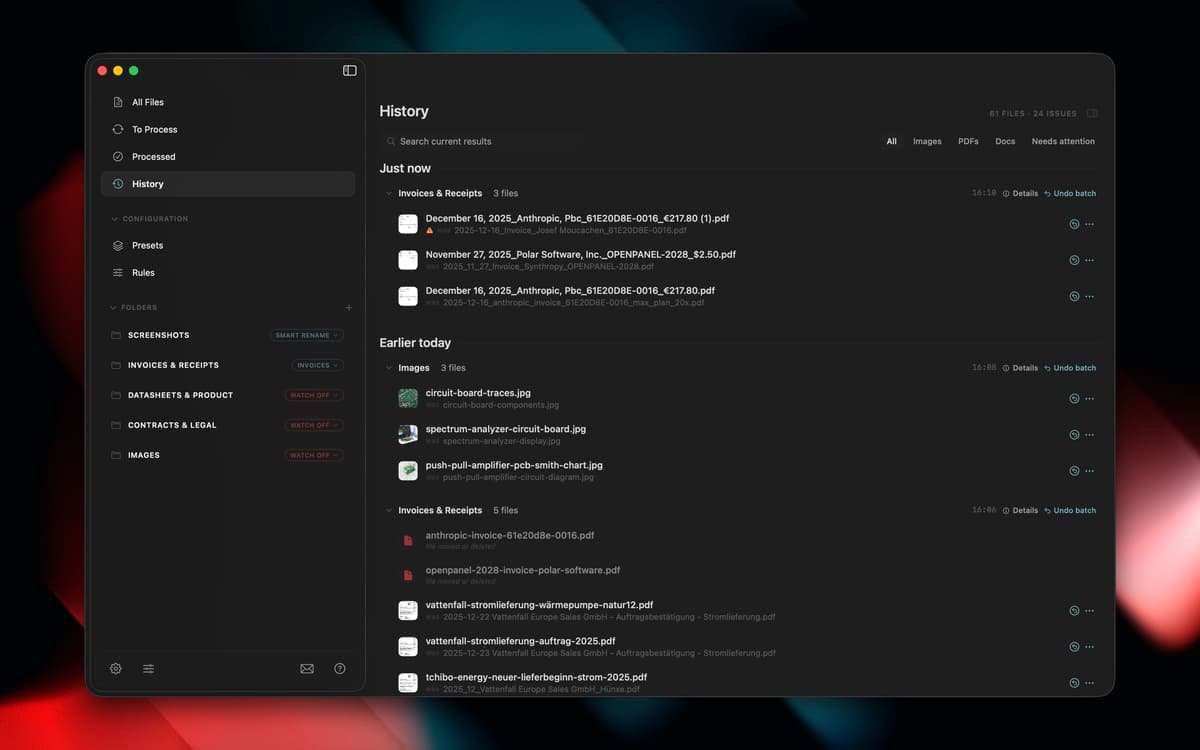
Move, tag, and sort files in background
Funzionalità di NameQuick
Content-based renaming
NameQuick looks inside PDFs, invoices, scanned documents, screenshots, images, and Office files to figure out what they actually are, then gives them a clear name instead of "Scan_final_2.pdf."
Smart Rename
Got a folder full of vague filenames? Select them and let NameQuick clean things up in one pass, no manual renaming required.
Naming templates
Set a naming format once, like date, client, or document type, and reuse it every time you need consistent filenames across a project or client.
Watch folders
Point NameQuick at a folder, and it'll rename new files as they land, automatically, so you don't have to think about it again.
Background rules
Beyond renaming, rules can move, tag, or sort files as they come in, keeping folders organized without any extra clicks from you.
Valutazioni e recensioni
NameQuick
•
1 valutazioni
Joe
27 set 2026
Versione app: 3.0.13
This is exactly the kind of app I like finding on Setapp. Renaming files is one of those boring jobs I tend to put off, especially when there’s a folder full of PDFs and screenshots with names that mean absolutely nothing. Having NameQuick look at the contents and come up with a descriptive name makes that whole process much easier. I especially like being able to rename a batch of files and use presets to keep the names consistent. The real benefit comes later, when I’m looking for something and can tell what a file is without opening three or four documents first. It’s a fairly specific tool, but it solves a problem that comes up all the time. If your Downloads folder is anything like mine, it’s well worth trying through Setapp.
Centinaia di app con la Membership
Diventa membro di Setapp e utilizza centinaia di app straordinarie con un unico abbonamento.
Prova gratis per 7 giorni, poi paga una tariffa unica.
Installa Setapp sul Mac
Scopri le app per Mac, iOS e il web. Trova modi semplici per risolvere le attività quotidiane.

Ottieni l'app che stavi cercando
Quell'app tanto desiderata ti aspetta in Setapp. Installala con un clic.

NameQuick
Scegli un abbonamento
Una o più app con un abbonamento Setapp. Acquista le app come preferisci.

Centinaia di app con la Membership
Diventa membro di Setapp e utilizza centinaia di app straordinarie con un unico abbonamento.
Prova gratis per 7 giorni, poi paga una tariffa unica.
1
Installa Setapp sul Mac
Scopri le app per Mac, iOS e il web. Trova modi semplici per risolvere le attività quotidiane.
2
Ottieni l'app che stavi cercando
Quell'app tanto desiderata ti aspetta in Setapp. Installala con un clic.
NameQuick
3
Scegli un abbonamento
Una o più app con un abbonamento Setapp. Acquista le app come preferisci.
Sede delle migliori app
Dalla pianificazione e dai lavori di routine alle attività creative e di scrittura di codice, con le app di Setapp potrai affrontare di tutto.

TypingMind
Chat IA con un'interfaccia utente diversa
genera o riassumi un testo
usa la libreria di prompt
IA

Spark Mail
Gestisci le email
IA

CleanMyMac
Elimina i file spazzatura

Bartender
Personalizza la barra dei menu

CleanShot X
Cattura screenshot versatili

Luminar Neo
Modifica le tue foto
IA

ClearVPN
Connessione più sicura

Craft
Lavora con i documenti
IA
NameQuick
AI file renamer for Mac