
Nami
Your Mac's space to focus

Mac
Versione 1.0.35
macOS 15.0 o successivo
300.9 MB
1 lingue
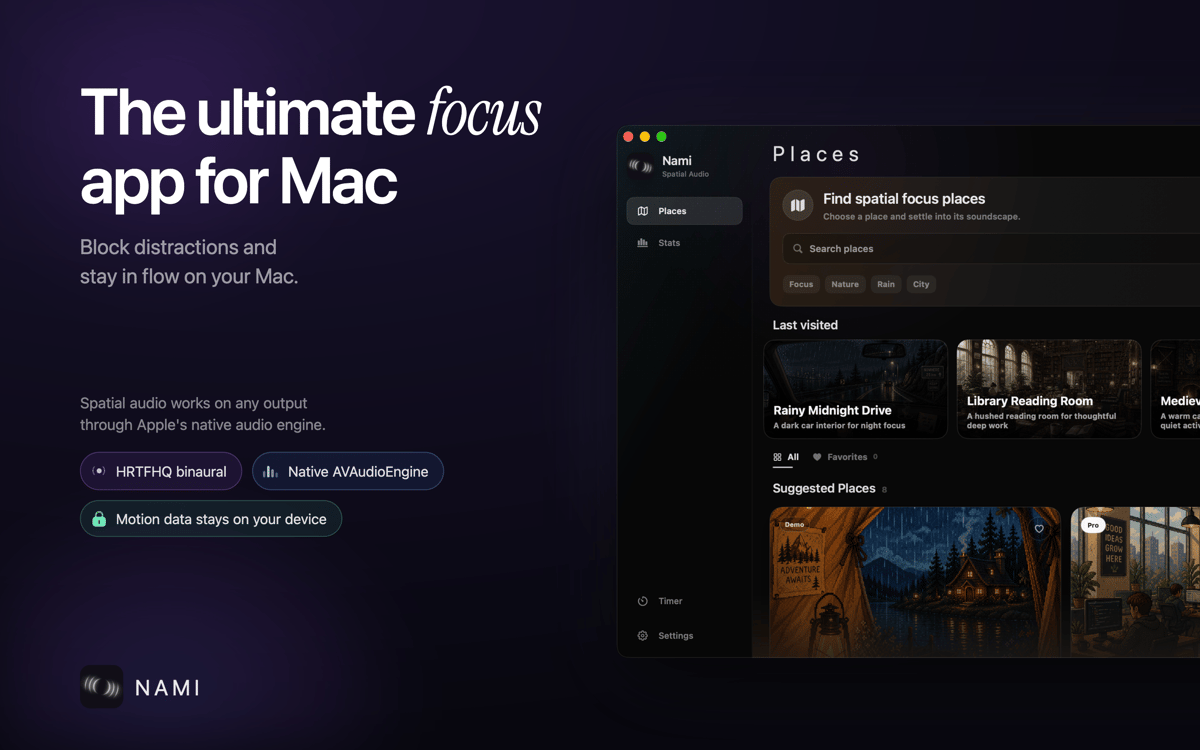
Nami is a native Mac app that turns ambient sound into a tool for focus. Drop into a Focus Mode tuned to research-backed frequencies, or let a Pomodoro timer walk you through a full work session. When you need to shut out visual noise too, Haze Mode dims every other window so only your work stays in view. It's less an app you open and more a space you disappear into.
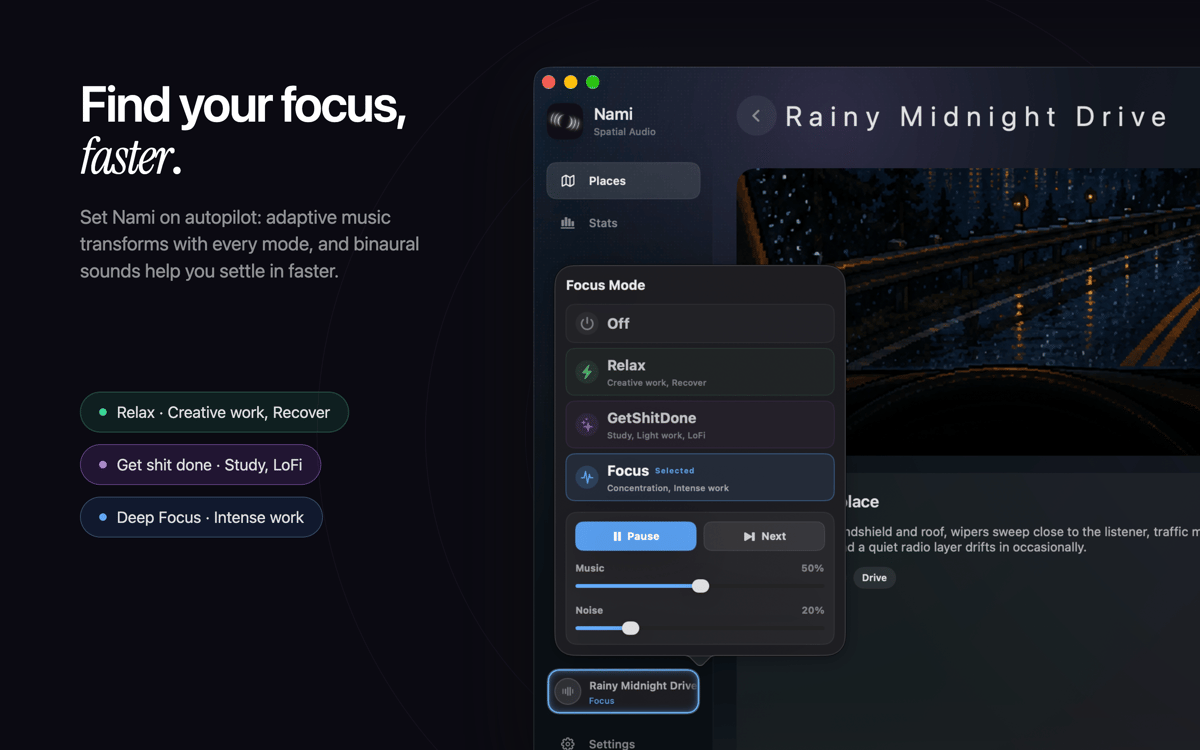
Match a Focus Mode to your task
Focus with proven sound frequencies
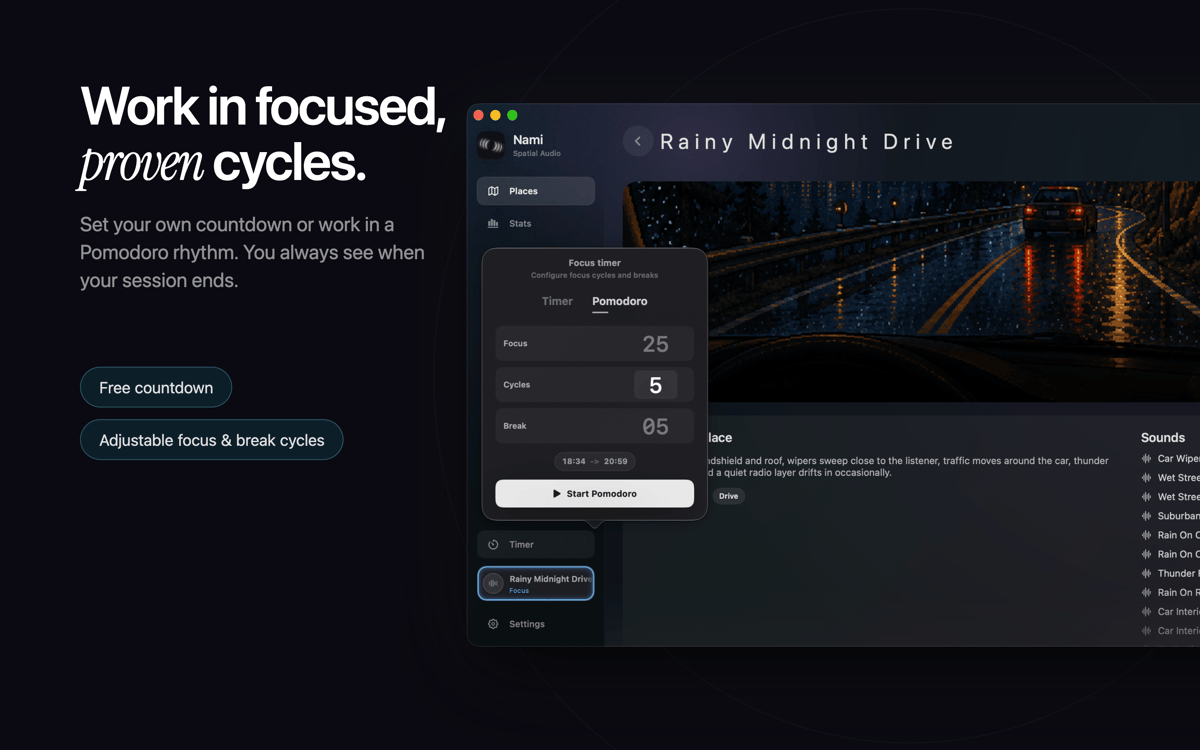
Run focused work in Pomodoro cycles
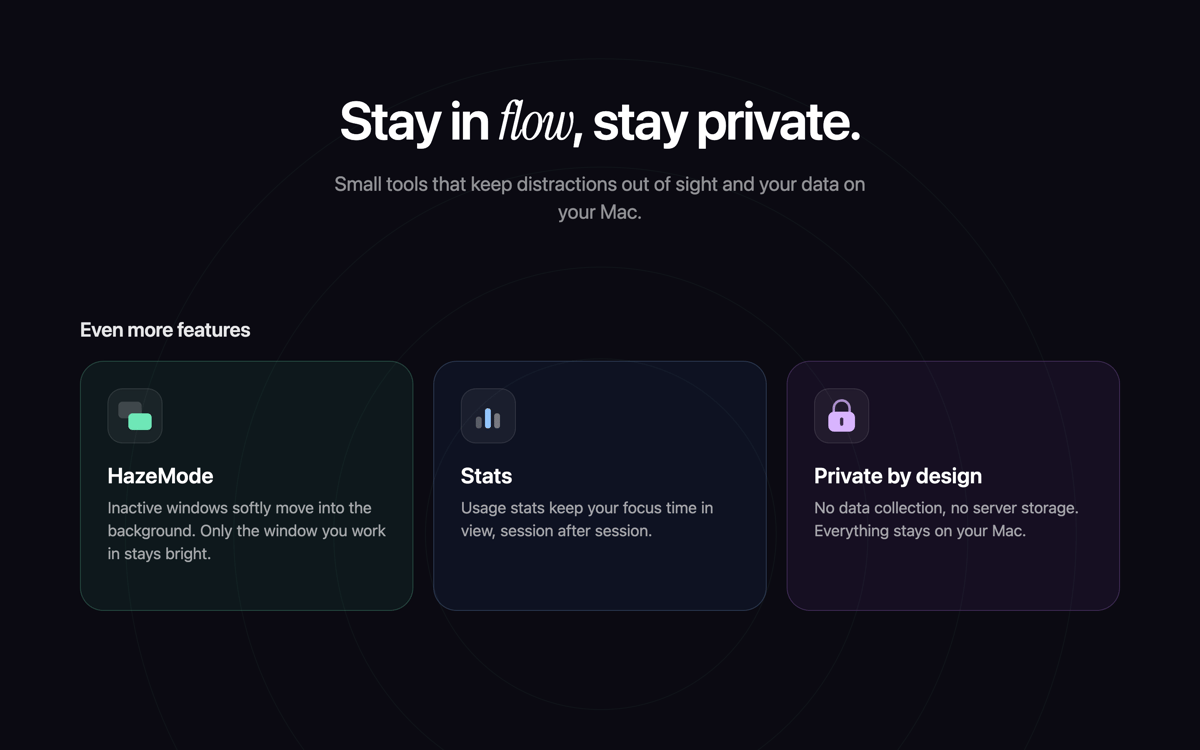
Block out visual distractions
Funzionalità di Nami
Find your focus in three flavors
Not every day calls for the same headspace. Relax, Deep Focus, and Get Shit Done each use sound frequencies tied to current research on concentration and calm. Pick the one that matches your mood, and let Nami do the tuning.
Work in real Pomodoro cycles
Tell Nami how long you want to work, say three hours, and it walks you through the whole session automatically, cycling through focus blocks and breaks with the Pomodoro technique. No manual restarting, no guessing when to pause.
Cut the visual noise too
Sound isn't the only distraction. Haze Mode dims every other window on your screen, so whatever you're working on is the only thing left in focus. Toggle it on when you need tunnel vision, off when you don't.
Drop into a Place, instantly
Places are ready-made soundscapes for specific moods: Rainy Forest Night, Open Plan Office, Medieval Tavern, and more. Each one is more than a loop: sounds move, fade, and repeat on their own logic, like a phone that rings once here and three times there.
Valutazioni e recensioni
Nami
•
6 valutazioni
Roland Jefferson
29 ott 2026
Versione app: 1.0.35
Great app, has replaced Clariti which seems to have been abaonded at this point. I just wish I could access Focus mode from the app itself rather than always having to go to the menubar.
Risposta dello sviluppatore
29 ott 2026
Thanks for the kind words! You can also access Focus mode directly in the app once you’ve started a Place. We’ll take a closer look at this for a future update and consider how we can make it easier to access.
Sandro
27 ott 2026
Versione app: 1.0.35
Downloaded it on a whim but still using it 3 weeks later. The cafe morning one is my default now. Was skeptical about the frequency focus music thing but mixed with the background sounds it actually works for me. Would love a few more places but it’s really well done.
Risposta dello sviluppatore
27 ott 2026
Thank you! We're so glad you're enjoying 'Cafe morning' and finding the focus music helpful. New places are already in the works, so stay tuned for future updates.
Oliver B.
22 ott 2026
Versione app: 1.0.35
Absolutely loving Nami! It creates a wonderful atmosphere for studying and working, making it easier for me to settle in and focus. The spatial audio is a fantastic idea, and I love the different soundscapes (“Places”) for different moods and activities. It really feels like stepping into another environment rather than just playing background sounds. Everything runs flawlessly on my MacBook Air M4. You can really feel the care and creativity behind this app. As someone who also lives in the Rhineland, I’m especially happy to support a local development team. Keep up the great work! Greetings from the southern Rhineland ;-)
Risposta dello sviluppatore
22 ott 2026
Thanks Oliver, really happy to hear! Ne schöne Jrooß zurück us Kölle!
Centinaia di app con la Membership
Diventa membro di Setapp e utilizza centinaia di app straordinarie con un unico abbonamento.
Prova gratis per 7 giorni, poi paga una tariffa unica.
Installa Setapp sul Mac
Scopri le app per Mac, iOS e il web. Trova modi semplici per risolvere le attività quotidiane.

Ottieni l'app che stavi cercando
Quell'app tanto desiderata ti aspetta in Setapp. Installala con un clic.

Nami
Scegli un abbonamento
Una o più app con un abbonamento Setapp. Acquista le app come preferisci.

Centinaia di app con la Membership
Diventa membro di Setapp e utilizza centinaia di app straordinarie con un unico abbonamento.
Prova gratis per 7 giorni, poi paga una tariffa unica.
1
Installa Setapp sul Mac
Scopri le app per Mac, iOS e il web. Trova modi semplici per risolvere le attività quotidiane.
2
Ottieni l'app che stavi cercando
Quell'app tanto desiderata ti aspetta in Setapp. Installala con un clic.
Nami
3
Scegli un abbonamento
Una o più app con un abbonamento Setapp. Acquista le app come preferisci.
Sede delle migliori app
Dalla pianificazione e dai lavori di routine alle attività creative e di scrittura di codice, con le app di Setapp potrai affrontare di tutto.

TypingMind
Chat IA con un'interfaccia utente diversa
genera o riassumi un testo
usa la libreria di prompt
IA

Spark Mail
Gestisci le email
IA

CleanMyMac
Elimina i file spazzatura

Bartender
Personalizza la barra dei menu

CleanShot X
Cattura screenshot versatili

Luminar Neo
Modifica le tue foto
IA

ClearVPN
Connessione più sicura

Craft
Lavora con i documenti
IA
Nami
Your Mac's space to focus