
Origami
Switch projects without switching context
Mac
Versione 0.28.0
macOS 14.0 o successivo
32.3 MB
1 lingue
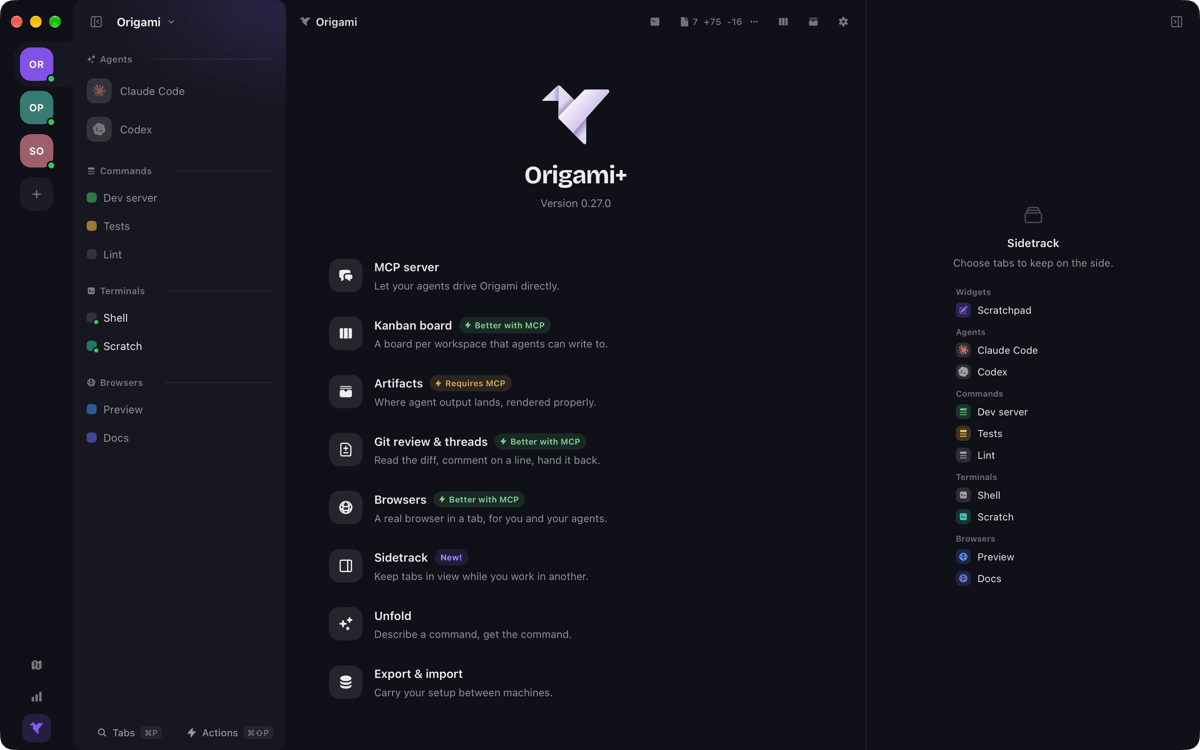
Origami is a workspace manager for Mac. Group your agents, terminals, and saved commands by project — so switching projects means switching workspaces, not scrambling to reassemble your setup. Every tab runs your own shell, with your config, dotfiles, and aliases right where you left them. Origami doesn't replace your terminal. It gives everything a shared home, with the tools you need already there.
Switch projects without rebuilding tabs
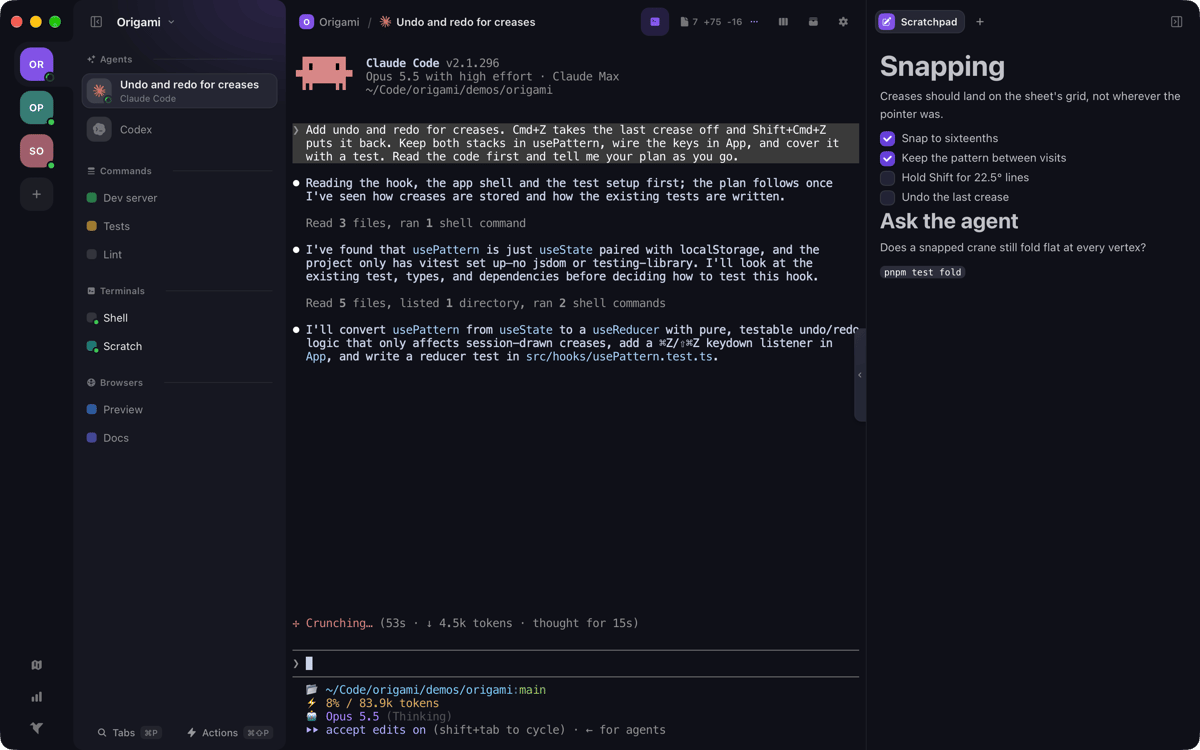
Run agents alongside your terminals
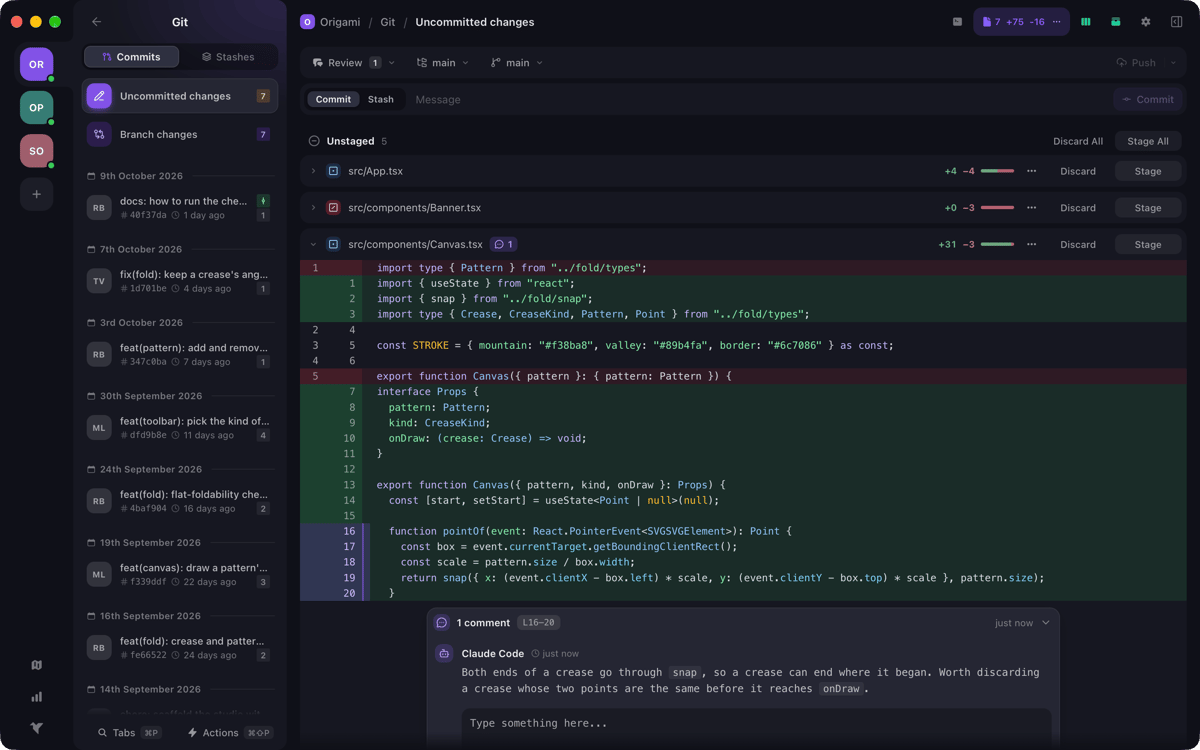
Review, stage, and push Git changes
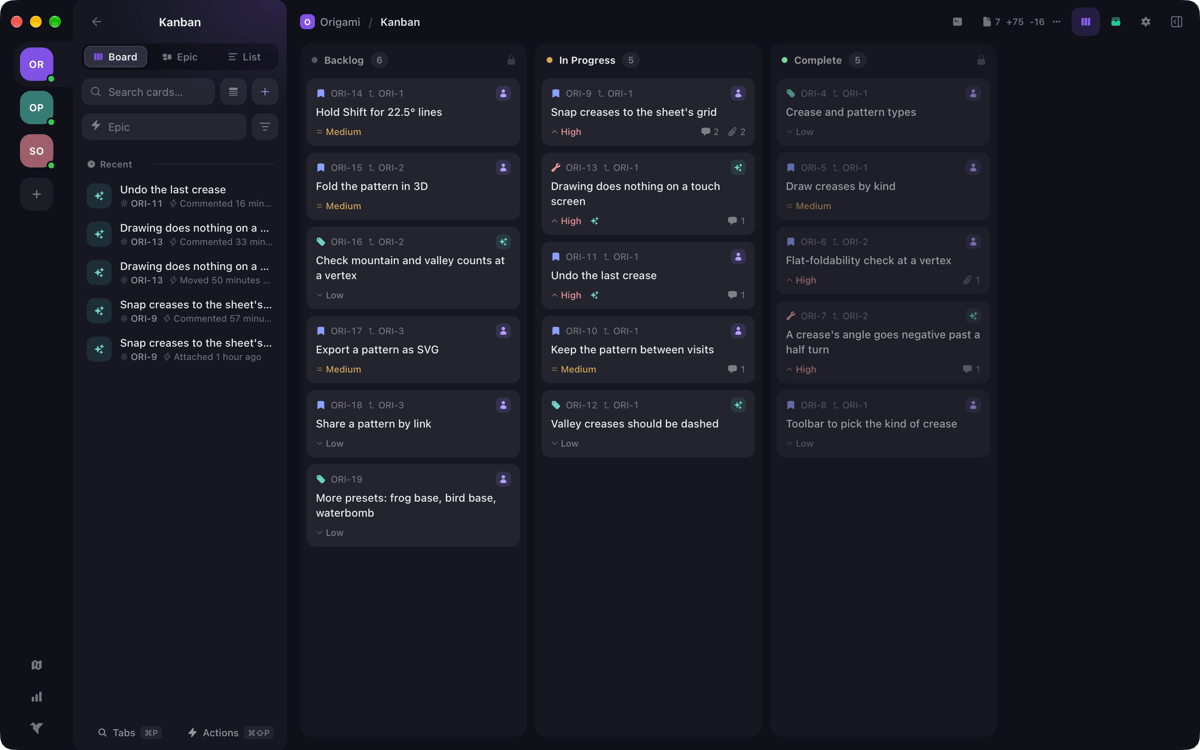
Track tasks on a per-project Kanban board
Funzionalità di Origami
One workspace, everything it needs
Each workspace holds all the tabs a project requires — agents, terminals, and saved commands — each carrying its own folder. Open a project and everything's already there. No tab archaeology, no mental overhead. Just pick up where you left off.
Terminals that feel like yours
Your shell config, dotfiles, and aliases travel with every terminal tab. Origami doesn't impose a new environment — it organizes the one you already have. Run commands, read output, and stay in flow without touching your existing setup.
Git review without leaving the app
Read the diff, leave a line comment, then stage, commit, and push — all in one place. Stashes and worktrees are included too. Less context switching between your terminal and a separate Git client means more focus on the actual code.
A Kanban board per workspace
Every workspace gets its own board. Track epics down to individual bugs, add comments and attachments, and follow a full change log for every card. Your tasks stay close to the work they belong to.
Agents as first-class tabs
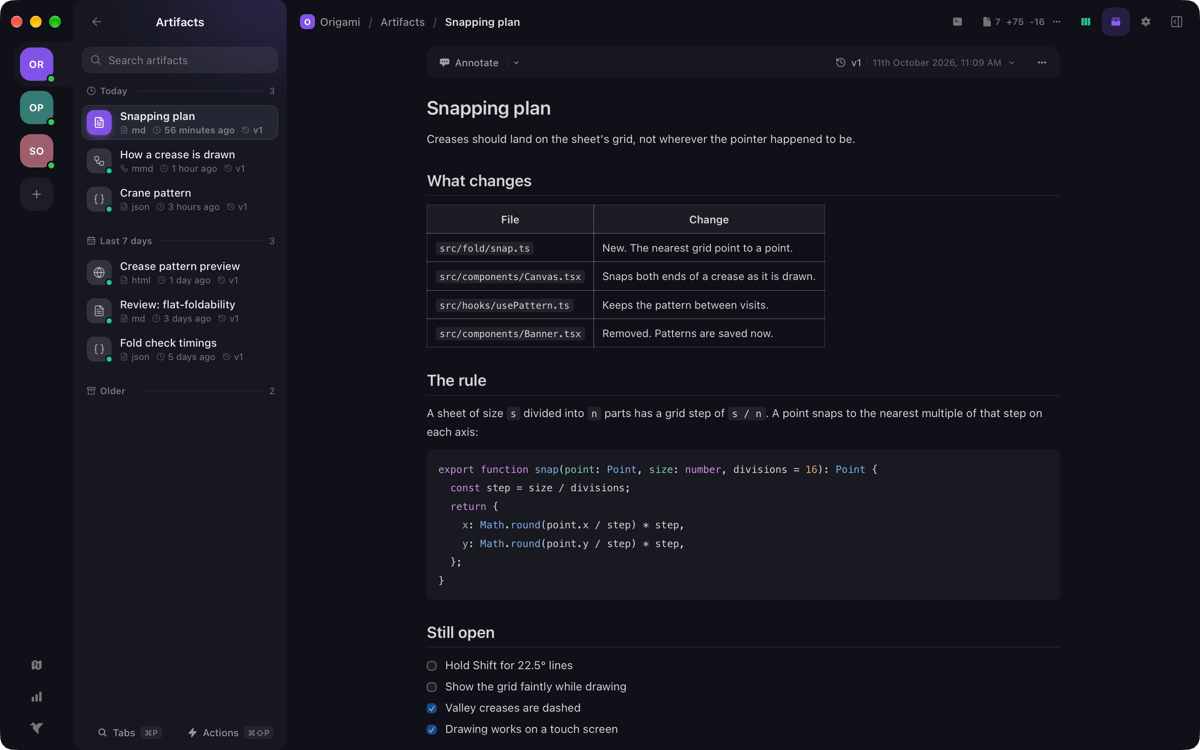
Bring your own agents and run them alongside your terminals. Markdown, JSON, HTML, and Mermaid artifacts your agent publishes render right in the app and are saved as versions. Your agent can also drive the whole workspace via MCP — running commands, moving cards, publishing artifacts, and replying to review comments.
Keyboard-first, command palette included
There's a shortcut for nearly everything, plus a command palette when you'd rather type than click. Describe a command in plain words with Unfold and get it pasted onto your prompt. The less your hands leave the keyboard, the faster you move.
Centinaia di app con la Membership
Diventa membro di Setapp e utilizza centinaia di app straordinarie con un unico abbonamento.
Prova gratis per 7 giorni, poi paga una tariffa unica.
Installa Setapp sul Mac
Scopri le app per Mac, iOS e il web. Trova modi semplici per risolvere le attività quotidiane.

Ottieni l'app che stavi cercando
Quell'app tanto desiderata ti aspetta in Setapp. Installala con un clic.

Origami
Scegli un abbonamento
Una o più app con un abbonamento Setapp. Acquista le app come preferisci.

Centinaia di app con la Membership
Diventa membro di Setapp e utilizza centinaia di app straordinarie con un unico abbonamento.
Prova gratis per 7 giorni, poi paga una tariffa unica.
1
Installa Setapp sul Mac
Scopri le app per Mac, iOS e il web. Trova modi semplici per risolvere le attività quotidiane.
2
Ottieni l'app che stavi cercando
Quell'app tanto desiderata ti aspetta in Setapp. Installala con un clic.
Origami
3
Scegli un abbonamento
Una o più app con un abbonamento Setapp. Acquista le app come preferisci.
Sede delle migliori app
Dalla pianificazione e dai lavori di routine alle attività creative e di scrittura di codice, con le app di Setapp potrai affrontare di tutto.

TypingMind
Chat IA con un'interfaccia utente diversa
genera o riassumi un testo
usa la libreria di prompt
IA

Spark Mail
Gestisci le email
IA

CleanMyMac
Elimina i file spazzatura

Bartender
Personalizza la barra dei menu

CleanShot X
Cattura screenshot versatili

Luminar Neo
Modifica le tue foto
IA

ClearVPN
Connessione più sicura

Craft
Lavora con i documenti
IA
Origami
Switch projects without switching context