
PasteJet
Appunti più intelligenti, incollaggio più veloce

Mac
Versione 1.5.2
macOS 14.6 o successivo
6.2 MB
1 lingue
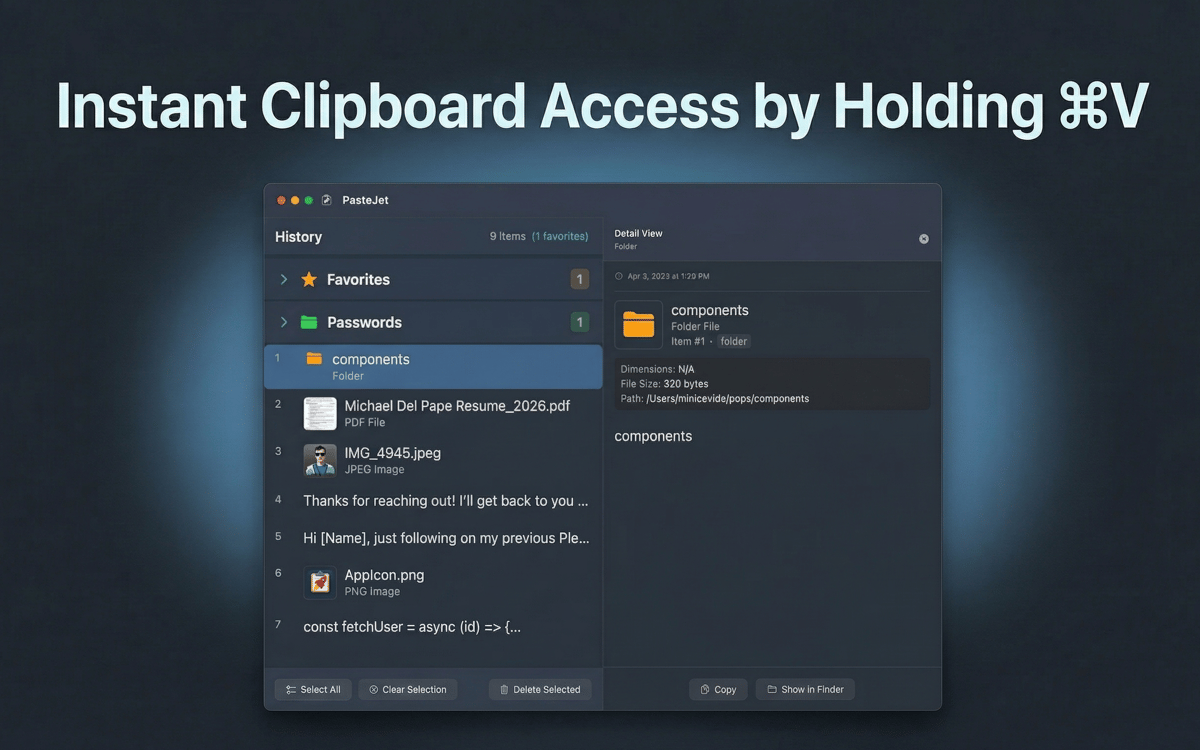
PasteJet è un gestore degli appunti per Mac che memorizza tutto ciò che copi. È presente nella barra dei menu e funziona con una semplice variazione di Command+V: tocca per incollare normalmente, tieni premuto per esplorare la cronologia. Testo, immagini, file, collegamenti: li conserva tutti e ti consente di trovare rapidamente quello che ti serve.
Incolla dalla cronologia completa degli appunti
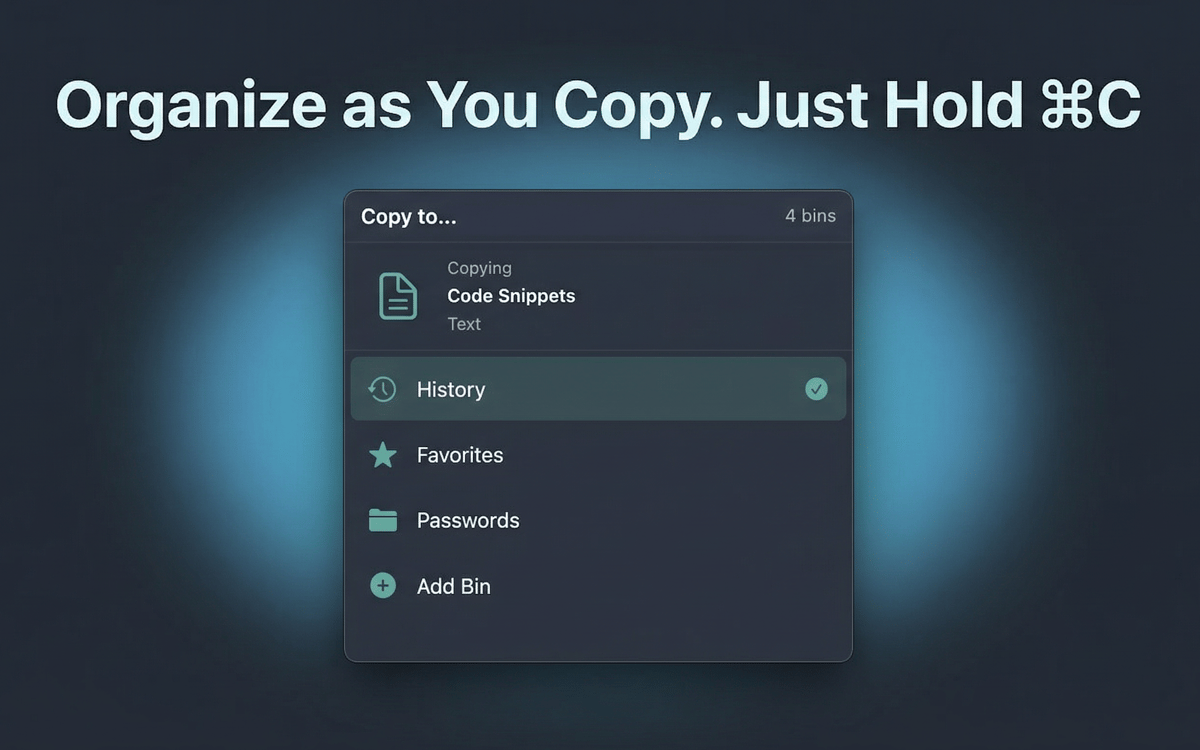
Organizza gli elementi copiati in raccolte
Incolla rapidamente con una sola pressione
Salva i preferiti per quello che riusi
Funzionalità di PasteJet
Tieni premuto Comando+V per sfogliare, tocca per incollare
Nessuna nuova scorciatoia da imparare. PasteJet si integra con la scorciatoia da tastiera che già usi. Un rapido tocco incolla il tuo ultimo elemento. Tienilo premuto e apparirà un popup con l'intera cronologia degli appunti, pronta per la selezione.
Conserva fino a 500 elementi nella cronologia
PasteJet salva automaticamente tutto quello che copi: testo, immagini, file e link. Scorri la cronologia o cerca per ritrovare quello che hai copiato tre ore fa.
Aggiungi ai preferiti i tuoi elementi essenziali
Firme email, frammenti di codice, indirizzi: salva fino a 10 elementi che incolli sempre. Sempre a un clic di distanza, senza dover cercare.
Organizza con i contenitori
Raggruppa elementi correlati in raccolte personalizzate. Mantieni ordinati le risorse del progetto, i link di riferimento o i modelli invece di perderli in un lungo elenco.
Funziona silenziosamente nella barra dei menu
PasteJet rimane in secondo piano finché non ne hai bisogno. Nessuna icona nel dock, nessuna finestra mobile. Fai clic sull'icona nella barra dei menu o tieni premuto Comando+V: tutto qui.
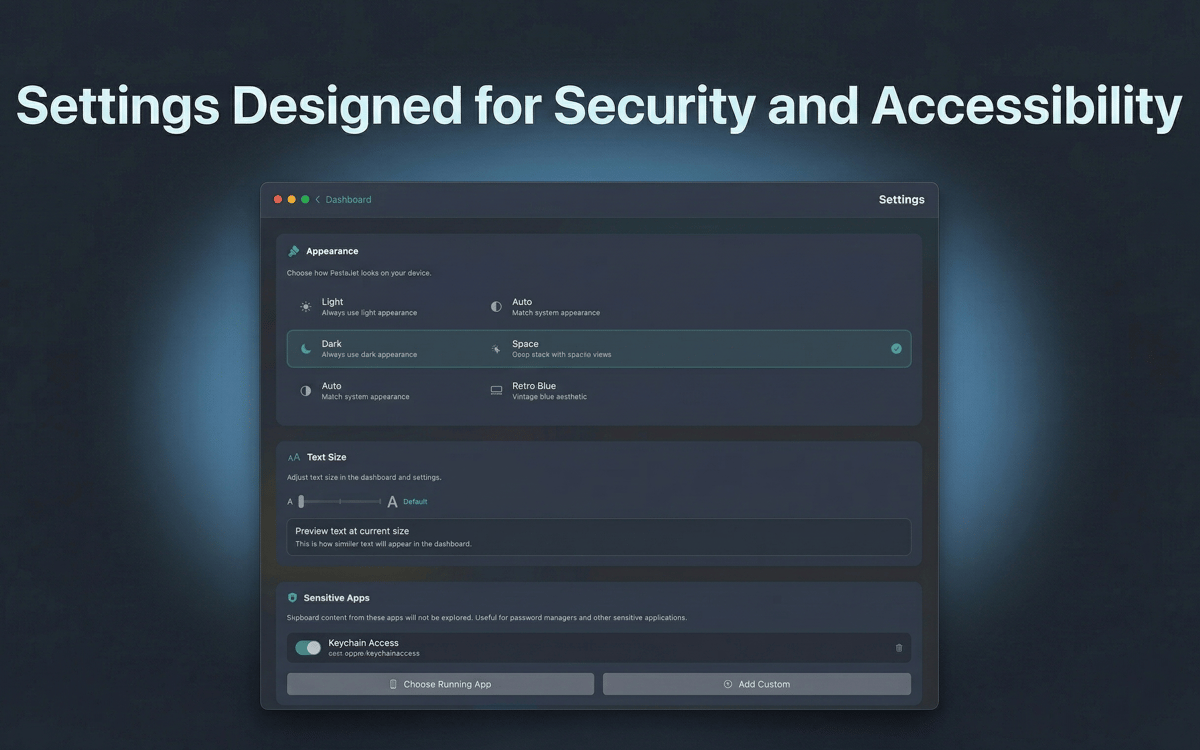
I tuoi dati restano sul tuo Mac
La cronologia degli appunti viene memorizzata localmente con crittografia AES-256. Nulla esce dal tuo dispositivo, nulla raggiunge un server.
Centinaia di app con la Membership
Diventa membro di Setapp e utilizza centinaia di app straordinarie con un unico abbonamento.
Prova gratis per 7 giorni, poi paga una tariffa unica.
Installa Setapp sul Mac
Scopri le app per Mac, iOS e il web. Trova modi semplici per risolvere le attività quotidiane.

Ottieni l'app che stavi cercando
Quell'app tanto desiderata ti aspetta in Setapp. Installala con un clic.

PasteJet
Scegli un abbonamento
Una o più app con un abbonamento Setapp. Acquista le app come preferisci.

Centinaia di app con la Membership
Diventa membro di Setapp e utilizza centinaia di app straordinarie con un unico abbonamento.
Prova gratis per 7 giorni, poi paga una tariffa unica.
1
Installa Setapp sul Mac
Scopri le app per Mac, iOS e il web. Trova modi semplici per risolvere le attività quotidiane.
2
Ottieni l'app che stavi cercando
Quell'app tanto desiderata ti aspetta in Setapp. Installala con un clic.
PasteJet
3
Scegli un abbonamento
Una o più app con un abbonamento Setapp. Acquista le app come preferisci.
Sede delle migliori app
Dalla pianificazione e dai lavori di routine alle attività creative e di scrittura di codice, con le app di Setapp potrai affrontare di tutto.

TypingMind
Chat IA con un'interfaccia utente diversa
genera o riassumi un testo
usa la libreria di prompt
IA

Spark Mail
Gestisci le email
IA

CleanMyMac
Elimina i file spazzatura

Bartender
Personalizza la barra dei menu

CleanShot X
Cattura screenshot versatili

Luminar Neo
Modifica le tue foto
IA

ClearVPN
Connessione più sicura

Craft
Lavora con i documenti
IA
PasteJet
Appunti più intelligenti, incollaggio più veloce