
PDF Owl
Read PDFs smarter with AI
Mac
Versione 1.5.4
macOS 12.4 o successivo
815.2 MB
5 lingue
PDF Owl is an AI-powered PDF reader for Mac that automatically generates a table of contents for any document — so you can actually navigate large files without scrolling forever. It uses on-device AI powered by transformer models to detect headings, build an outline, and save it in a format other PDF readers can use too. Highlight, annotate, search with regex, and organize pages — all without sending a single byte to the cloud. Built for students, researchers, and anyone who works with documents that don't come with a roadmap.
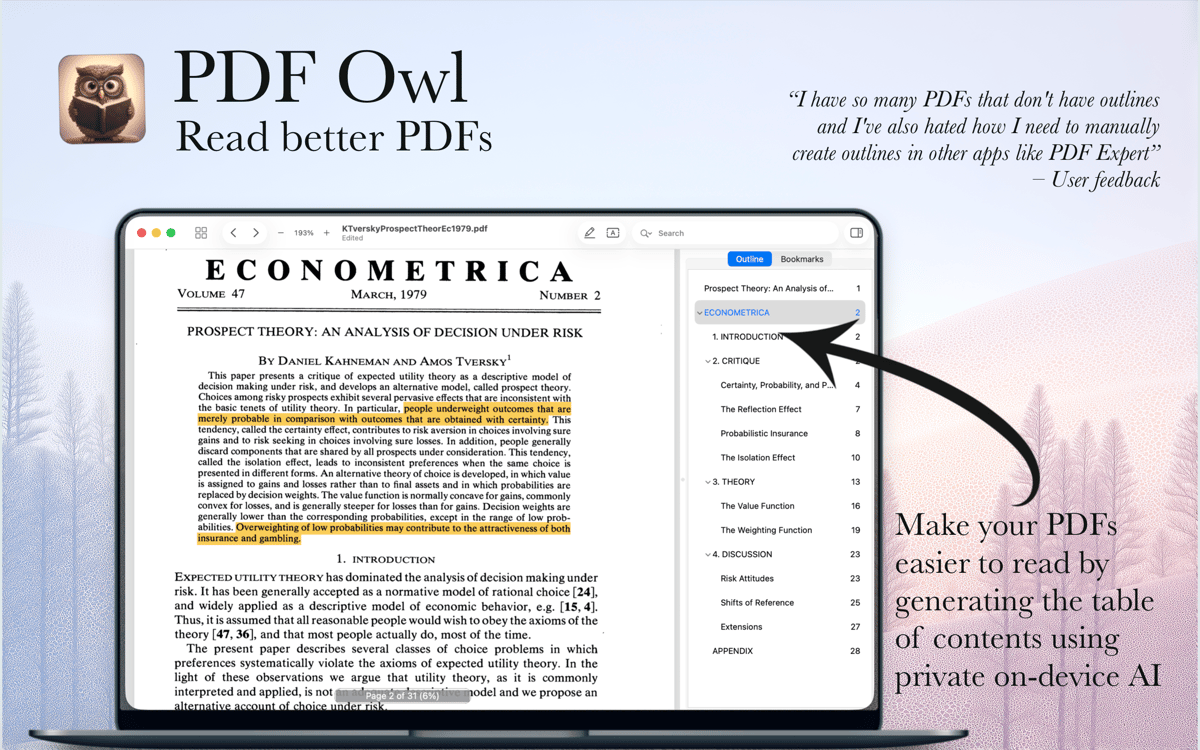
Generate a table of contents with AI
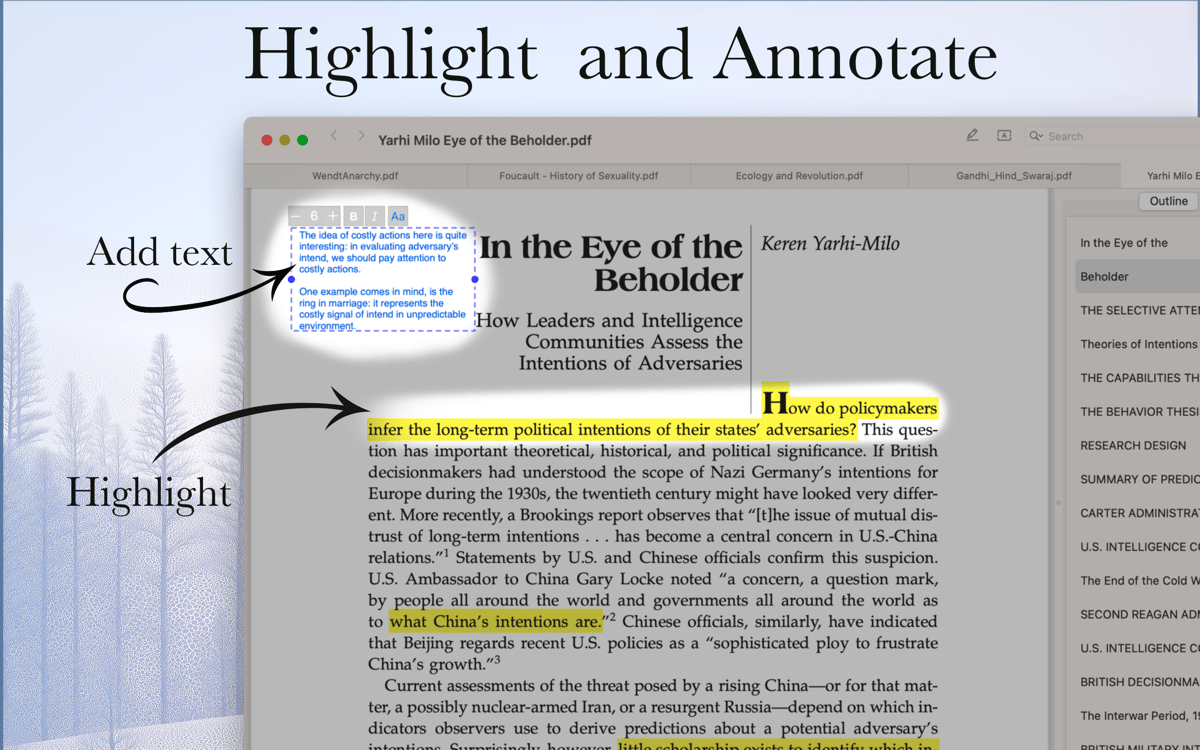
Highlight text and add margin notes
Search PDFs with advanced filters
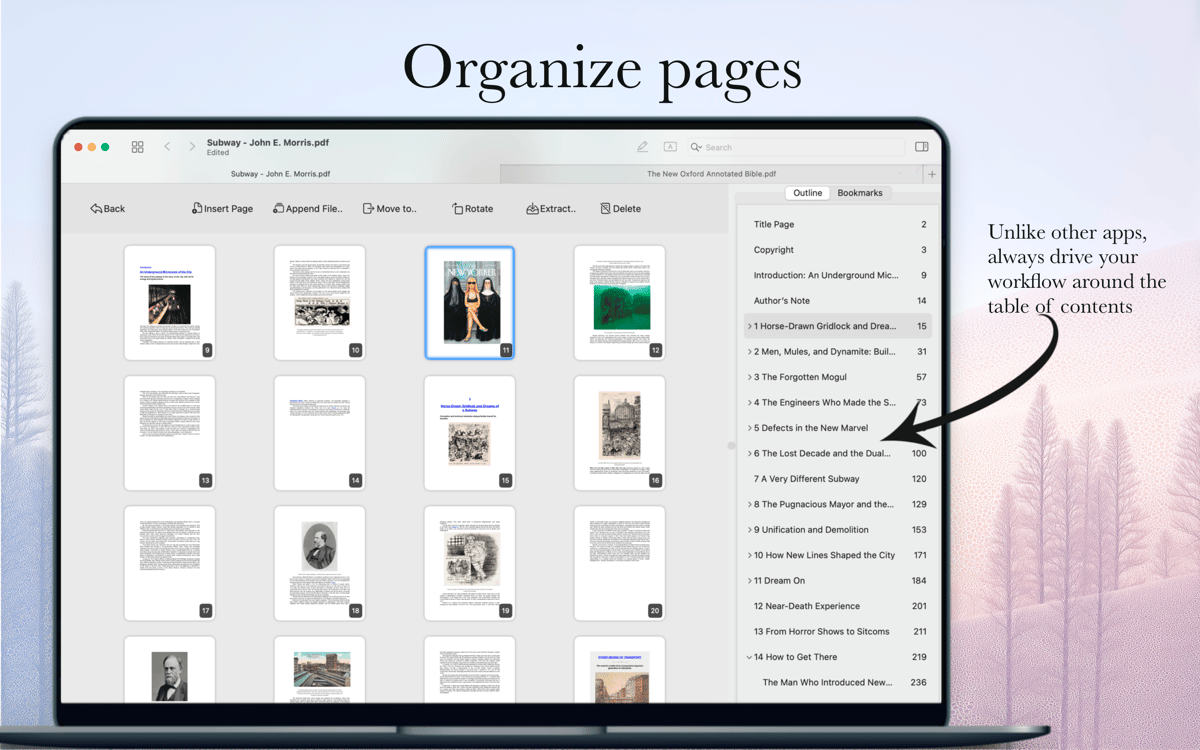
Merge, split, and reorganize pages
Funzionalità di PDF Owl
AI Table of Contents Generator
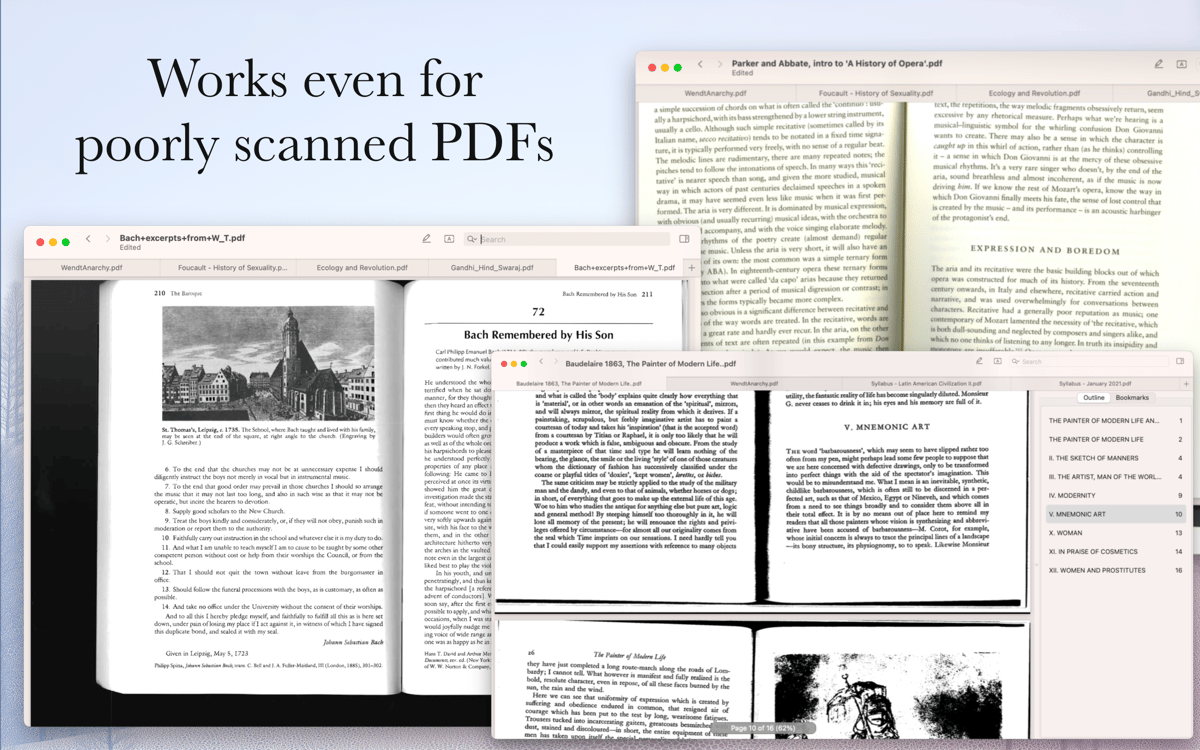
Open any PDF and PDF Owl will scan each page using computer vision, detect headings, and build a full outline automatically. The generated table of contents is saved inside the file, so it works in other PDF apps too — not just PDF Owl. No manual work, no copying and pasting, no cloud upload.
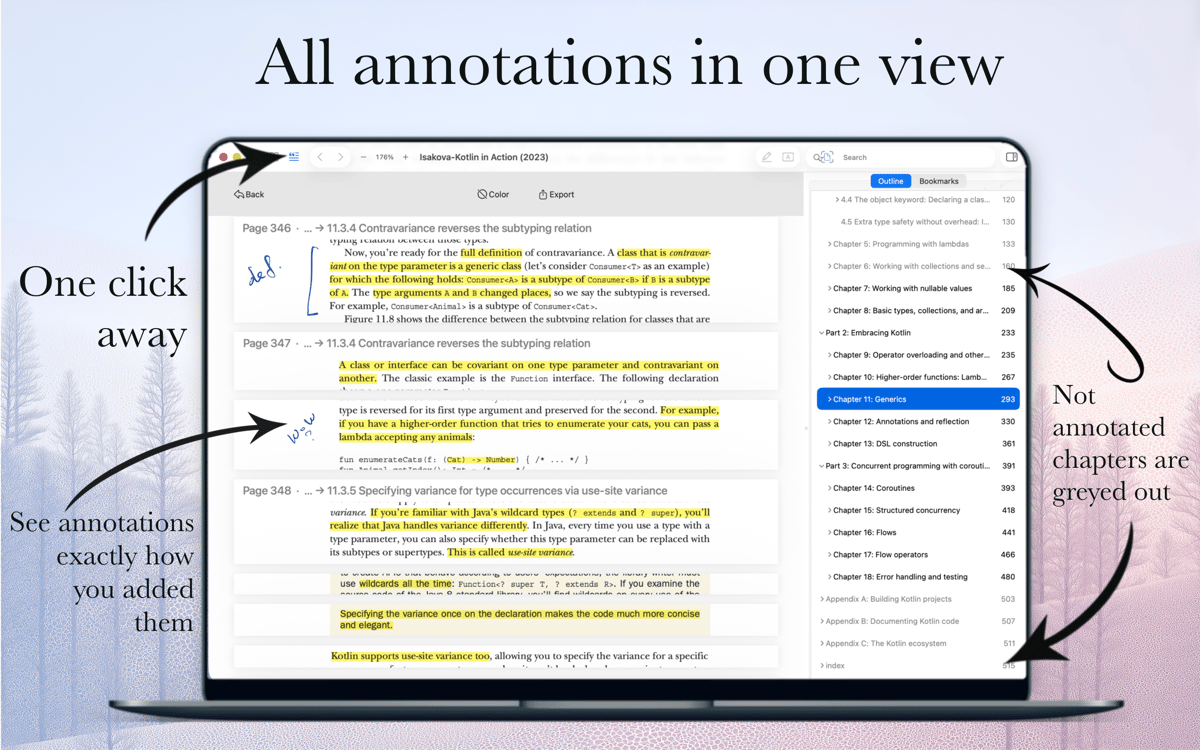
Highlight Text and Add Annotations
Select text and highlight it in any color. Add a note to the highlight, or drop a free-text comment anywhere on the page with your choice of font size and color. All your annotations are collected in one view as cutouts from the actual pages — easy to browse at a glance.
Advanced Search Inside PDFs
Type what you're looking for and navigate results in a clean, Safari-style interface. Need more control? Search only annotated pages, narrow results to specific outline sections, or use regular expressions (RegEx) for precise pattern matching.
Page Organizer
Merge files, split them apart, reorder pages, duplicate or delete them — all from a bird's-eye pages view with the outline visible on the side. It's the only way to organize a large PDF without losing track of where you are.
Outline Editor
Fine-tune the AI-generated outline or build your own from scratch. Select text on the page, hit "Add Outline," and it's in. Rename, reorder, or delete items anytime using keyboard shortcuts or the editor panel.
Privacy-First and Cloud-Ready
PDF Owl runs entirely on your device inside the macOS sandbox — nothing is uploaded anywhere. At the same time, it plays nicely with cloud-synced files: if you edit a document on another device, PDF Owl reloads it seamlessly without losing your reading position.
Centinaia di app con la Membership
Diventa membro di Setapp e utilizza centinaia di app straordinarie con un unico abbonamento.
Prova gratis per 7 giorni, poi paga una tariffa unica.
Installa Setapp sul Mac
Scopri le app per Mac, iOS e il web. Trova modi semplici per risolvere le attività quotidiane.

Ottieni l'app che stavi cercando
Quell'app tanto desiderata ti aspetta in Setapp. Installala con un clic.

PDF Owl
Scegli un abbonamento
Una o più app con un abbonamento Setapp. Acquista le app come preferisci.

Centinaia di app con la Membership
Diventa membro di Setapp e utilizza centinaia di app straordinarie con un unico abbonamento.
Prova gratis per 7 giorni, poi paga una tariffa unica.
1
Installa Setapp sul Mac
Scopri le app per Mac, iOS e il web. Trova modi semplici per risolvere le attività quotidiane.
2
Ottieni l'app che stavi cercando
Quell'app tanto desiderata ti aspetta in Setapp. Installala con un clic.
PDF Owl
3
Scegli un abbonamento
Una o più app con un abbonamento Setapp. Acquista le app come preferisci.
Sede delle migliori app
Dalla pianificazione e dai lavori di routine alle attività creative e di scrittura di codice, con le app di Setapp potrai affrontare di tutto.

TypingMind
Chat IA con un'interfaccia utente diversa
genera o riassumi un testo
usa la libreria di prompt
IA

Spark Mail
Gestisci le email
IA

CleanMyMac
Elimina i file spazzatura

Bartender
Personalizza la barra dei menu

CleanShot X
Cattura screenshot versatili

Luminar Neo
Modifica le tue foto
IA

ClearVPN
Connessione più sicura

Craft
Lavora con i documenti
IA
PDF Owl
Read PDFs smarter with AI