
Pinchbar
Trasforma il testo in un attimo

Mac
Versione 1.0.18
macOS 15.6 o successivo
20.3 MB
1 lingue
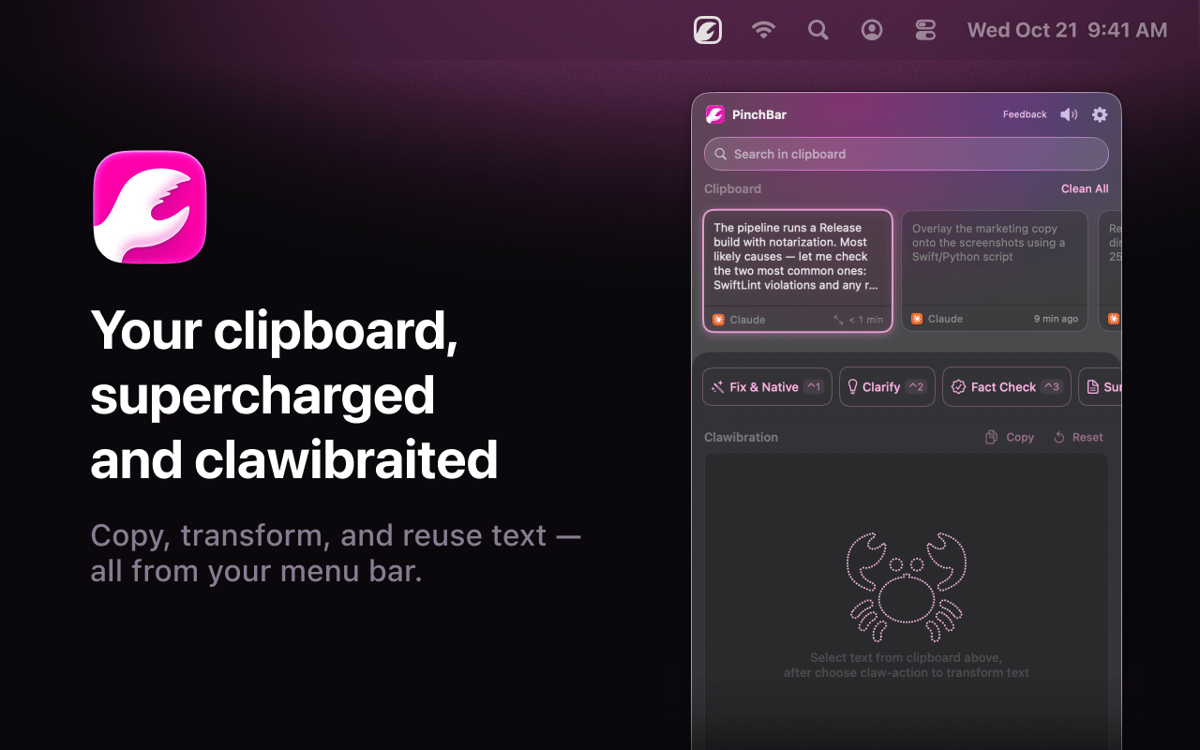
Pinchbar è un tool per gli appunti basato su AI per Mac. Copia qualsiasi cosa, premi ⌥V e la barra dei menu mostra azioni intelligenti: riscrivi, riassumi, traduci, verifica i fatti o struttura il tuo testo in pochi secondi. Compatibile con Apple Intelligence (on-device e privata), Setapp AI. I dati sensibili come password e token vengono rilevati e bloccati automaticamente. Nessun passaggio tra le app. Nessuna scheda aggiuntiva. Basta copiare, cliccare e incollare.
Trasforma il testo senza cambiare app
Cerca nella cronologia completa appunti
Riscrivi o riassumi con una scorciatoia
Mantieni sempre privati i dati sensibili
Funzionalità di Pinchbar
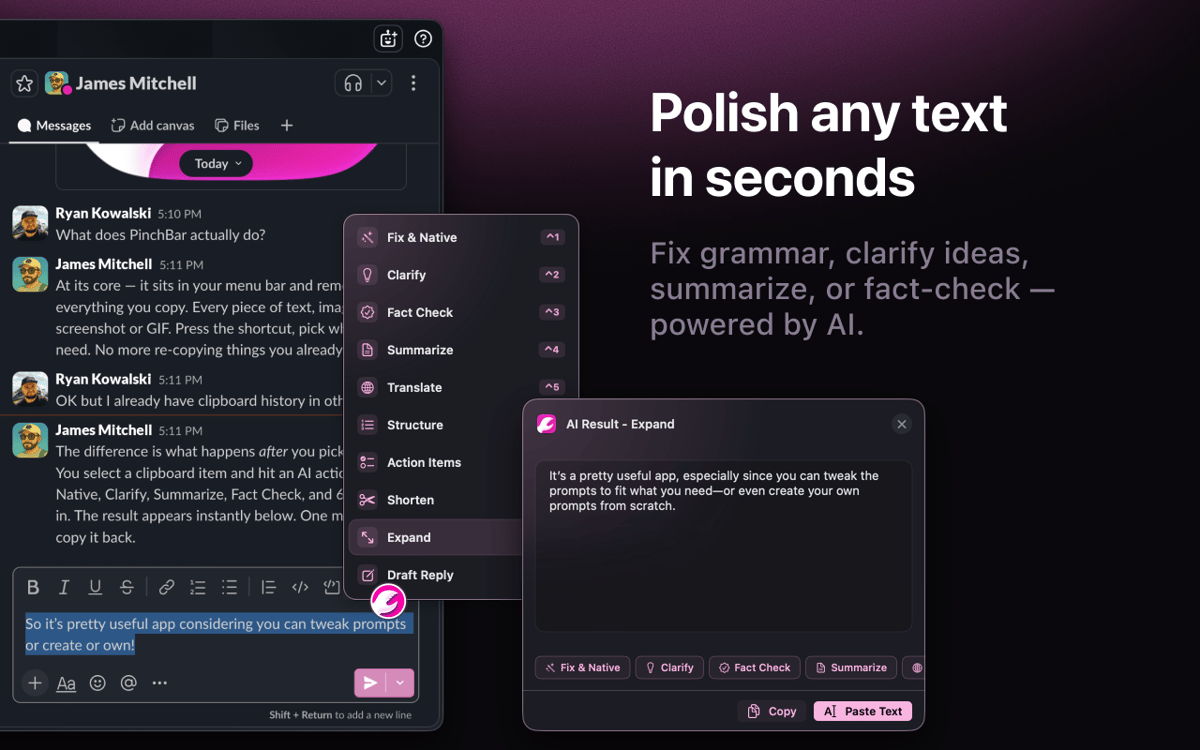
Trasforma il testo senza cambiare contesto
Copia qualsiasi cosa, premi ⌥V e scegli un'azione. Riscrivi, riassumi, traduci, verifica i fatti: Pinchbar elabora il tuo testo tramite IA e copia il risultato direttamente negli appunti. Niente schede del browser, niente app aggiuntive, niente deviazioni.
Riscrivi direttamente dove stai lavorando
Seleziona del testo in qualsiasi app, premi una scorciatoia e Pinchbar lo sostituisce al volo. Niente spostamento di finestre, niente operazioni di incolla extra. Ecco a cosa serve la modalità Inline: il tuo flusso di scrittura rimane esattamente dove lo hai lasciato.
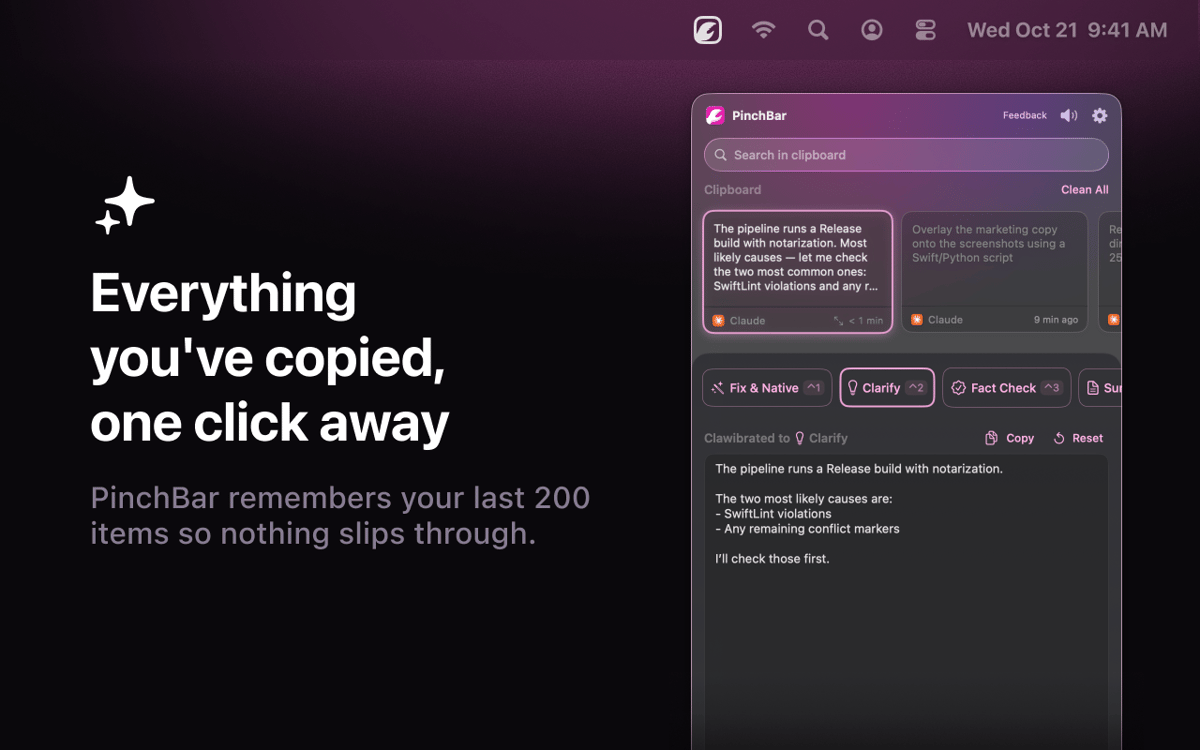
La cronologia degli appunti, davvero utile
Ogni elemento copiato viene salvato, è ricercabile e sempre disponibile, anche ore dopo averlo copiato. Fissa quello che ti serve, elimina il resto e applica qualsiasi azione AI a qualsiasi clip nella cronologia con un clic.
Privacy senza compromessi
Apple Intelligence esegue tutto sul dispositivo per impostazione predefinita: nulla lascia il tuo Mac. Setapp AI è incluso per gli abbonati senza configurazione aggiuntiva. Password, chiavi API e token vengono rilevati e bloccati automaticamente.
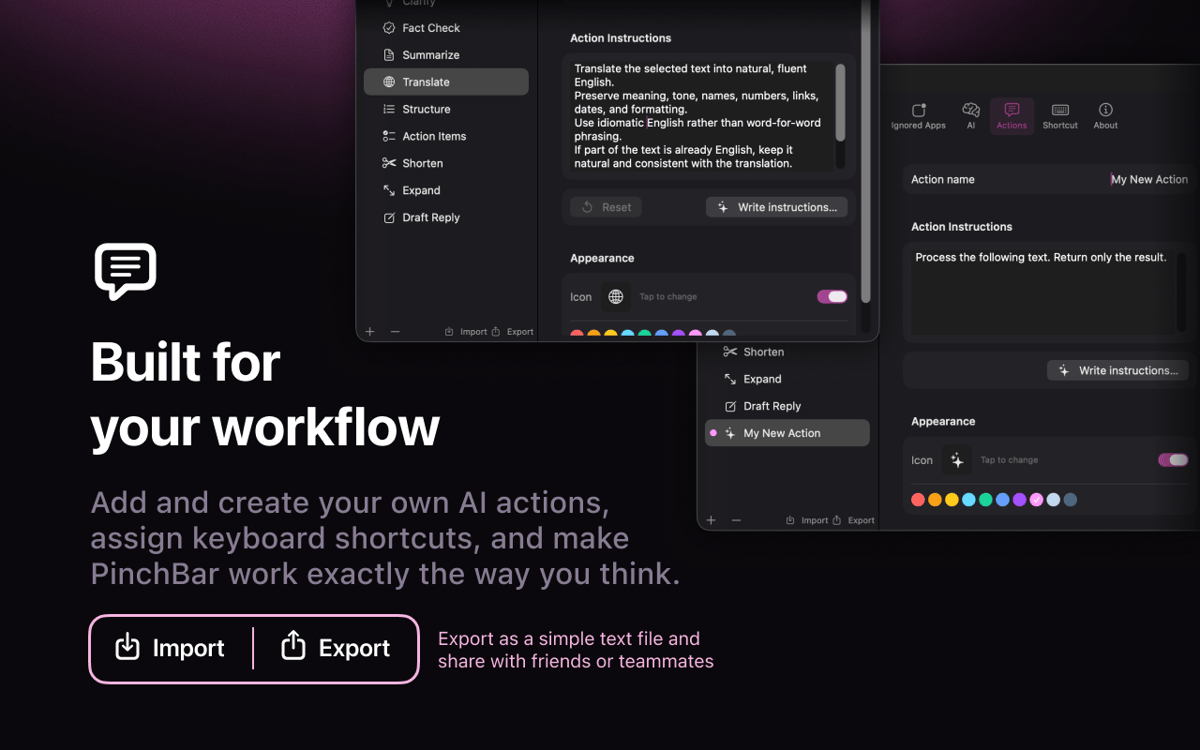
Prompt AI integrati nel tuo lavoro
Sei azioni predefinite sono incluse: correzione grammaticale, chiarimento, verifica dei fatti, riassunto, traduzione e strutturazione. Modifica il prompt di sistema, cambia l'icona, creane una personalizzata e trascina per riordinare. È tua da modellare.
Valutazioni e recensioni
Pinchbar
•
32 valutazioni
Jacob Kotzee
14 ago 2026
Versione app: 1.0.15
It’s like it was created just for me! Brilliant!
Jay Chen
28 lug 2026
Versione app: 1.0.15
It looks like this does not support the Books app on Mac, but I’m not sure if that is expected behavior or if there may be something wrong with my settings.
Risposta dello sviluppatore
28 lug 2026
Thanks for flagging this, and sorry PinchBar's button doesn't show up in Apple Books! The reason is a technical one: Books uses a special text view (the same kind Apple's iPad-style apps use) that doesn't report text selections to other apps the way most Mac apps do — so PinchBar's button doesn't detect when you've selected something there. It's on our radar to support it. In the meantime there's a simple workaround: just copy the text (Cmd+C) — it'll land in PinchBar's clipboard, and you can run any action on it from there. Really appreciate you taking the time to report it!
Hideaki Akama
23 lug 2026
Versione app: 1.0.15
webやドキュメントのちょっとした、テキストの検索や翻訳に使っています。
Centinaia di app con la Membership
Diventa membro di Setapp e utilizza centinaia di app straordinarie con un unico abbonamento.
Prova gratis per 7 giorni, poi paga una tariffa unica.
Installa Setapp sul Mac
Scopri le app per Mac, iOS e il web. Trova modi semplici per risolvere le attività quotidiane.

Ottieni l'app che stavi cercando
Quell'app tanto desiderata ti aspetta in Setapp. Installala con un clic.

Pinchbar
Scegli un abbonamento
Una o più app con un abbonamento Setapp. Acquista le app come preferisci.

Centinaia di app con la Membership
Diventa membro di Setapp e utilizza centinaia di app straordinarie con un unico abbonamento.
Prova gratis per 7 giorni, poi paga una tariffa unica.
1
Installa Setapp sul Mac
Scopri le app per Mac, iOS e il web. Trova modi semplici per risolvere le attività quotidiane.
2
Ottieni l'app che stavi cercando
Quell'app tanto desiderata ti aspetta in Setapp. Installala con un clic.
Pinchbar
3
Scegli un abbonamento
Una o più app con un abbonamento Setapp. Acquista le app come preferisci.
Sede delle migliori app
Dalla pianificazione e dai lavori di routine alle attività creative e di scrittura di codice, con le app di Setapp potrai affrontare di tutto.

TypingMind
Chat IA con un'interfaccia utente diversa
genera o riassumi un testo
usa la libreria di prompt
IA

Spark Mail
Gestisci le email
IA

CleanMyMac
Elimina i file spazzatura

Bartender
Personalizza la barra dei menu

CleanShot X
Cattura screenshot versatili

Luminar Neo
Modifica le tue foto
IA

ClearVPN
Connessione più sicura

Craft
Lavora con i documenti
IA
Pinchbar
Trasforma il testo in un attimo