
Ploof Studio
Say it. Get a whole website

Mac
Versione 1.1.2
macOS 14.0 o successivo
8.7 MB
1 lingue
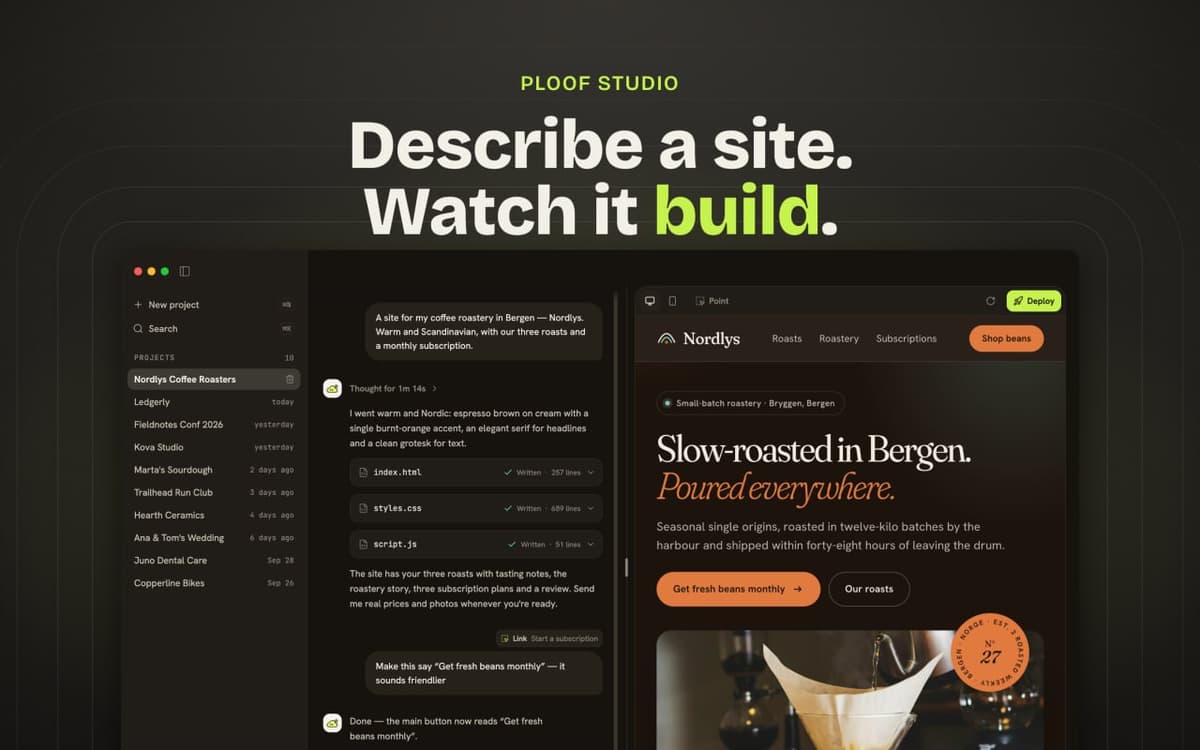
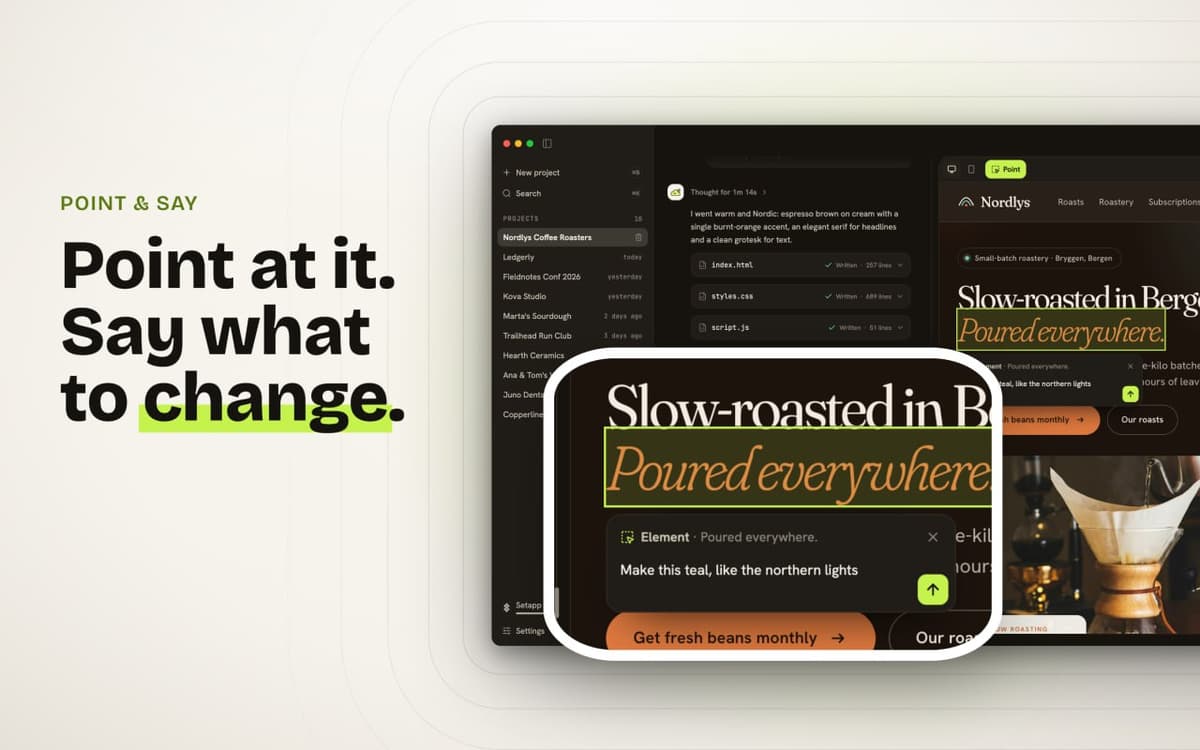
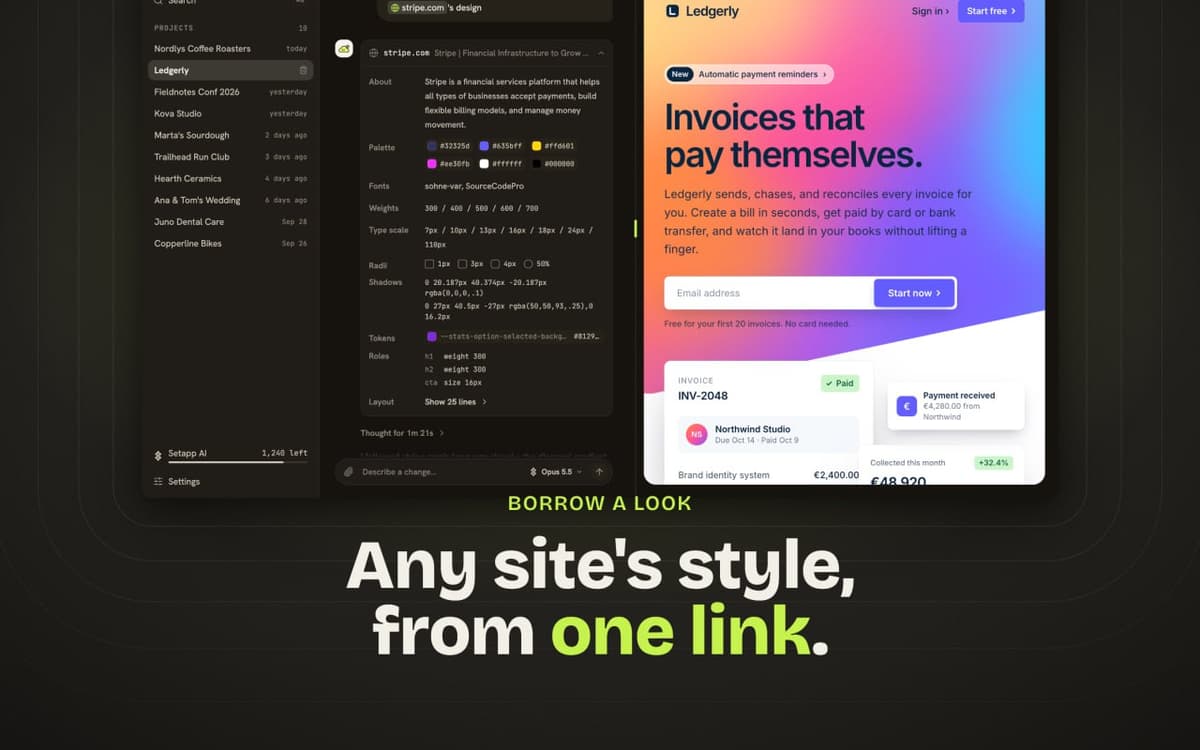
Ploof Studio is an AI website builder for Mac. Say what you need in a sentence, and Ploof writes every page while you watch. Add your logo or photos, or name a site you like, and Ploof picks up its colors, fonts, and layout. To change something, click it in the preview and say what you want. Then publish to Vercel or GitHub Pages, or download a ZIP. Your site, your host, your code.
Launch a landing page in minutes
Build a portfolio or one-page CV
Put a small business online
Make an event or RSVP page
Funzionalità di Ploof Studio
One-sentence generation
Say what you need, and Ploof builds a complete site with every page written for you.
Design inspiration from any site
Name a site you like, and Ploof borrows its palette, fonts, and layout.
Point-and-click editing
Click an element, say what to change, and skip the code. Comments queue up while Ploof works, so you can keep going.
Phone and desktop preview
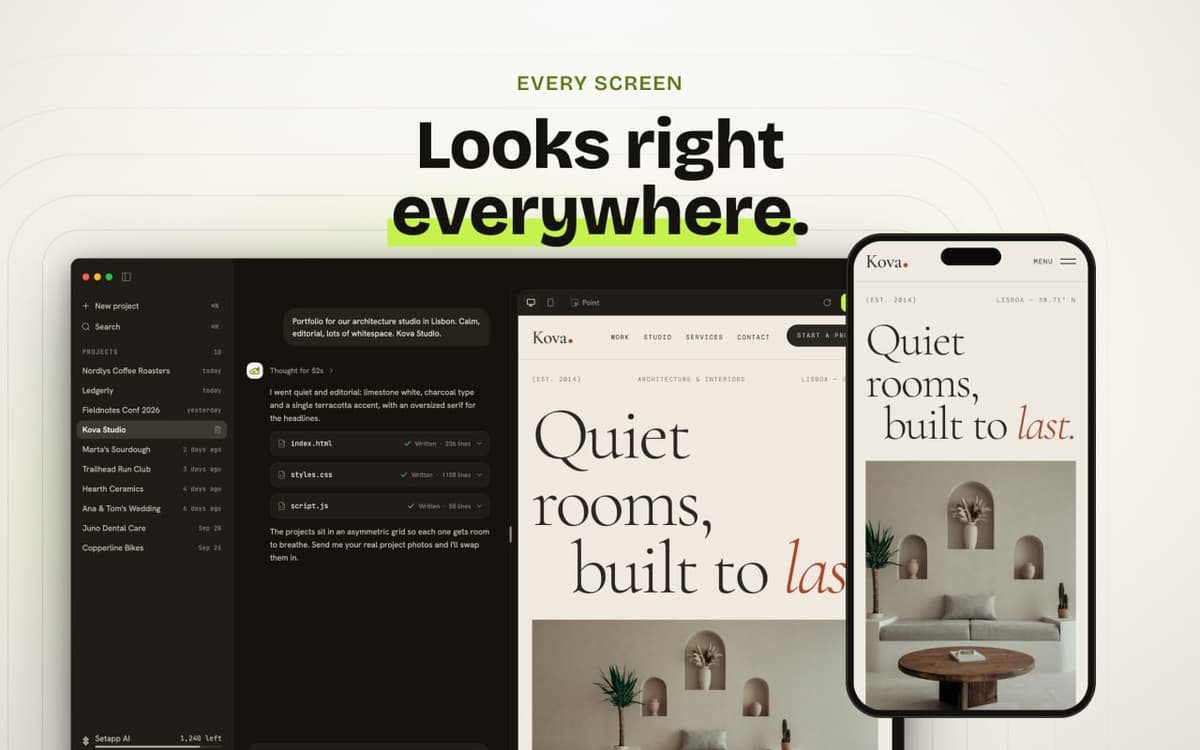
Switch views in one click to see how your site looks on each.
Self-checking builds
Real stock photos are placed for you, and every build is checked for broken links, scripts, and fonts before you see it.
Publish anywhere
Deploy to Vercel or GitHub Pages on your own accounts, or download a ZIP for any host.
Valutazioni e recensioni
Ploof Studio
•
12 valutazioni
Ivan Hisem
21 ott 2026
Versione app: 1.1.2
Great app for creating pages for your own business. You don't need any development experience—I think you can launch the first version of your website in just a day.
Janel A.
19 ott 2026
Versione app: 1.1.1
Built one page that was just a template and it used up all my 1,000 credits… couldn’t even change or add anything after that, hard pass.
Risposta dello sviluppatore
20 ott 2026
Thanks for the honest feedback! 🙌 One possible reason for the high credit usage is the AI model selected. For example, Claude Opus 5.5 is one of Anthropic's most expensive models, so generating a website with it can consume significantly more credits. Just for comparison, we ran a few tests with Claude Haiku 5.5 using a six-sentence prompt: - **17 credits** to generate a landing page using one of our starter templates. - **21 credits** to generate a landing page completely from scratch, including a custom design based on the prompt. You can choose your preferred AI model directly in Ploof. And here's an important thing: **a more expensive model doesn't necessarily mean a better-looking website.** 😊 That said, your feedback is absolutely fair. We clearly need to make model pricing and expected credit usage more transparent, especially for new users. We really appreciate you giving Ploof a try and sharing your experience. Feedback like this helps us make the product better! ❤️
Robin
14 ott 2026
Versione app: 1.0.4
Verbraucht meine Credits, aber sagt dann immer „Provider could not be reacged“. Verwendet wird Sonnet 5. Wenn ich es direkt in Claude mit Sonnet mache, bekomme ich das Ergebnis super schnell.
Risposta dello sviluppatore
14 ott 2026
Thank you for the feedback, and sorry for the trouble. This was a bug on our side, and version 1.0.5 fixes it: sites built with Sonnet 5 now build reliably and start within seconds. We'd be glad if you gave it another try.
Centinaia di app con la Membership
Diventa membro di Setapp e utilizza centinaia di app straordinarie con un unico abbonamento.
Prova gratis per 7 giorni, poi paga una tariffa unica.
Installa Setapp sul Mac
Scopri le app per Mac, iOS e il web. Trova modi semplici per risolvere le attività quotidiane.

Ottieni l'app che stavi cercando
Quell'app tanto desiderata ti aspetta in Setapp. Installala con un clic.

Ploof Studio
Scegli un abbonamento
Una o più app con un abbonamento Setapp. Acquista le app come preferisci.

Centinaia di app con la Membership
Diventa membro di Setapp e utilizza centinaia di app straordinarie con un unico abbonamento.
Prova gratis per 7 giorni, poi paga una tariffa unica.
1
Installa Setapp sul Mac
Scopri le app per Mac, iOS e il web. Trova modi semplici per risolvere le attività quotidiane.
2
Ottieni l'app che stavi cercando
Quell'app tanto desiderata ti aspetta in Setapp. Installala con un clic.
Ploof Studio
3
Scegli un abbonamento
Una o più app con un abbonamento Setapp. Acquista le app come preferisci.
Sede delle migliori app
Dalla pianificazione e dai lavori di routine alle attività creative e di scrittura di codice, con le app di Setapp potrai affrontare di tutto.

TypingMind
Chat IA con un'interfaccia utente diversa
genera o riassumi un testo
usa la libreria di prompt
IA

Spark Mail
Gestisci le email
IA

CleanMyMac
Elimina i file spazzatura

Bartender
Personalizza la barra dei menu

CleanShot X
Cattura screenshot versatili

Luminar Neo
Modifica le tue foto
IA

ClearVPN
Connessione più sicura

Craft
Lavora con i documenti
IA
Ploof Studio
Say it. Get a whole website