
ProcessSpy
See what your Mac is up to


Mac
Versione 1.15.1
macOS 14.0 o successivo
16.5 MB
2 lingue
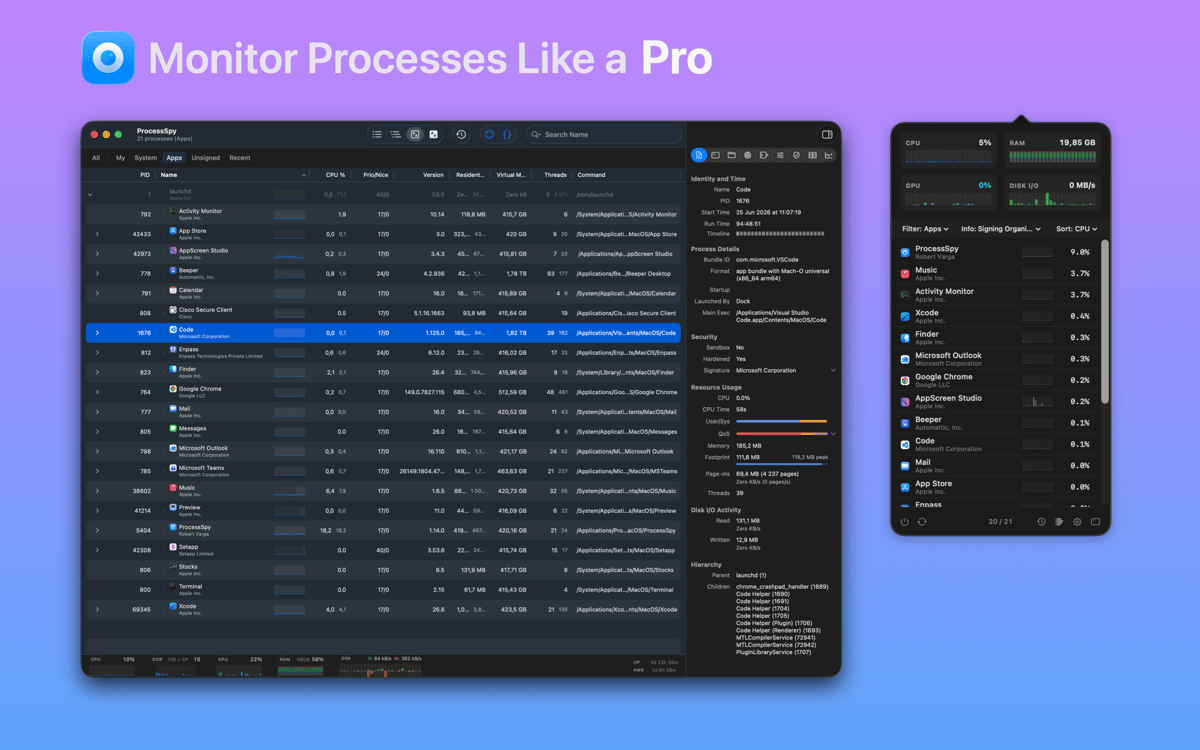
ProcessSpy — process monitor for Mac. It shows you everything happening on your system right now: which processes are eating your CPU, what's writing to disk, and where your memory's going — all without opening Terminal. Whether you're debugging an app, investigating a slowdown, or just curious what's running in the background, ProcessSpy makes it clear at a glance. Built for developers and power users, but easy enough for anyone who wants to understand their Mac.
Track CPU and memory hogs live
Catch short-lived background processes
Inspect threads and process hierarchies
Filter busy lists to find what matters
Funzionalità di ProcessSpy
See your Mac in real time
ProcessSpy gives you a live view of every process on your system — CPU load, memory usage, disk activity, and open network connections — updating as it happens. No refreshing, no guesswork. Just a clear, continuous picture of what's going on under the hood.
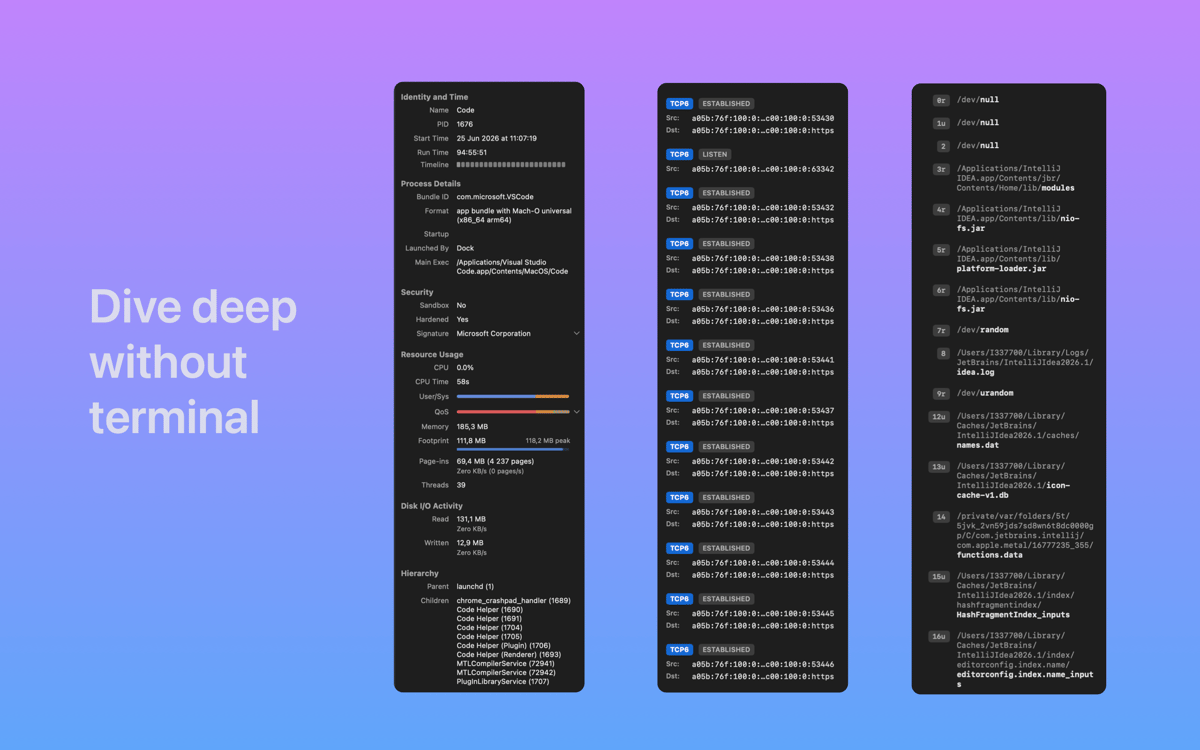
Dig deeper without the command line
You used to need Terminal to get this kind of detail. ProcessSpy puts it all in a clean interface — process metadata, thread counts, parent-child hierarchies — so you can inspect what you need without running a single command.
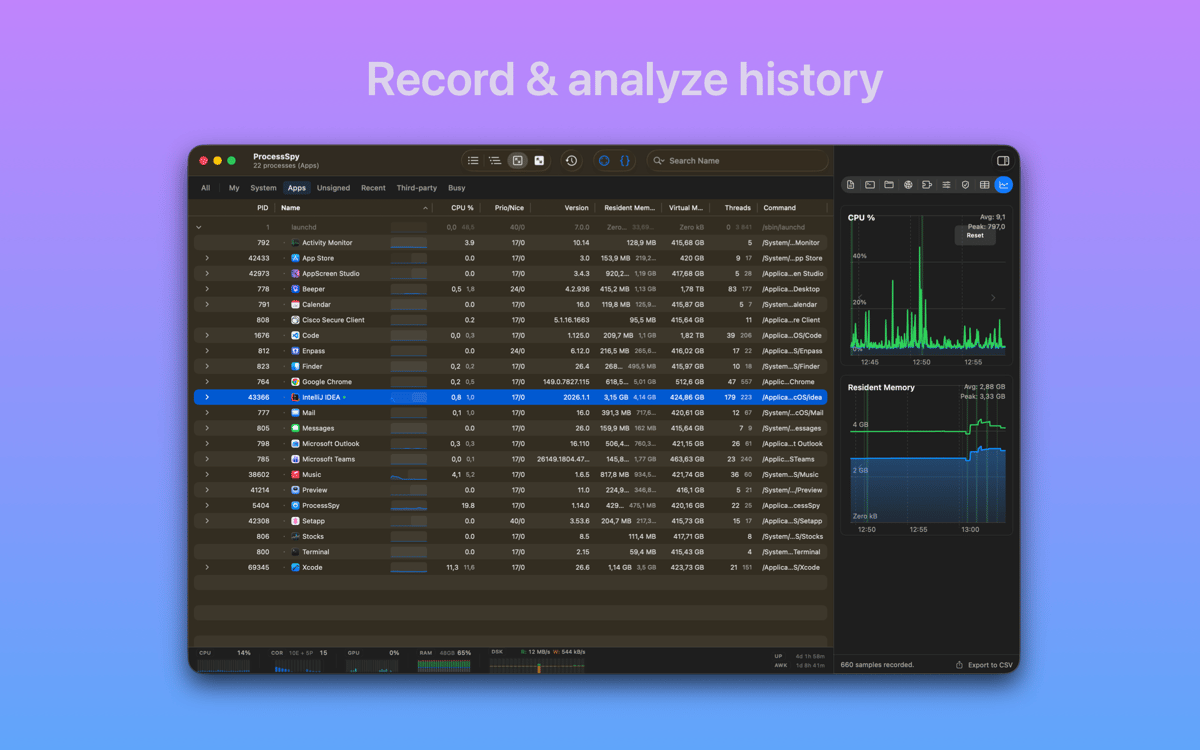
Catch processes that come and go
Some processes start, do their thing, and disappear before you can blink. ProcessSpy keeps a record of finished processes so you can go back and see what ran — even after it's long gone from the active list.
Identify any app with a click
Not sure what a mystery window on your screen belongs to? Point at it and ProcessSpy jumps straight to the underlying process — no digging required.
Filter and find fast
When your process list runs into the hundreds, finding the culprit takes patience — unless you have good filters. ProcessSpy lets you sort and narrow down the list quickly so you spend less time hunting and more time fixing.
Aggregate stats at a glance
Not every situation calls for diving into process details. Sometimes you just want to know: is my Mac working too hard right now? ProcessSpy's summary view gives you a quick read on overall system health without wading through rows of data.
Centinaia di app con la Membership
Diventa membro di Setapp e utilizza centinaia di app straordinarie con un unico abbonamento.
Prova gratis per 7 giorni, poi paga una tariffa unica.
Installa Setapp sul Mac
Scopri le app per Mac, iOS e il web. Trova modi semplici per risolvere le attività quotidiane.

Ottieni l'app che stavi cercando
Quell'app tanto desiderata ti aspetta in Setapp. Installala con un clic.

ProcessSpy
Scegli un abbonamento
Una o più app con un abbonamento Setapp. Acquista le app come preferisci.

Centinaia di app con la Membership
Diventa membro di Setapp e utilizza centinaia di app straordinarie con un unico abbonamento.
Prova gratis per 7 giorni, poi paga una tariffa unica.
1
Installa Setapp sul Mac
Scopri le app per Mac, iOS e il web. Trova modi semplici per risolvere le attività quotidiane.
2
Ottieni l'app che stavi cercando
Quell'app tanto desiderata ti aspetta in Setapp. Installala con un clic.
ProcessSpy
3
Scegli un abbonamento
Una o più app con un abbonamento Setapp. Acquista le app come preferisci.
Sede delle migliori app
Dalla pianificazione e dai lavori di routine alle attività creative e di scrittura di codice, con le app di Setapp potrai affrontare di tutto.

TypingMind
Chat IA con un'interfaccia utente diversa
genera o riassumi un testo
usa la libreria di prompt
IA

Spark Mail
Gestisci le email
IA

CleanMyMac
Elimina i file spazzatura

Bartender
Personalizza la barra dei menu

CleanShot X
Cattura screenshot versatili

Luminar Neo
Modifica le tue foto
IA

ClearVPN
Connessione più sicura

Craft
Lavora con i documenti
IA
ProcessSpy
See what your Mac is up to