
Quip
Intelligent clipboard manager
Mac, iOS
Versione 1.7.2
macOS 14.0 o successivo
32.8 MB
1 lingue
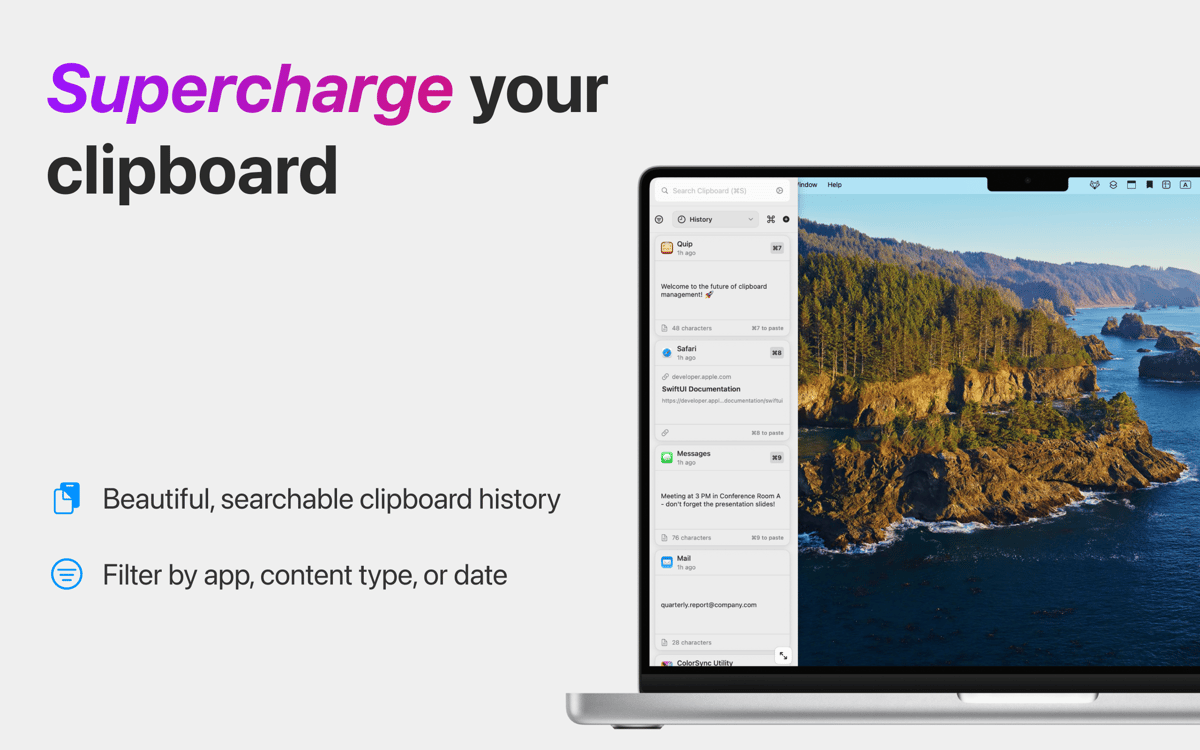
Quip turns your basic clipboard into a persistent, searchable database that keeps up with your workflow. It captures every link, file, and snippet you copy across your Mac and iOS devices so you never lose what you copied, even after pressing Command + C again. Beyond history, Quip lets you extract text from videos and automate repetitive typing with custom shortcuts. The app doesn’t just store your data — it cleans and categorizes it with local on-device AI and Apple Intelligence.
Never lose anything you copy
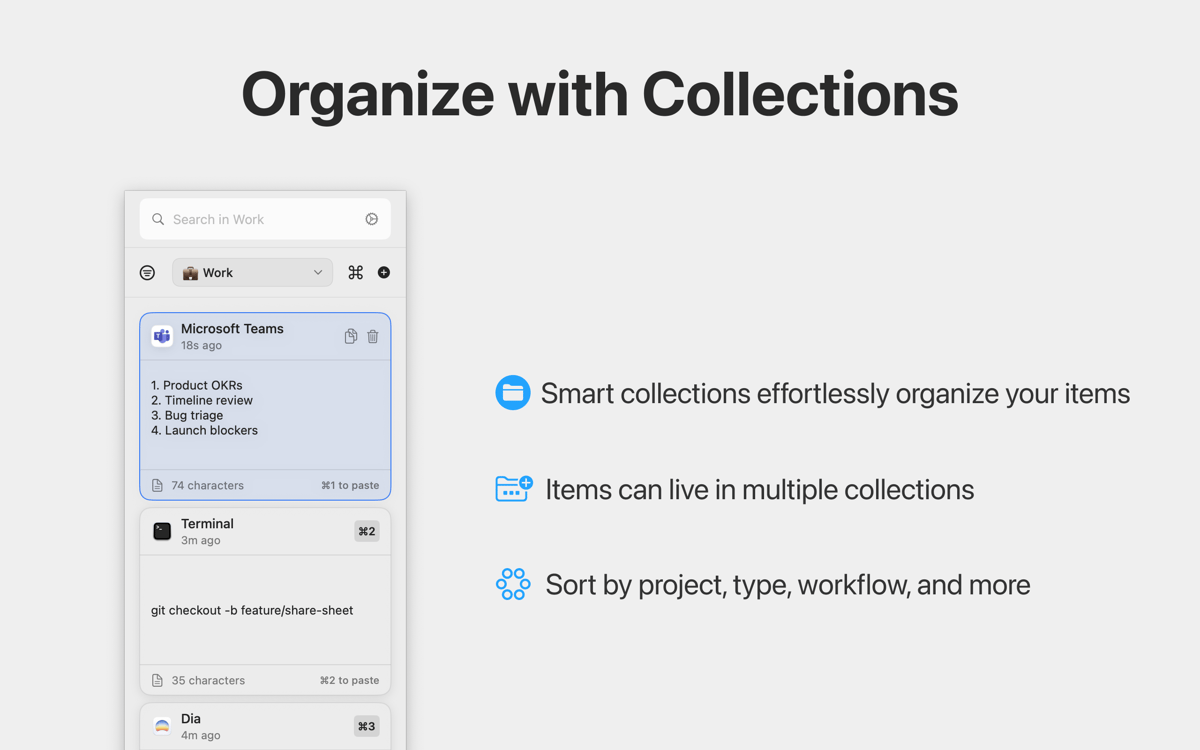
Stay organized with smart collections
Eliminate repetitive typing with shortcuts
Extract text from images, videos, and more
Funzionalità di Quip
Maintain a persistent clipboard history
macOS can only hold one copied item at a time, which creates a constant bottleneck for power users. Quip captures everything you copy and syncs across devices — whether it’s code, images, or links — and stores it in a persistent, searchable database. Even if you copied it days ago, you can find and reuse it instantly.
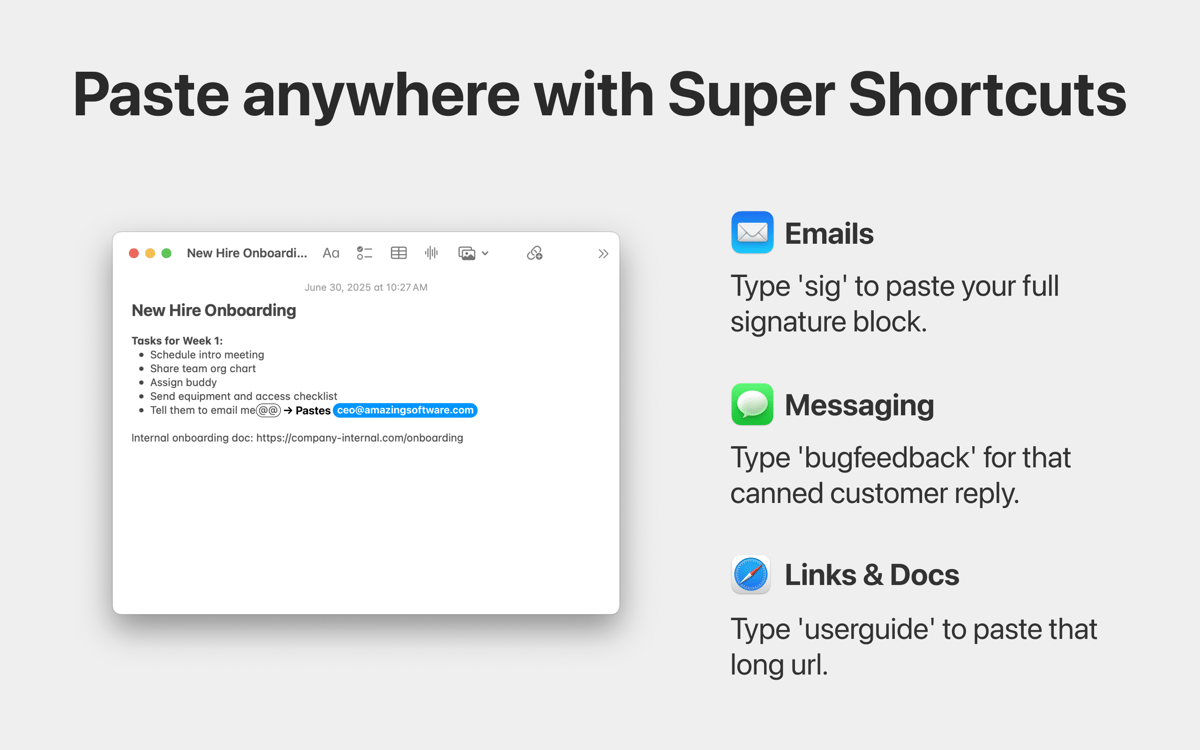
Automate repetitive typing with shortcuts
Turn your most-used text into “Super Shortcuts.” Assign a short trigger to any item in your history to instantly expand full email templates, canned replies, or complex URLs in any app. This built-in text expander scales with your clipboard, eliminating hours of manual typing from your weekly routine.
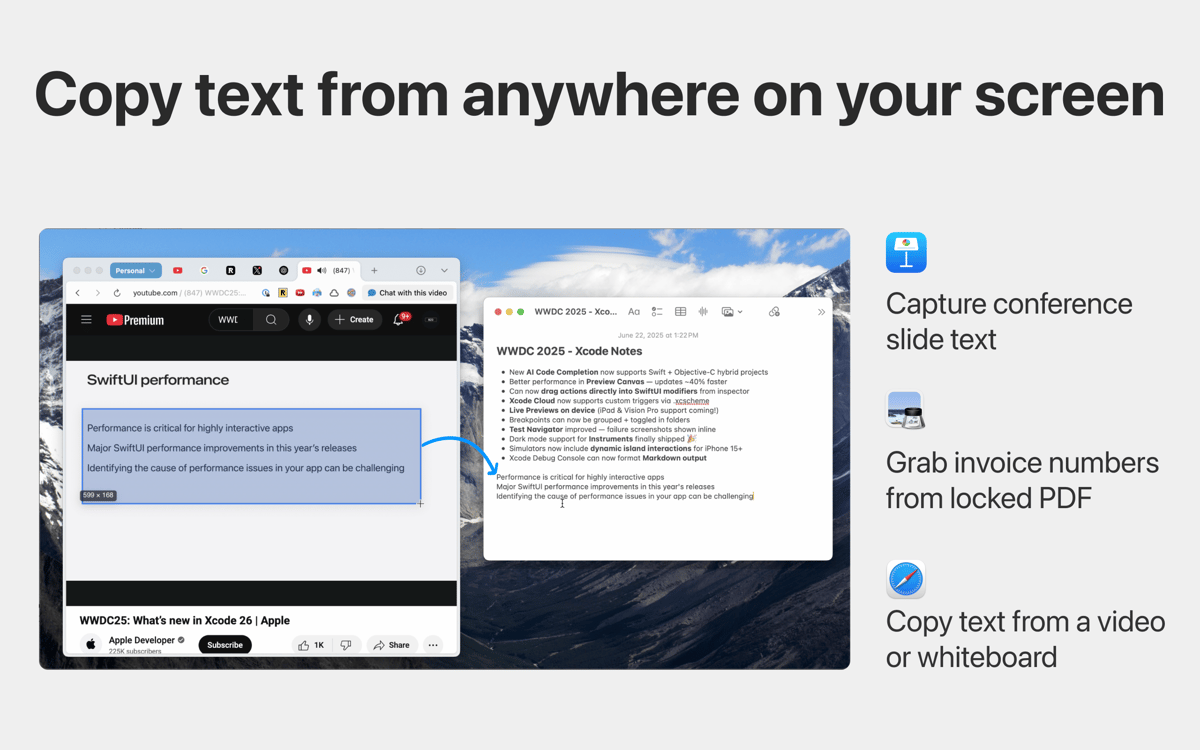
Extract text from any visual element
Sometimes information is trapped in a video, a locked PDF, or a presentation slide where text isn’t selectable. Quip’s “Grab Text” tool (Command + ⇧ + 2) uses high-accuracy OCR to extract text from anywhere on your screen. This turns visual data into editable text instantly, making it easy to pull a promo code from a screenshot, a quote from a YouTube video, or text from a locked PDF without retyping them.
Clean your history with AI
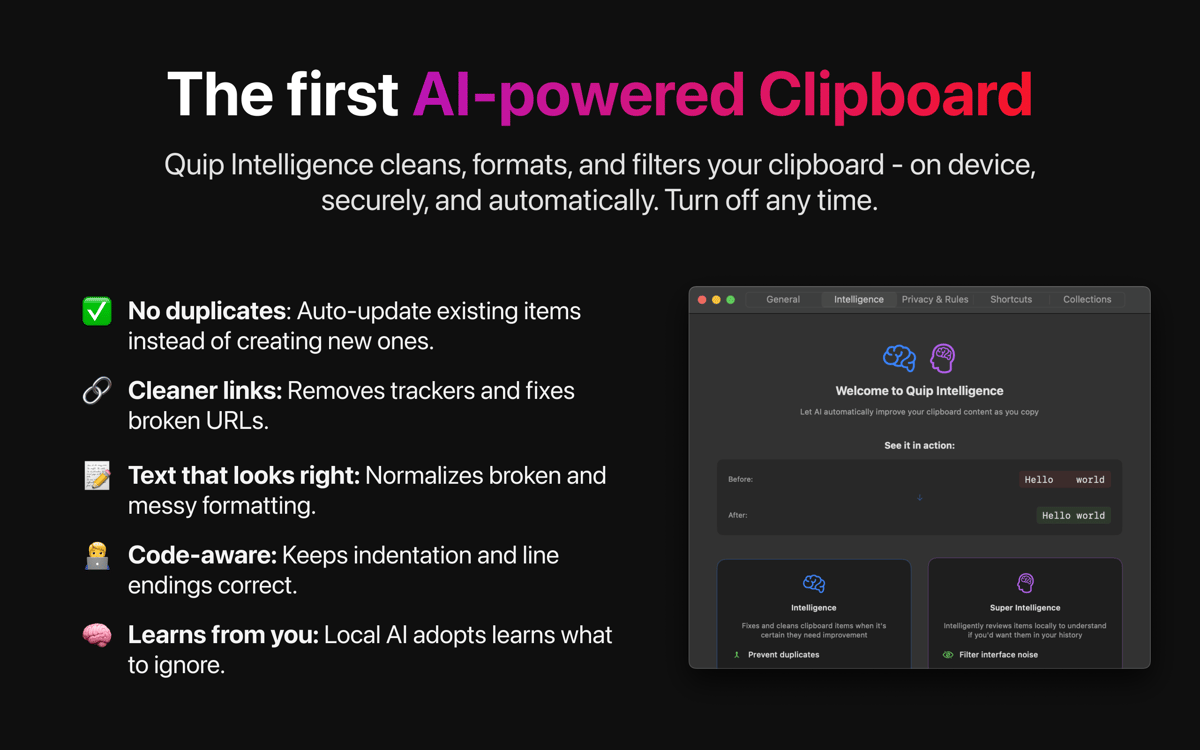
No more messy clipboard history. Quip Intelligence automatically strips tracking junk from URLs, normalizes code formatting, and cleans up messy whitespace. It also uses Apple’s on-device Foundation Models to summarize long text and suggest the right collections — without your data ever leaving your device.
Valutazioni e recensioni
Quip
•
48 valutazioni
Mikaël Janssens
3 lug 2026
Versione app: 1.7.1
iOS app crashes often, syncing of collection doesnt work at all and the interface feel too stuffed and crowded.
Nice app, but not reliable!
21 mag 2026
Versione app: 1.7
I’m giving it a thumbs up for good features and design and to encourage developers to keep improving it. However, I was really annoyed yesterday when the app suddenly removed my entire clip history! I have no idea what went wrong.
Sonam Mittal
25 mar 2026
Versione app: 1.6
iOS app lags and gets stuck.
Centinaia di app con la Membership
Diventa membro di Setapp e utilizza centinaia di app straordinarie con un unico abbonamento.
Prova gratis per 7 giorni, poi paga una tariffa unica.
Installa Setapp sul Mac
Scopri le app per Mac, iOS e il web. Trova modi semplici per risolvere le attività quotidiane.

Ottieni l'app che stavi cercando
Quell'app tanto desiderata ti aspetta in Setapp. Installala con un clic.

Quip
Scegli un abbonamento
Una o più app con un abbonamento Setapp. Acquista le app come preferisci.

Centinaia di app con la Membership
Diventa membro di Setapp e utilizza centinaia di app straordinarie con un unico abbonamento.
Prova gratis per 7 giorni, poi paga una tariffa unica.
1
Installa Setapp sul Mac
Scopri le app per Mac, iOS e il web. Trova modi semplici per risolvere le attività quotidiane.
2
Ottieni l'app che stavi cercando
Quell'app tanto desiderata ti aspetta in Setapp. Installala con un clic.
Quip
3
Scegli un abbonamento
Una o più app con un abbonamento Setapp. Acquista le app come preferisci.
Sede delle migliori app
Dalla pianificazione e dai lavori di routine alle attività creative e di scrittura di codice, con le app di Setapp potrai affrontare di tutto.

TypingMind
Chat IA con un'interfaccia utente diversa
genera o riassumi un testo
usa la libreria di prompt
IA

Spark Mail
Gestisci le email
IA

CleanMyMac
Elimina i file spazzatura

Bartender
Personalizza la barra dei menu

CleanShot X
Cattura screenshot versatili

Luminar Neo
Modifica le tue foto
IA

ClearVPN
Connessione più sicura

Craft
Lavora con i documenti
IA
Quip
Intelligent clipboard manager