
SmashTunes
La tua musica, sempre in primo piano
Mac
Versione 5.12.1
macOS 13.5 o successivo
27.1 MB
3 lingue
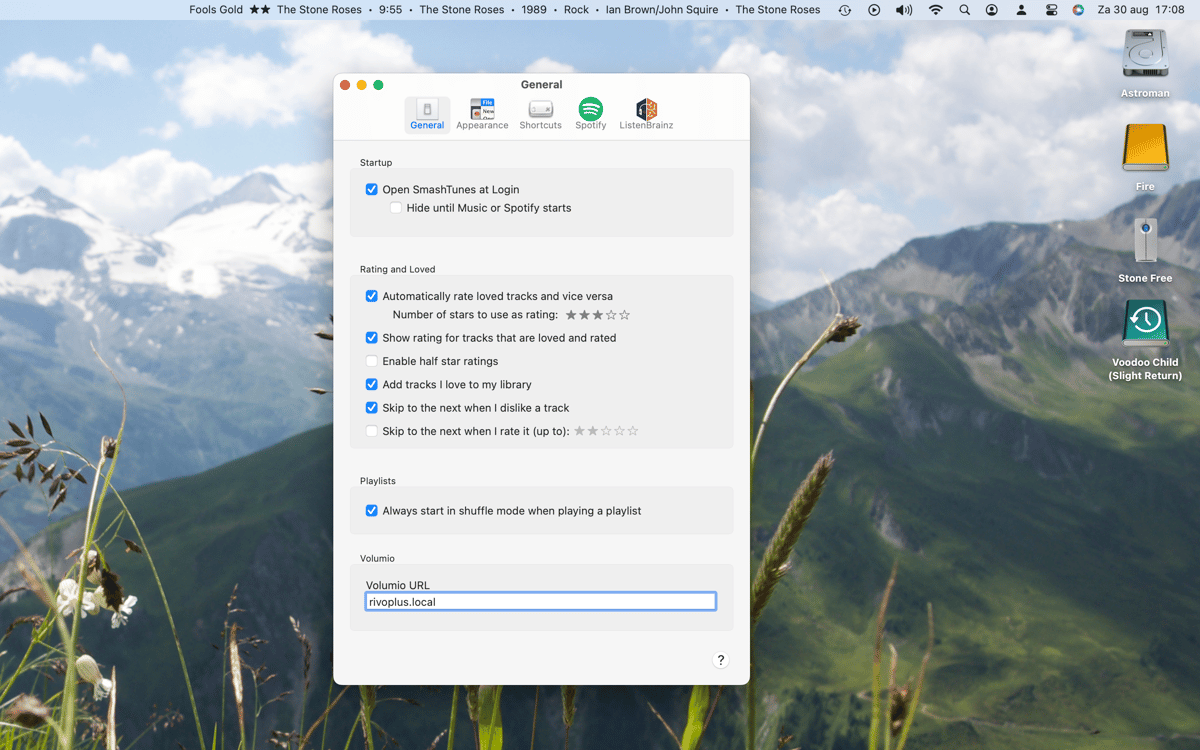
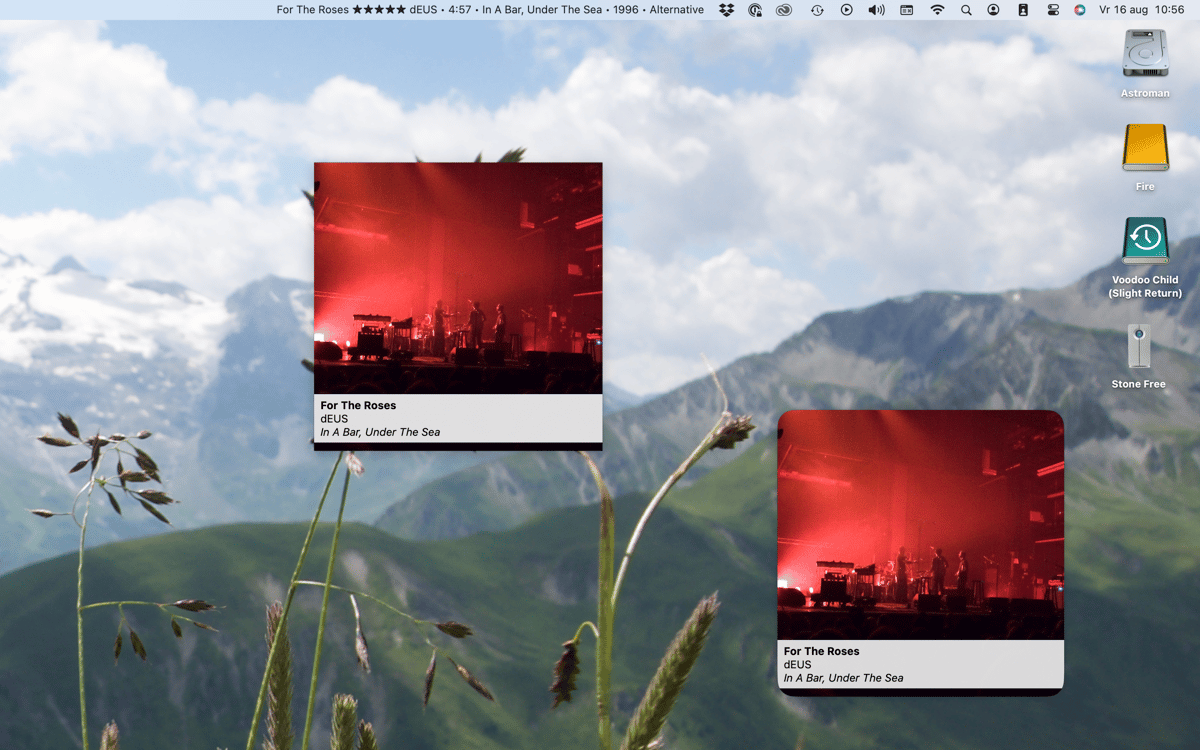
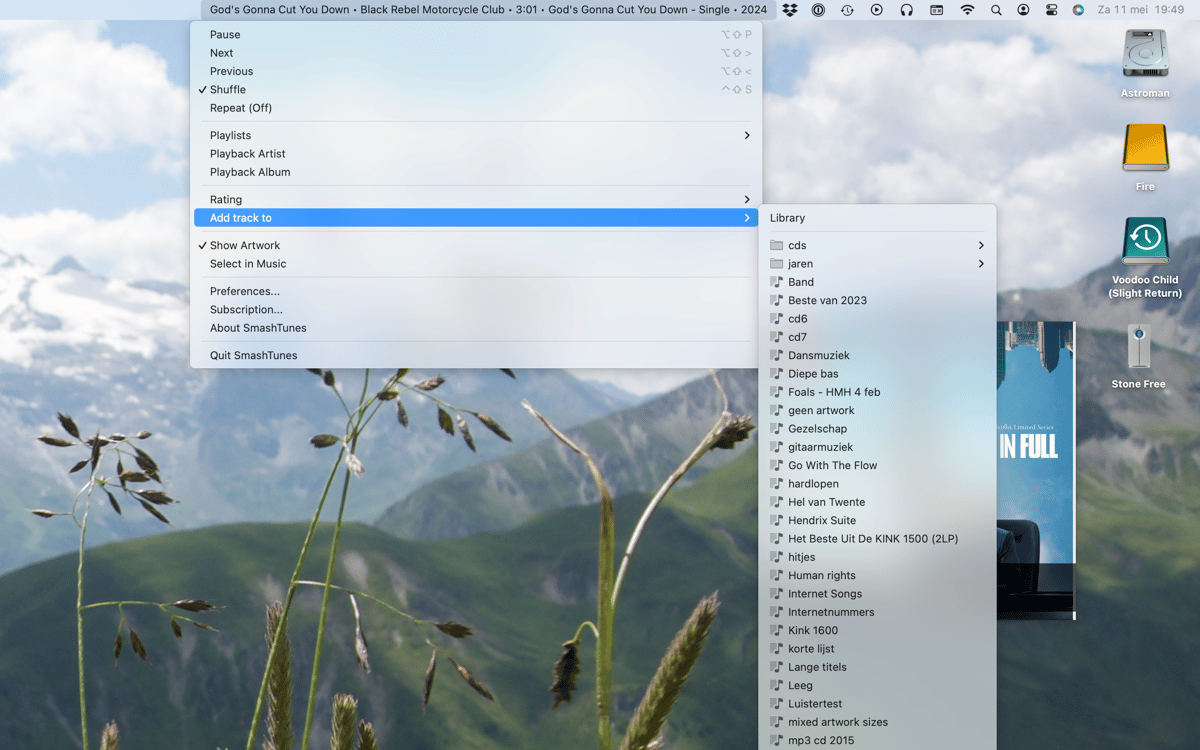
SmashTunes è un lettore musicale per Mac nella barra dei menu. Mostra il brano attualmente in riproduzione da Spotify o Apple Music direttamente nella barra dei menu: puoi scegliere quali informazioni visualizzare e quanto spazio occupare. Controlla la riproduzione, salva i brani nella tua libreria e gestisci le playlist senza mai lasciare ciò che stai facendo. Supporta inoltre lo scrobbling di ListenBrainz e include un widget per il desktop che mostra la copertina dell'album e i dettagli dei brani.
Scopri cosa sta riproducendo a colpo d'occhio
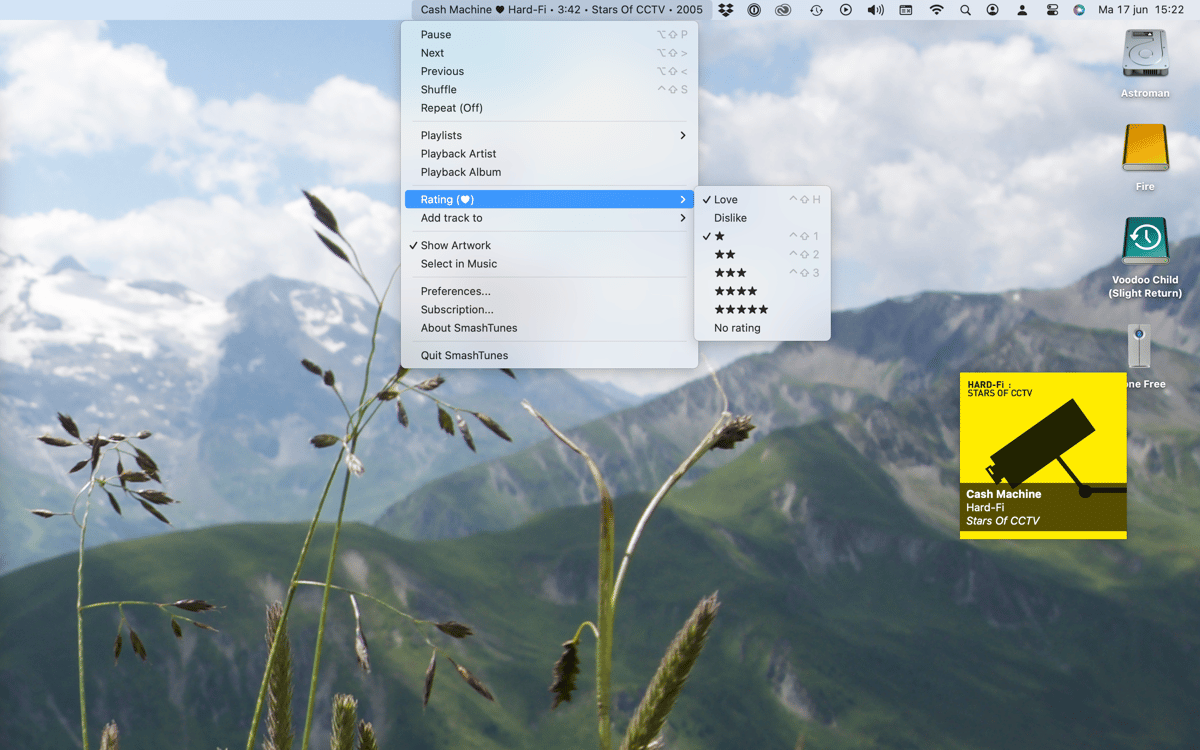
Controlla la musica senza cambiare app
Salva i brani nella tua libreria o nelle playlist
Registra i tuoi ascolti su ListenBrainz
Funzionalità di SmashTunes
Sappi sempre cosa sta suonando
SmashTunes mostra il brano corrente direttamente nella barra dei menu, così non dovrai mai cambiare app solo per vedere cosa stai ascoltando. È compatibile con Spotify e Apple Music e si adatta allo spazio disponibile. Scegli con precisione quali dettagli del brano visualizzare — titolo, artista, album — e lascia che SmashTunes si inserisca discretamente nel tuo flusso di lavoro.
Controlla la riproduzione da qualsiasi luogo
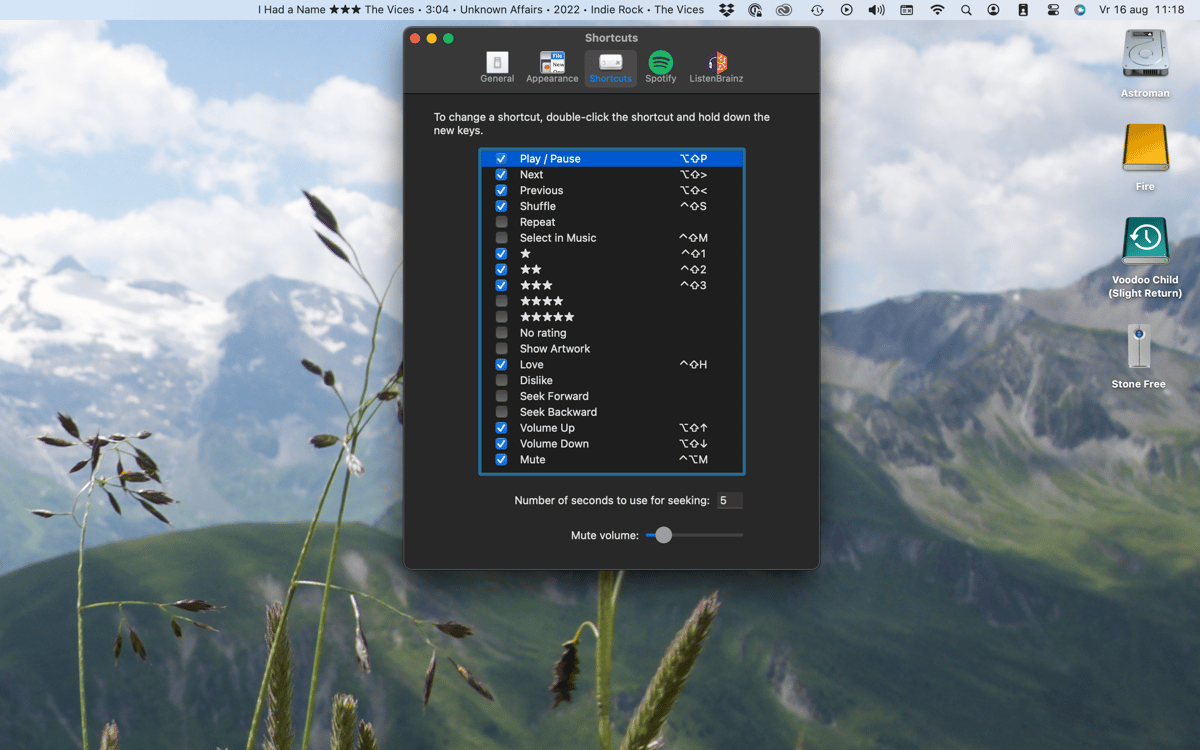
Salta, metti in pausa o torna indietro senza aprire Spotify o Musica. SmashTunes ti offre tutti i controlli di riproduzione direttamente dalla barra dei menu. Preferisci tenere le mani sulla tastiera? Configura scorciatoie da tastiera completamente personalizzabili e gestisci tutto senza toccare il mouse.
Salva i brani all'istante
Hai sentito qualcosa che ti piace? Aggiungilo alla tua libreria o a una playlist direttamente dalla barra dei menu. Niente più salti al lettore, ricerche del brano o menu da sfogliare — con SmashTunes è tutto a portata di clic.
Registrati su ListenBrainz
SmashTunes si integra con ListenBrainz, così la cronologia di ascolto viene registrata automaticamente mentre ascolti. Che tu voglia tenere traccia delle tue abitudini musicali o semplicemente conservare un registro di ciò che ti ha appassionato, ci pensa tutto il app in background.
Widget per desktop con grafica
SmashTunes include un widget nativo per il desktop di macOS che mostra la copertina dell'album e le informazioni sul brano in riproduzione. Una visualizzazione chiara e immediata, perfetta per qualsiasi scrivania — senza clic aggiuntivi.
Centinaia di app con la Membership
Diventa membro di Setapp e utilizza centinaia di app straordinarie con un unico abbonamento.
Prova gratis per 7 giorni, poi paga una tariffa unica.
Installa Setapp sul Mac
Scopri le app per Mac, iOS e il web. Trova modi semplici per risolvere le attività quotidiane.

Ottieni l'app che stavi cercando
Quell'app tanto desiderata ti aspetta in Setapp. Installala con un clic.

SmashTunes
Scegli un abbonamento
Una o più app con un abbonamento Setapp. Acquista le app come preferisci.

Centinaia di app con la Membership
Diventa membro di Setapp e utilizza centinaia di app straordinarie con un unico abbonamento.
Prova gratis per 7 giorni, poi paga una tariffa unica.
1
Installa Setapp sul Mac
Scopri le app per Mac, iOS e il web. Trova modi semplici per risolvere le attività quotidiane.
2
Ottieni l'app che stavi cercando
Quell'app tanto desiderata ti aspetta in Setapp. Installala con un clic.
SmashTunes
3
Scegli un abbonamento
Una o più app con un abbonamento Setapp. Acquista le app come preferisci.
Sede delle migliori app
Dalla pianificazione e dai lavori di routine alle attività creative e di scrittura di codice, con le app di Setapp potrai affrontare di tutto.

TypingMind
Chat IA con un'interfaccia utente diversa
genera o riassumi un testo
usa la libreria di prompt
IA

Spark Mail
Gestisci le email
IA

CleanMyMac
Elimina i file spazzatura

Bartender
Personalizza la barra dei menu

CleanShot X
Cattura screenshot versatili

Luminar Neo
Modifica le tue foto
IA

ClearVPN
Connessione più sicura

Craft
Lavora con i documenti
IA
SmashTunes
La tua musica, sempre in primo piano