
Speedup
Fast-forward the boring parts
Mac
Versione 1.0.3
macOS 15.0 o successivo
8.4 MB
1 lingue
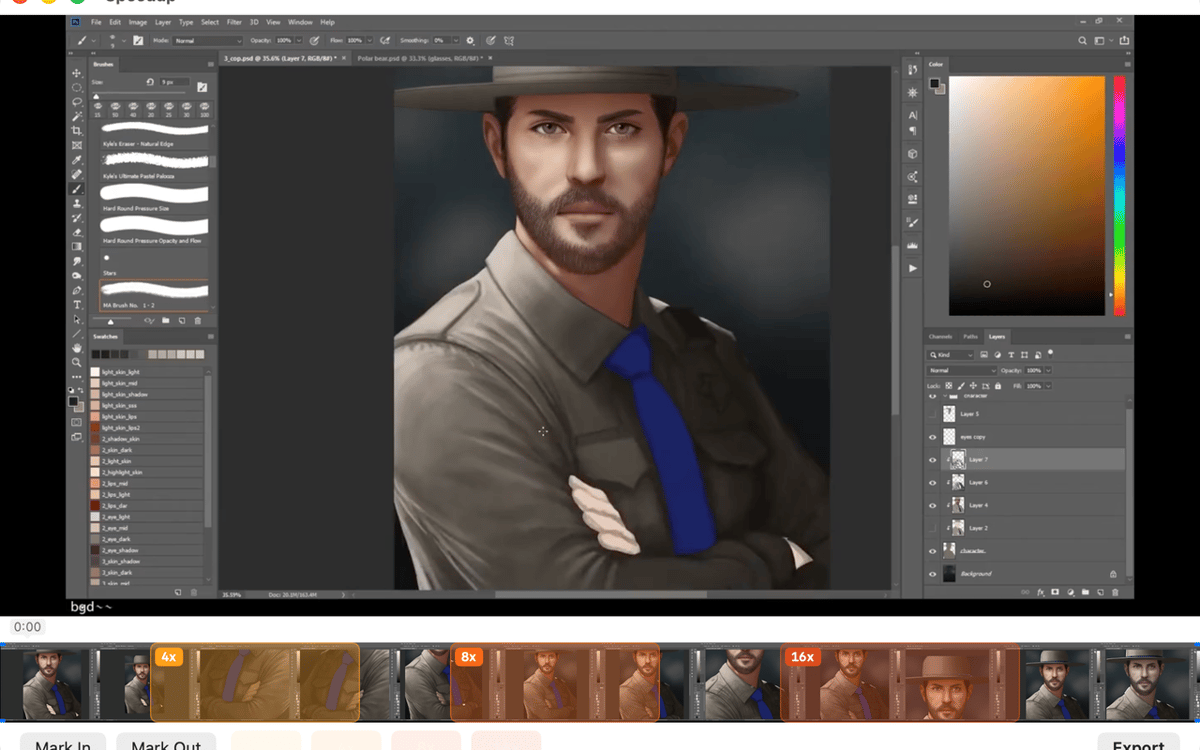
Speedup is a screen recording editor for Mac. Open any .mp4, .mov, or .m4v, mark the parts that drag, pick a speed multiplier for each, and export a polished video — no project files, no import steps. It's built for one thing: making long process recordings actually worth watching. Your files stay on your Mac the whole time.
Speed up long screen recordings
Mark and skip slow sections
Trim dead air before export
Export clean .mp4 in one click
Funzionalità di Speedup
Open and play — no setup required
Drop in a recording from QuickTime, CleanShot, OBS, or any app that saves .mp4, .mov, or .m4v. Speedup plays it immediately — no import step, no project file to manage. What you see is what you edit.
Mark regions, your way
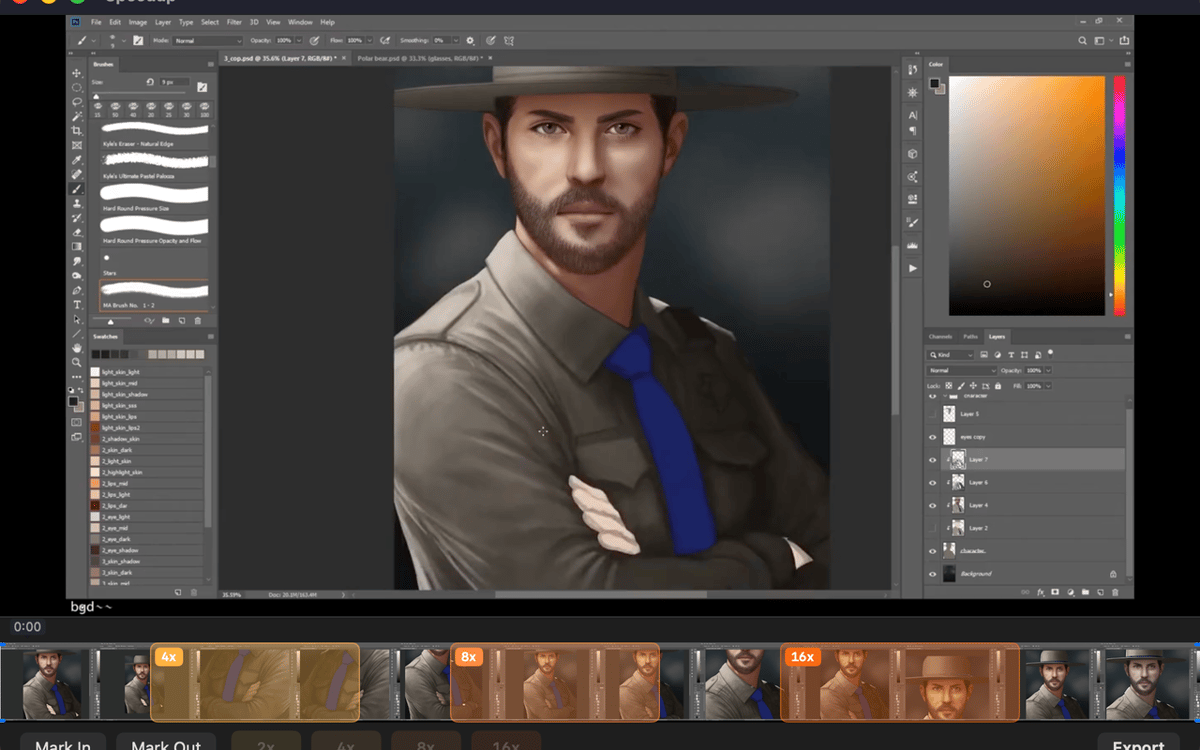
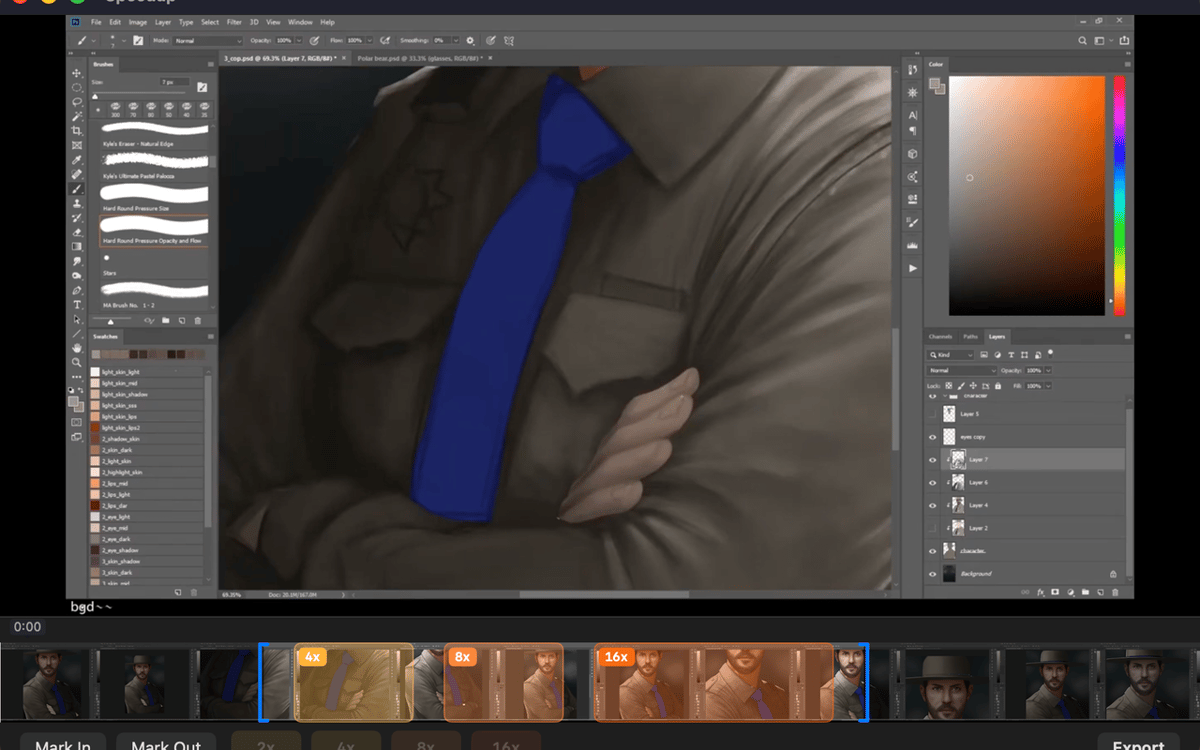
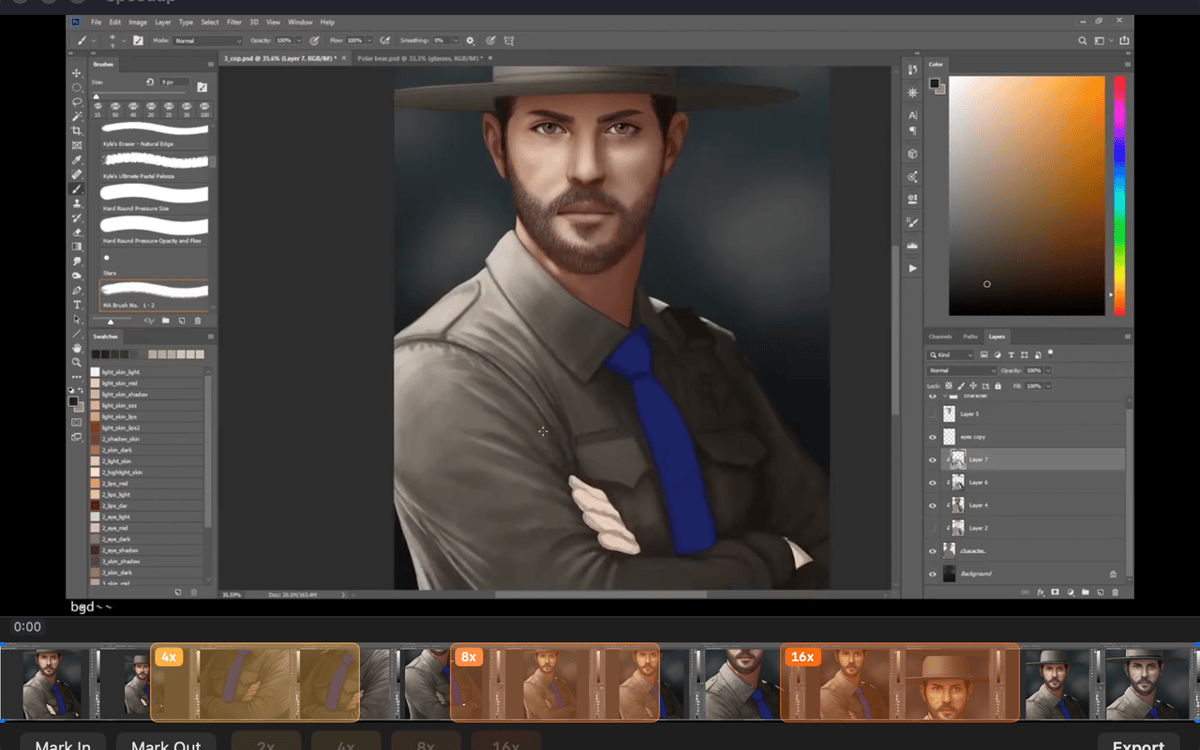
Two ways to mark a stretch: drag across the filmstrip for a fast range selection, or scrub with the playhead and use mark in / mark out for precision. Pick whichever fits the moment — both work the same way in the final export.
Set speed per region
Tap a speed chip — 2×, 4×, 8×, or 16× — for each marked region. Sped-up sections play fast and muted; everything else stays at full speed with audio intact. You stay in control of exactly how fast the boring parts go.
Trim the edges clean
Drag the trim handles at either end of the timeline to cut dead air from the start and finish. It's the kind of small thing that makes a big difference when someone's actually watching your video.
Export with one shortcut
Hit ⌘E or click Export and the finished .mp4 lands right next to the source file in Finder. No export settings to dig through, no mystery output folder.
Stays on your Mac, always
Speedup runs entirely locally. No telemetry, no analytics, no background network activity. Your recordings never leave your machine — which is exactly how it should be.
Centinaia di app con la Membership
Diventa membro di Setapp e utilizza centinaia di app straordinarie con un unico abbonamento.
Prova gratis per 7 giorni, poi paga una tariffa unica.
Installa Setapp sul Mac
Scopri le app per Mac, iOS e il web. Trova modi semplici per risolvere le attività quotidiane.

Ottieni l'app che stavi cercando
Quell'app tanto desiderata ti aspetta in Setapp. Installala con un clic.

Speedup
Scegli un abbonamento
Una o più app con un abbonamento Setapp. Acquista le app come preferisci.

Centinaia di app con la Membership
Diventa membro di Setapp e utilizza centinaia di app straordinarie con un unico abbonamento.
Prova gratis per 7 giorni, poi paga una tariffa unica.
1
Installa Setapp sul Mac
Scopri le app per Mac, iOS e il web. Trova modi semplici per risolvere le attività quotidiane.
2
Ottieni l'app che stavi cercando
Quell'app tanto desiderata ti aspetta in Setapp. Installala con un clic.
Speedup
3
Scegli un abbonamento
Una o più app con un abbonamento Setapp. Acquista le app come preferisci.
Sede delle migliori app
Dalla pianificazione e dai lavori di routine alle attività creative e di scrittura di codice, con le app di Setapp potrai affrontare di tutto.

TypingMind
Chat IA con un'interfaccia utente diversa
genera o riassumi un testo
usa la libreria di prompt
IA

Spark Mail
Gestisci le email
IA

CleanMyMac
Elimina i file spazzatura

Bartender
Personalizza la barra dei menu

CleanShot X
Cattura screenshot versatili

Luminar Neo
Modifica le tue foto
IA

ClearVPN
Connessione più sicura

Craft
Lavora con i documenti
IA
Speedup
Fast-forward the boring parts