
TackNote
Notes that know where they go

Mac
Versione 1.3.2
macOS 14.0 o successivo
20.7 MB
18 lingue
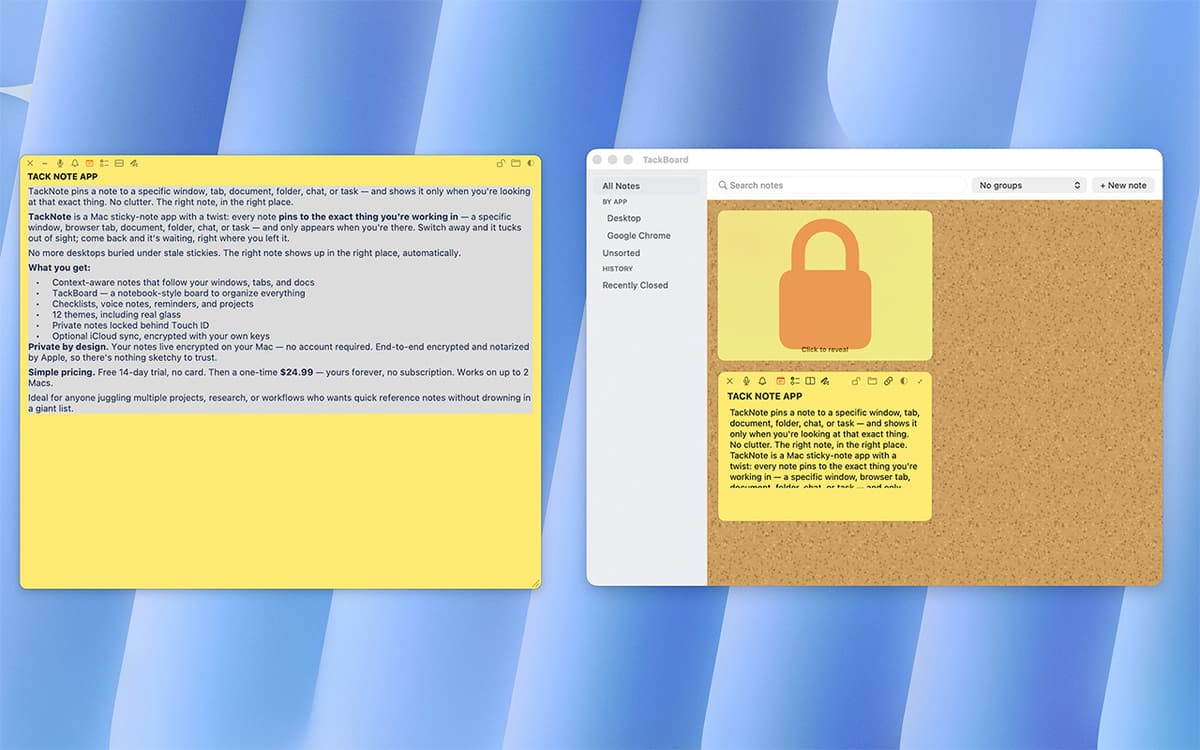
TackNote is a sticky notes app for Mac that actually pays attention. Instead of piling up on your desktop, notes pin to the exact window, tab, or folder they belong to — and only show up when you're looking at that thing. Switch away, and the note steps aside. Come back, and it's right where you left it. No account needed, no subscription — just notes that finally make sense.
Pin reminders to a browser tab
Track to-dos inside any project
Sketch quick ideas on any window
Never lose a note again
Funzionalità di TackNote
Context-aware pinning
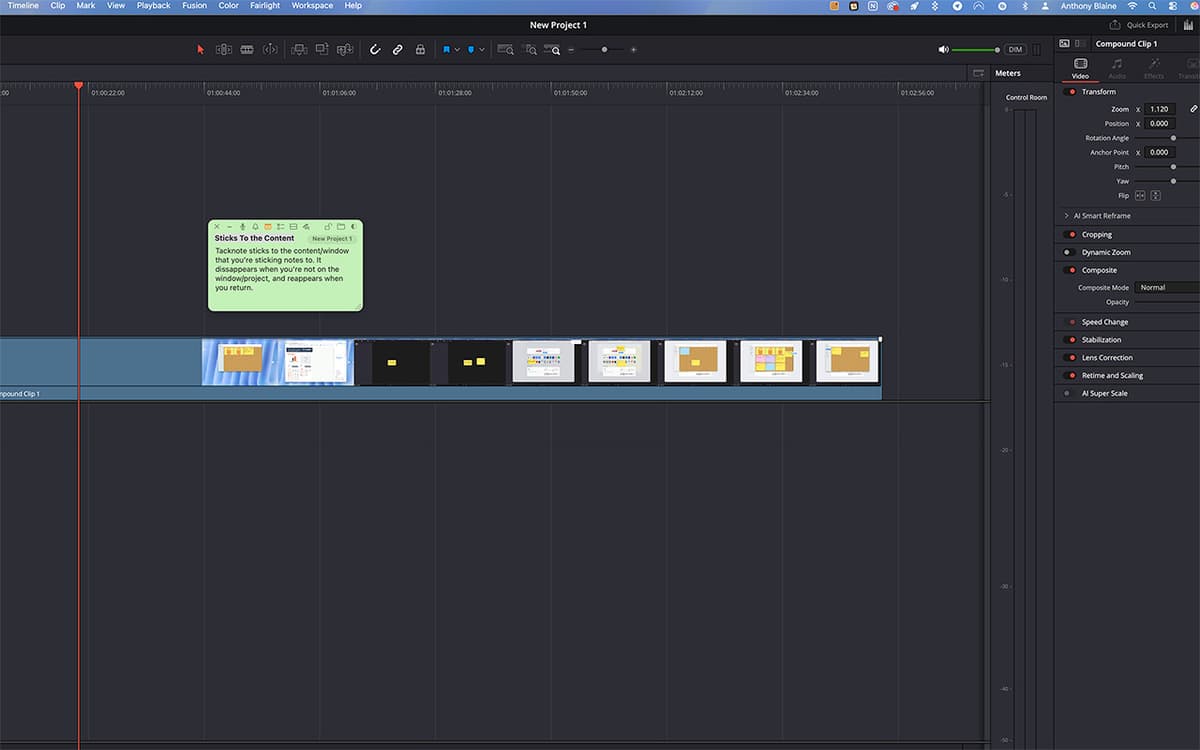
A note on your staging site shows up only when that browser tab is open. A note on a Notion project appears only when you're in it. TackNote quietly tracks the window, tab, or folder behind each note, so your notes find you instead of the other way around.
Five ways to capture a thought
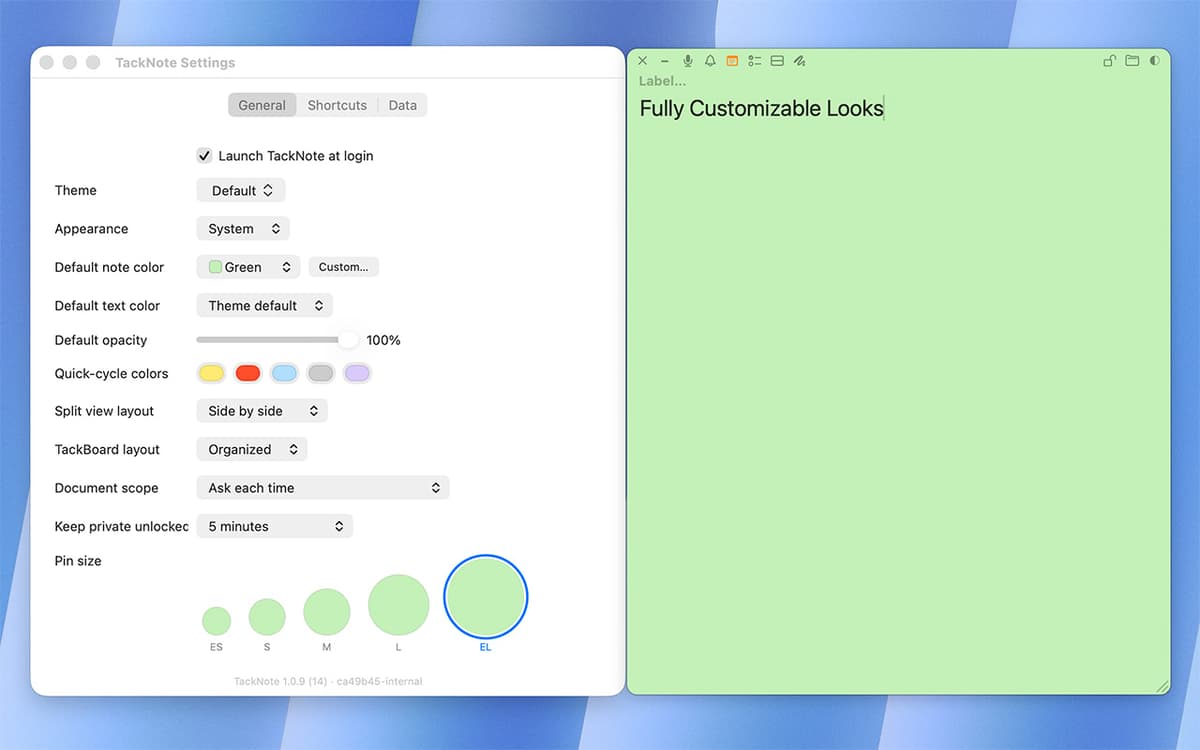
Every note can hold plain text, a checklist with live progress tracking, a split layout for side-by-side info, a quick sketch, or a voice capture. Switch between them without starting over.
TackBoard
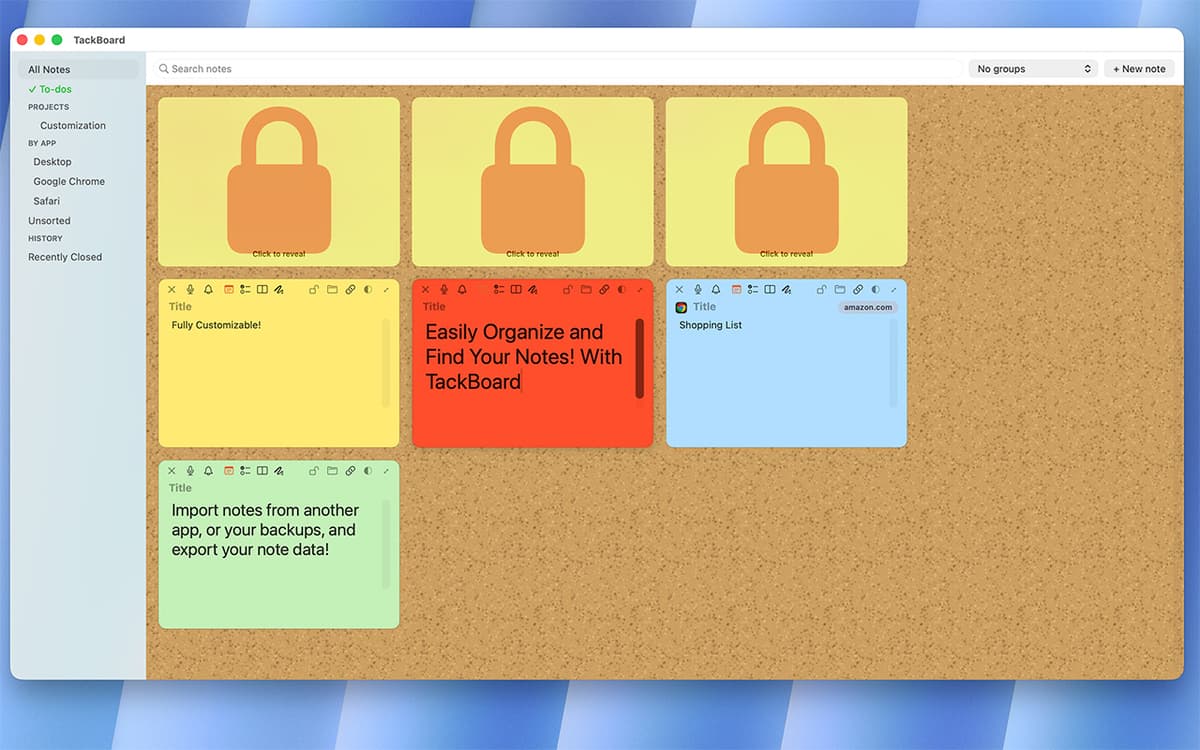
Zoom out and see every note at once. TackBoard lays your notes out like a corkboard, organized into projects and folders, fully searchable — text, checklists, labels, even voice transcripts.
Voice memos, transcribed on-device
Record a quick voice note right inside TackNote. Right-click the playhead to transcribe it and drop the text straight into your note — transcription happens on-device, stays private, and is fully searchable later.
Smart reminders
Set a reminder for a specific time, or ask TackNote to nudge you next time you open something. A quiet badge keeps track, so nothing slips through.
Built for privacy
Every note is encrypted end-to-end, with the key stored in your Mac's Keychain. No account, no cloud storage of your notes — just you and your Mac.
Centinaia di app con la Membership
Diventa membro di Setapp e utilizza centinaia di app straordinarie con un unico abbonamento.
Prova gratis per 7 giorni, poi paga una tariffa unica.
Installa Setapp sul Mac
Scopri le app per Mac, iOS e il web. Trova modi semplici per risolvere le attività quotidiane.

Ottieni l'app che stavi cercando
Quell'app tanto desiderata ti aspetta in Setapp. Installala con un clic.

TackNote
Scegli un abbonamento
Una o più app con un abbonamento Setapp. Acquista le app come preferisci.

Centinaia di app con la Membership
Diventa membro di Setapp e utilizza centinaia di app straordinarie con un unico abbonamento.
Prova gratis per 7 giorni, poi paga una tariffa unica.
1
Installa Setapp sul Mac
Scopri le app per Mac, iOS e il web. Trova modi semplici per risolvere le attività quotidiane.
2
Ottieni l'app che stavi cercando
Quell'app tanto desiderata ti aspetta in Setapp. Installala con un clic.
TackNote
3
Scegli un abbonamento
Una o più app con un abbonamento Setapp. Acquista le app come preferisci.
Sede delle migliori app
Dalla pianificazione e dai lavori di routine alle attività creative e di scrittura di codice, con le app di Setapp potrai affrontare di tutto.

TypingMind
Chat IA con un'interfaccia utente diversa
genera o riassumi un testo
usa la libreria di prompt
IA

Spark Mail
Gestisci le email
IA

CleanMyMac
Elimina i file spazzatura

Bartender
Personalizza la barra dei menu

CleanShot X
Cattura screenshot versatili

Luminar Neo
Modifica le tue foto
IA

ClearVPN
Connessione più sicura

Craft
Lavora con i documenti
IA
TackNote
Notes that know where they go