
Taphouse
Homebrew senza digitare
Mac
Versione 1.5.9
macOS 14.0 o successivo
30.6 MB
6 lingue
Taphouse è un'app nativa Homebrew per Mac che trasforma i comandi brew in semplici azioni point-and-click. Realizzato in SwiftUI, offre un modo più pulito per esplorare, installare, aggiornare e gestire i pacchetti, senza rinunciare al terminale quando ne hai ancora bisogno.
Installa app brew visivamente
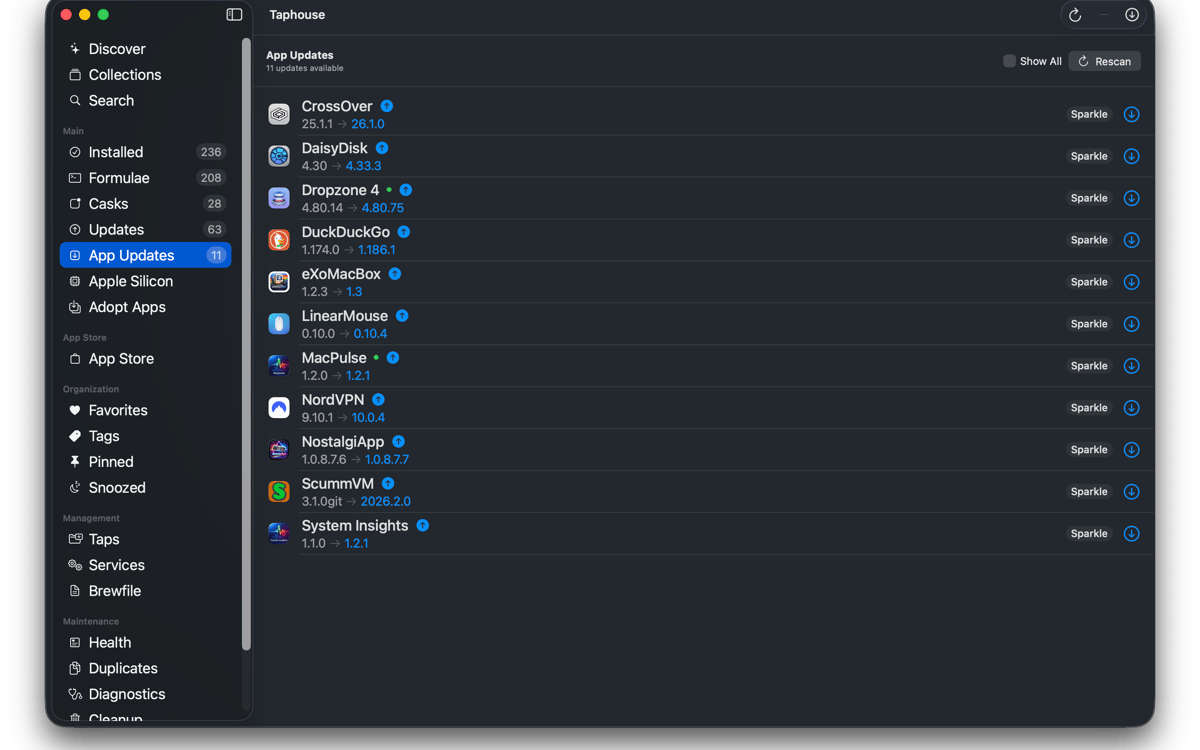
Aggiorna i pacchetti con un clic
Gestisci i servizi brew facilmente
Trasferisci configurazioni tra Mac
Funzionalità di Taphouse
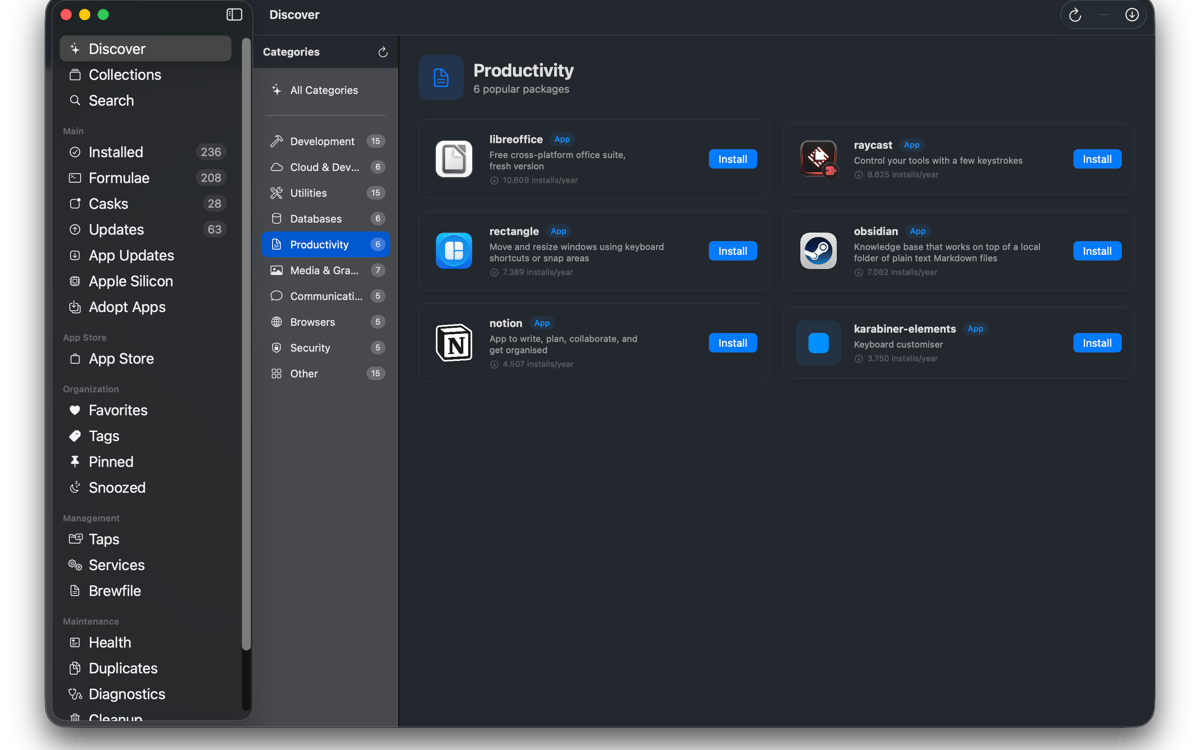
Sfoglia e installa
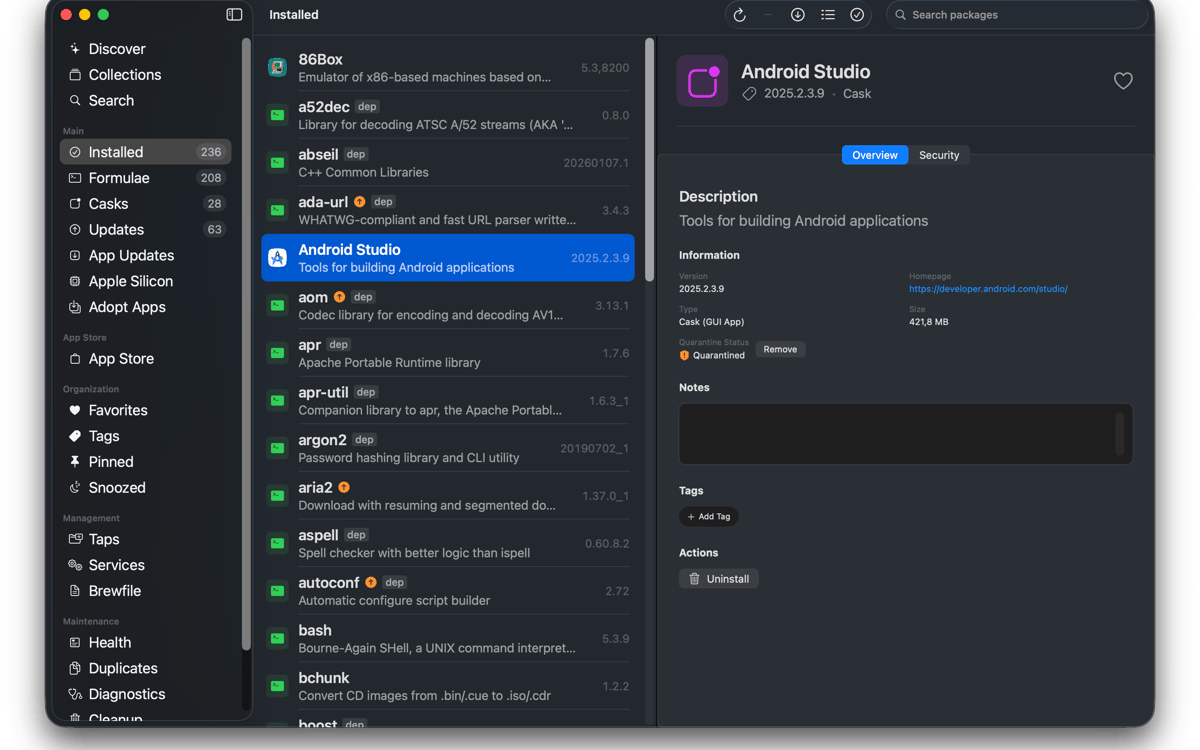
Cerca formulae, cask e tap di terze parti di Homebrew da un'unica barra di ricerca. Verifica dipendenze, licenze, utilizzo del disco e avvisi Homebrew prima dell'installazione. Installa i pacchetti con un clic e visualizza l'output dei comandi in tempo reale. Nessun mistero. Semplicemente Homebrew che fa il suo lavoro.
Gestisci ciò che hai
Visualizza tutto quello che hai installato in un unico elenco ordinato. Filtra per formule, cask, preferiti, pacchetti bloccati o aggiornamenti disponibili. Seleziona più pacchetti da aggiornare, disinstallare o bloccare contemporaneamente. Puoi persino adottare le app già presenti nella cartella Applicazioni in modo che anche i futuri aggiornamenti vengano eseguiti tramite Homebrew.
Rimani aggiornato
Scegli quando Taphouse verifica la presenza di aggiornamenti e ricevi una notifica quando qualcosa è pronto. Sono disponibili anche aggiornamenti automatici in background, con comportamento intelligente per la batteria in modo che il Mac non si sovraccarichi di lavoro nel momento sbagliato. L'icona nella barra dei menu mostra i pacchetti obsoleti a colpo d'occhio. Aggiornamento delle app in esecuzione? Taphouse può chiuderle in modo pulito prima dell'aggiornamento.
Gestisci servizi, tap e Brewfile
Avvia e arresta i servizi di brew senza digitare comandi manualmente. Aggiungi, rimuovi e fissa i tap con un paio di clic. Importa ed esporta i file Brewfile per trasferire la tua configurazione tra Mac. La ricerca supporta anche percorsi di tocco completi di terze parti e può aggiungere automaticamente i tocchi mancanti.
Mantieni Homebrew in salute
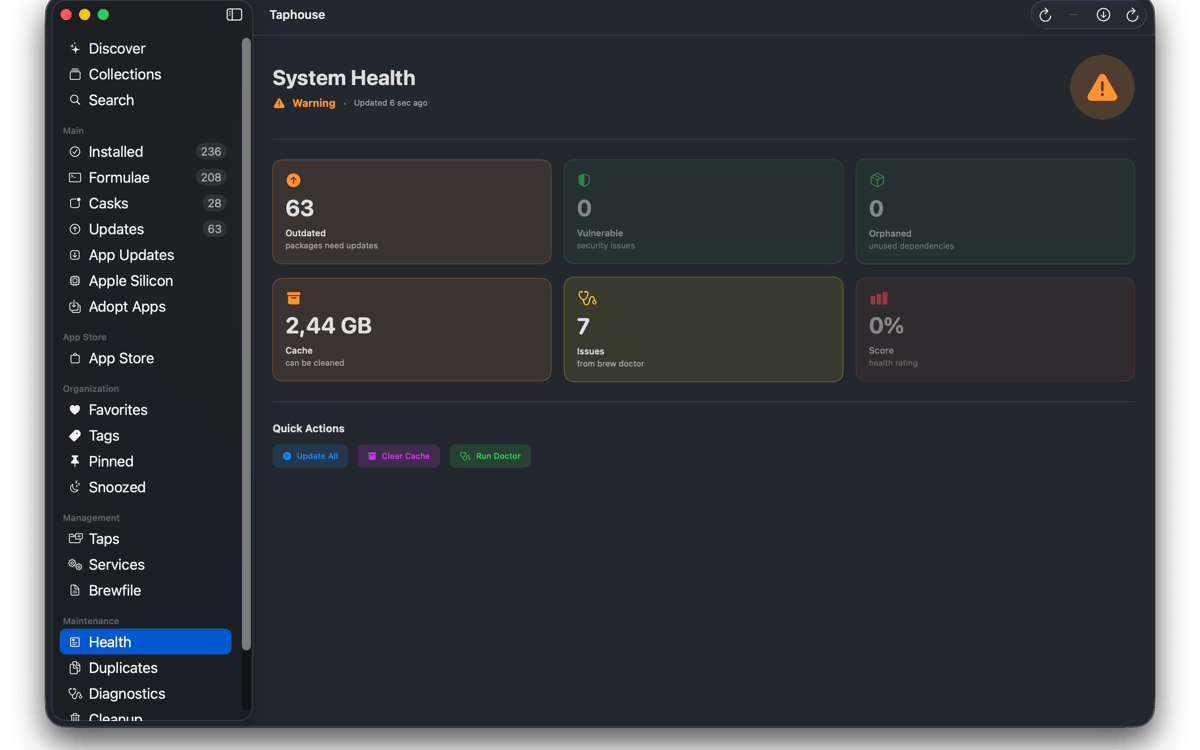
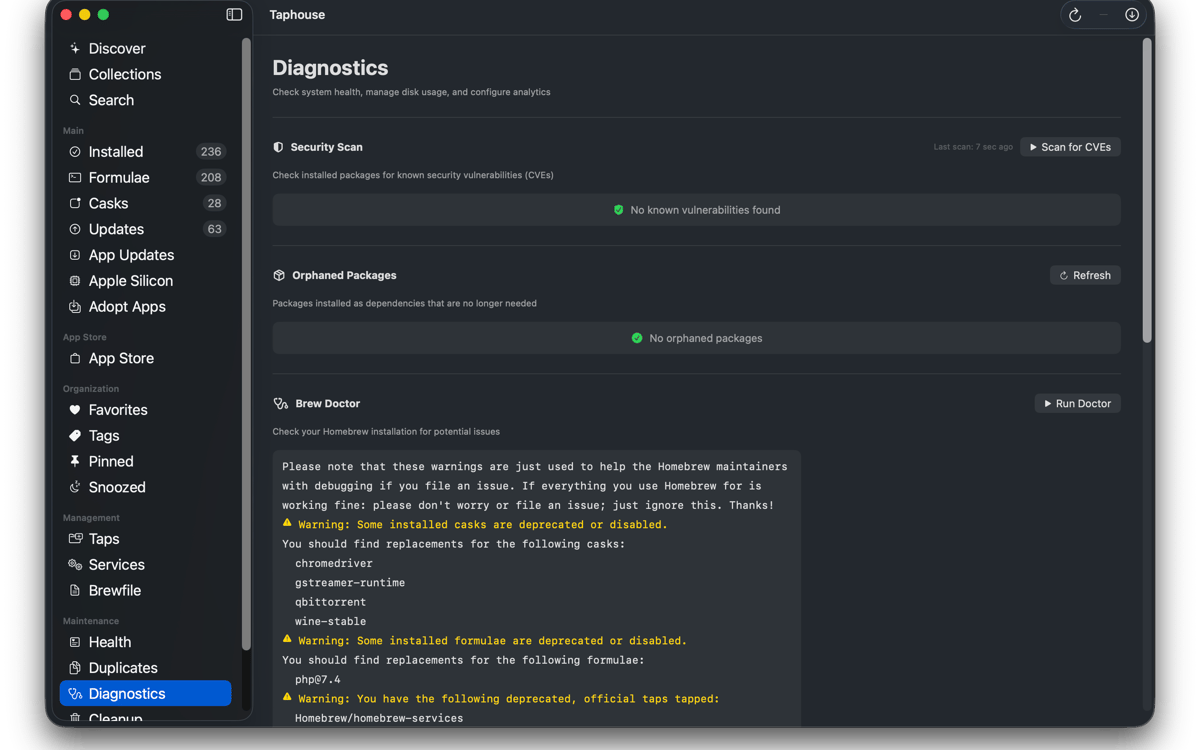
Esegui brew doctor in un'interfaccia leggibile invece di una valanga di testo nel Terminale. Scopri quanto spazio occupa Homebrew ed elimina i file che non ti servono più. Puoi anche rimuovere i flag di quarantena, monitorare installazioni duplicate e mantenere organizzata la configurazione dei pacchetti senza passare da uno strumento all'altro.
E qualche extra
Taphouse include anche la cronologia delle installazioni, la visualizzazione dell'albero delle dipendenze, le note sui pacchetti, i tag e le raccolte, la modalità elenco compatta, gli strumenti di migrazione per Apple Silicon e l'integrazione con mas CLI. Tutto corrisponde direttamente ai veri comandi Brew, così la tua configurazione rimane portatile, familiare e completamente tua.
Valutazioni e recensioni
Taphouse
•
61 valutazioni
Steve Solari
14 ott 2026
Versione app: 1.5.8.9
Makes updates easy because everything is in one place
Mike Procario
5 ott 2026
Versione app: 1.5.8.7
I have just started using it. My first time use went well.
Binu Alexander
5 ott 2026
Versione app: 1.5.8.7
Nice app , very useful
Centinaia di app con la Membership
Diventa membro di Setapp e utilizza centinaia di app straordinarie con un unico abbonamento.
Prova gratis per 7 giorni, poi paga una tariffa unica.
Installa Setapp sul Mac
Scopri le app per Mac, iOS e il web. Trova modi semplici per risolvere le attività quotidiane.

Ottieni l'app che stavi cercando
Quell'app tanto desiderata ti aspetta in Setapp. Installala con un clic.

Taphouse
Scegli un abbonamento
Una o più app con un abbonamento Setapp. Acquista le app come preferisci.

Centinaia di app con la Membership
Diventa membro di Setapp e utilizza centinaia di app straordinarie con un unico abbonamento.
Prova gratis per 7 giorni, poi paga una tariffa unica.
1
Installa Setapp sul Mac
Scopri le app per Mac, iOS e il web. Trova modi semplici per risolvere le attività quotidiane.
2
Ottieni l'app che stavi cercando
Quell'app tanto desiderata ti aspetta in Setapp. Installala con un clic.
Taphouse
3
Scegli un abbonamento
Una o più app con un abbonamento Setapp. Acquista le app come preferisci.
Sede delle migliori app
Dalla pianificazione e dai lavori di routine alle attività creative e di scrittura di codice, con le app di Setapp potrai affrontare di tutto.

TypingMind
Chat IA con un'interfaccia utente diversa
genera o riassumi un testo
usa la libreria di prompt
IA

Spark Mail
Gestisci le email
IA

CleanMyMac
Elimina i file spazzatura

Bartender
Personalizza la barra dei menu

CleanShot X
Cattura screenshot versatili

Luminar Neo
Modifica le tue foto
IA

ClearVPN
Connessione più sicura

Craft
Lavora con i documenti
IA
Taphouse
Homebrew senza digitare