Tintd
Icone automatiche per le cartelle del Mac
Mac
Versione 2.0.0
macOS 14.0 o successivo
55.8 MB
11 lingue
Tutte le cartelle del tuo Mac hanno lo stesso aspetto, e organizzarle una per una con icone personalizzate è una seccatura. Tintd risolve il problema assegnando automaticamente icone e colori in base ai nomi delle cartelle. Crea una cartella chiamata "Fatture" e otterrà un'icona a forma di fattura. "Vacanze 2026" ottiene una palma. Tutto avviene automaticamente in background, senza dover aprire app o configurare nulla. Quando vuoi più controllo, fai clic destro su qualsiasi cartella o apri l'editor completo con oltre 11.000 icone ed emoji. Tutto viene eseguito localmente sul tuo Mac: niente cloud, niente servizi AI, totalmente privato.
Imposta icone per nome cartella
Personalizza nuove cartelle
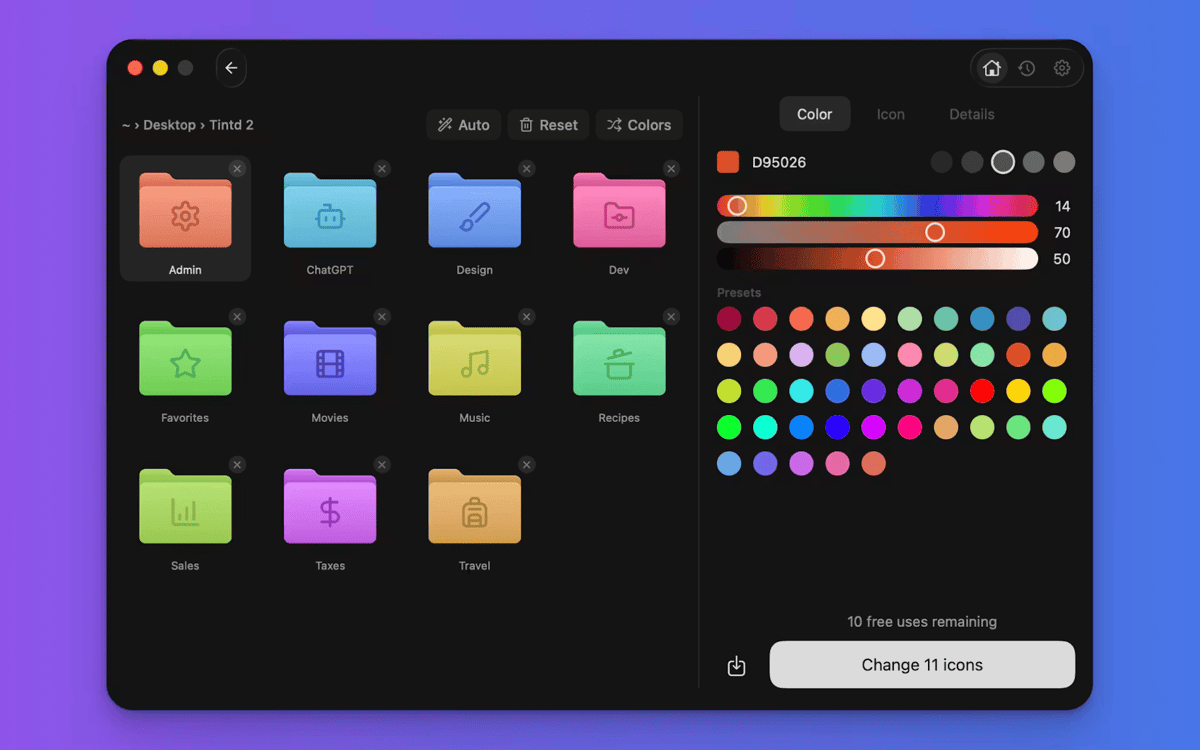
Colora le cartelle con un clic
Modifica lo stile di decine di cartelle
Funzionalità di Tintd
Icone che si configurano da sole
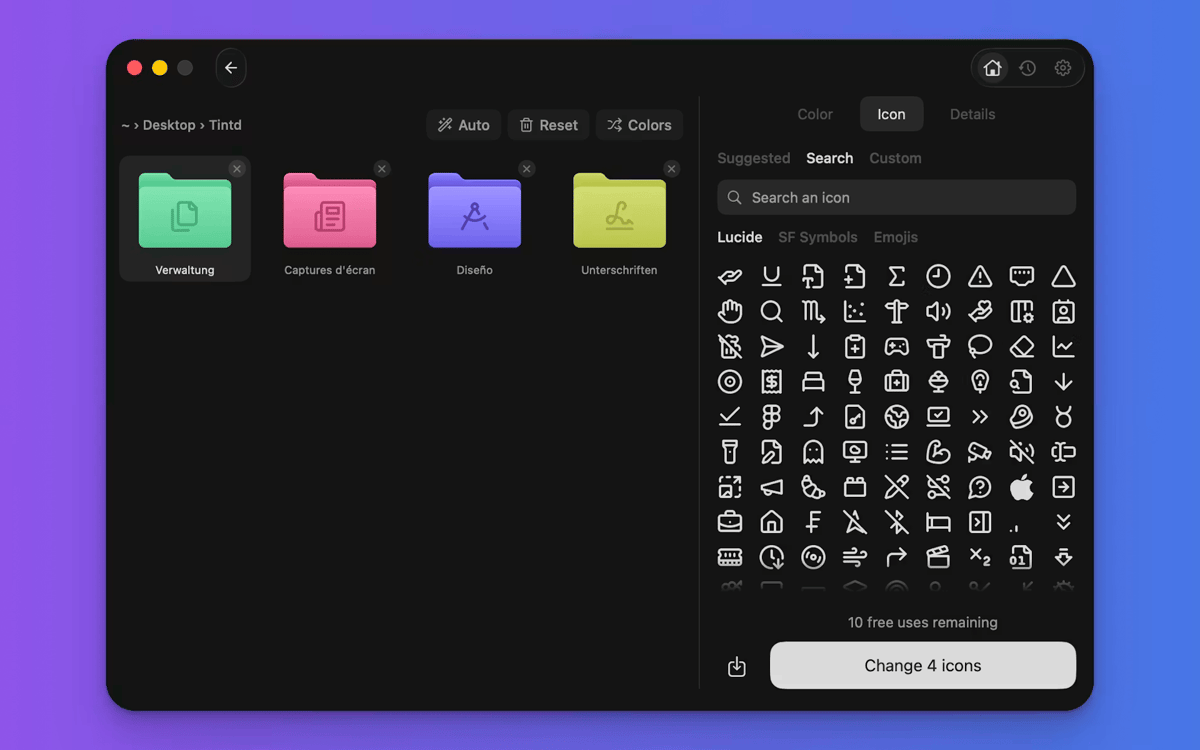
Ecco cosa rende Tintd diverso. Legge il nome della cartella, lo confronta con oltre 11.000 icone e ne sceglie una perfetta — istantaneamente e offline. "Screenshot" ottiene una fotocamera. "Musica" riceve una nota. Non navighi, non trascini, non ci pensi. Funziona con 11 lingue, anche mescolate nella stessa cartella.
Nuove cartelle, stilizzate al volo
Attiva Folder Watcher e Tintd lavorerà in background. Ogni nuova cartella creata riceve un'icona e un colore coordinati non appena appare nel Finder. Le tue cartelle restano organizzate mentre il file system cresce, senza che tu debba muovere un dito.
Fai clic destro su qualsiasi cartella
Hai già delle cartelle che hanno bisogno di essere aggiornate? Fai clic destro su un elemento nel Finder e Tintd gli assegna un'icona personalizzata con un solo clic. Non devi aprire l'app o interrompere il tuo flusso di lavoro.
Personalizza tutto come vuoi
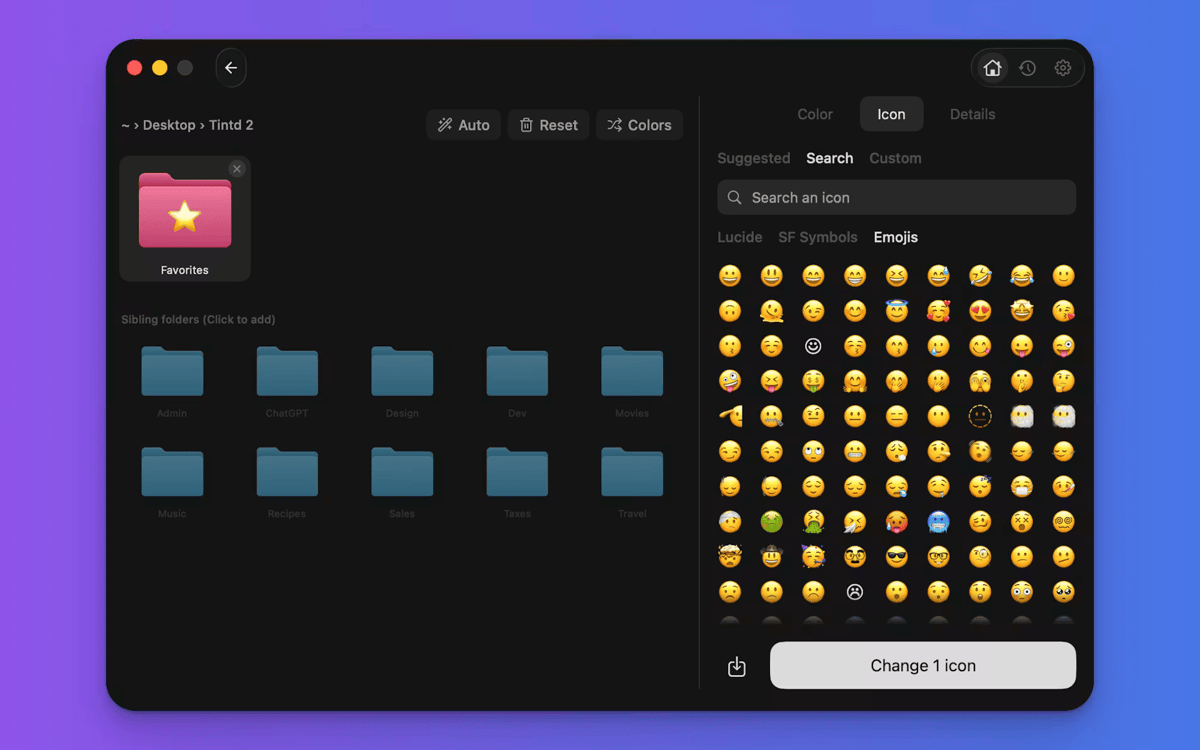
Tintd non ti blocca in modalità automatica. Apri qualsiasi cartella nell'editor per scegliere il tuo colore, seleziona tra oltre 11.000 icone ed emoji, importa immagini personalizzate oppure ridimensiona e cambia il colore delle sovrapposizioni. Ogni icona che crei viene salvata nella cronologia per riutilizzarla facilmente.
Modifica cartelle in batch velocemente
Seleziona più cartelle e personalizzale tutte insieme. Randomizza i colori, applica un'unica icona a tutte le cartelle oppure lascia che Smart Icon assegni un'icona diversa a ciascuna cartella. Perfetto per organizzare una cartella di progetto o pulire la Scrivania in un colpo solo.
Colori intelligenti sempre coerenti
La funzione Smart Color di Tintd analizza le cartelle che circondano quella che stai personalizzando e sceglie un colore che colma una lacuna nella ruota dei colori. Il risultato appare intenzionale e armonioso, anche se non era stato pianificato.
Centinaia di app con la Membership
Diventa membro di Setapp e utilizza centinaia di app straordinarie con un unico abbonamento.
Prova gratis per 7 giorni, poi paga una tariffa unica.
Installa Setapp sul Mac
Scopri le app per Mac, iOS e il web. Trova modi semplici per risolvere le attività quotidiane.

Ottieni l'app che stavi cercando
Quell'app tanto desiderata ti aspetta in Setapp. Installala con un clic.

Tintd
Scegli un abbonamento
Una o più app con un abbonamento Setapp. Acquista le app come preferisci.

Centinaia di app con la Membership
Diventa membro di Setapp e utilizza centinaia di app straordinarie con un unico abbonamento.
Prova gratis per 7 giorni, poi paga una tariffa unica.
1
Installa Setapp sul Mac
Scopri le app per Mac, iOS e il web. Trova modi semplici per risolvere le attività quotidiane.
2
Ottieni l'app che stavi cercando
Quell'app tanto desiderata ti aspetta in Setapp. Installala con un clic.
Tintd
3
Scegli un abbonamento
Una o più app con un abbonamento Setapp. Acquista le app come preferisci.
Sede delle migliori app
Dalla pianificazione e dai lavori di routine alle attività creative e di scrittura di codice, con le app di Setapp potrai affrontare di tutto.

TypingMind
Chat IA con un'interfaccia utente diversa
genera o riassumi un testo
usa la libreria di prompt
IA

Spark Mail
Gestisci le email
IA

CleanMyMac
Elimina i file spazzatura

Bartender
Personalizza la barra dei menu

CleanShot X
Cattura screenshot versatili

Luminar Neo
Modifica le tue foto
IA

ClearVPN
Connessione più sicura

Craft
Lavora con i documenti
IA
Tintd
Icone automatiche per le cartelle del Mac