USB Connection Information
Basta congetture. Inizia a conoscere.

Mac
Versione 26.41
macOS 14.0 o successivo
17.9 MB
22 lingue
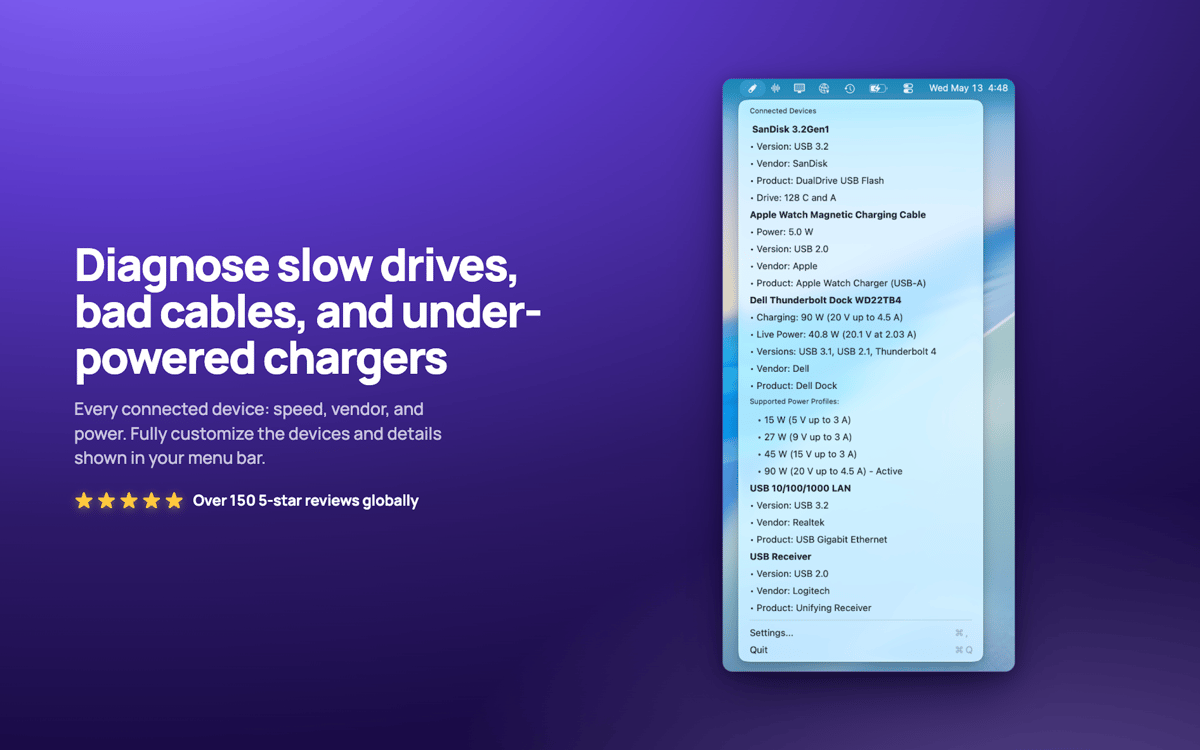
USB Connection Information — Monitor USB e Thunderbolt per Mac. Si trova nella barra dei menu e mostra la velocità reale negoziata di ogni dispositivo connesso, così saprai immediatamente quando un cavo "da 10 Gbps" in realtà si muove lentamente alla velocità di USB 2.0. Controlla la potenza del caricabatterie, il consumo energetico del dispositivo e a quali dispositivi appartengono le unità. Niente più dubbi: scopri se la tua dock è rallentata o se il problema è nel cavo.
Verifica la velocità USB reale a colpo d'occhio
Potenza del caricabatterie in tempo reale
Rileva subito i cavi con limitazioni
Associa le unità ai dispositivi nel Finder
Funzionalità di USB Connection Information
Verifica della velocità effettiva
Visualizza la velocità effettiva negoziata di ogni connessione, da USB 1.0 a USB 3.2 e Thunderbolt 1–3. Le specifiche mentono. Il tuo Mac no.
Una barra dei menu su misura per te
Rispondi rapidamente alle domande USB. Mostra solo l'icona, oppure il numero di dispositivi, la potenza del caricabatterie o la velocità. Qualunque cosa si adatti al tuo modo di lavorare.
Informazioni sui caricatori in tempo reale
Monitora in tempo reale la potenza, la tensione, la versione PD e i profili di alimentazione supportati del caricabatterie del tuo MacBook.
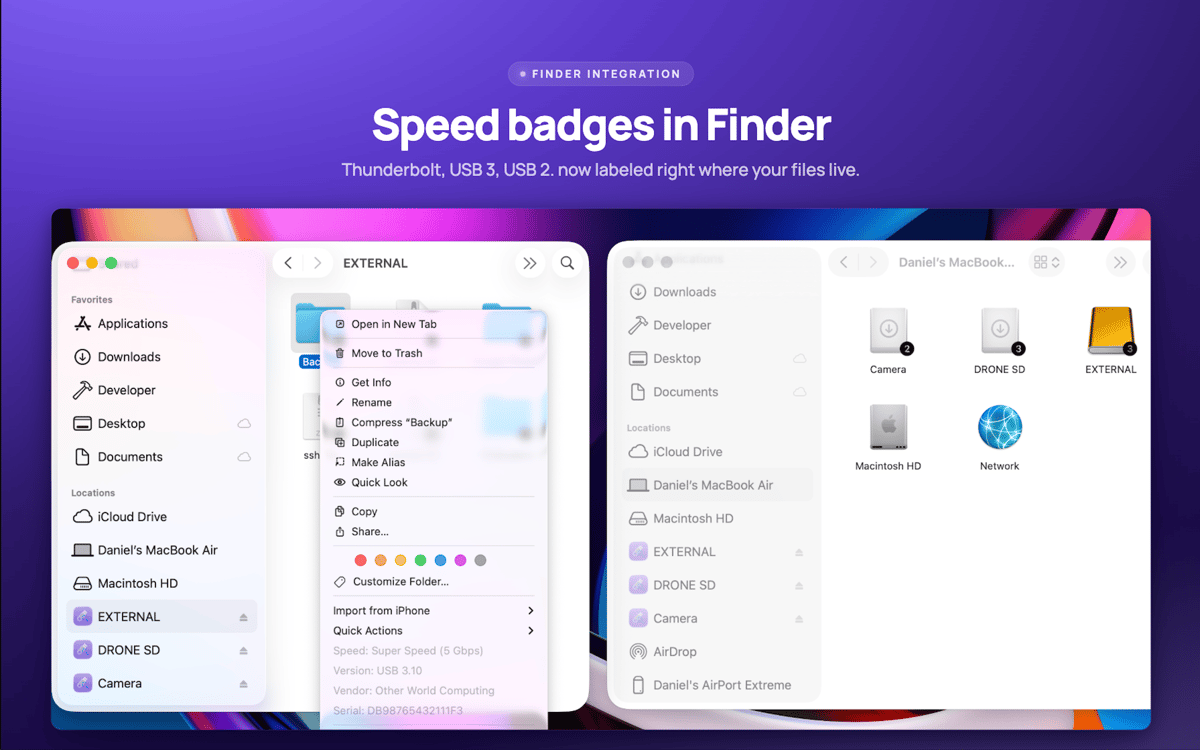
Badge di unità nel Finder
La velocità di connessione viene visualizzata direttamente sulle icone delle unità nel Finder. Fai clic destro su qualsiasi unità per i dettagli istantanei del dispositivo.
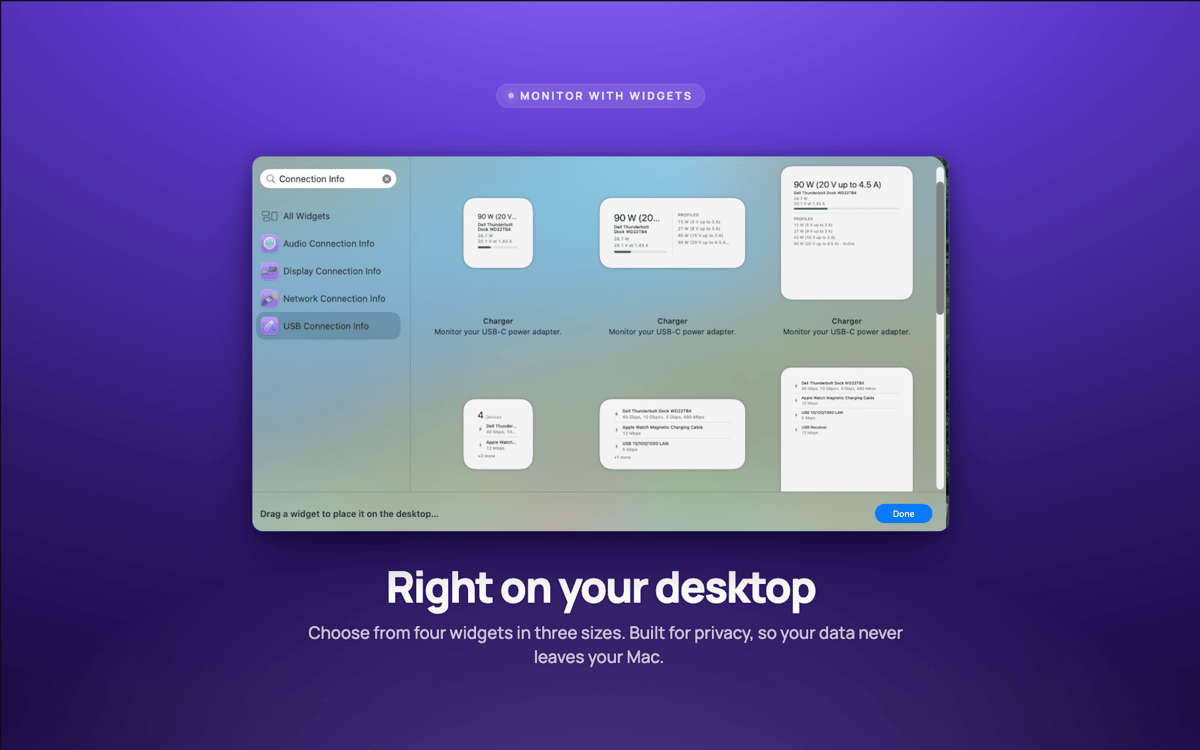
Widget per desktop
I widget piccoli, medi e grandi tengono sotto controllo le tue connessioni senza dover aprire nulla.
Avvisi velocità
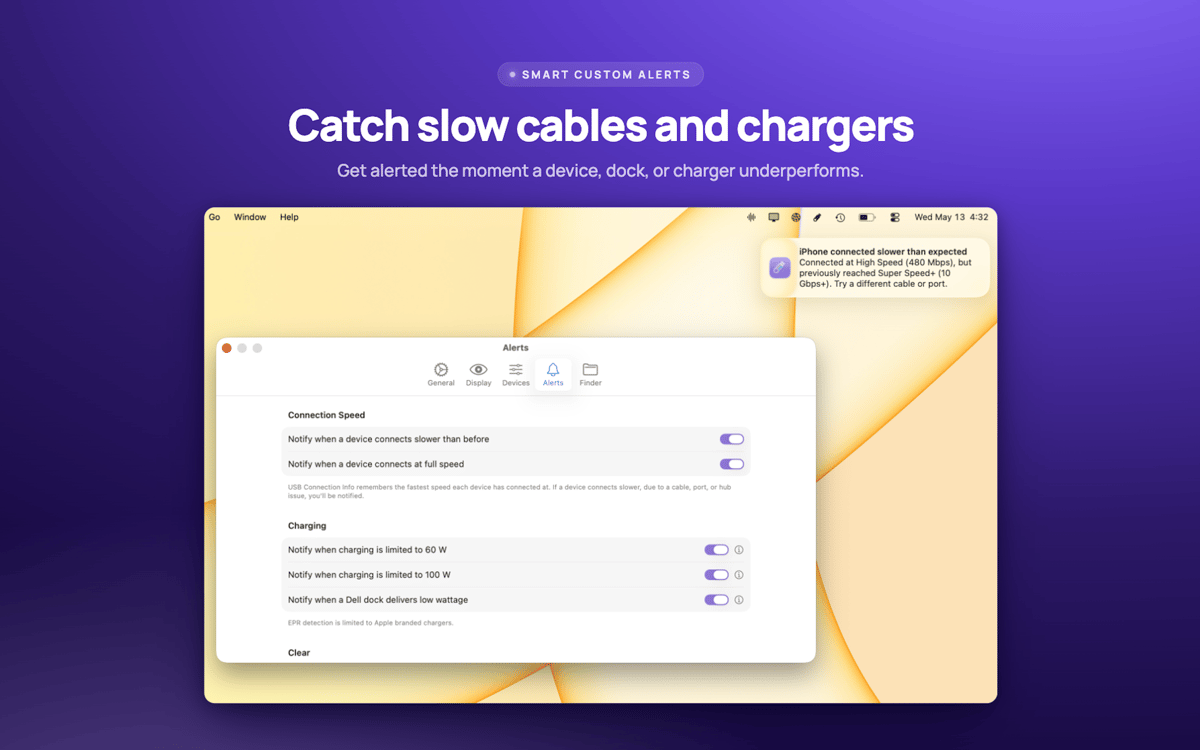
Ricevi un avviso non appena un dispositivo negozia più lentamente del dovuto: di solito è un segno che il problema è il cavo.
Valutazioni e recensioni
USB Connection Information
•
3 valutazioni
Pelle Wessman
5 giu 2026
Versione app: 26.33
Excellent app that surfaces real useful information and has a really responsive and enthusiastic creator who replies real quick to feature requests and feedback!
Centinaia di app con la Membership
Diventa membro di Setapp e utilizza centinaia di app straordinarie con un unico abbonamento.
Prova gratis per 7 giorni, poi paga una tariffa unica.
Installa Setapp sul Mac
Scopri le app per Mac, iOS e il web. Trova modi semplici per risolvere le attività quotidiane.

Ottieni l'app che stavi cercando
Quell'app tanto desiderata ti aspetta in Setapp. Installala con un clic.

USB Connection Information
Scegli un abbonamento
Una o più app con un abbonamento Setapp. Acquista le app come preferisci.

Centinaia di app con la Membership
Diventa membro di Setapp e utilizza centinaia di app straordinarie con un unico abbonamento.
Prova gratis per 7 giorni, poi paga una tariffa unica.
1
Installa Setapp sul Mac
Scopri le app per Mac, iOS e il web. Trova modi semplici per risolvere le attività quotidiane.
2
Ottieni l'app che stavi cercando
Quell'app tanto desiderata ti aspetta in Setapp. Installala con un clic.
USB Connection Information
3
Scegli un abbonamento
Una o più app con un abbonamento Setapp. Acquista le app come preferisci.
Sede delle migliori app
Dalla pianificazione e dai lavori di routine alle attività creative e di scrittura di codice, con le app di Setapp potrai affrontare di tutto.

TypingMind
Chat IA con un'interfaccia utente diversa
genera o riassumi un testo
usa la libreria di prompt
IA

Spark Mail
Gestisci le email
IA

CleanMyMac
Elimina i file spazzatura

Bartender
Personalizza la barra dei menu

CleanShot X
Cattura screenshot versatili

Luminar Neo
Modifica le tue foto
IA

ClearVPN
Connessione più sicura

Craft
Lavora con i documenti
IA
USB Connection Information
Basta congetture. Inizia a conoscere.