
WhoPays
Dividere i costi. Evitate i drammi.
Mac, iOS, Web
Versione 1.0.0
macOS 11.0 o successivo
561.5 MB
1 lingue
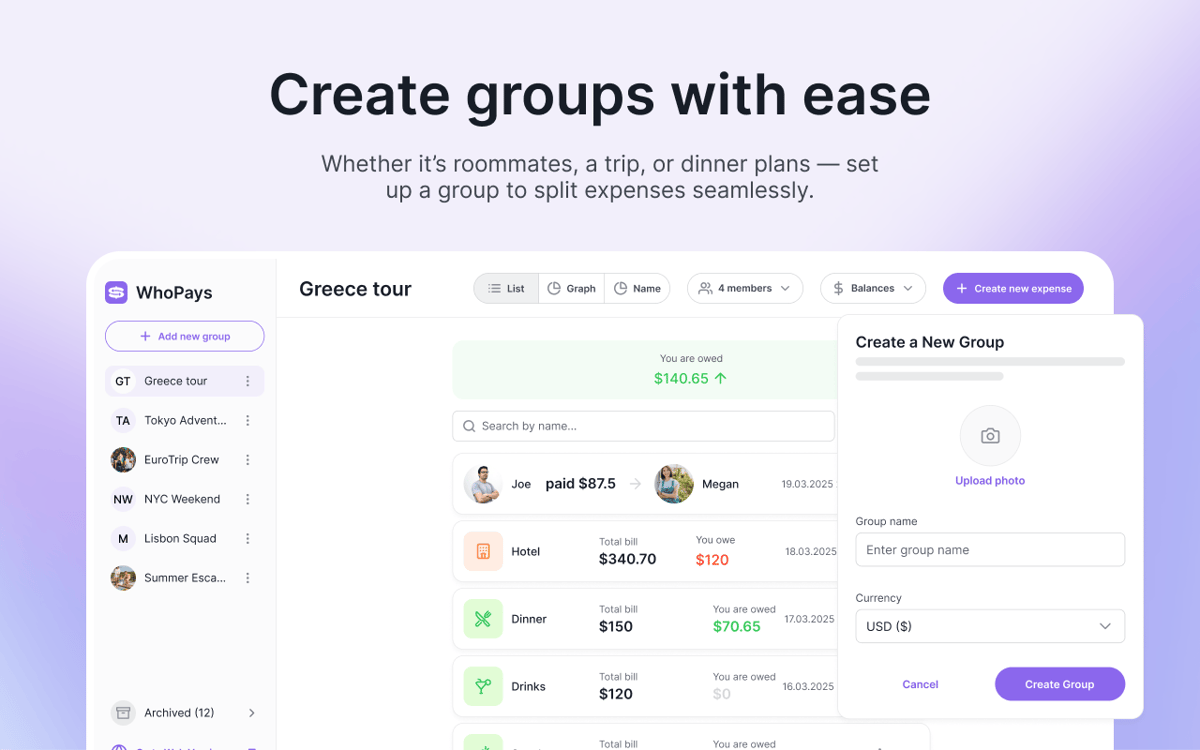
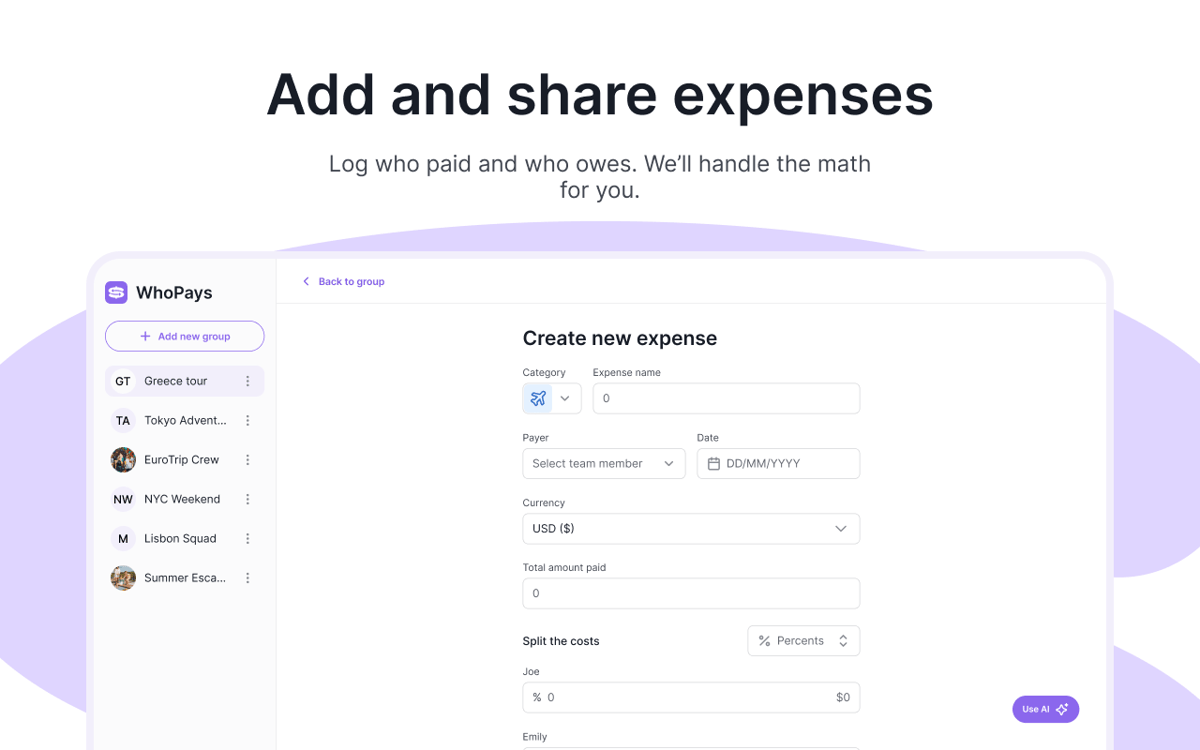
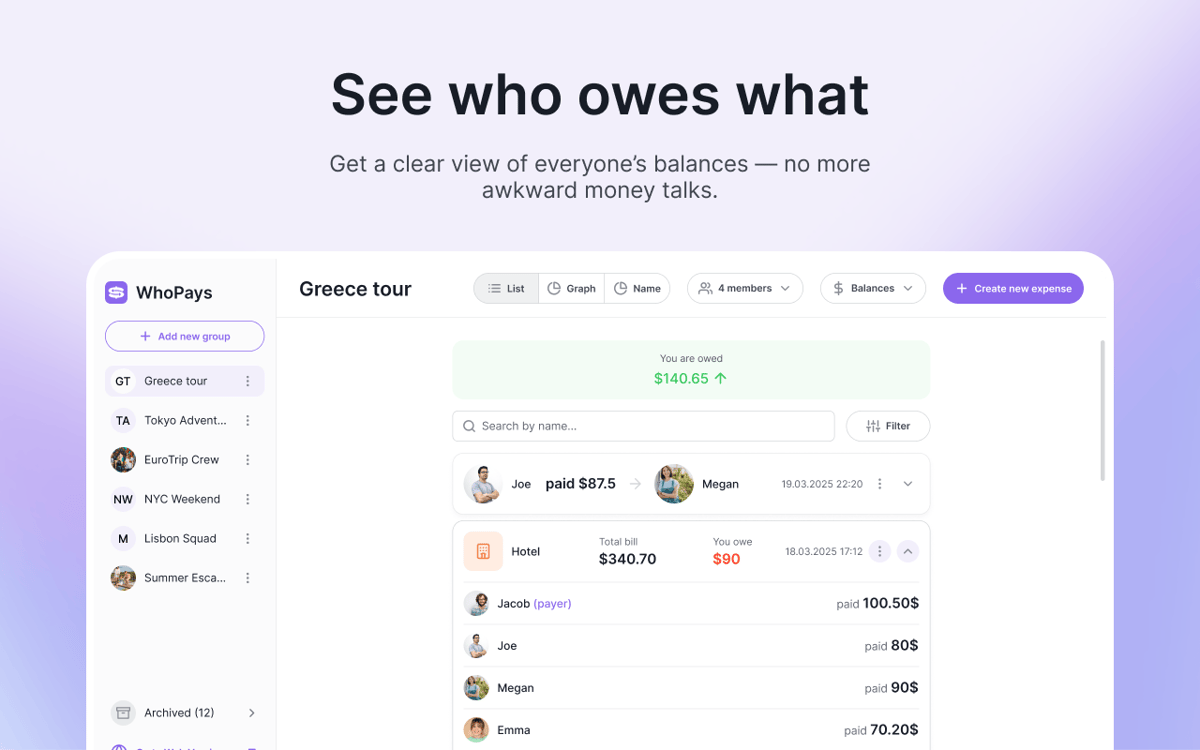
WhoPays è un tracker delle spese di gruppo per Mac, iOS e web. Ti aiuta a suddividere i costi condivisi, gestire i membri e tenere i saldi aggiornati in tempo reale, tutto in un unico posto ordinato. È una scelta pratica per viaggi, coinquilini, coppie e qualsiasi altra situazione in cui le spese si accumulano rapidamente. Aggiungi le spese manualmente, scansiona le ricevute con l'IA o creale dalle note vocali.
Dividi le spese di viaggio in un attimo
Tieni traccia delle spese condivise nei gruppi
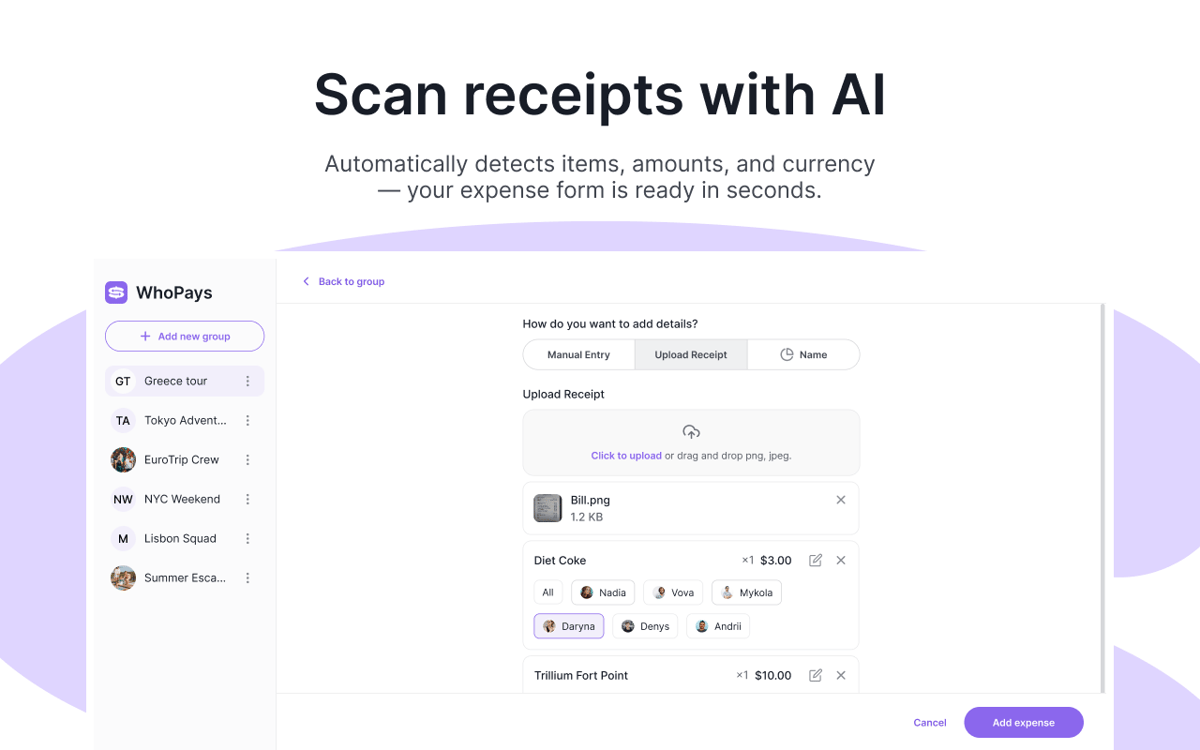
Scansiona le ricevute con l'IA
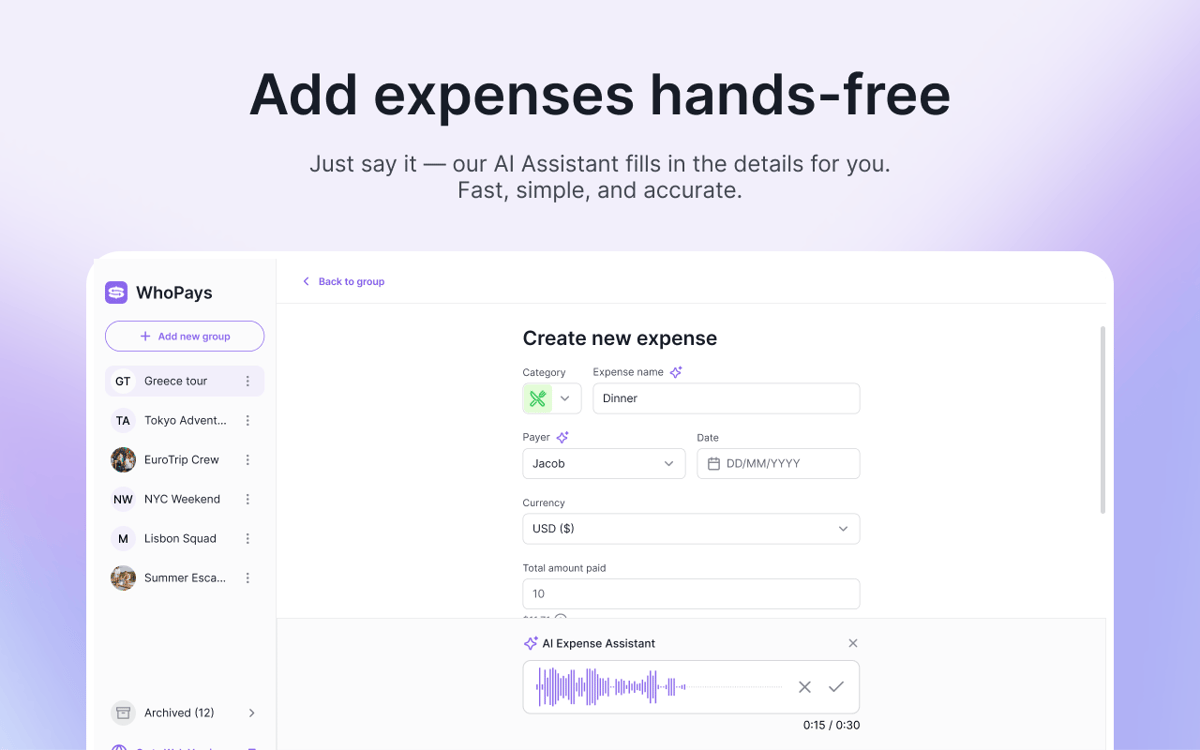
Aggiungi le spese con la voce
Funzionalità di WhoPays
Tieni traccia delle spese condivise senza confusione
Aggiungi, modifica ed elimina le spese all'interno di un gruppo. Allega note e file quando i dettagli contano. Quando arriva il momento di fare i conti, saldali in pochi clic.
Scansiona le ricevute con l'intelligenza artificiale
Scatta una foto dello scontrino e lascia che WhoPays estragga automaticamente le voci di spesa. È in grado di rilevare la valuta e salvare l'immagine della ricevuta originale insieme alla spesa.
Crea spese con la voce
Non vuoi digitare tutto? Registra invece una nota vocale. WhoPays è in grado di rilevare la categoria, il nome, la data, la valuta, il pagante e gli importi dei partecipanti per la spesa.
Visualizza saldi, statistiche e cronologia in un colpo d'occhio
Controlla i saldi in tempo reale, visualizza i totali per categoria e consulta i dettagli per ogni membro. Ogni modifica viene salvata in una cronologia, così puoi sempre tenere traccia di modifiche, inviti, transazioni ed eliminazioni.
Tieni tutti sulla stessa lunghezza d'onda
Crea gruppi, invita i membri, rimuovili quando necessario e condividi i link di invito. Puoi unirti tramite un invito email o un link diretto, così la configurazione è semplice e immediata.
Dividi i costi in oltre 150 valute
Imposta una valuta di gruppo e aggiungi spese o saldi in qualsiasi valuta. WhoPays li converte automaticamente, così tutti possono seguire i numeri senza fare calcoli extra.
Valutazioni e recensioni
WhoPays
•
8 valutazioni
Christian Saborio
30 ago 2026
Versione app: 1.0.0
Love it - a very likely replacement for Splitwise. Only feature I’d like that’s not there is to export to PDF to share to people, but overall, a fantastic app.
Mykola
3 giu 2026
Versione app: 1.1.0
Great app, with a much better design than Splitwise. I like the AI adding, which saves tons of time.
Nadiia
2 giu 2026
Versione app: 1.0.0
Really good app! It helps me split bills with my friends. We often order lunch at work, and one person pays for everyone, so this app makes it easy to share the costs.
Centinaia di app con la Membership
Diventa membro di Setapp e utilizza centinaia di app straordinarie con un unico abbonamento.
Prova gratis per 7 giorni, poi paga una tariffa unica.
Installa Setapp sul Mac
Scopri le app per Mac, iOS e il web. Trova modi semplici per risolvere le attività quotidiane.

Ottieni l'app che stavi cercando
Quell'app tanto desiderata ti aspetta in Setapp. Installala con un clic.

WhoPays
Scegli un abbonamento
Una o più app con un abbonamento Setapp. Acquista le app come preferisci.

Centinaia di app con la Membership
Diventa membro di Setapp e utilizza centinaia di app straordinarie con un unico abbonamento.
Prova gratis per 7 giorni, poi paga una tariffa unica.
1
Installa Setapp sul Mac
Scopri le app per Mac, iOS e il web. Trova modi semplici per risolvere le attività quotidiane.
2
Ottieni l'app che stavi cercando
Quell'app tanto desiderata ti aspetta in Setapp. Installala con un clic.
WhoPays
3
Scegli un abbonamento
Una o più app con un abbonamento Setapp. Acquista le app come preferisci.
Sede delle migliori app
Dalla pianificazione e dai lavori di routine alle attività creative e di scrittura di codice, con le app di Setapp potrai affrontare di tutto.

TypingMind
Chat IA con un'interfaccia utente diversa
genera o riassumi un testo
usa la libreria di prompt
IA

Spark Mail
Gestisci le email
IA

CleanMyMac
Elimina i file spazzatura

Bartender
Personalizza la barra dei menu

CleanShot X
Cattura screenshot versatili

Luminar Neo
Modifica le tue foto
IA

ClearVPN
Connessione più sicura

Craft
Lavora con i documenti
IA
WhoPays
Dividere i costi. Evitate i drammi.