
Wifilicious
Conosci il tuo Wi-Fi
Mac
Versione 2.0.1
macOS 15.0 o successivo
21.7 MB
12 lingue
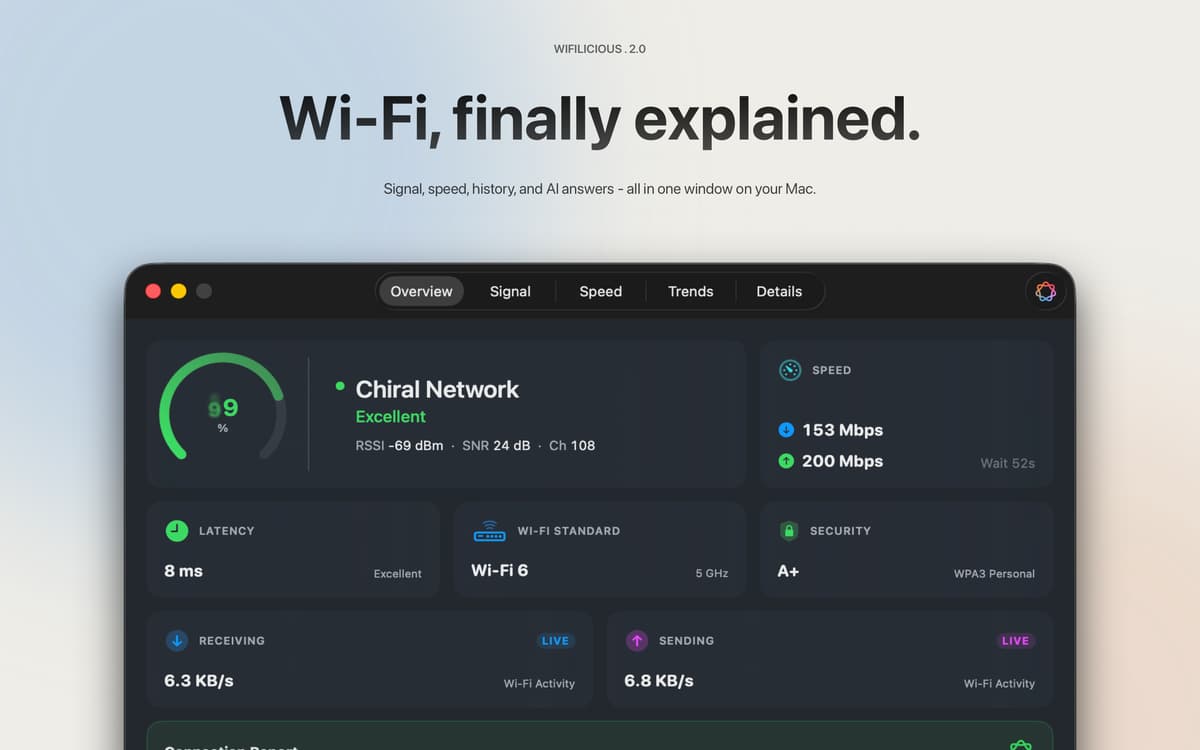
Wifilicious è un analizzatore Wi-Fi per Mac. Ti mostra tutto della tua connessione attuale: intensità del segnale, latenza, velocità effettiva, sicurezza e tempi DNS, aggiornato ogni due secondi. Esegui un test di velocità, sfoglia due settimane di cronologia o semplicemente chiedi ad Apple Intelligence cosa sta succedendo. Tutto viene elaborato sul tuo Mac. Nulla ne esce.
Diagnostica rapidamente il Wi-Fi lento o instabile
Testa le velocità reali del tuo Wi-Fi
Monitora i segnali nel corso di ore e giorni
Chiedi all'AI perché la connessione sembra lenta
Funzionalità di Wifilicious
Il quadro completo, a colpo d'occhio
Qualità del segnale, standard di sicurezza, throughput in tempo reale, latenza e tempi DNS: tutto in una dashboard, aggiornata ogni due secondi. Le rilevazioni che il tuo Mac ha raccolto silenziosamente, finalmente in un posto dove puoi vederle.
Test di velocità che testano davvero il tuo Wi-Fi
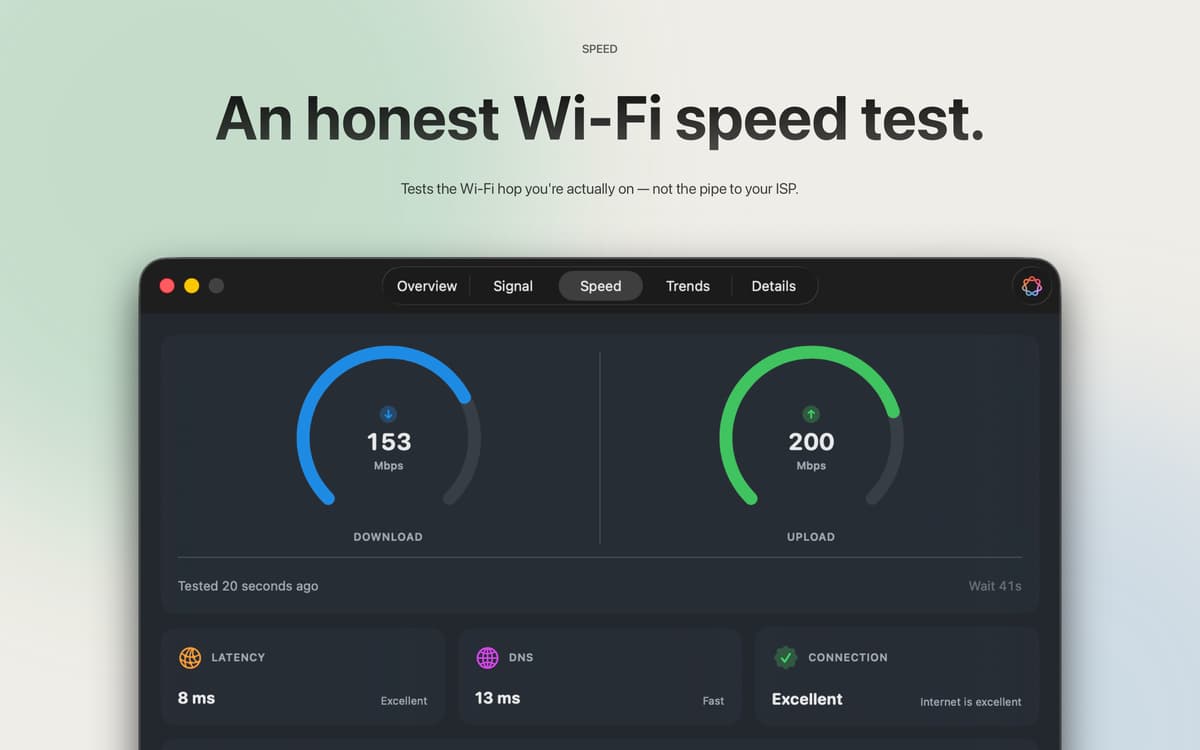
La maggior parte dei test di velocità misurano la linea del tuo provider. Questo misura il salto Wi-Fi tra il tuo Mac e il router — che di solito è dove si trova il problema. Tre campioni, risultato mediano, nessun account richiesto. Utilizza circa 9 MB in download e 5 MB in upload per ogni esecuzione, quindi puoi fare un test ogni volta che qualcosa non ti sembra a posto senza pensarci due volte.
I numeri grezzi, spiegati
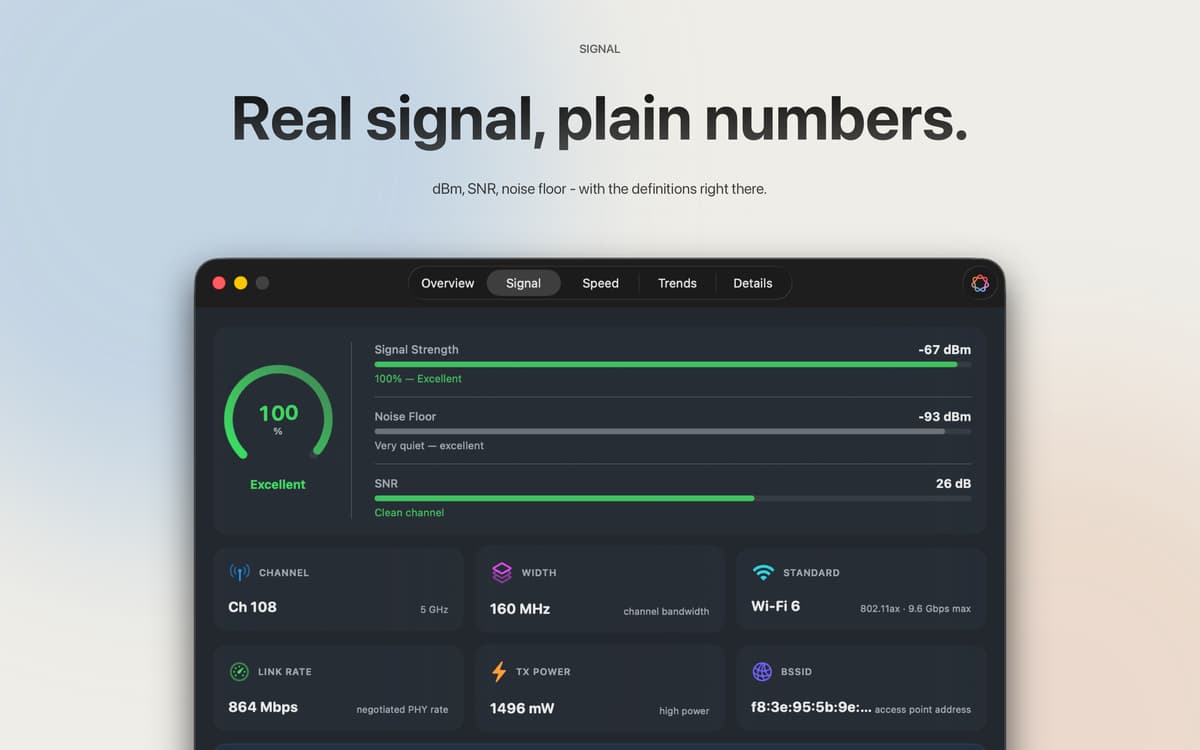
RSSI in dBm, rapporto segnale-rumore, potenza di trasmissione, larghezza del canale, modalità PHY: tutto a portata di mano. Ogni campo è copiabile e incollabile. Ogni parametro è accompagnato da una spiegazione in linguaggio semplice, quindi non hai bisogno di una laurea in networking per capire quello che stai vedendo.
Due settimane di storia
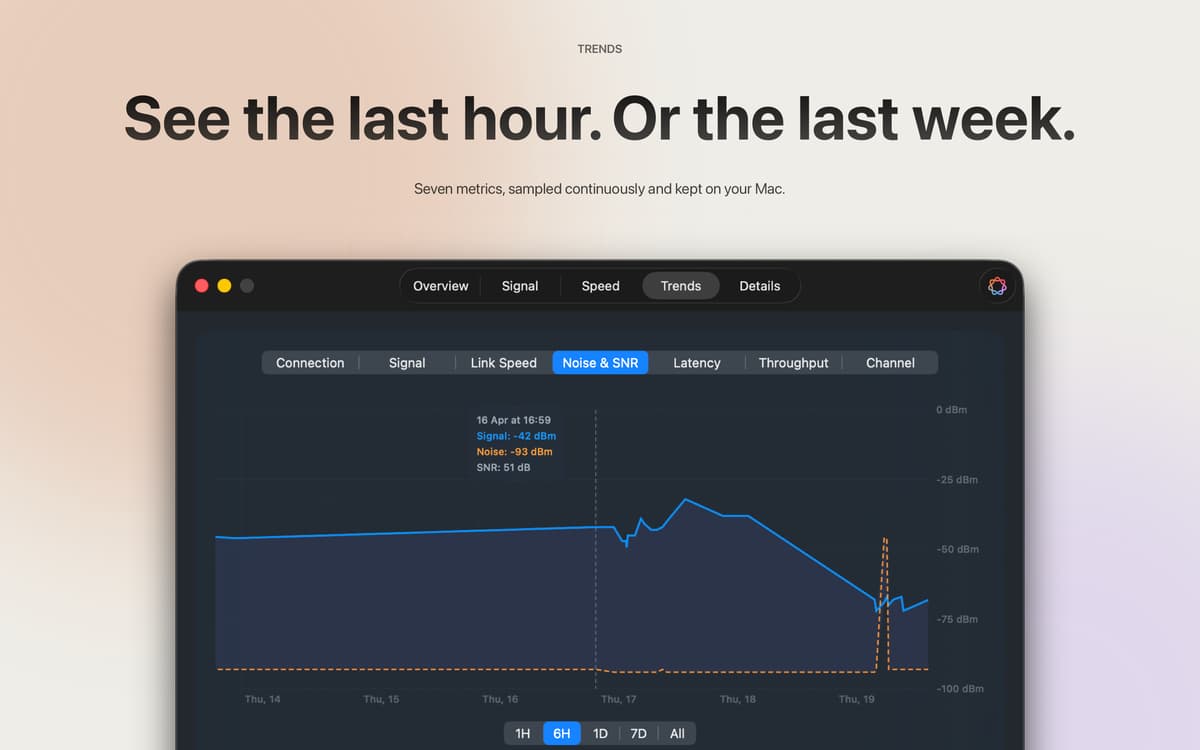
Intensità del segnale, velocità di connessione, rumore, SNR, latenza, throughput e canale: i dati vengono campionati ogni cinque minuti e conservati per 14 giorni. Vai indietro di un'ora, un giorno o due settimane intere per vedere esattamente quando le cose sono andate storte. Ogni campione rimane sul tuo Mac.
Apple Intelligence, basata sui tuoi dati effettivi
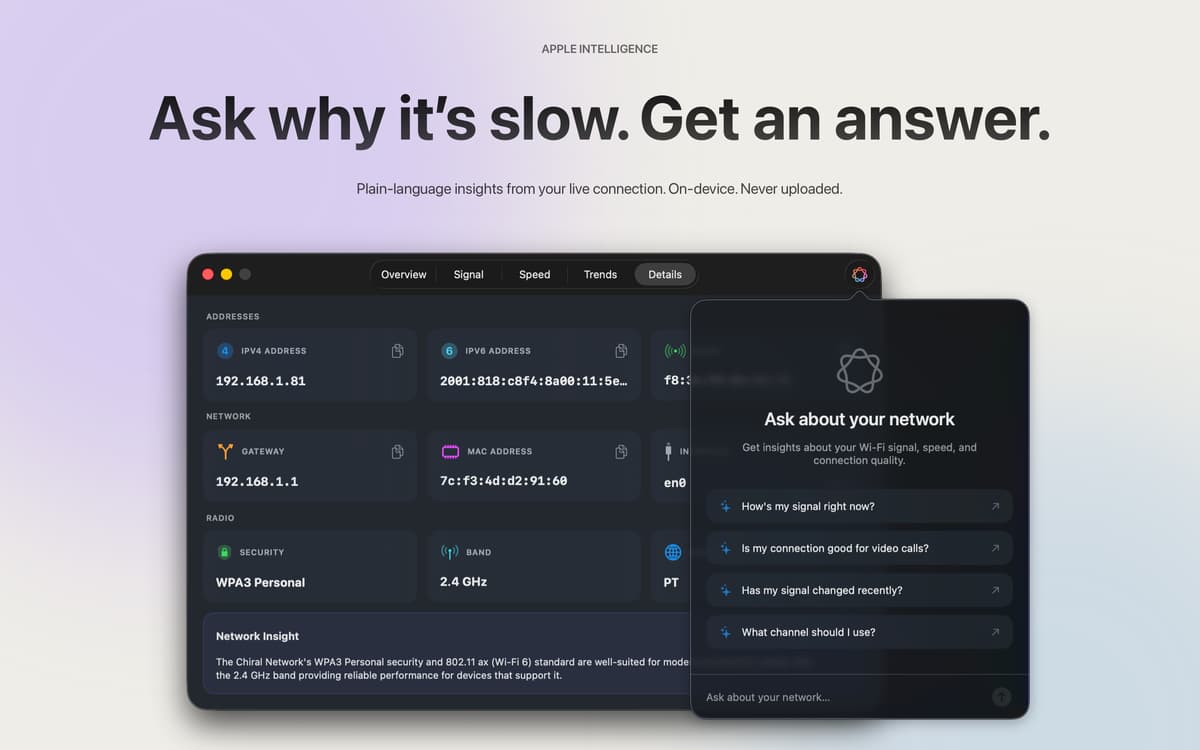
Su macOS 26 e versioni successive, Apple Intelligence legge i dati della tua connessione in tempo reale e risponde come un amico che se ne intende davvero di reti. Chiedi "È buono per una videochiamata?" e ottieni una risposta reale basata sul tuo segnale e sulla velocità — non consigli generici presi da internet. Sul dispositivo, nella tua lingua, mai caricato.
Barra dei menu, dashboard o entrambi
Un rapido controllo del segnale nella barra dei menu risponde alla domanda "va tutto bene adesso?". La dashboard completa gestisce tutto il resto. Sei stili di icone, colori del segnale personalizzabili: decidi tu cosa mostrare e come.
Centinaia di app con la Membership
Diventa membro di Setapp e utilizza centinaia di app straordinarie con un unico abbonamento.
Prova gratis per 7 giorni, poi paga una tariffa unica.
Installa Setapp sul Mac
Scopri le app per Mac, iOS e il web. Trova modi semplici per risolvere le attività quotidiane.

Ottieni l'app che stavi cercando
Quell'app tanto desiderata ti aspetta in Setapp. Installala con un clic.

Wifilicious
Scegli un abbonamento
Una o più app con un abbonamento Setapp. Acquista le app come preferisci.

Centinaia di app con la Membership
Diventa membro di Setapp e utilizza centinaia di app straordinarie con un unico abbonamento.
Prova gratis per 7 giorni, poi paga una tariffa unica.
1
Installa Setapp sul Mac
Scopri le app per Mac, iOS e il web. Trova modi semplici per risolvere le attività quotidiane.
2
Ottieni l'app che stavi cercando
Quell'app tanto desiderata ti aspetta in Setapp. Installala con un clic.
Wifilicious
3
Scegli un abbonamento
Una o più app con un abbonamento Setapp. Acquista le app come preferisci.
Sede delle migliori app
Dalla pianificazione e dai lavori di routine alle attività creative e di scrittura di codice, con le app di Setapp potrai affrontare di tutto.

TypingMind
Chat IA con un'interfaccia utente diversa
genera o riassumi un testo
usa la libreria di prompt
IA

Spark Mail
Gestisci le email
IA

CleanMyMac
Elimina i file spazzatura

Bartender
Personalizza la barra dei menu

CleanShot X
Cattura screenshot versatili

Luminar Neo
Modifica le tue foto
IA

ClearVPN
Connessione più sicura

Craft
Lavora con i documenti
IA
Wifilicious
Conosci il tuo Wi-Fi