
AlDente Pro
Defina limites de carga da bateria
Mac
Versão 1.39.4
macOS 12.0 ou posterior
31.2 MB
26 idiomas
Você pode já ter ouvido dizer que deixar o computador conectado com 100% de bateria o dia inteiro não é a melhor coisa para a bateria. Talvez você também tenha tentado não ficar com menos de 20% ou 30% de carga na bateria e, ao conectar o computador à tomada, ficar monitorando para evitar que ele seja carregado completamente até 100%. Temos boas notícias para você: o AlDente pode fazer tudo isso e muito mais!
Defina limites de carga para preservar a bateria
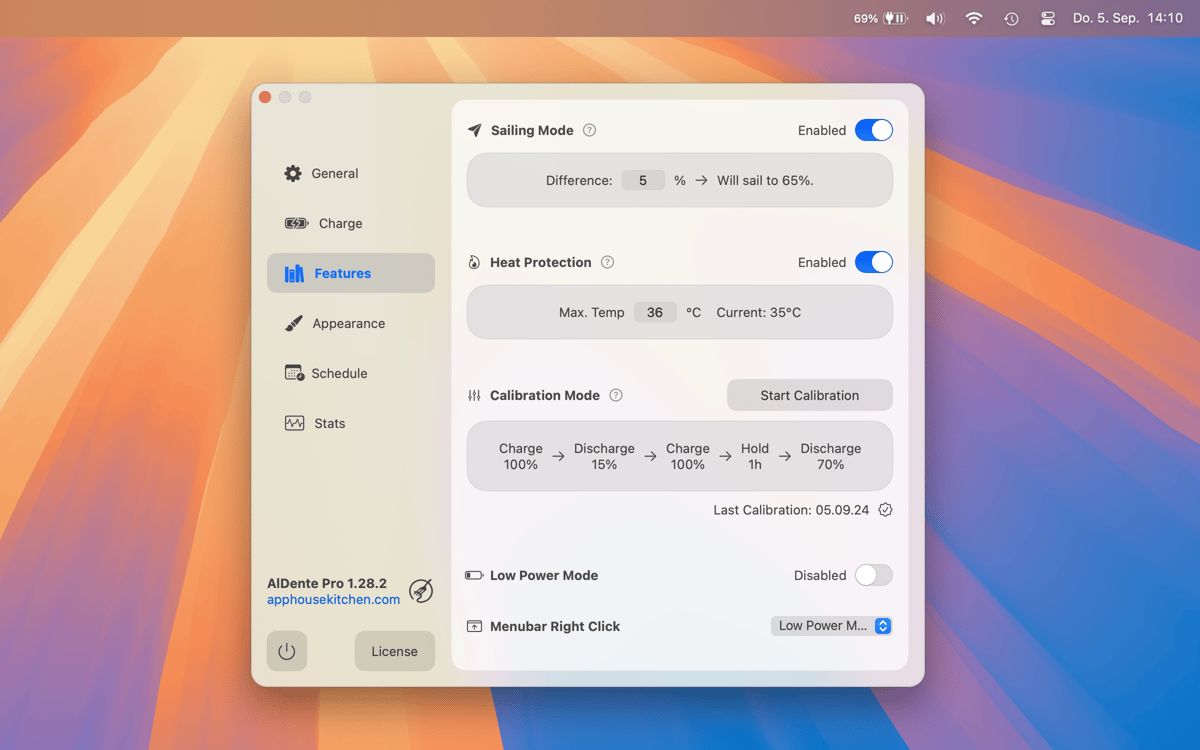
Evite sobreaquecimento com proteção contra calor
Carregue completamente quando precisar
Descarregue mesmo com o carregador conectado
Recursos do AlDente Pro
Defina limites de carregamento
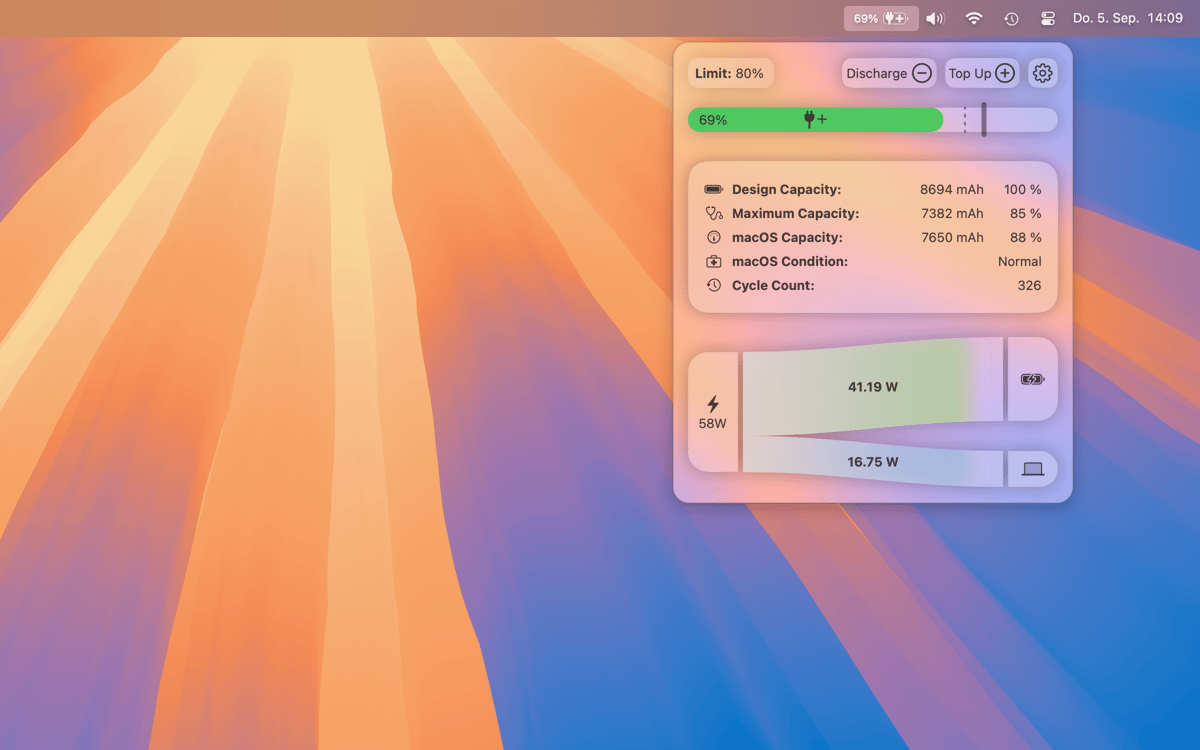
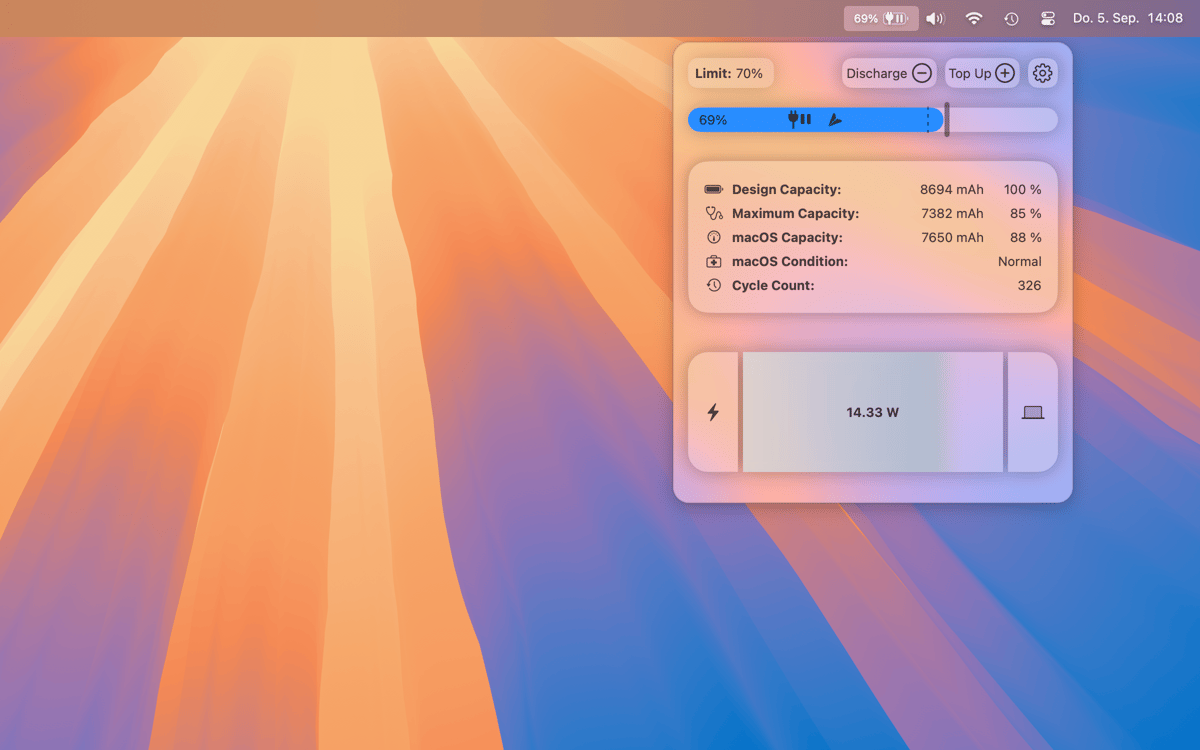
O AlDente é projetado para gerenciar o carregamento do MacBook. Com o app, você pode definir limites de carregamento no dispositivo para interrompê-lo ao atingir o limite. Você não precisa mais se preocupar em deixar o MacBook conectado à tomada e se distrair ou ter que verificar ansiosamente a porcentagem da bateria para desconectar o laptop antes que a carga fique cheia demais para o seu gosto.
Use a bateria mesmo quando conectado à tomada
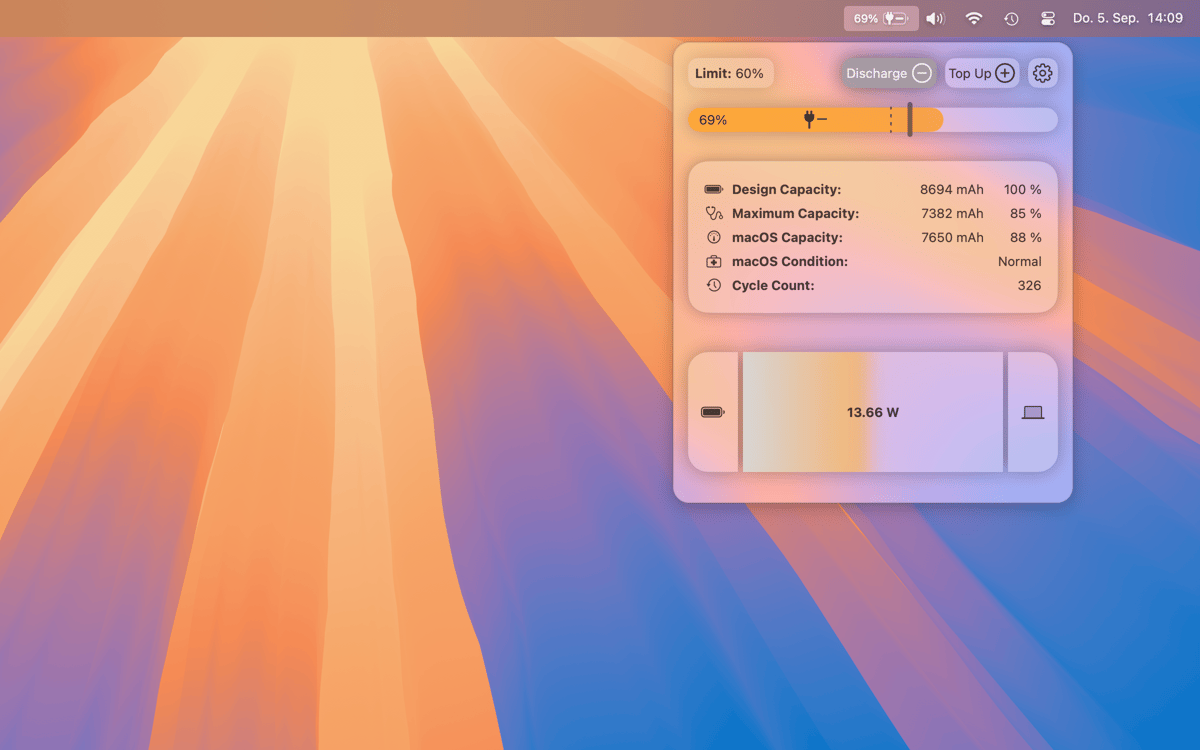
Carregou o MacBook mais do que deveria sem querer? Com o AlDente, você sequer precisa tirá-lo da tomada: use o recurso de descarregamento para que o computador use a bateria mesmo quando conectado, até que ela fique abaixo do nível desejado que você define no app. Relaxe e foque em outras prioridades.
Pare o carregamento quando quente
A bateria do MacBook sofre mais quando ela está totalmente carregada e quente ao mesmo tempo. Para resolver esse problema, ative o recurso de proteção contra calor do AlDente. Ele garante que o carregamento do MacBook seja interrompido caso a temperatura da bateria fique alta demais.
Monitore o estado e gerencie
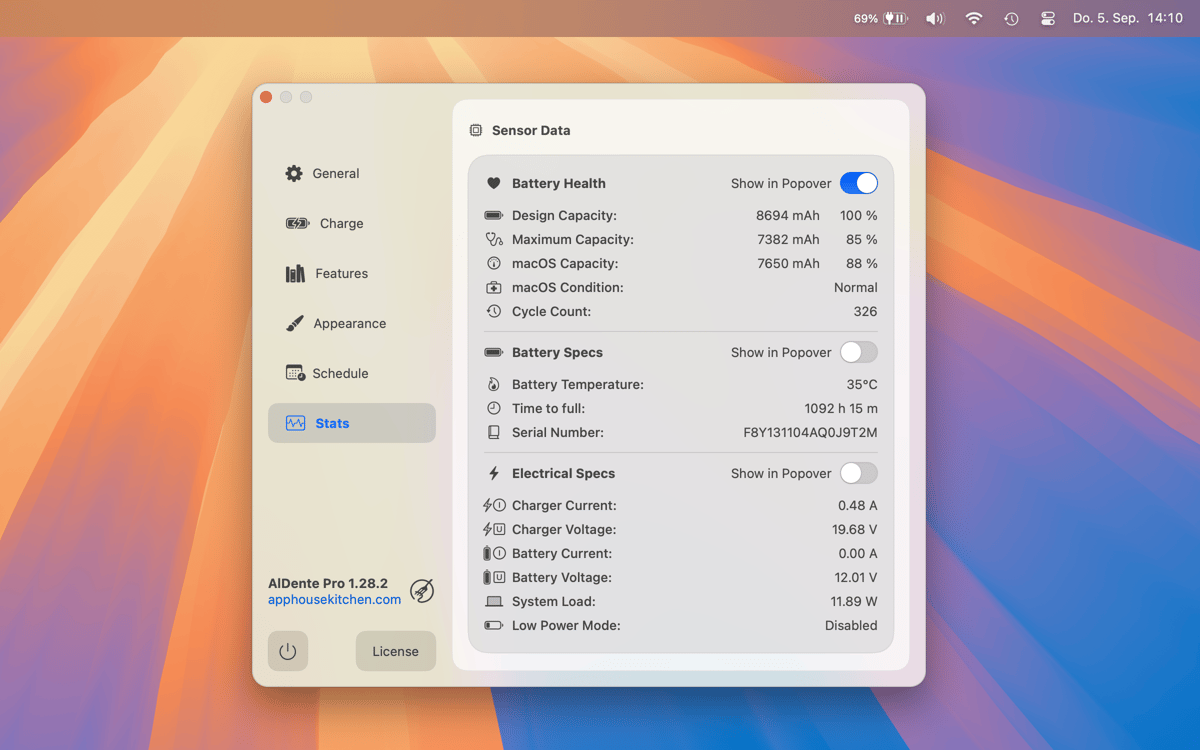
Use os ícones de estado em tempo real do AlDente na barra de menus para monitorar se a bateria está ou não sendo carregada, está conectada ou não e muito mais. Use vários outros recursos de controle do carregamento da bateria no AlDente, incluindo “Sailing Mode”, “Top Up” (100% de carga para quando você souber que não terá acesso a uma tomada), atalhos para ações rápidas e modo de calibragem.
Classificações e avaliações
AlDente Pro
•
3455 classificações
Khaled
25 de set. de 2026
Versão do app: 1.38.1
I love the app it seemed so good to use even though i was very skeptical about it, but lately, it keep charging on and off between 75% “the limit” i set and 76% which is leading to my display dimming and brightening every single second, and no idea what to do, so i just quit it, cause it’s unusable, i hope it gets fixed, it’s a good app
Resposta do Desenvolvedor
8 de out. de 2026
Hi Khaled, Thank you for the kind words, and sorry for the trouble! What you're seeing is the Mac switching between adapter and battery right at the limit, and macOS dims the display slightly every time it thinks it's on battery. Two things should fix it: 1. Enable Sailing Mode in AlDente. It lets the battery drift down a few percent before charging again, so it no longer toggles at exactly 75%. 2. Optionally turn off "Slightly dim the display on battery" in macOS System Settings → Battery/Displays. Please also update to the latest version (1.39.4) via Setapp: it has a completely rebuilt charge control and fixes Sailing Mode on macOS 26 and 15. Since your limit is below 80%, enable the toggle for limits below 80% in the Charge Settings after updating. If it still happens, write to us at [email protected], and we'll look into it right away. Best regards, AppHouseKitchen
Manfred Daub
17 de set. de 2026
Versão do app: 1.39.3
New Version 1.39.3 does not run anymore under macOS27 after update, requires macOS restart.
Resposta do Desenvolvedor
8 de out. de 2026
Hi Manfred, Thanks for the report and sorry for the hassle. Since then we have released AlDente 1.39.4, which includes further fixes for macOS 27 (including the popover on macOS 27.2). Please update via Setapp. If AlDente still doesn't start after an update without restarting your Mac, please contact us at [email protected] or via the Support page in AlDente's settings, so we can look into it directly. Best regards, AppHouseKitchen
Nathan Patterson
30 de ago. de 2026
Versão do app: 1.38.1
confusing, all of a sudden laptop wasnt charging when i wanted it to, didnt want to dive into the weeds of the app and how it works. Wanted it to be useful out of the box for me, but it just made life harder
Resposta do Desenvolvedor
8 de out. de 2026
Hi Nathan, Sorry AlDente got in your way – that's the opposite of what it should do. Two quick tips: - The popover slider always shows why charging is currently paused. - When you need a full battery, just use Top Up to charge to 100% once, or set the limit to 100%. We're continuously working on making the defaults easier to understand. If you'd like help setting it up for your workflow, just write to [email protected]. Best regards, AppHouseKitchen
Obtenha centenas de apps com o Membership
Obtenha um membership do Setapp e use centenas de apps estelares numa única assinatura.
Experimente grátis por 7 dias. Depois, pague um valor único.
Instale o Setapp no Mac
Explore apps para Mac, iOS e web. Encontre formas fáceis de lidar com as tarefas do dia a dia.

Obtenha o app que chamou sua atenção
Aquele app especial está esperando você no Setapp. Instale‑o com um clique.

AlDente Pro
Escolha uma assinatura
Um ou mais apps com um membership do Setapp. Obtenha os apps que você quer.

Obtenha centenas de apps com o Membership
Obtenha um membership do Setapp e use centenas de apps estelares numa única assinatura.
Experimente grátis por 7 dias. Depois, pague um valor único.
1
Instale o Setapp no Mac
Explore apps para Mac, iOS e web. Encontre formas fáceis de lidar com as tarefas do dia a dia.
2
Obtenha o app que chamou sua atenção
Aquele app especial está esperando você no Setapp. Instale‑o com um clique.
AlDente Pro
3
Escolha uma assinatura
Um ou mais apps com um membership do Setapp. Obtenha os apps que você quer.
A casa dos melhores apps
Desde tarefas rotineiras e de planejamento a atividades criativas e de programação, encare suas tarefas com os apps do Setapp.

TypingMind
IU alternativa para conversar com IA
gere ou resuma textos
use uma biblioteca de ações
IA

Spark Mail
Gerencie e‑mails
IA

CleanMyMac
Limpe os detritos

Bartender
Personalize a barra de menus

CleanShot X
Capturas de tela versáteis

Luminar Neo
Edite suas fotos
IA

ClearVPN
Conecte‑se com mais segurança

Craft
Trabalhe com documentos
IA
AlDente Pro
Defina limites de carga da bateria