Daily
Marque o tempo facilmente
Mac, iOS
Versão 1.26.3
macOS 12.0 ou posterior
28.9 MB
5 idiomas
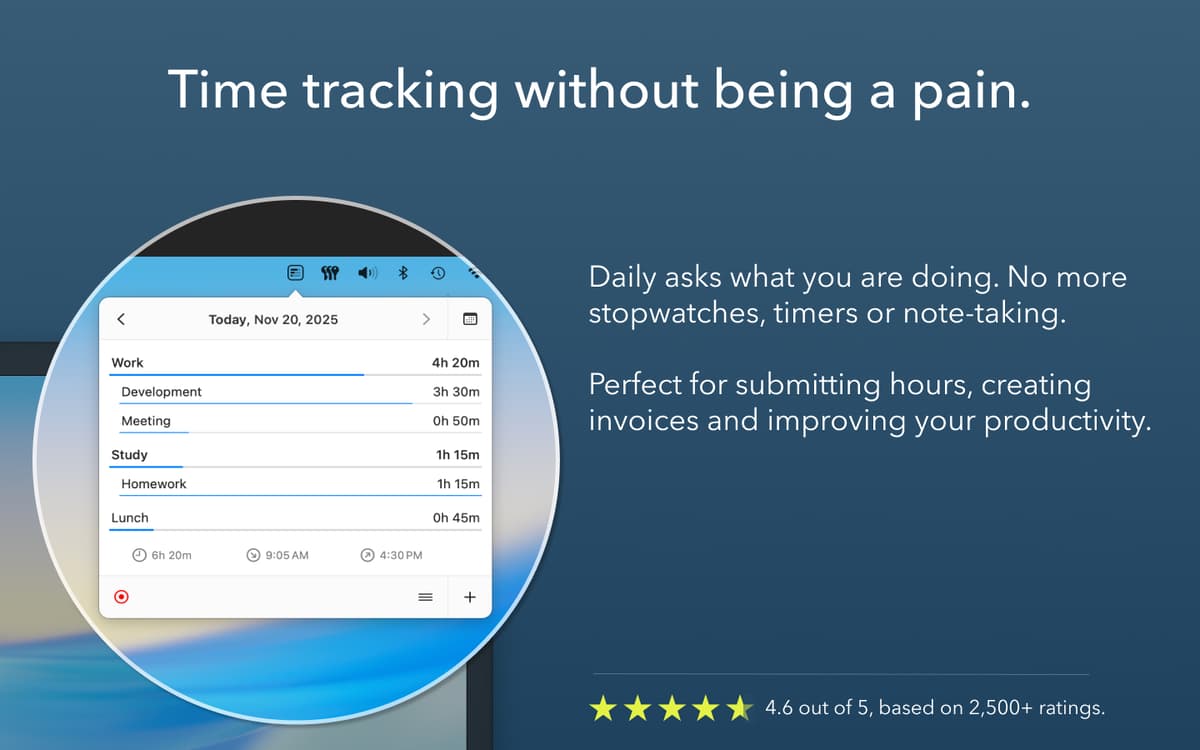
Com o Daily, você registra o tempo mais facilmente, cria faturas mais precisas e tem uma jornada de trabalho mais produtiva. O app tem uma coleção de recursos úteis para que você economize tempo ao marcar as atividades do dia e o tempo gasto em vários projetos. Identifique o tempo exato que você dedica a tarefas e estruture o seu dia da melhor maneira possível.
Marque o tempo despendido em projetos
Receba lembretes para marcar o tempo
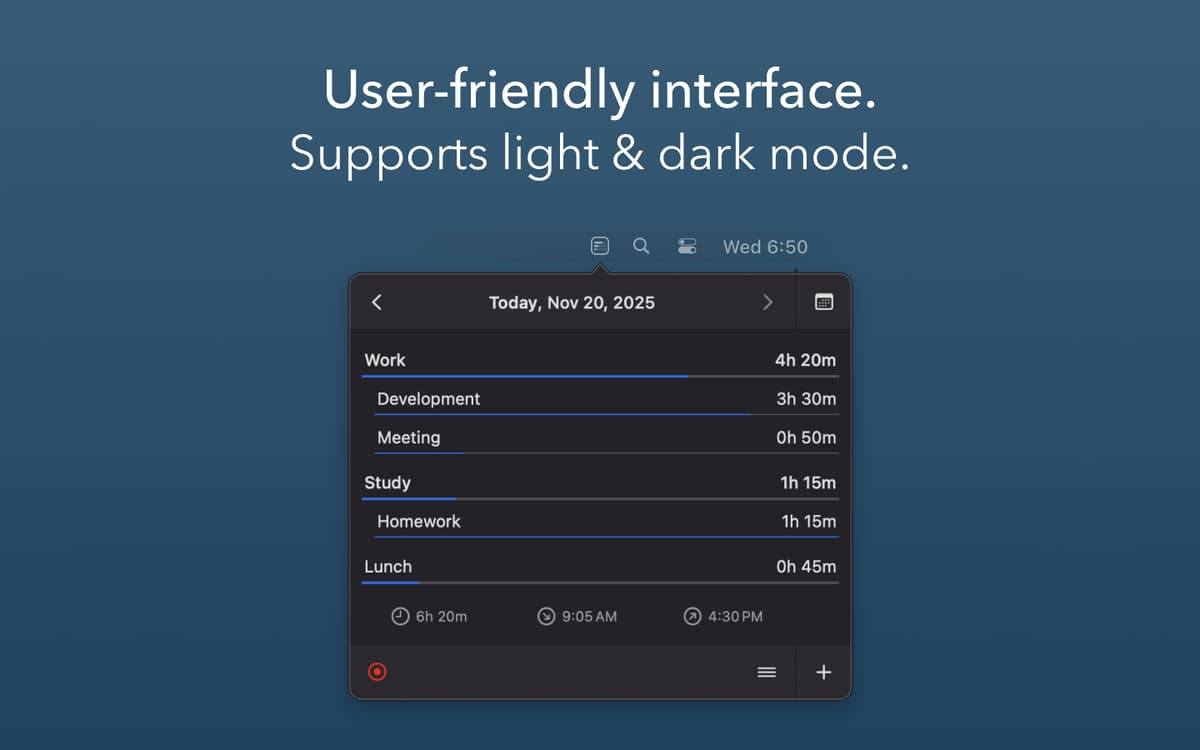
Veja a distribuição gráfica do tempo
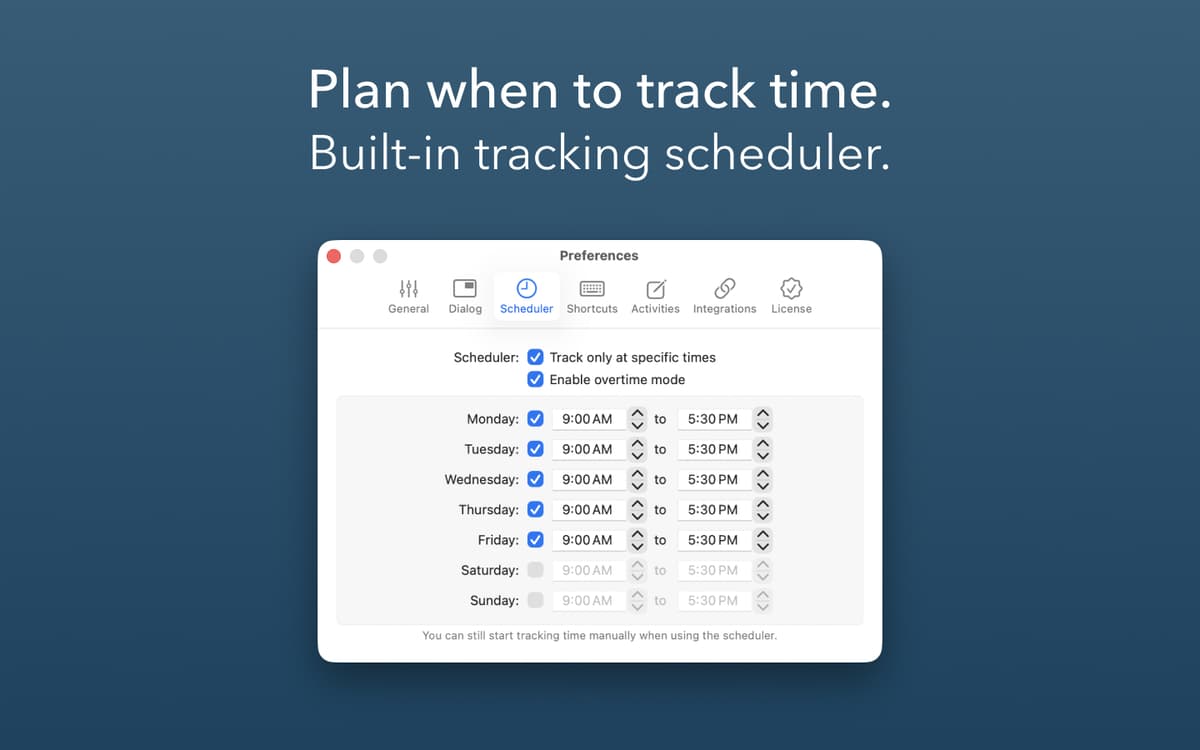
Crie seus horários de marcação de tempo
Recursos do Daily
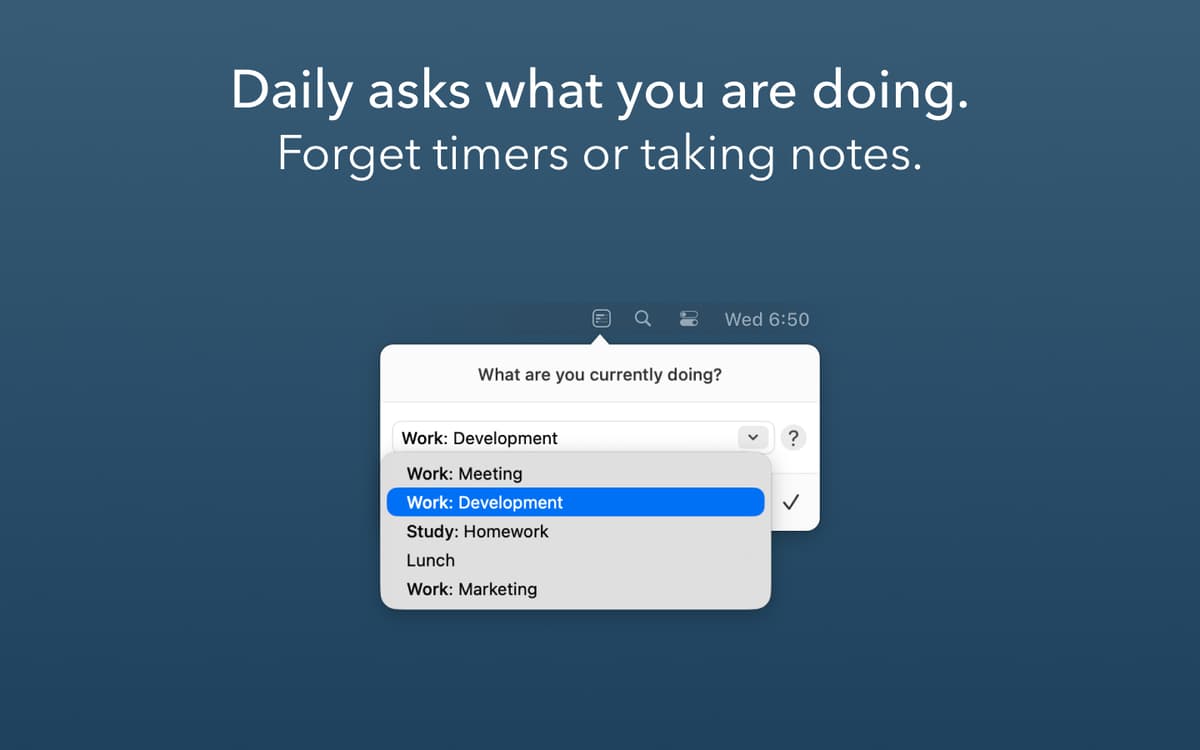
Perguntas para marcar a atividade
Para que o Daily comece a marcar uma atividade, você recebe uma pergunta automaticamente. Basta digitar o que você está fazendo e não deixar de indicar nenhuma parte do dia com as perguntas automáticas do Daily. Você também pode optar por aplicar uma atividade automaticamente para evitar as perguntas.
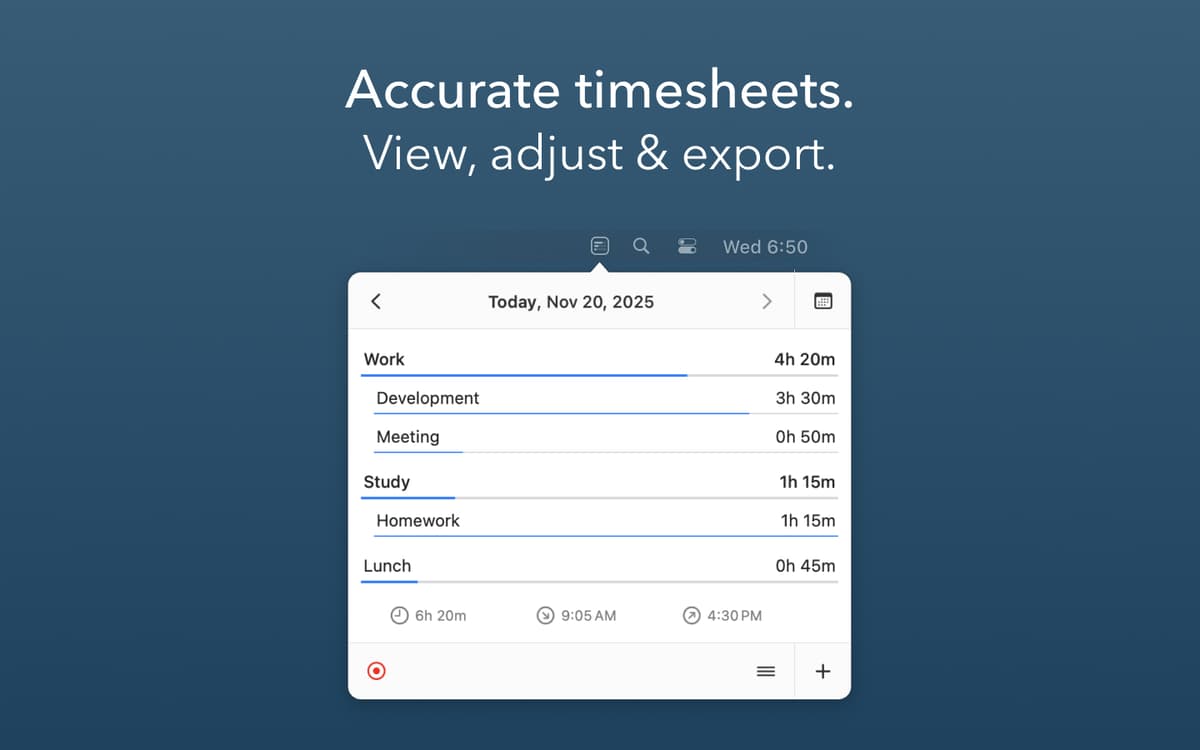
Gráficos de tempo
Veja os detalhes das suas atividades durante o dia, semana, mês e ano, além de intervalos de data. Faça alterações ou ajustes para que a marcação do tempo seja mais precisa e use o recurso de visualização detalhada do tempo gasto ou da duração exigida por projetos.
Marcação planejada
Dependendo dos seus objetivos, você pode querer não marcar o tempo em dias de folga ou durante a noite. E o Daily entende isso. Crie horários de marcação das atividades no app para adequá-lo precisamente à sua agenda e receba perguntas apenas durante o horário de trabalho.
Atalhos de teclado
O Daily oferece atalhos práticos para diversas ações, simplificando ainda mais a marcação do tempo. Os rápidos atalhos pré-configurados incluem: abertura do painel do app, aplicação automática de uma atividade, atribuição de tempo a uma atividade e muitos outros. Embora você possa personalizá-los conforme as suas preferências.
Exporte
Precisa importar os detalhamentos de tempo para outros apps? Exporte os registros como CSV ou JSON (isso pode ser facilmente automatizado no app Daily com AppleScript). Além disso, você pode sincronizar os dados via iCloud.
Disponível em vários idiomas
O Daily ajuda a marcar o tempo em mais de um idioma! Para que você se sinta mais à vontade, o app está disponível em inglês, holandês, francês, alemão e espanhol.
Classificações e avaliações
Daily
•
200 classificações
Håkan Liljegren
28 de ago. de 2026
Versão do app: 1.26.0
Super easy, non-obtrusive time tracking. I like that I can track silently, but also that it normally asks in a given intervall, as I prior to this app always forgot to start the tracking!
Resposta do Desenvolvedor
1 de set. de 2026
Great to read Daily is helpful. Thanks for letting others know!
Krissa Swain Randolph
5 de mai. de 2026
Versão do app: 1.25.8
Very convenient to have it prompt me, and to save tasks for future use.
Resposta do Desenvolvedor
6 de mai. de 2026
Thanks for your review! Great to read Daily is helpful!
Christian Saborio
21 de mar. de 2026
Versão do app: 1.25.7
Interesting approach to time tracking, it takes a bit of time to get used to. Could use some improvements, like tag the activity that you just did with some subtask, but really enjoying it.
Resposta do Desenvolvedor
23 de mar. de 2026
Thanks for your review. You can organize activities in groups, see https://dailytimetracking.com/blog/group-activities. Perhaps that covers your need. If not, please read out to [email protected] so we can discuss your requirements.
Obtenha centenas de apps com o Membership
Obtenha um membership do Setapp e use centenas de apps estelares numa única assinatura.
Experimente grátis por 7 dias. Depois, pague um valor único.
Instale o Setapp no Mac
Explore apps para Mac, iOS e web. Encontre formas fáceis de lidar com as tarefas do dia a dia.

Obtenha o app que chamou sua atenção
Aquele app especial está esperando você no Setapp. Instale‑o com um clique.

Daily
Escolha uma assinatura
Um ou mais apps com um membership do Setapp. Obtenha os apps que você quer.

Obtenha centenas de apps com o Membership
Obtenha um membership do Setapp e use centenas de apps estelares numa única assinatura.
Experimente grátis por 7 dias. Depois, pague um valor único.
1
Instale o Setapp no Mac
Explore apps para Mac, iOS e web. Encontre formas fáceis de lidar com as tarefas do dia a dia.
2
Obtenha o app que chamou sua atenção
Aquele app especial está esperando você no Setapp. Instale‑o com um clique.
Daily
3
Escolha uma assinatura
Um ou mais apps com um membership do Setapp. Obtenha os apps que você quer.
A casa dos melhores apps
Desde tarefas rotineiras e de planejamento a atividades criativas e de programação, encare suas tarefas com os apps do Setapp.

TypingMind
IU alternativa para conversar com IA
gere ou resuma textos
use uma biblioteca de ações
IA

Spark Mail
Gerencie e‑mails
IA

CleanMyMac
Limpe os detritos

Bartender
Personalize a barra de menus

CleanShot X
Capturas de tela versáteis

Luminar Neo
Edite suas fotos
IA

ClearVPN
Conecte‑se com mais segurança

Craft
Trabalhe com documentos
IA
Daily
Marque o tempo facilmente