Dropshare
Economize espaço ao compartilhar
Mac, iOS
Versão 6.15
macOS 12.3 ou posterior
105.6 MB
11 idiomas
O número de serviços de armazenamento na nuvem à sua disposição pode ser um tanto intimidador, certo? Imagine poder usar uma única plataforma segura, que funcione perfeitamente com todos os seus provedores favoritos. Imaginou? Pois o Dropshare é exatamente esse tipo de app. Com um ecossistema de compartilhamento poderoso, o Dropshare é a salvação se você trabalha com vários arquivos on‑line e precisa limitar o acesso a links compartilhados. Arraste e solte para enviar arquivos em lote e compartilhar arquivos ou imagens com a família, amigos, clientes e colegas de forma segura, já que os links podem ter uma senha. Compartilhamento fácil e rápido, envio prático e links seguros; o que mais será que você pode esperar do Dropshare? Descubra!
Tenha mais armazenamento com o Dropshare Cloud
Crie, edite e compartilhe capturas facilmente
Envie arquivos para o seu provedor favorito
Compartilhe links protegidos por senha
Recursos do Dropshare
Arraste e solte para enviar
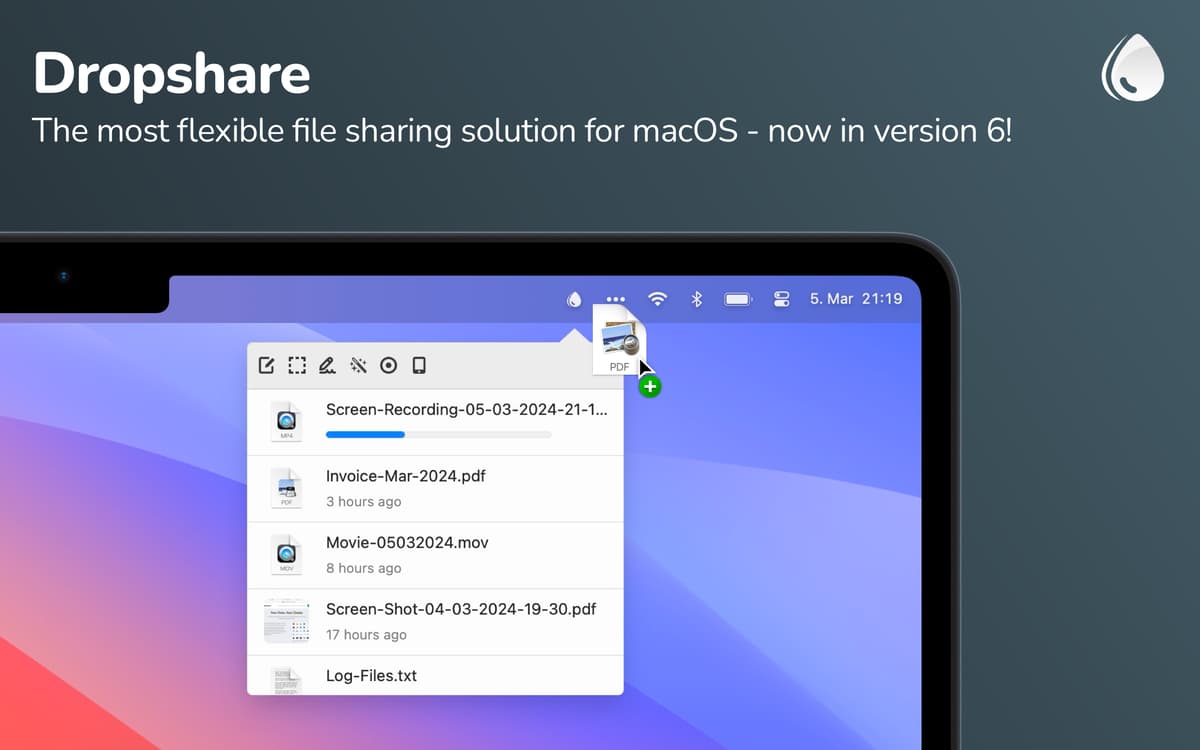
Mantenha seus arquivos, documentos e fotos acessíveis de qualquer lugar com segurança; deixe-os no Dropshare. Arraste e solte qualquer documento, arquivo, imagem e pasta no ícone do Dropshare na barra de menus para adicioná‑lo à sua conta.
Envie capturas de tela automaticamente
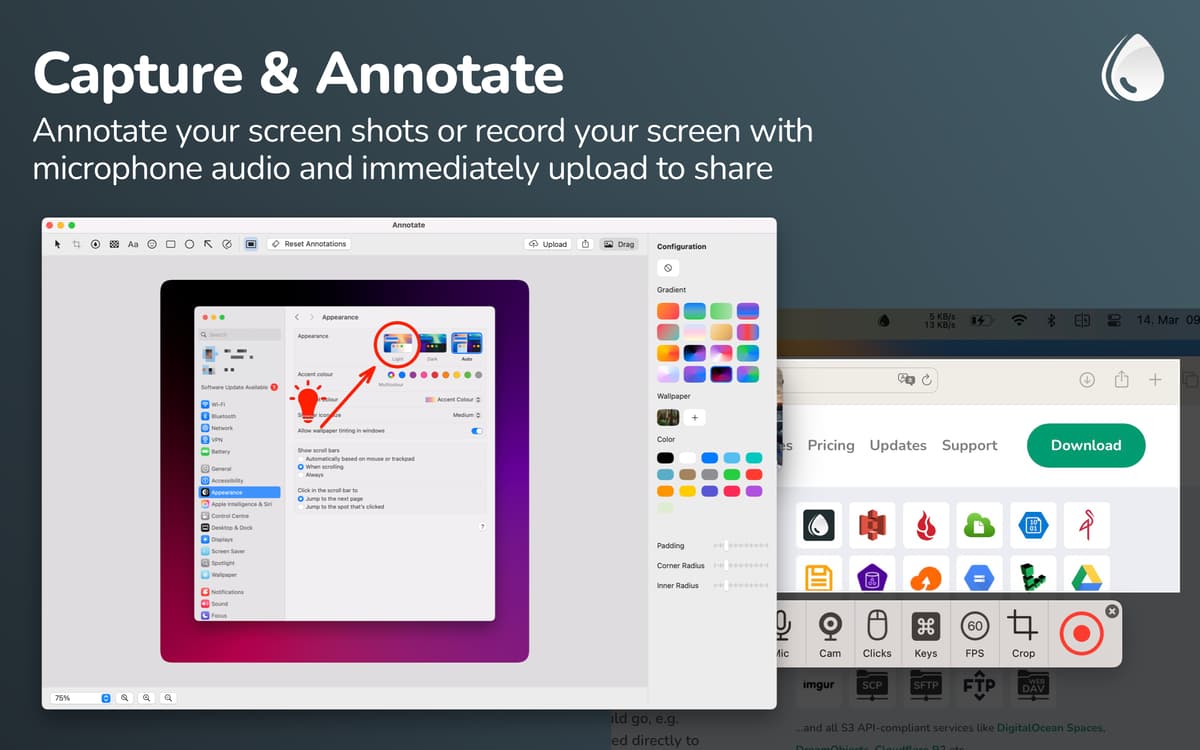
Faça capturas ou gravações de tela para que os arquivos sejam salvos automaticamente na sua conta do Dropshare. Parece, de verdade, um recurso nativo do macOS. Compartilhe sem esforço qualquer coisa que estiver na sua tela e faça anotações nas capturas de tela.
Envie links de transferência seguros
Proteja o seu conteúdo e compartilhe links de transferência protegidos por senha. Assim, apenas quem souber a senha poderá ver o arquivo. Se quiser mais segurança, use links que expiram automaticamente e defina o período pelo qual o link fica acessível.
Atalhos de teclado
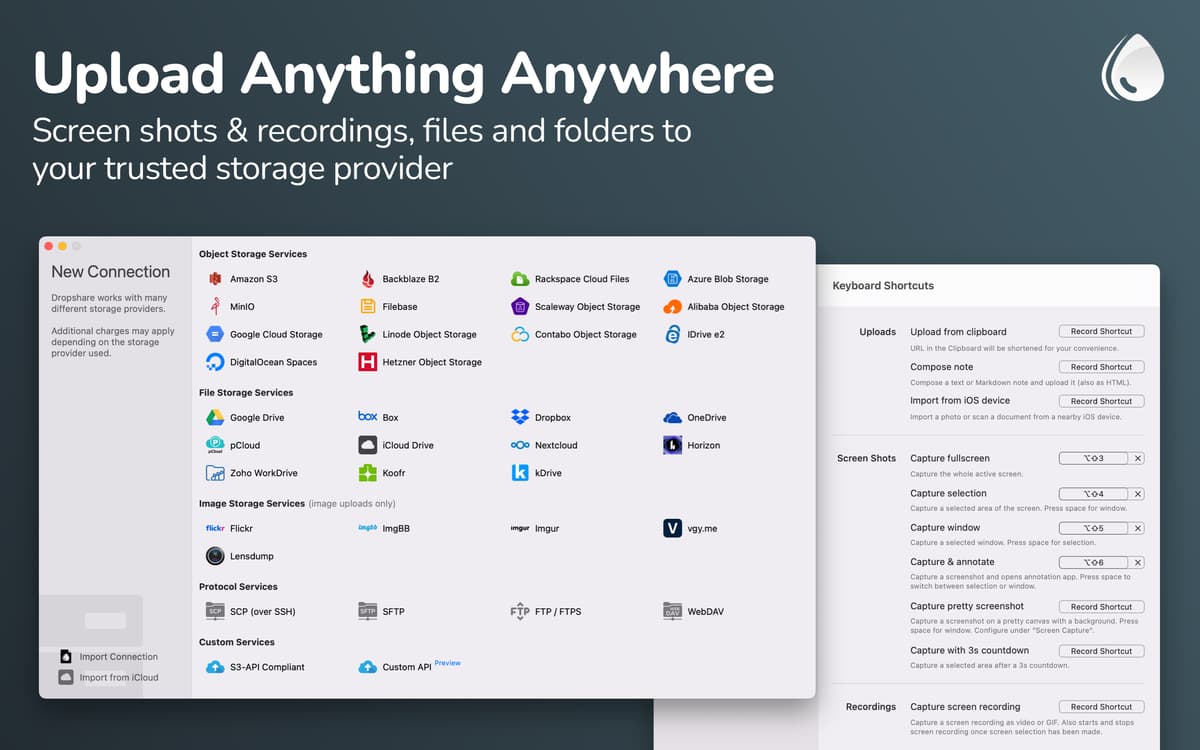
Certas opções devem estar sempre por perto, não é? Defina atalhos de teclados convenientes para você e desfrute de mais rapidez para concluir tarefas de forma intuitiva.
Sincronize o histórico de envios
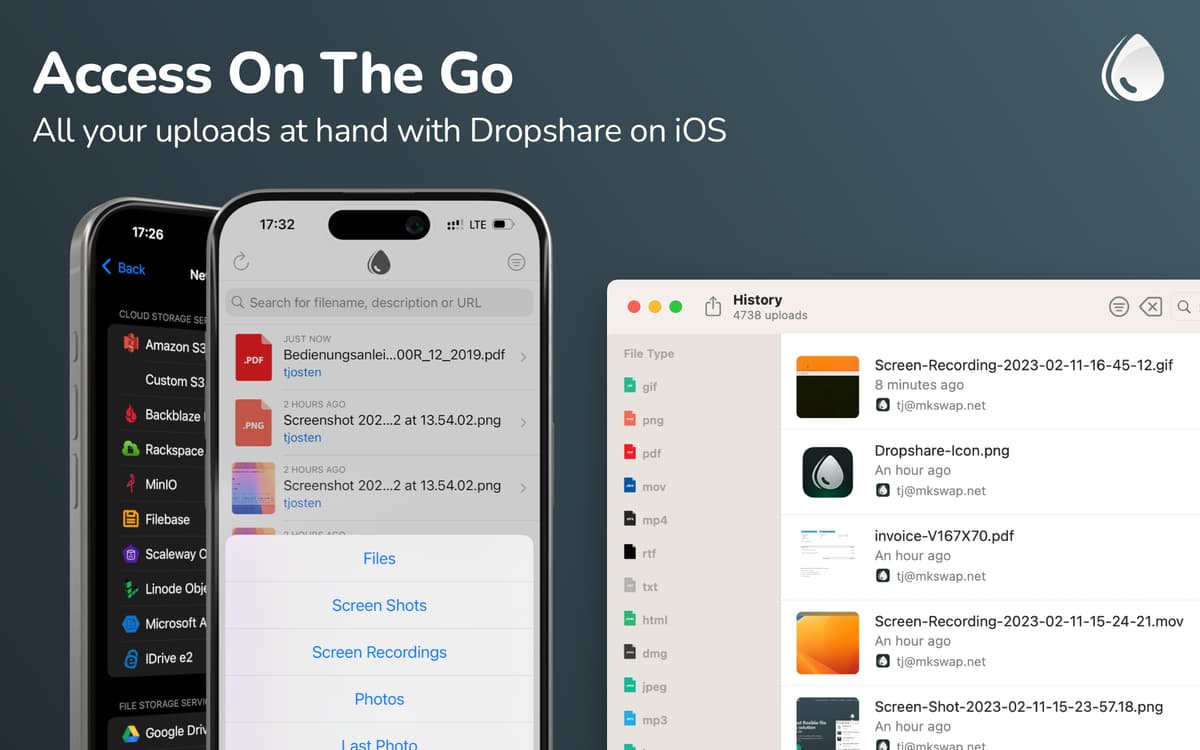
Tenha todo o histórico de envio de todos os seus dispositivos sempre à mão. Por oferecer suporte robusto à maioria dos provedores de nuvem, você fica à vontade para usar os seus preferidos.
Notas em Markdown
Crie notas em Markdown da área de transferência ou use o editor de notas integrado. E, quando houver necessidade, crie um modelo HTML, CSS ou JavaScript personalizado.
Classificações e avaliações
Dropshare
•
424 classificações
Robert Leisser
19 de ago. de 2026
Versão do app: 6.13
ich liebe es suoer zum screenshots machen und diese drekt als link zu teilen und enthalten in einem setapp abo einfach genial!
Brayden Matsko
6 de ago. de 2025
Versão do app: 5.58
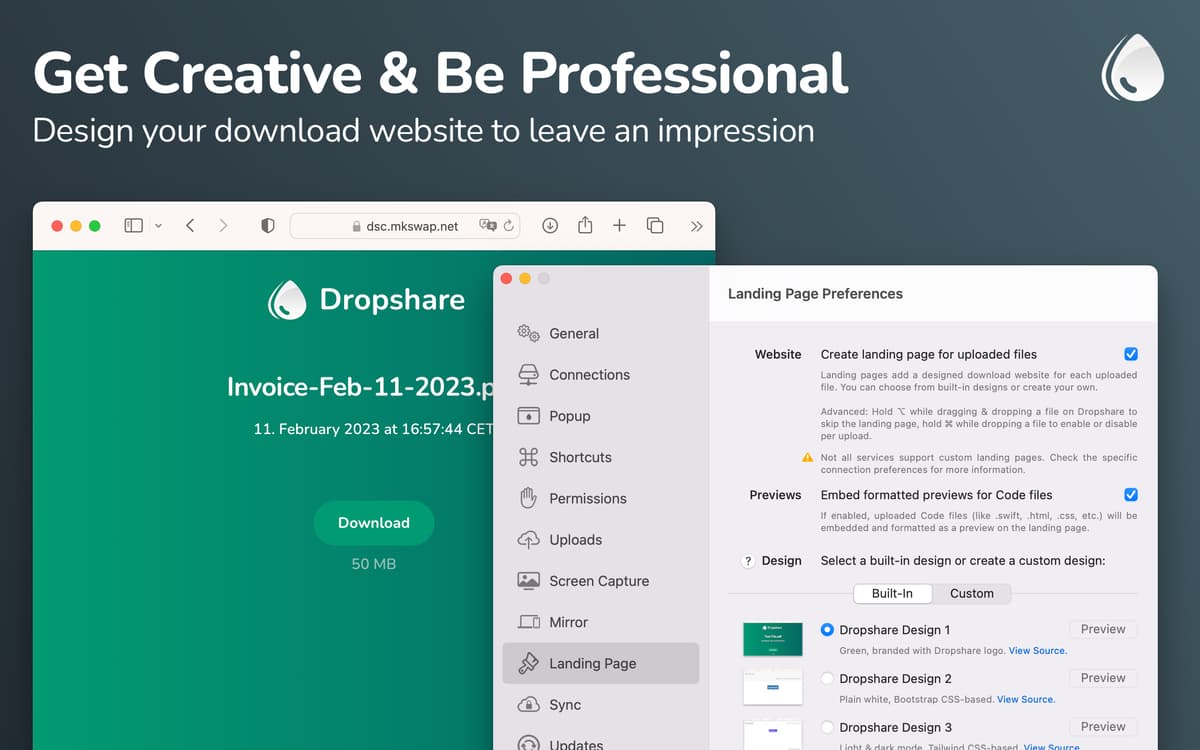
Dropshare is lovely. I love being able to add landing pages to file downloads, completely replaced WeTranfer for me! The Google Drive integration is also nice to upload things quickly for internal sharing, although I do use it less.
Resposta do Desenvolvedor
7 de out. de 2025
Thank you!
Bruno Del Frate
10 de jul. de 2025
Versão do app: 6.3
Not only is it an excellent piece of software, but it also offers outstanding support! I reported a minor issue with the Fastmail integration and received a response from the developer almost immediately. The issue was fixed within just a few hours. Highly recommended!
Resposta do Desenvolvedor
7 de out. de 2025
Thank you!
Obtenha centenas de apps com o Membership
Obtenha um membership do Setapp e use centenas de apps estelares numa única assinatura.
Experimente grátis por 7 dias. Depois, pague um valor único.
Instale o Setapp no Mac
Explore apps para Mac, iOS e web. Encontre formas fáceis de lidar com as tarefas do dia a dia.

Obtenha o app que chamou sua atenção
Aquele app especial está esperando você no Setapp. Instale‑o com um clique.

Dropshare
Escolha uma assinatura
Um ou mais apps com um membership do Setapp. Obtenha os apps que você quer.

Obtenha centenas de apps com o Membership
Obtenha um membership do Setapp e use centenas de apps estelares numa única assinatura.
Experimente grátis por 7 dias. Depois, pague um valor único.
1
Instale o Setapp no Mac
Explore apps para Mac, iOS e web. Encontre formas fáceis de lidar com as tarefas do dia a dia.
2
Obtenha o app que chamou sua atenção
Aquele app especial está esperando você no Setapp. Instale‑o com um clique.
Dropshare
3
Escolha uma assinatura
Um ou mais apps com um membership do Setapp. Obtenha os apps que você quer.
A casa dos melhores apps
Desde tarefas rotineiras e de planejamento a atividades criativas e de programação, encare suas tarefas com os apps do Setapp.

TypingMind
IU alternativa para conversar com IA
gere ou resuma textos
use uma biblioteca de ações
IA

Spark Mail
Gerencie e‑mails
IA

CleanMyMac
Limpe os detritos

Bartender
Personalize a barra de menus

CleanShot X
Capturas de tela versáteis

Luminar Neo
Edite suas fotos
IA

ClearVPN
Conecte‑se com mais segurança

Craft
Trabalhe com documentos
IA
Dropshare
Economize espaço ao compartilhar