
Godspeed
Gerencie tarefas mais rápido
Mac, iOS
Versão 1.9.19
macOS 12.0 ou posterior
569.1 MB
1 idiomas
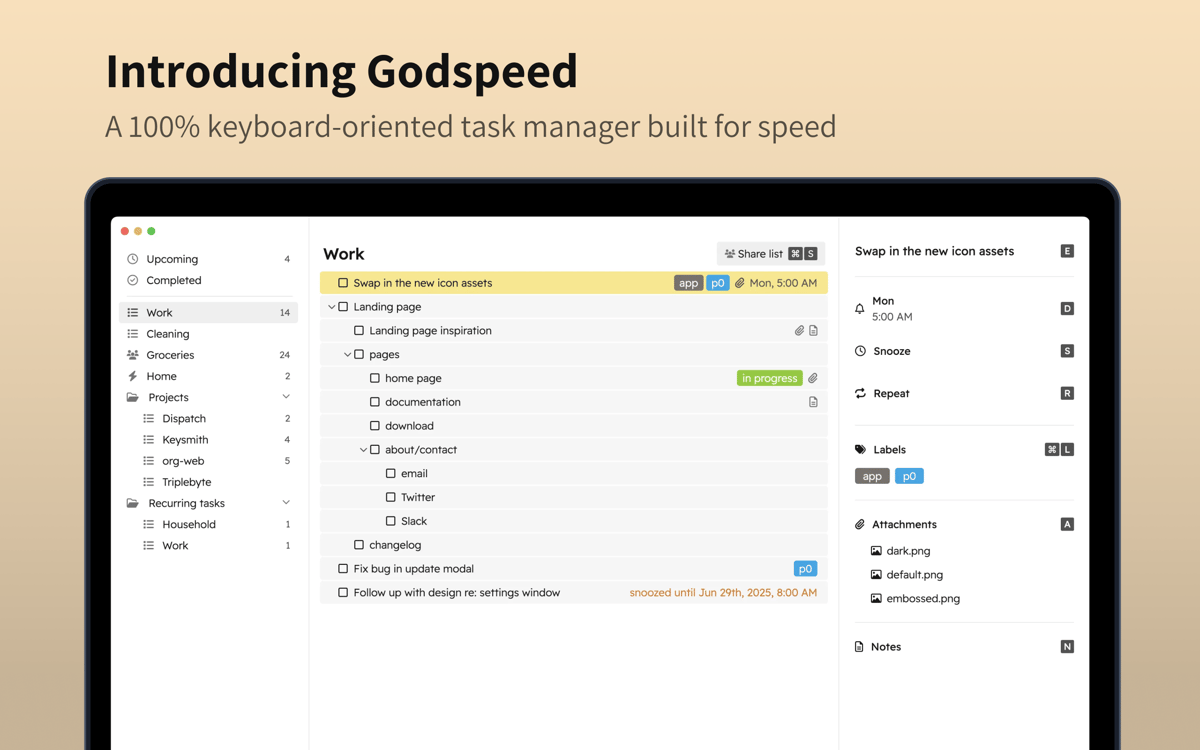
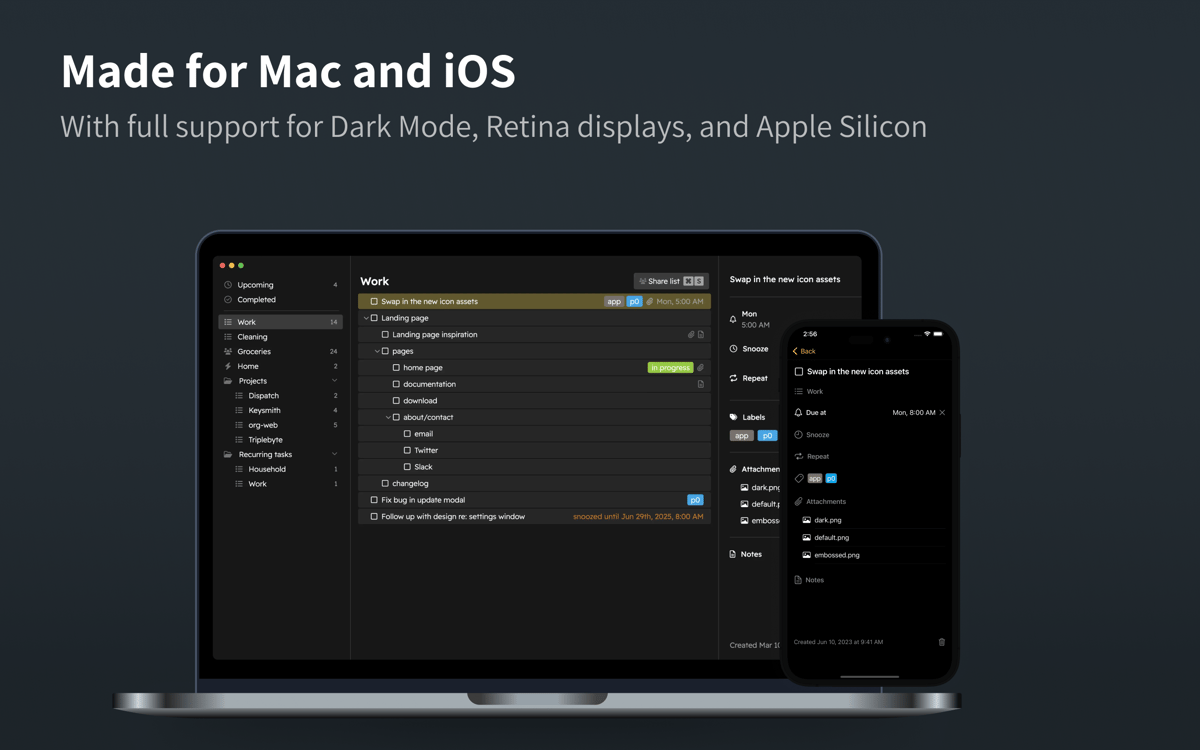
O Godspeed é a solução perfeita para quem busca um sistema de acompanhamento de tarefas otimizado e claro, que poupa tempo não só no planejamento, mas também na adição de tarefas. O app permite usar diversos atalhos de teclado para completar rapidamente ações em tarefas e economizar tempo ao adicionar ou editar afazeres.
Adicione e edite tarefas pelo teclado
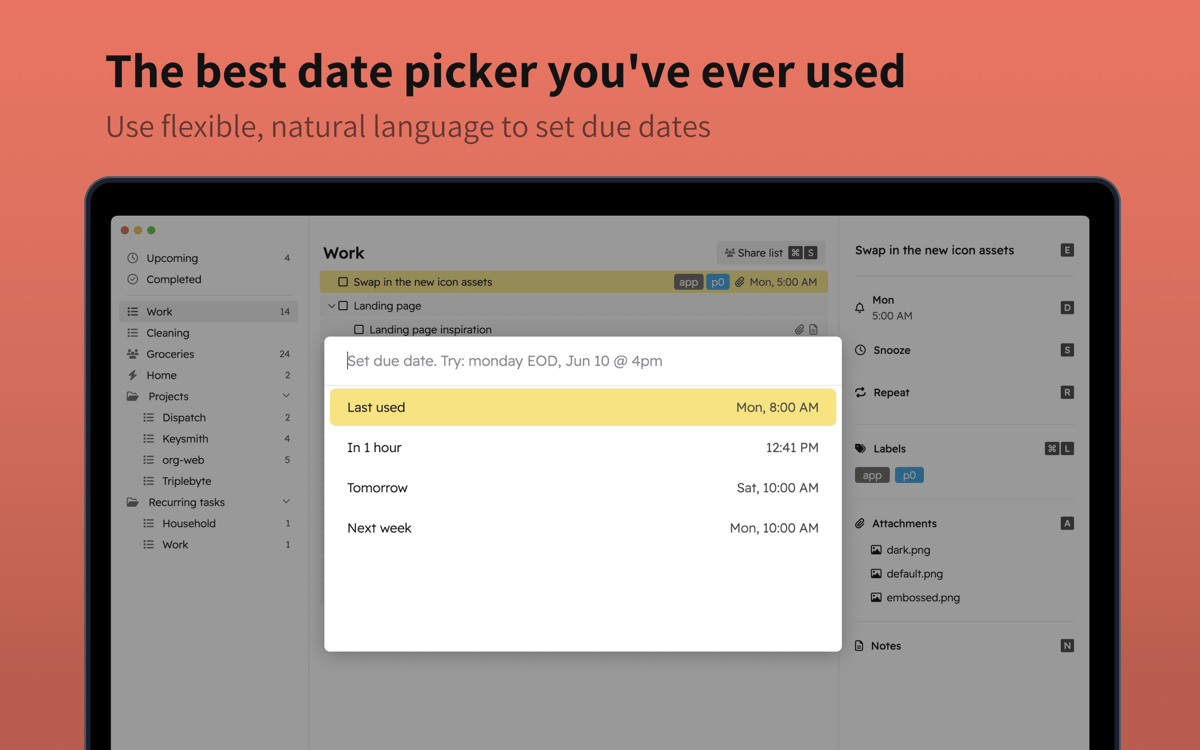
Use linguagem natural para marcar datas
Configure tarefas recorrentes
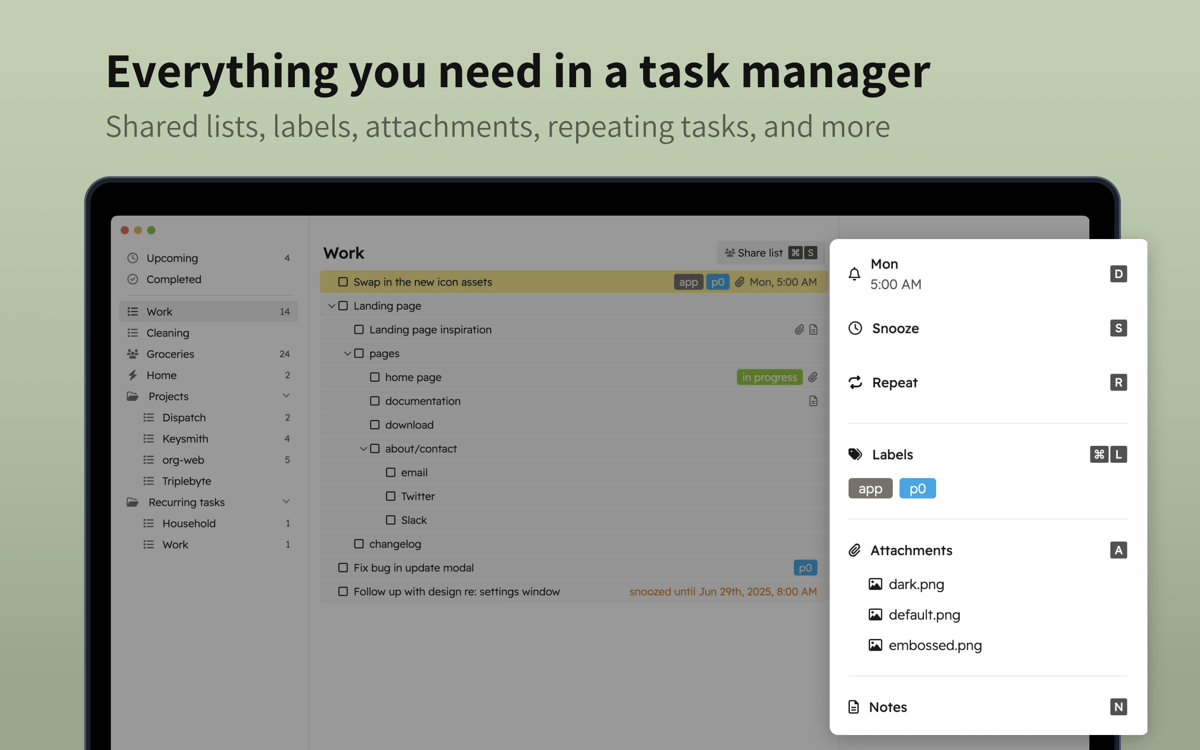
Inclua notas, anexos e links
Recursos do Godspeed
Prioridade para a entrada via teclado
O Godspeed sabe que a velocidade do gerenciamento de tarefas depende diretamente da ferramenta que você usa. Poupe tempo ao adicionar ou editar tarefas com a entrada via teclado priorizada pelo app: adicione e edite a maioria das tarefas com atalhos de teclado e use ações rápidas. Com Command + K, você acessa todos os atalhos na paleta de comandos do app.
Entrada com linguagem natural
Para adicionar uma data limite para a tarefa, basta usar linguagem natural. O Godspeed converte tudo automaticamente para o formato certo, sem que você precise rolar pelos meses e dias no calendário para escolher data e hora. Dessa forma, você adiciona tarefas mais rápido e diminui as chances de marcar algo na hora e no dia errados. Não quer começar na hora marcada? Basta adiar a tarefa!
Notas e anexos em tarefas
Precisa adicionar um comentário ou anexo à tarefa? Com o Godspeed, você insere notas ou anexos de forma rápida, assim como qualquer link relevante. Tudo diretamente pelo teclado.
Listas compartilhadas
Seja para planejar uma viagem de carro com a família ou trabalhar em um projeto com a equipe, conte com as listas compartilhadas para colaborar em tarefas. As atualizações feitas por outras pessoas aparecem em tempo real.
Modo de entrada rápida
Use um atalho para abrir o modo de entrada rápida e inserir tarefas de imediato. Anote os prontos principais e elabore mais tarde. Para ter ainda mais conveniência, você também pode adicionar tarefas por e‑mail. Cada lista no app tem um e‑mail dedicado que encaminha os rascunhos das tarefas para o Godspeed.
Adicione etiquetas e use aninhamento
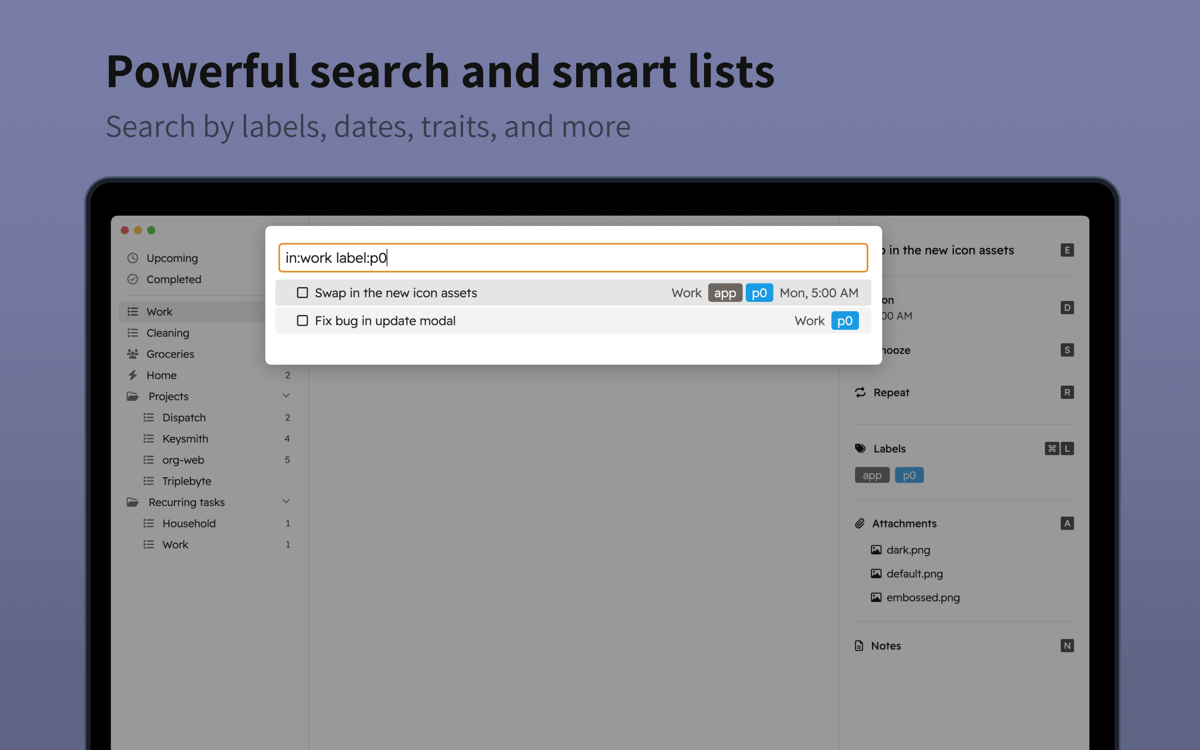
Use etiquetas e listas inteligentes para ajudar no gerenciamento das tarefas. Com esses recursos, você vê apenas as tarefas com uma etiqueta específica. Ordene as tarefas de acordo com o relacionamento mútuo, com direito a aninhamento infinito de tarefas, para manter uma hierarquia lógica das tarefas.
Classificações e avaliações
Godspeed
•
198 classificações
Ash Arnett
14 de set. de 2026
Versão do app: 1.9.19
Overall good. iPhone app is crashing.
Igor
24 de ago. de 2026
Versão do app: 1.9.19
Very good app to keep track of your tasks and todolists. Especially if you like to do everything with just your keyboard. Highly recommend!
Nadir Palacios
1 de mar. de 2026
Versão do app: 1.9.19
Really great app
Obtenha centenas de apps com o Membership
Obtenha um membership do Setapp e use centenas de apps estelares numa única assinatura.
Experimente grátis por 7 dias. Depois, pague um valor único.
Instale o Setapp no Mac
Explore apps para Mac, iOS e web. Encontre formas fáceis de lidar com as tarefas do dia a dia.

Obtenha o app que chamou sua atenção
Aquele app especial está esperando você no Setapp. Instale‑o com um clique.

Godspeed
Escolha uma assinatura
Um ou mais apps com um membership do Setapp. Obtenha os apps que você quer.

Obtenha centenas de apps com o Membership
Obtenha um membership do Setapp e use centenas de apps estelares numa única assinatura.
Experimente grátis por 7 dias. Depois, pague um valor único.
1
Instale o Setapp no Mac
Explore apps para Mac, iOS e web. Encontre formas fáceis de lidar com as tarefas do dia a dia.
2
Obtenha o app que chamou sua atenção
Aquele app especial está esperando você no Setapp. Instale‑o com um clique.
Godspeed
3
Escolha uma assinatura
Um ou mais apps com um membership do Setapp. Obtenha os apps que você quer.
A casa dos melhores apps
Desde tarefas rotineiras e de planejamento a atividades criativas e de programação, encare suas tarefas com os apps do Setapp.

TypingMind
IU alternativa para conversar com IA
gere ou resuma textos
use uma biblioteca de ações
IA

Spark Mail
Gerencie e‑mails
IA

CleanMyMac
Limpe os detritos

Bartender
Personalize a barra de menus

CleanShot X
Capturas de tela versáteis

Luminar Neo
Edite suas fotos
IA

ClearVPN
Conecte‑se com mais segurança

Craft
Trabalhe com documentos
IA
Godspeed
Gerencie tarefas mais rápido