
Kerlig
Escreva melhor em qualquer app no Mac

Mac
Versão 2.8.4
macOS 12.0 ou posterior
573.5 MB
1 idiomas
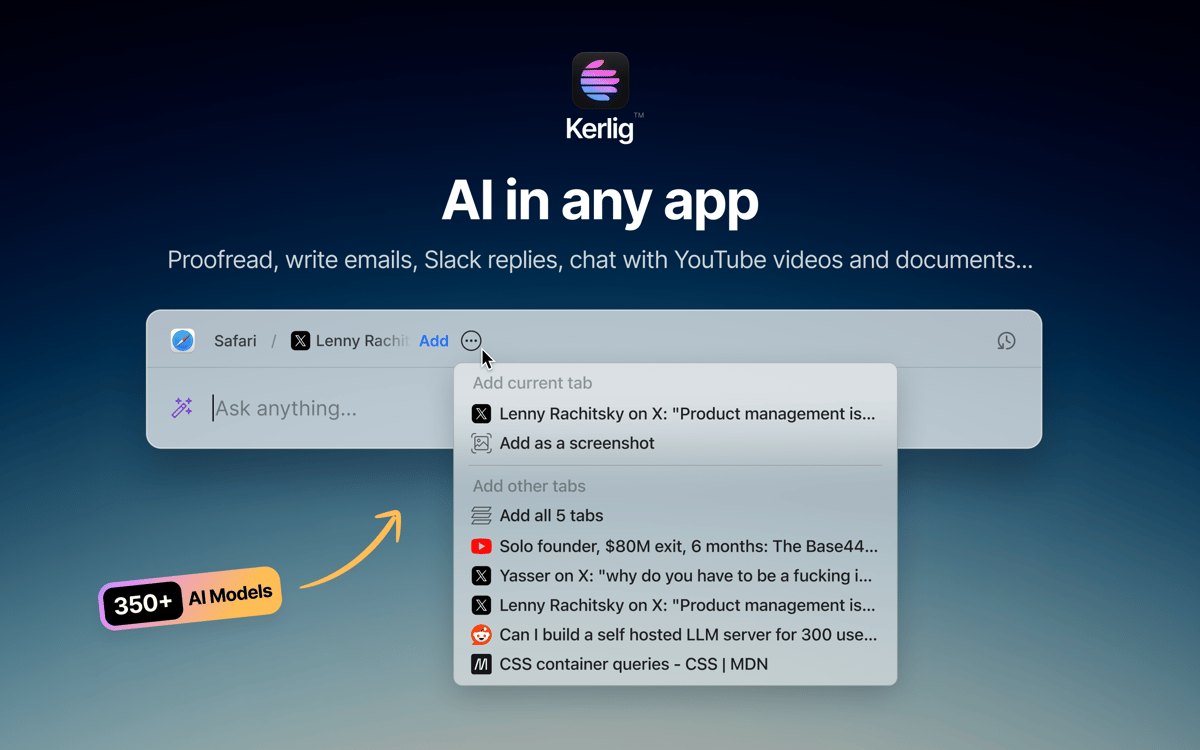
Kerlig é um assistente de escrita com IA que fica na barra de menu do seu Mac. Pressione um atalho e ele aparece — sem abas do navegador, sem troca de contexto. Use para revisar mensagens, escrever respostas, resumir documentos ou executar ações personalizadas em qualquer app. Ele funciona com mais de 350 modelos da OpenAI, Anthropic, Google e outros, usando suas próprias chaves de API.
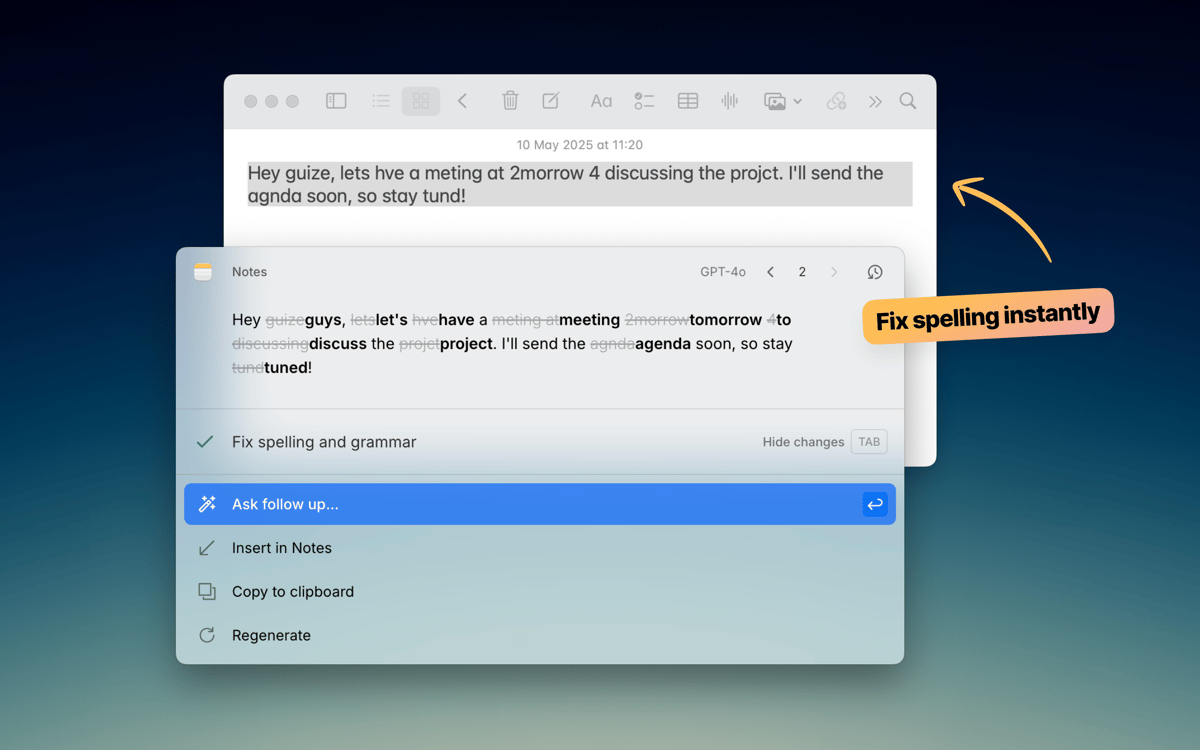
Revise o texto antes de clicar em Enviar
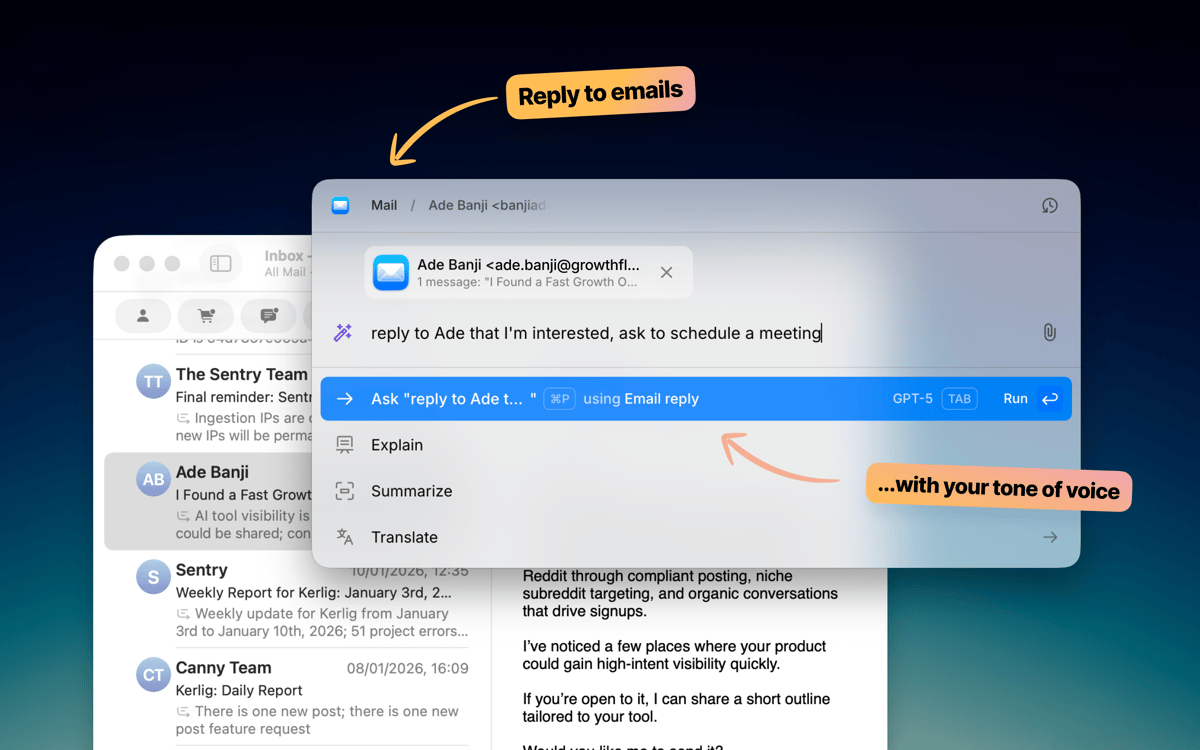
Escreva e-mails e respostas no Slack mais rápido
Converse com documentos e páginas da web
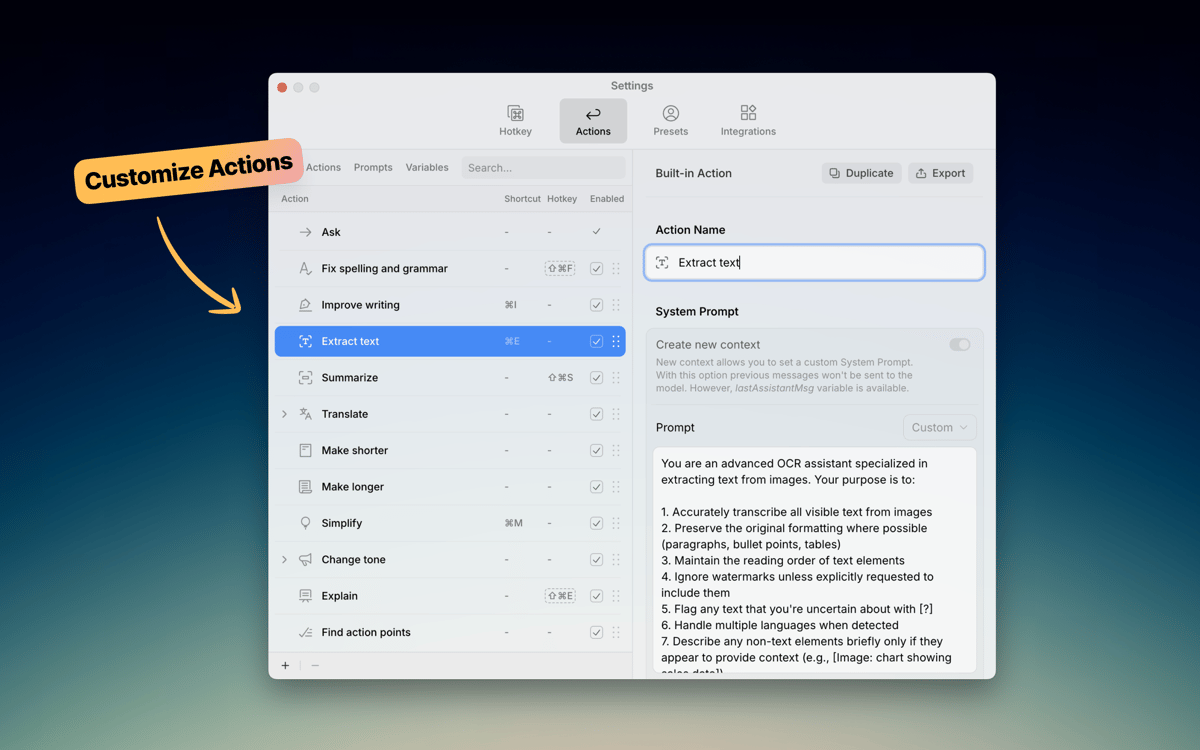
Execute ações de IA personalizadas em qualquer app
Recursos do Kerlig
Escreva sem sair do seu aplicativo
Kerlig fica discretamente até você precisar. Pressione o atalho do teclado e ele surge exatamente onde você está trabalhando — seja no Mail, Slack, Notion ou qualquer outro. Corrija a gramática, melhore uma mensagem ou escreva uma resposta sem abrir uma única aba do navegador. Ele se encaixa perfeitamente na forma como você já trabalha no seu Mac.
Escolha seu modelo de IA
Nem toda tarefa exige o mesmo modelo. O Kerlig conecta-se a mais de 350 modelos entre OpenAI, Anthropic, Google, Groq, Perplexity e outros. Alterne entre eles com um clique. Você também pode rodar modelos locais pelo Ollama, LM Studio ou Apple Foundation Models se preferir manter tudo no seu dispositivo.
Crie suas próprias ações
O Kerlig vem com ações práticas integradas como revisão, resumo e tradução. Mas o verdadeiro poder está em criar as suas próprias. Crie prompts personalizados para tarefas frequentes — escrever tickets no Jira, converter código, gerar posts para redes sociais — e ative-as instantaneamente pelo menu de atalho. Seus fluxos de trabalho, suas regras.
Converse com documentos
Solte um PDF, página da web, ebook ou imagem e comece a fazer perguntas. O Kerlig permite analisar e resumir documentos direto no app, sem precisar copiar e colar trechos em um navegador. É uma forma rápida de obter insights de arquivos nos quais você já está trabalhando.
Defina seu tom de voz
Cada pessoa escreve de um jeito. O Kerlig permite salvar predefinições de tom — descontraído para o Slack, formal para e-mails de clientes, conciso para tickets — para que o texto gerado pela IA pareça com você. Alterne entre tons com um clique e mantenha sua voz consistente em cada mensagem.
Mantenha sua escrita privada
O Kerlig não armazena nem usa seus dados para treinamento. Seu histórico de conversas permanece criptografado no seu Mac e você sempre tem controle de qual provedor de IA processa seus pedidos. Escreva à vontade, sabendo que suas mensagens e documentos não estão sendo coletados ou compartilhados sem seu conhecimento.
Classificações e avaliações
Kerlig
•
25 classificações
Matthias Honert
15 de jul. de 2026
Versão do app: 2.6.0
Yeah, nice tool. Text review is now easier than before in during different apps
kyo kou
8 de mai. de 2026
Versão do app: 2.5.5
This app is really amazing! I particularly love its action feature, which makes everything so much easier. Before, I had to open a website to get certain AI responses, but now I can do it all with just a shortcut key.
Bowser
1 de mai. de 2026
Versão do app: 2.5.4
This app is fantastic. I LOVE it. It’s easy to use, does what it says, and is great for changing copy on the fly without using the Claude / ChatGPT platform. Highly Recommended.
Obtenha centenas de apps com o Membership
Obtenha um membership do Setapp e use centenas de apps estelares numa única assinatura.
Experimente grátis por 7 dias. Depois, pague um valor único.
Instale o Setapp no Mac
Explore apps para Mac, iOS e web. Encontre formas fáceis de lidar com as tarefas do dia a dia.

Obtenha o app que chamou sua atenção
Aquele app especial está esperando você no Setapp. Instale‑o com um clique.

Kerlig
Escolha uma assinatura
Um ou mais apps com um membership do Setapp. Obtenha os apps que você quer.

Obtenha centenas de apps com o Membership
Obtenha um membership do Setapp e use centenas de apps estelares numa única assinatura.
Experimente grátis por 7 dias. Depois, pague um valor único.
1
Instale o Setapp no Mac
Explore apps para Mac, iOS e web. Encontre formas fáceis de lidar com as tarefas do dia a dia.
2
Obtenha o app que chamou sua atenção
Aquele app especial está esperando você no Setapp. Instale‑o com um clique.
Kerlig
3
Escolha uma assinatura
Um ou mais apps com um membership do Setapp. Obtenha os apps que você quer.
A casa dos melhores apps
Desde tarefas rotineiras e de planejamento a atividades criativas e de programação, encare suas tarefas com os apps do Setapp.

TypingMind
IU alternativa para conversar com IA
gere ou resuma textos
use uma biblioteca de ações
IA

Spark Mail
Gerencie e‑mails
IA

CleanMyMac
Limpe os detritos

Bartender
Personalize a barra de menus

CleanShot X
Capturas de tela versáteis

Luminar Neo
Edite suas fotos
IA

ClearVPN
Conecte‑se com mais segurança

Craft
Trabalhe com documentos
IA
Kerlig
Escreva melhor em qualquer app no Mac