Moonlock
Protect Mac from cyber threats

Mac
Versão 1.0.18
macOS 13.0 ou posterior
575.4 MB
12 idiomas
Don’t you feel that cybersecurity software has become too complex? Something we’re expected to trust blindly and never truly understand. Moonlock is here to make cybersecurity more user-friendly. Forget the vague and scary ways of security software. Finally, it speaks, looks, and feels uncomplicated.
Check how well-protected you are
Find hidden malware
Reduce the risk of cyber attacks
Never doubt your Mac’s security again
Recursos do Moonlock
Find out your protection level
Moonlock checks how many security tools are active on your Mac and gives personalized recommendations on how to improve your security posture. As you’re following Moonlock’s advice or neutralizing cyber threats, your level changes, showing your progress toward a safer Mac.
Get to know malware
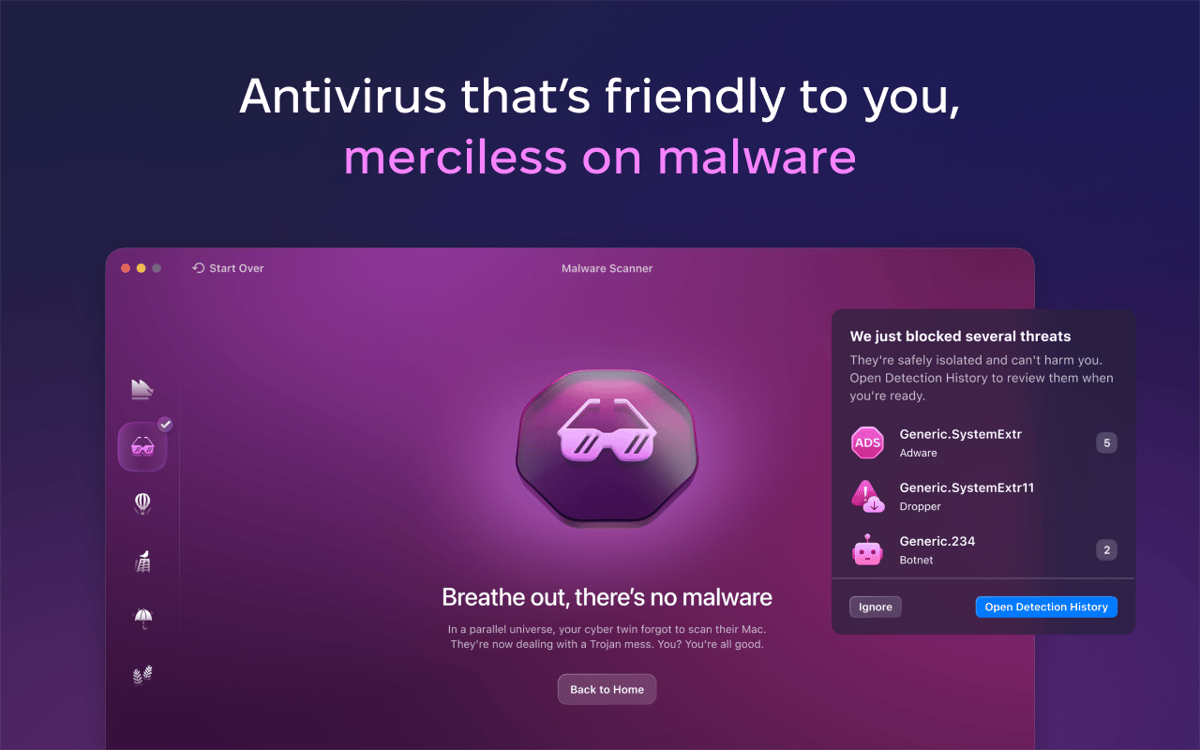
When Moonlock finds malware, you’ll see what type it is, how it’s dangerous, and what to do next. Track all removed malware to see if there’s a pattern and use this knowledge to avoid risky files in the future.
Check macOS security settings
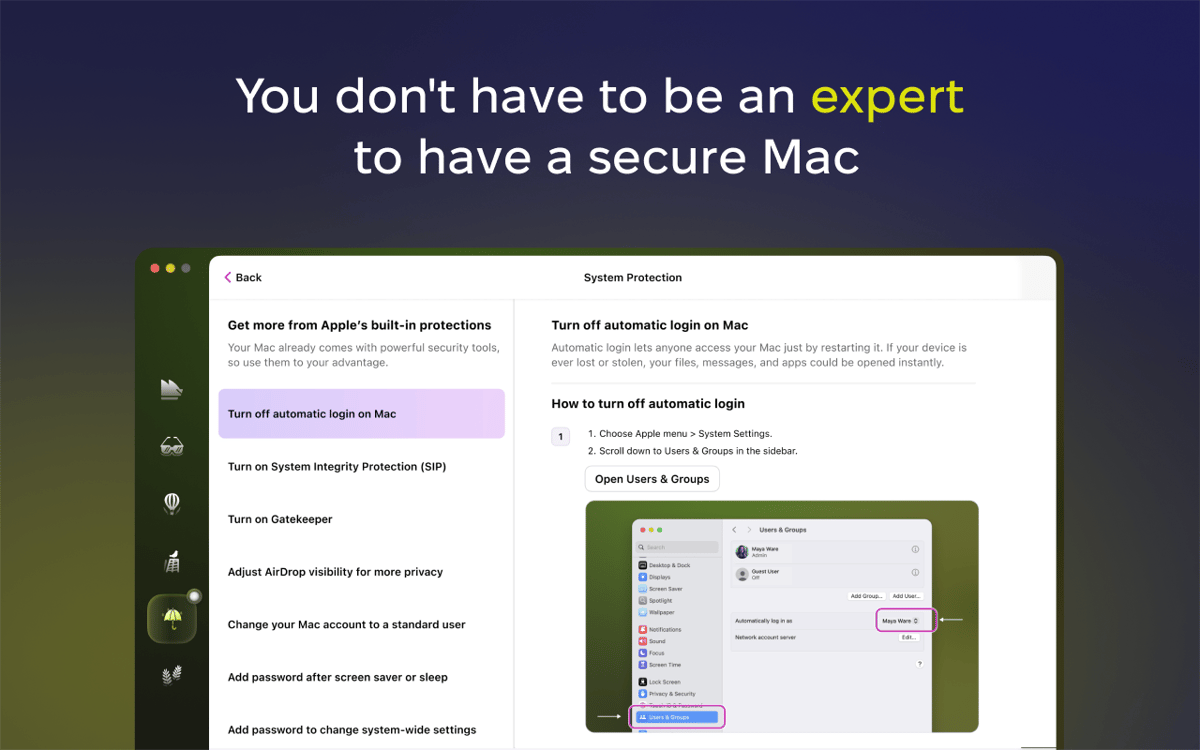
Set up all Apple security tools without taking your Mac to the Apple Store or searching for tutorials online. Moonlock has it all ready for you. Follow its step-by-step instructions to turn on Mac settings that keep you safe — and turn off those that put you at risk.
Hide your browsing
Your IP address can reveal your approximate location, internet service provider, and even help hackers piece together your visits on different websites. Moonlock hides this address with a VPN, replacing it with one from a secure server somewhere else in the world.
Limit your Mac connections
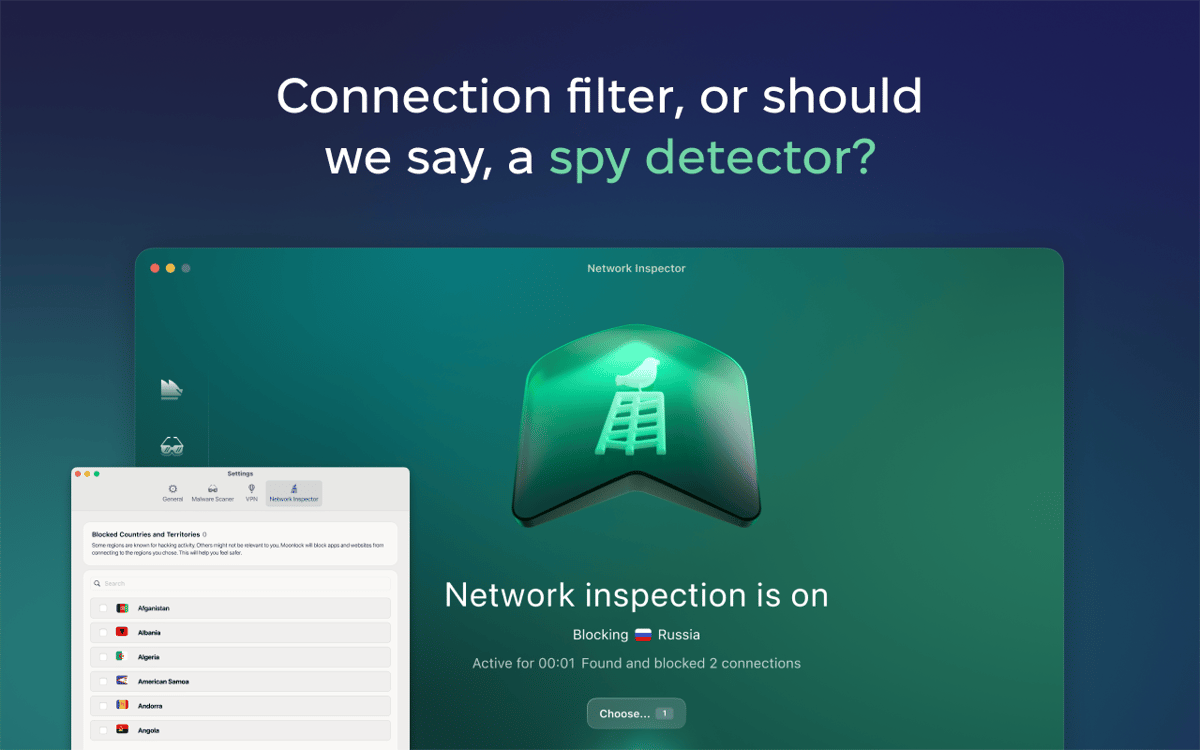
Some countries are known for hacking activity, and some are simply not relevant to you. If you never need to connect to those regions, why let them connect to your Mac? Use Moonlock to block these connections, and you’ll instantly cut off a major source of digital threats.
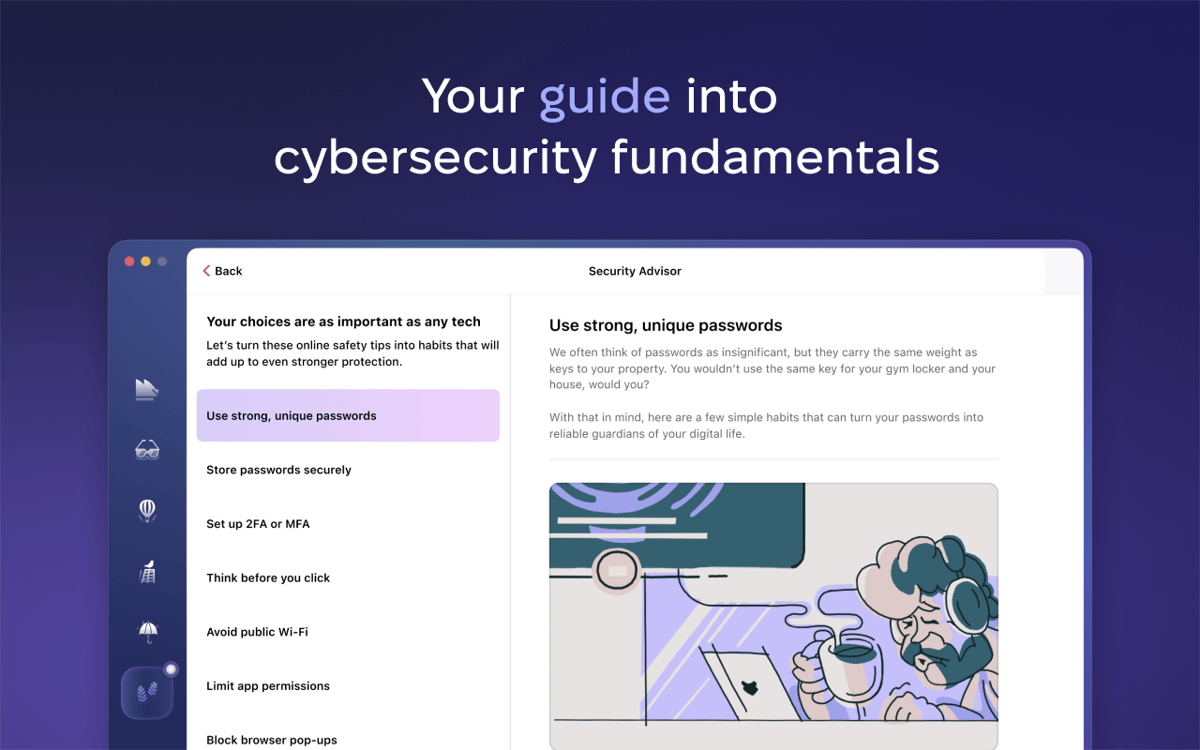
Learn cybersecurity fundamentals
Moonlock comes with a collection of simple habits that anyone can adopt to stay safer online. When you follow them through, like choosing stronger passwords or checking links before clicking, you’re doing something no app can do for you: creating the most personalized online protection there is.
Classificações e avaliações
Moonlock
•
515 classificações
Troy McCall
1 de out. de 2026
Versão do app: 1.0.18
loving the deeper malware analysis
Abhishek Aryan
19 de set. de 2026
Versão do app: 1.0.18
uses too many resources
Olaf Owens
19 de ago. de 2026
Versão do app: 1.0.16
Great App but I can not use VPN. The locations will not come up to be assed.
Obtenha centenas de apps com o Membership
Obtenha um membership do Setapp e use centenas de apps estelares numa única assinatura.
Experimente grátis por 7 dias. Depois, pague um valor único.
Instale o Setapp no Mac
Explore apps para Mac, iOS e web. Encontre formas fáceis de lidar com as tarefas do dia a dia.

Obtenha o app que chamou sua atenção
Aquele app especial está esperando você no Setapp. Instale‑o com um clique.

Moonlock
Escolha uma assinatura
Um ou mais apps com um membership do Setapp. Obtenha os apps que você quer.

Obtenha centenas de apps com o Membership
Obtenha um membership do Setapp e use centenas de apps estelares numa única assinatura.
Experimente grátis por 7 dias. Depois, pague um valor único.
1
Instale o Setapp no Mac
Explore apps para Mac, iOS e web. Encontre formas fáceis de lidar com as tarefas do dia a dia.
2
Obtenha o app que chamou sua atenção
Aquele app especial está esperando você no Setapp. Instale‑o com um clique.
Moonlock
3
Escolha uma assinatura
Um ou mais apps com um membership do Setapp. Obtenha os apps que você quer.
A casa dos melhores apps
Desde tarefas rotineiras e de planejamento a atividades criativas e de programação, encare suas tarefas com os apps do Setapp.

TypingMind
IU alternativa para conversar com IA
gere ou resuma textos
use uma biblioteca de ações
IA

Spark Mail
Gerencie e‑mails
IA

CleanMyMac
Limpe os detritos

Bartender
Personalize a barra de menus

CleanShot X
Capturas de tela versáteis

Luminar Neo
Edite suas fotos
IA

ClearVPN
Conecte‑se com mais segurança

Craft
Trabalhe com documentos
IA
Moonlock
Protect Mac from cyber threats