TextSniper
Extraia texto de gráficos
Mac
Versão 1.13.0
macOS 12.0 ou posterior
5.8 MB
1 idiomas
Descubra o reconhecimento de texto na velocidade da luz no Mac. O TextSniper é um app que pode extrair o texto de uma parte selecionada da tela. Chega de tomar notas — obtenha o TextSniper para capturar e salvar aquilo que importa.
Salve notas de vídeos, tutoriais, etc.
Copie e cole o texto de uma imagem
Capture rapidamente as palavras em uma página web
Capture o texto de documentos físicos
Recursos do TextSniper
Capture o texto de gráficos, documentos ou vídeos
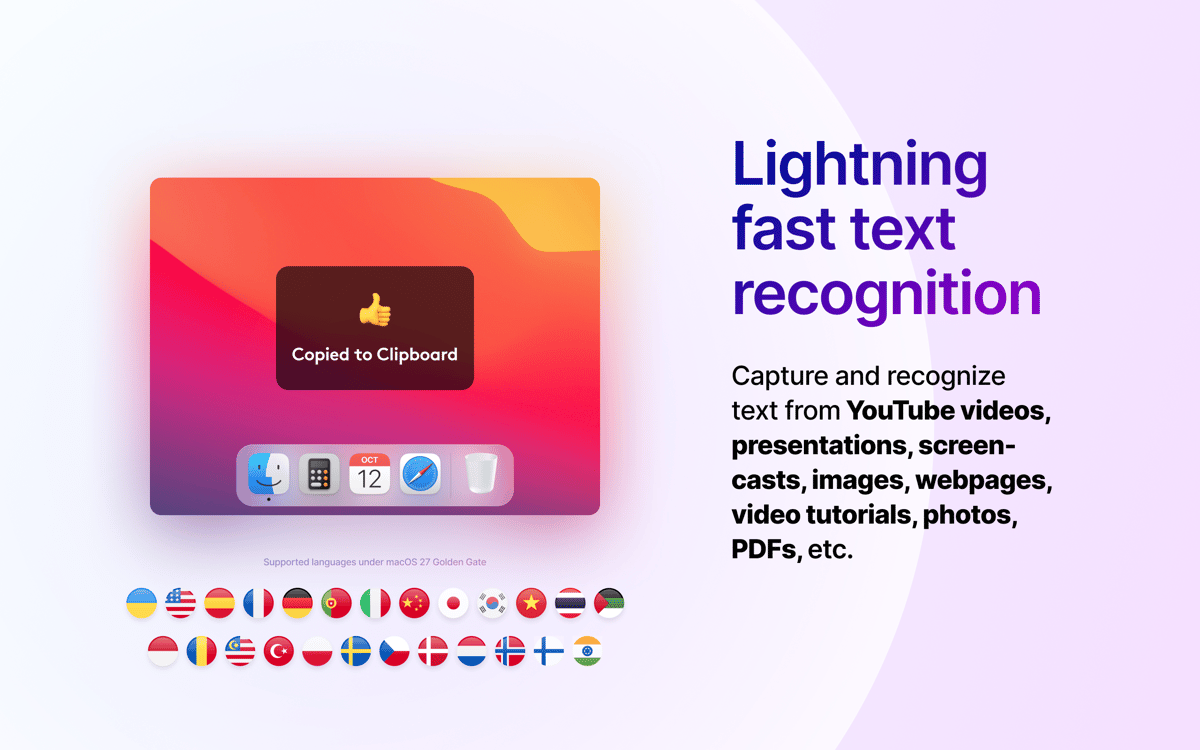
Tudo é texto para o TextSniper. O app usa uma tecnologia OCR avançada para extrair texto instantaneamente de qualquer lugar da tela. Seja em uma apresentação on-line, vídeo do YouTube, imagem ou documento PDF, use o TextSniper para transformar qualquer coisa em texto editável.
Tão fácil quanto copiar e colar
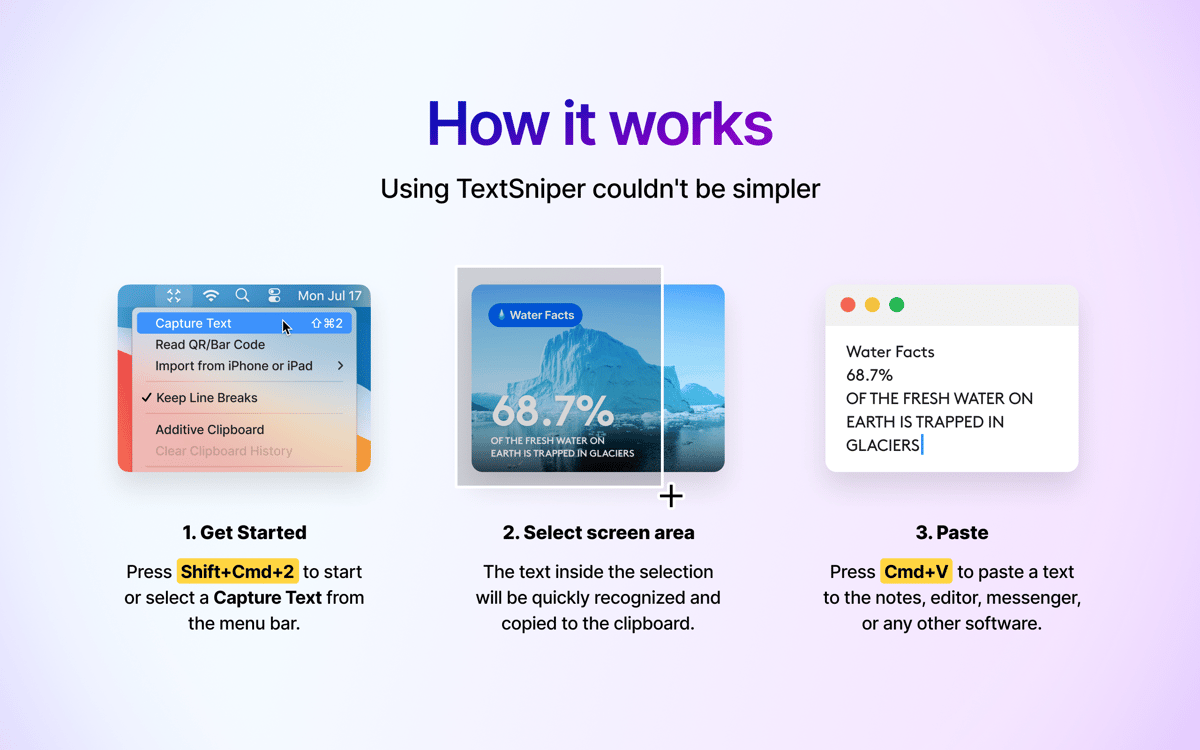
Para extrair um texto, pressione Command + Shift + 2 e selecione qualquer parte da tela. O TextSniper reconhece automaticamente o texto contido na captura de tela e o salva na área de transferência. Depois, use o familiar atalho Command + V para colar o texto onde quiser. Você pode mudar o atalho se desejar.
Guarde o que importa
O TextSniper ajuda a evitar o acúmulo, já que ele captura apenas as informações mais importantes. Salve o texto como um parágrafo ou mantenha as quebras de linha. Você pode até usar o recurso de vocalização de texto do TextSniper para que o app leia o texto para você.
Disponível na barra de menus
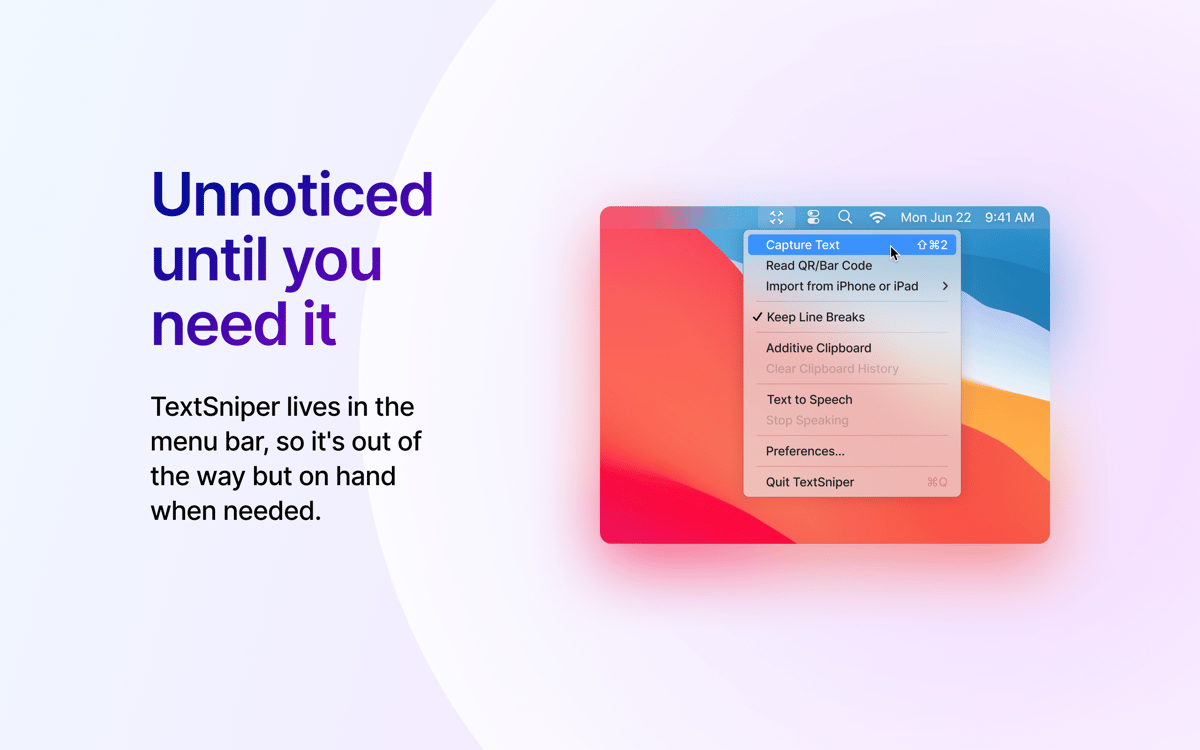
Você pode acessar o TextSniper a partir da barra de menus para iniciar uma captura ou personalizar alguns ajustes, como mudar o atalho de teclado e optar por manter as quebras de linha ao copiar um texto. Em qualquer outra ocasião, ele se mantém discreto e não atrapalha.
Classificações e avaliações
TextSniper
•
3633 classificações
Fabio Scarsi
20 de out. de 2026
Versão do app: 1.13.0
Needs some configuration since macOS 27.0.1 I used TextSniper every day for years, and it was fast and reliable. Since the update to macOS 27.0.1, every capture often takes one minute, so the app is now nearly unusable. I read that the developer suggests turning off automatic language detection as a workaround. That is not possible for me because I use English and Italian every day. Please fix it. P.s. Following the programmer’s instructions, it now works again instantly and correctly in both Italian and English.
Oleksandr Katkov
19 de out. de 2026
Versão do app: 1.13.0
UPD: the team came up with realy working advice! Used it for years being enourmosly happy to copy and paste any text from images any second. On 27.0.1 (26A434) first started lagging and now it just «recognizing text» endlessly even not being stuck. Please, fix! I need you!
风潮
12 de out. de 2026
Versão do app: 1.13.0
I've been using this OCR tool all along, and it's really great—the recognition is very accurate.
Obtenha centenas de apps com o Membership
Obtenha um membership do Setapp e use centenas de apps estelares numa única assinatura.
Experimente grátis por 7 dias. Depois, pague um valor único.
Instale o Setapp no Mac
Explore apps para Mac, iOS e web. Encontre formas fáceis de lidar com as tarefas do dia a dia.

Obtenha o app que chamou sua atenção
Aquele app especial está esperando você no Setapp. Instale‑o com um clique.

TextSniper
Escolha uma assinatura
Um ou mais apps com um membership do Setapp. Obtenha os apps que você quer.

Obtenha centenas de apps com o Membership
Obtenha um membership do Setapp e use centenas de apps estelares numa única assinatura.
Experimente grátis por 7 dias. Depois, pague um valor único.
1
Instale o Setapp no Mac
Explore apps para Mac, iOS e web. Encontre formas fáceis de lidar com as tarefas do dia a dia.
2
Obtenha o app que chamou sua atenção
Aquele app especial está esperando você no Setapp. Instale‑o com um clique.
TextSniper
3
Escolha uma assinatura
Um ou mais apps com um membership do Setapp. Obtenha os apps que você quer.
A casa dos melhores apps
Desde tarefas rotineiras e de planejamento a atividades criativas e de programação, encare suas tarefas com os apps do Setapp.

TypingMind
IU alternativa para conversar com IA
gere ou resuma textos
use uma biblioteca de ações
IA

Spark Mail
Gerencie e‑mails
IA

CleanMyMac
Limpe os detritos

Bartender
Personalize a barra de menus

CleanShot X
Capturas de tela versáteis

Luminar Neo
Edite suas fotos
IA

ClearVPN
Conecte‑se com mais segurança

Craft
Trabalhe com documentos
IA
TextSniper
Extraia texto de gráficos