
BoltAI 2
Write, code, learn with Al

Mac
Version 2.18.2
macOS 13.5 or later
55.8 MB
1 languages
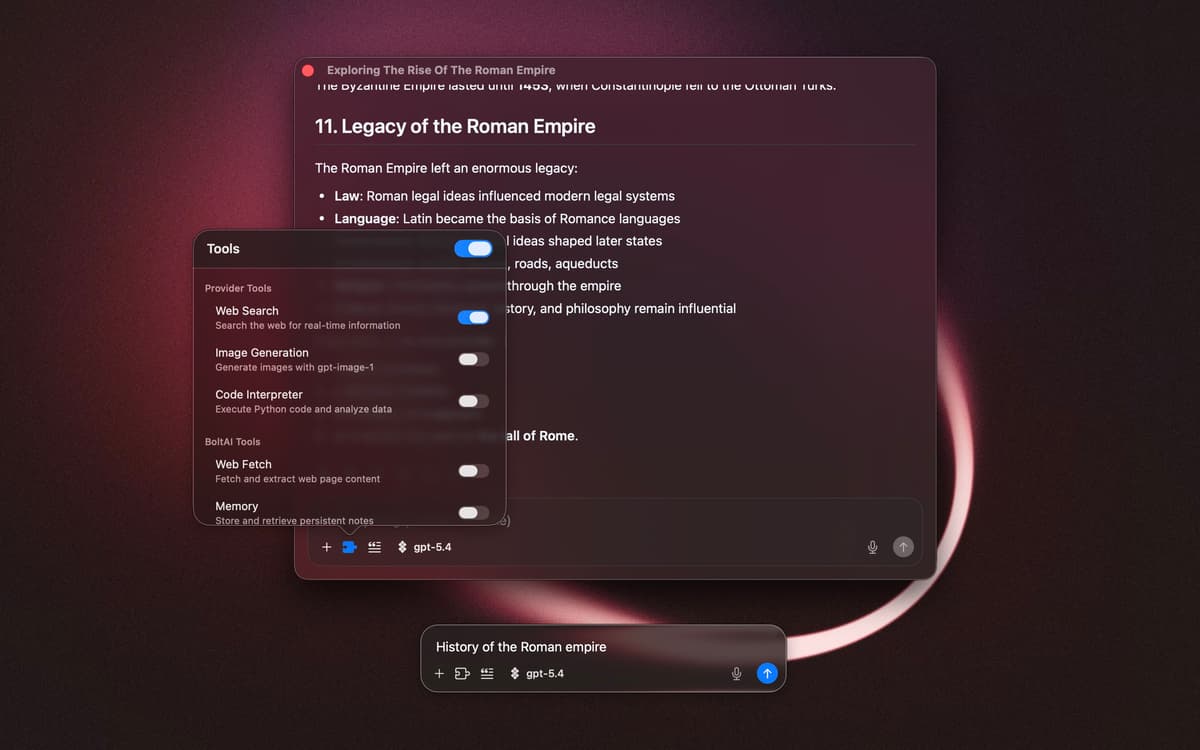
BoltAI is a native AI client for Mac. Instead of opening a browser tab every time you need ChatGPT, you trigger it with a hotkey, use it right where you are, and get back to work. Keyboard shortcuts, inline actions, and custom prompts — AI that fits into your day, not around it.
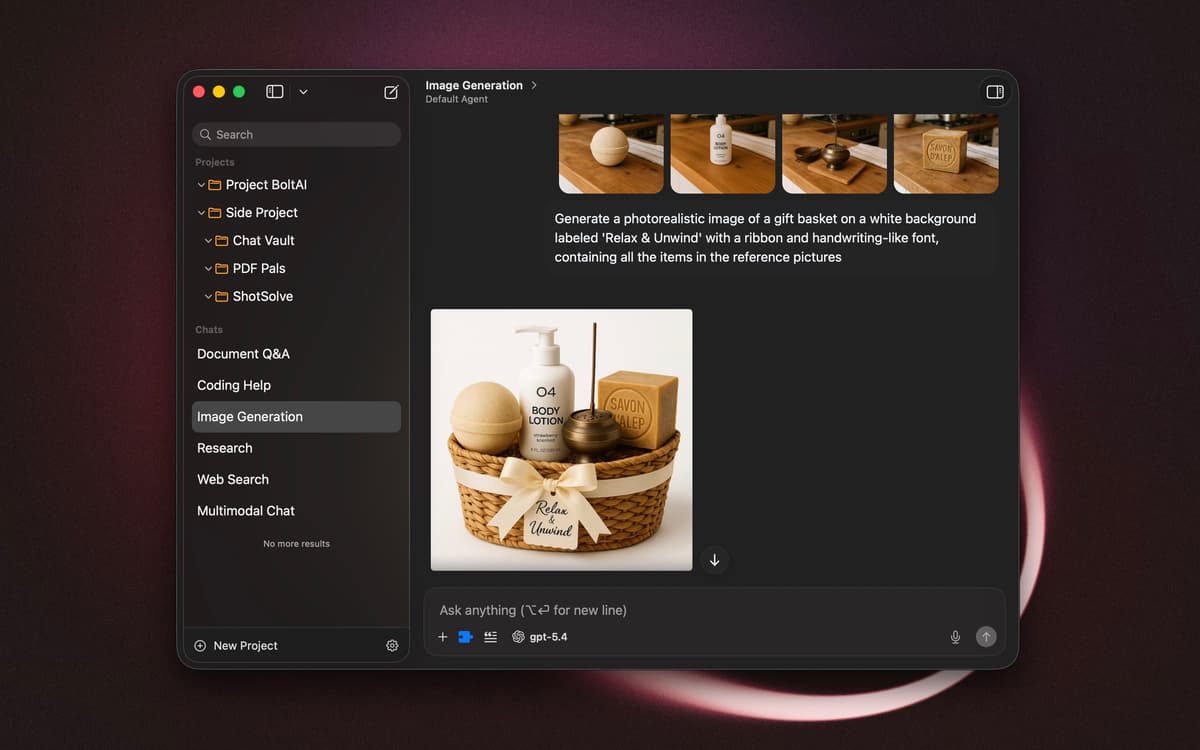
Chat with documents, images, and selected text
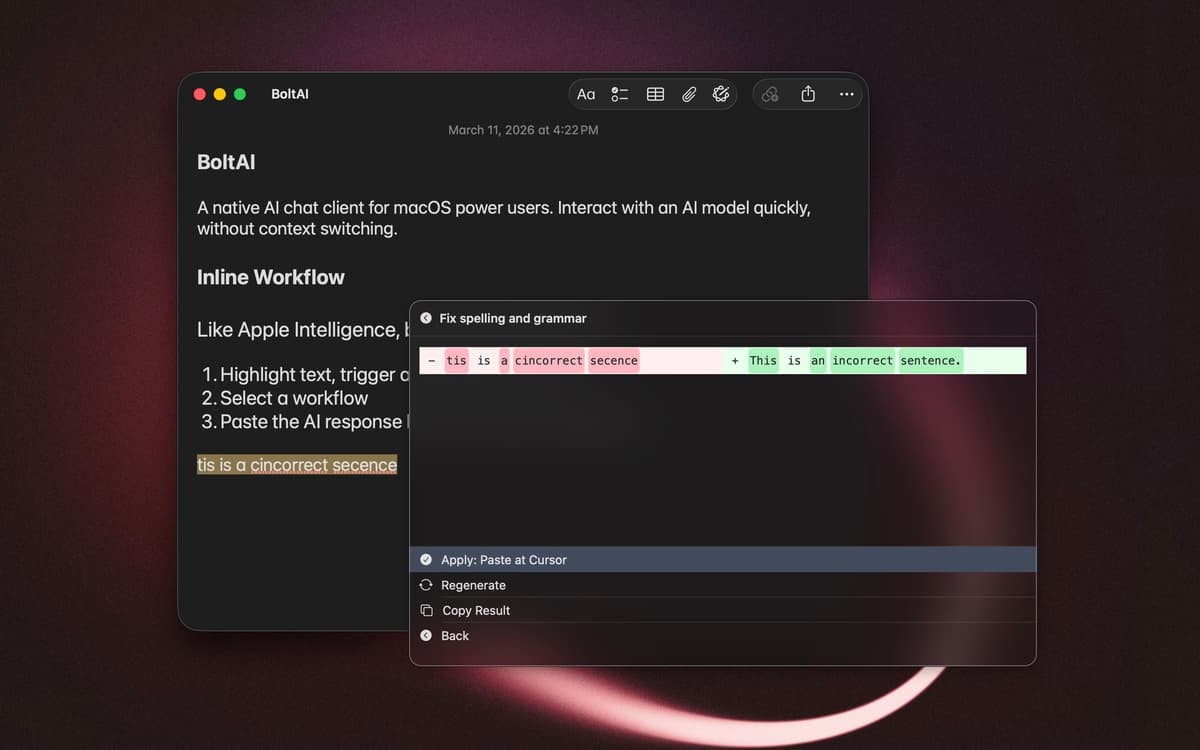
Use AI without switching apps
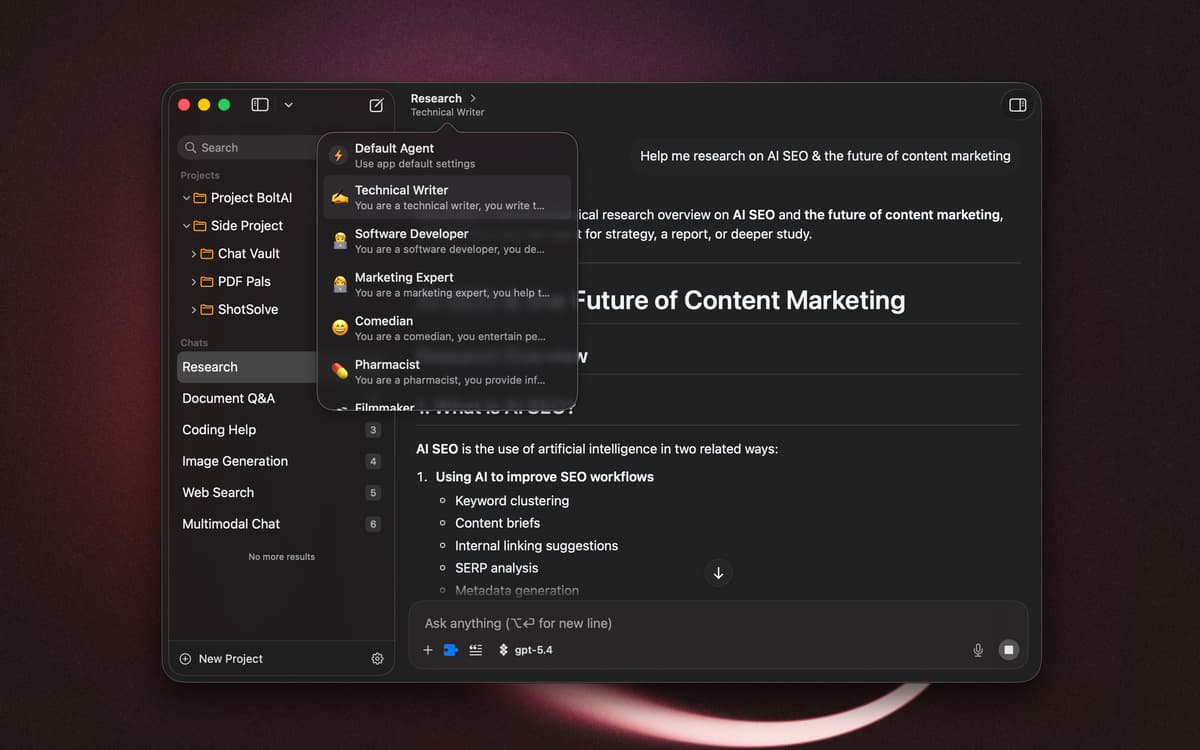
Build custom agents and reusable workflows
Run AI tasks with keyboard shortcuts
BoltAI 2 features
Chat with context
Drop in files, paste screenshots, or reference selected text to get answers that match your situation. BoltAI picks up on what you're working on and responds accordingly, making interactions feel less generic and more useful.
Work without switching windows
Trigger AI tasks with keyboard shortcuts and inline actions. Select text, press a hotkey, and run a prompt without leaving your current app. BoltAI stays out of your way until you need it.
Build reusable workflows
Save custom assistants with specific instructions, voice settings, and model preferences. Create prompt templates and workflow actions for tasks you repeat often. Over time, your setup shapes itself around how you actually work.
Keep your conversations off the cloud
Your conversations stay local on your Mac by default and aren't used for training. Bring in chat history from other tools if you want continuity, but your data remains under your control throughout.
Ratings and reviews
BoltAI 2
•
52 ratings
Sandro Wefel
Oct 26, 2026
App version: 2.18.2
It works well, but lacks synchronisation and dont work with OpenWebUI.
Response from Developer
Oct 26, 2026
Sandro, I've responded before but haven't heard back from you. Can you elaborate more? What do you mean the app doesn't work with OpenWebUI? OpenWebUI is also another AI client, just like BoltAI. How do you expect BoltAI to work with OpenWebUI here? Please submit your feature request to feedback.boltai.com or via email [email protected]. Thank you. — Daniel
Luca Rossi
Oct 1, 2026
App version: 2.17.2
Excellent app and very responsive customer service.
Kenji
Sep 10, 2026
App version: 2.14.0
I appreciate that it seems overall faster, has better management of context and settings (Memory Tool, Chat Inspector) and it has cloud sync and MCP support vs v1. Setapp AI model support improved a little in recent months but again notably behind, a shame since I liked to use it with some of its integrations as well as Setapp integration.
Response from Developer
Sep 16, 2026
Thanks for the feedback, Kenji. May I ask how can I improve Setapp integration for you? Thanks — Daniel
Get hundreds of apps with Membership
Become Setapp member and use hundreds of stellar apps with one subscription.
Try 7 days free, then pay one simple fee.
Install Setapp on Mac
Explore apps for Mac, iOS, and web. Find easy ways to solve daily tasks.

Get the app you came for
That one shiny app is waiting inside Setapp. Install with a click.

BoltAI 2
Choose your subscription
One app or more with a Setapp membership. Get apps the way you want.

Get hundreds of apps with Membership
Become Setapp member and use hundreds of stellar apps with one subscription.
Try 7 days free, then pay one simple fee.
1
Install Setapp on Mac
Explore apps for Mac, iOS, and web. Find easy ways to solve daily tasks.
2
Get the app you came for
That one shiny app is waiting inside Setapp. Install with a click.
BoltAI 2
3
Choose your subscription
One app or more with a Setapp membership. Get apps the way you want.
Home to the top apps
From planning and routine tasks to creative pursuits and coding, tackle tasks with apps on Setapp.


BoltAI 2
Write, code, learn with Al