Clamshell
Trabaja con la tapa cerrada



Mac
Versión 1.4.23
macOS 14.0 o posterior
9.6 MB
4 idiomas
Clamshell: gestor de suspensión para Mac al cerrar la tapa. Cierra la tapa y tu Mac sigue funcionando: las descargas terminan, las compilaciones se ejecutan y los agentes de IA hacen su trabajo. Sin pantalla externa ni periféricos conectados: basta con activarlo con un solo clic desde la barra de menús. Vuelve a abrir la tapa y estarás justo donde lo dejaste.
Ejecuta agentes IA de noche con la tapa cerrada
Mantén compilaciones largas sin vigilarlas
Transfiere archivos grandes con pantalla cerrada
Actívalo o desactívalo con un clic en la barra
Características de Clamshell
Un clic para activarlo, cero complicaciones
Para activar Clamshell, basta con hacer clic en el icono de la barra de menús. ¿Prefieres no usar el ratón? También existe un atajo de teclado. En los MacBooks compatibles, mantener pulsada la tecla Opción mientras cierras la tapa activa Clamshell justo al cerrarla, con una pequeña animación de cierre que hace que todo el proceso resulte curiosamente satisfactorio.
Se mantiene activado aunque cambie la alimentación
Conectar o desconectar el cargador suele restablecer el comportamiento de suspensión al cerrar la tapa sin que te enteres. Clamshell vigila todos los eventos de alimentación y se reactiva al instante, para que una tarea nocturna no se interrumpa sin más porque un cable se ha movido a las 2 de la madrugada.
Red de seguridad para batería baja
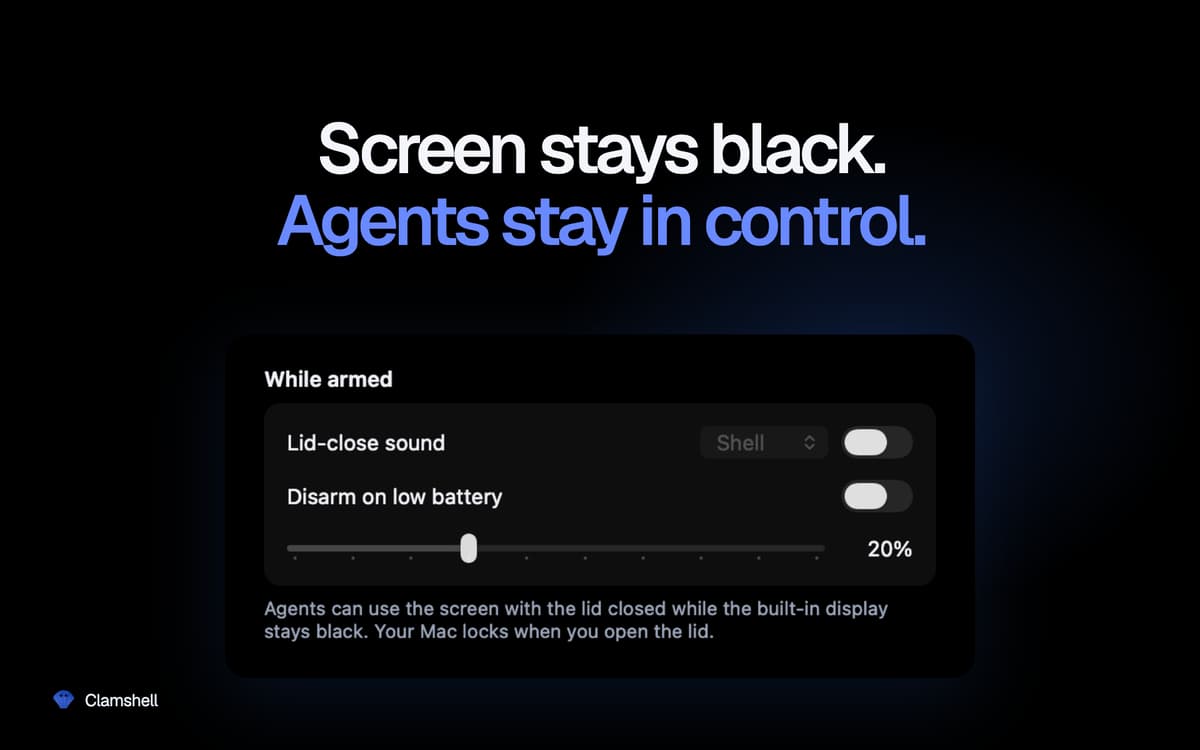
Establece un umbral de batería y Clamshell se desactivará automáticamente al alcanzarlo, dejando que tu Mac entre en reposo en lugar de agotar la batería. Mantienes el control sin tener que acordarte de comprobarlo.
Momentáneo por defecto, persistente si lo quieres
Abre la tapa y tu Mac volverá a funcionar con normalidad, sin ajustes olvidados que agoten la batería dentro de tu bolsa. ¿Prefieres mantener Clamshell siempre activado? Un simple interruptor en los ajustes lo hace posible. Si la aplicación se cierra inesperadamente, el comportamiento normal del modo de reposo se restablece automáticamente. Sin estados bloqueados.
Nada se esconde en segundo plano
Sin icono en el Dock, sin ventanas, sin contraseña de administrador, sin demonios auxiliares ni extensiones del kernel. Un único icono en la barra de menús te indica de un vistazo si tu Mac seguirá funcionando al cerrar la tapa.
Valoraciones y reseñas
Clamshell
•
21 valoraciones
Yoram Kornatzky
29 sept 2026
Versión de la app: 1.4.19
Great. But one shortcoming is that it cannot operate when using external displays.
Miha
2 sept 2026
Versión de la app: 1.4.17
I was skeptical when I first saw this, but so far it has worked incredibly well for me. A MacBook Air can run on battery for a looong time in this mode (just take care if you chuck it in a backpack or similar — it can get HOT!).
Vincent Keunen
20 ago 2026
Versión de la app: 1.4.14
Simple and very useful. Well designed. Developer responds fast to suggestions.
Suscríbete y accede a cientos de apps
Suscríbete a Setapp y usa cientos de apps fantásticas con una sola suscripción.
Pruébalo 7 días gratis y luego paga una única cuota.
Instala Setapp en tu Mac
Apps de Mac, iOS y web para encontrar soluciones a tus desafíos cotidianos.

Consigue la app que buscabas
Esa app increíble y reluciente te espera en Setapp. Instálala con un clic.

Clamshell
Elige la suscripción
Una app o más con Setapp Membership. Consigue las apps a tu manera.

Suscríbete y accede a cientos de apps
Suscríbete a Setapp y usa cientos de apps fantásticas con una sola suscripción.
Pruébalo 7 días gratis y luego paga una única cuota.
1
Instala Setapp en tu Mac
Apps de Mac, iOS y web para encontrar soluciones a tus desafíos cotidianos.
2
Consigue la app que buscabas
Esa app increíble y reluciente te espera en Setapp. Instálala con un clic.
Clamshell
3
Elige la suscripción
Una app o más con Setapp Membership. Consigue las apps a tu manera.
Las mejores apps bajo un mismo paraguas
Tanto para las tareas rutinarias como para los proyectos creativos, programación o planificación, todo es más fácil con las apps de Setapp.

TypingMind
Chat de IA con una interfaz alternativa
genera o resume texto
usa la biblioteca de prompts
IA

Spark Mail
Gestiona tus correos
IA

CleanMyMac
Elimina los archivos de más

Bartender
Personaliza la barra de menús

CleanShot X
Personaliza tus capturas de pantalla

Luminar Neo
Edita tus fotos
IA

ClearVPN
Conéctate con más seguridad

Craft
Trabaja con documentos
IA
Clamshell
Trabaja con la tapa cerrada