
AuraFx
AI image editing for Mac

Mac
Version 1.2.0
macOS 14.6 ou version supérieure
25 MB
1 langues
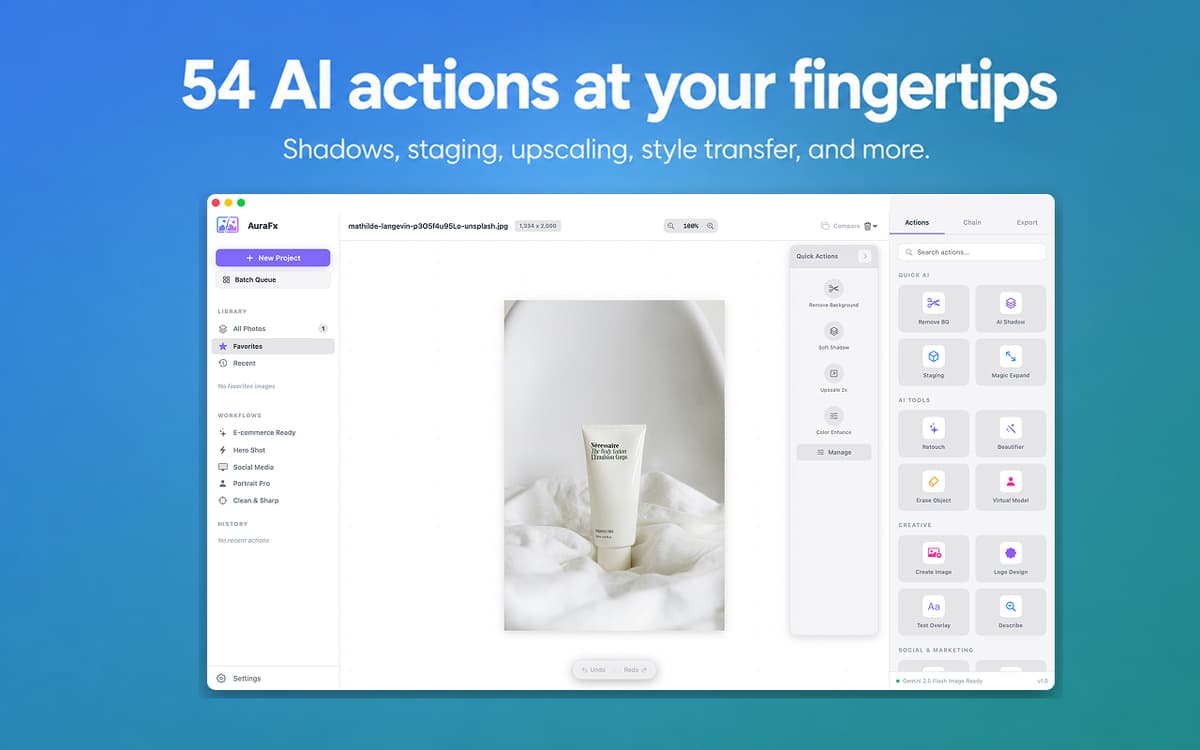
AuraFx is an AI image editor for Mac. Drop an image, pick an action, get a result — no layers, no selections, no fiddling. It handles background removal, shadows, staging, upscaling, and 50+ other tasks using AI. Process a whole folder at once or chain actions into reusable workflows. Powered by Setapp AI credits — open the app and go.
Remove backgrounds instantly
Batch edit up to 100 images
Generate images from text prompts
Chain multiple AI actions together
Fonctionnalités de AuraFx
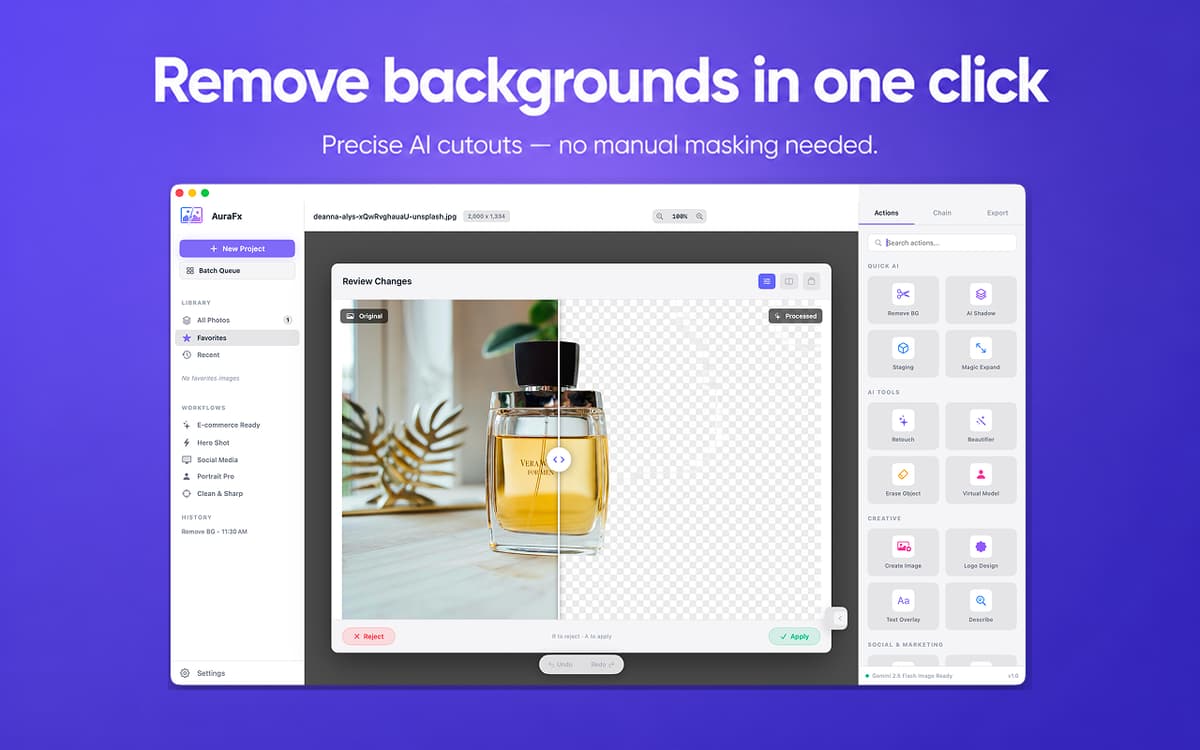
Remove backgrounds in one click
Drop any image, tap Remove BG, and you get a clean cutout. Works on product photos, portraits, and tricky edges — no manual masking, no selection tools. Just the result you needed.
Batch process up to 100 images
Apply any action to an entire folder at once. Progress tracking and per-file error handling keep things moving — nothing slips through, even with large batches.
Chain actions into reusable workflows
Remove background → add shadow → upscale → export. Build multi-step sequences and save them as presets. One click to run the whole chain again next time.
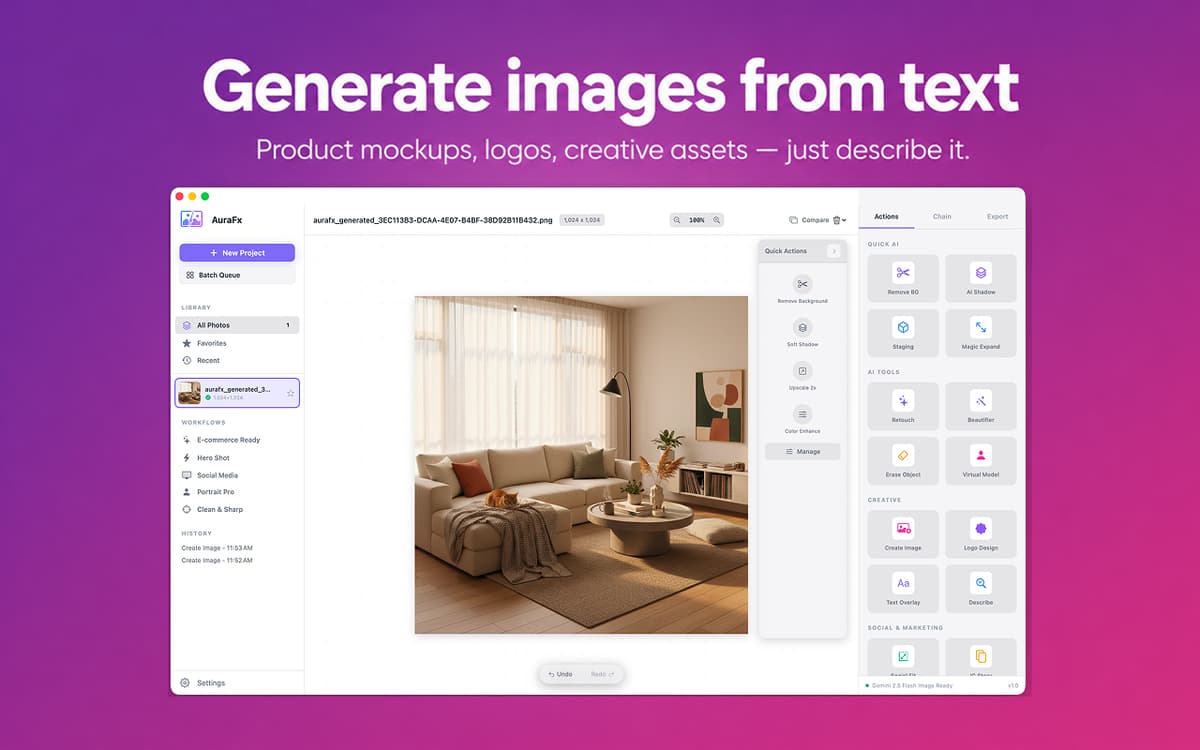
Generate images from text
Describe what you need — a product mockup, a lifestyle shot, a logo concept — and AuraFx generates it. Suggestion chips help you get started fast when you're not sure where to begin.
Switch between AI models
Choose between Gemini and GPT Image in Settings. Faster models for quick drafts, more capable ones for final assets. The choice is yours, and it's always easy to change.
No setup required
AuraFx runs on your Setapp AI credits. No API keys to manage, no extra accounts to create, no configuration steps. Open the app and start editing right away.
Avis et commentaires
AuraFx
•
21 classements
Turgut Derman
10 sept. 2026
Version de l'application : 1.2.0
Love this app. Makes it so easy to tweak images.
Aiden
31 août 2026
Version de l'application : 1.2.0
Very buggy, even paid for Google API to use this app, every step returns an error message
jusbroo
28 juil. 2026
Version de l'application : 1.2.0
Using the background remover, it doesnt actually remove the background, instead it actually created a background with grey adn white squares, The exact opposite of what the feature should do!
Profitez de centaines d'applications avec Membership
Devenez membre Setapp et utilisez des centaines d'applications incroyables grâce à un seul abonnement.
Forfait tout compris, après 7 jours d'essai gratuit
Installez Setapp sur votre Mac
Explorez des applications pour Mac, iOS et le Web. Découvrez comment accomplir facilement les tâches du quotidien.

Téléchargez l'application qui vous intéresse
Cette application vous attend dans Setapp. Installez-la d'un seul clic.

AuraFx
Choisissez votre abonnement
Une seule application ou bien plus avec un abonnement Setapp. Accédez aux applications comme vous le souhaitez.

Profitez de centaines d'applications avec Membership
Devenez membre Setapp et utilisez des centaines d'applications incroyables grâce à un seul abonnement.
Forfait tout compris, après 7 jours d'essai gratuit
1
Installez Setapp sur votre Mac
Explorez des applications pour Mac, iOS et le Web. Découvrez comment accomplir facilement les tâches du quotidien.
2
Téléchargez l'application qui vous intéresse
Cette application vous attend dans Setapp. Installez-la d'un seul clic.
AuraFx
3
Choisissez votre abonnement
Une seule application ou bien plus avec un abonnement Setapp. Accédez aux applications comme vous le souhaitez.
Des applications de qualité
Pour gérer des plannings, accomplir des tâches de routine, créer des contenus, coder et bien plus encore, optez pour Setapp.

TypingMind
IA conversationnelle avec interface alternative
générez ou résumez du texte
utilisez une bibliothèque de requêtes
IA

Spark Mail
Gérez vos e-mails
IA

CleanMyMac
Supprimez les fichiers inutiles

Bartender
Personnalisez la barre des menus

CleanShot X
Profitez de plus de possibilités pour les captures d'écran

Luminar Neo
Retouchez vos photos
IA

ClearVPN
Sécurisez votre connexion Internet

Craft
Travaillez sur vos documents
IA
AuraFx
AI image editing for Mac