
AwakeBar
Your Mac, wide awake
Mac
Version 1.1.0
macOS 13.0 ou version supérieure
13.7 MB
2 langues
AwakeBar — Menu bar keep-awake utility for Mac. Your Mac falls asleep at the worst times — mid-presentation, during a big download, halfway through a long render. AwakeBar fixes that with one click. Pick a duration from the menu bar, and your Mac stays on until you say otherwise. No digging through System Settings, no dock icon, no data collection — just the control you needed all along.
Keep Mac awake during presentations
Prevent sleep on long downloads
Set a custom keep-awake duration
Stop screen dimming mid-render
Fonctionnalités de AwakeBar
One click in the menu bar
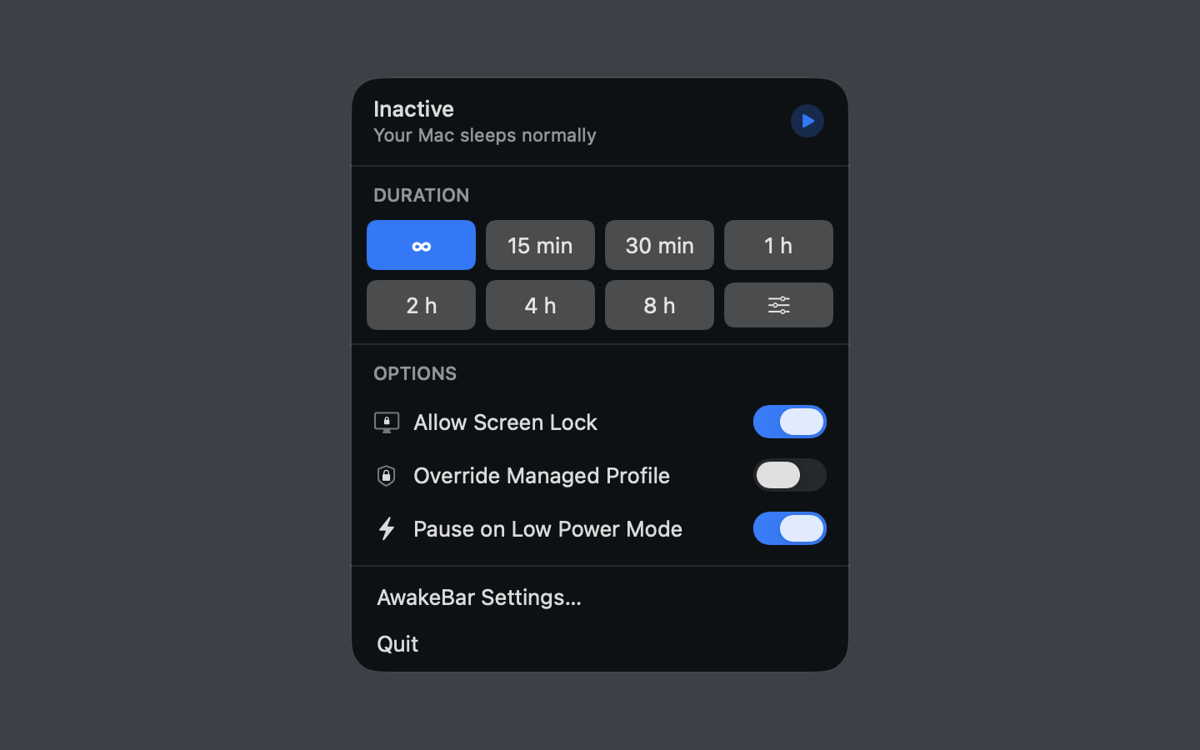
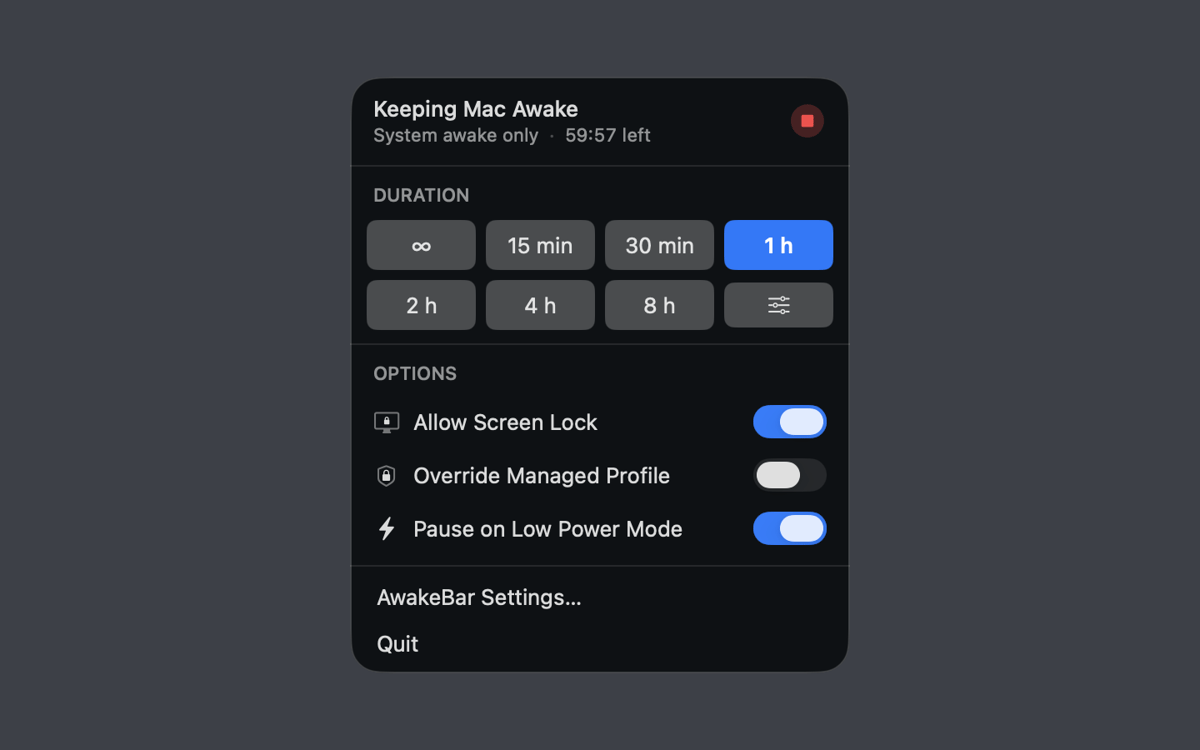
AwakeBar lives entirely in the menu bar — no dock icon, no main window. Click to open the popover, pick your duration, and you're done. A glance at the icon tells you whether keep-awake is active and how much time's left. Stop it any time, just as easily.
Duration presets and custom time
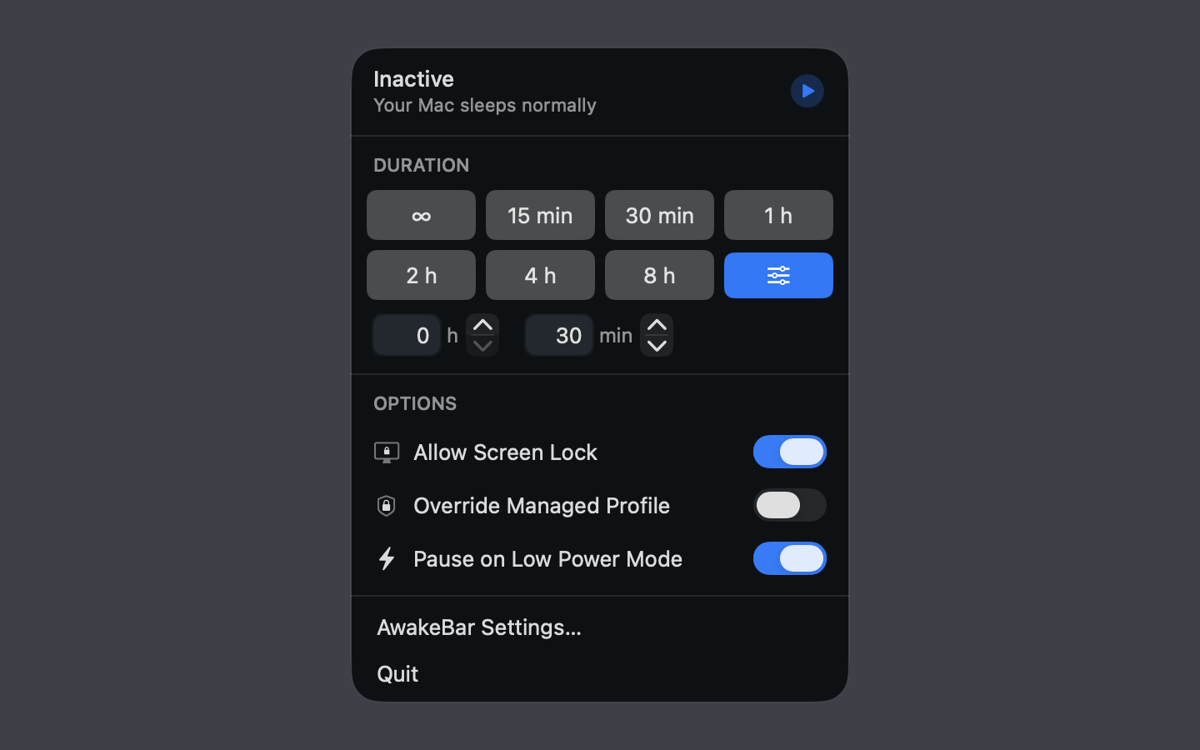
Choose from built-in presets — 15 minutes, 30 minutes, 1, 2, 4, or 8 hours — or type in any custom duration in hours and minutes. Need to stay awake indefinitely? There's a setting for that too.
Screen lock stays an option
Keeping your Mac awake doesn't have to mean leaving it exposed. AwakeBar lets you enable screen lock while the keep-awake session is running — so your display stays on, but unauthorized access stays out.
Low Power Mode and managed Mac support
On MacBooks, AwakeBar can automatically pause when Low Power Mode kicks in, saving your battery when it counts. If you're on a managed device, it can also override your MDM profile's power policy — provided the profile allows it.
Launch at login
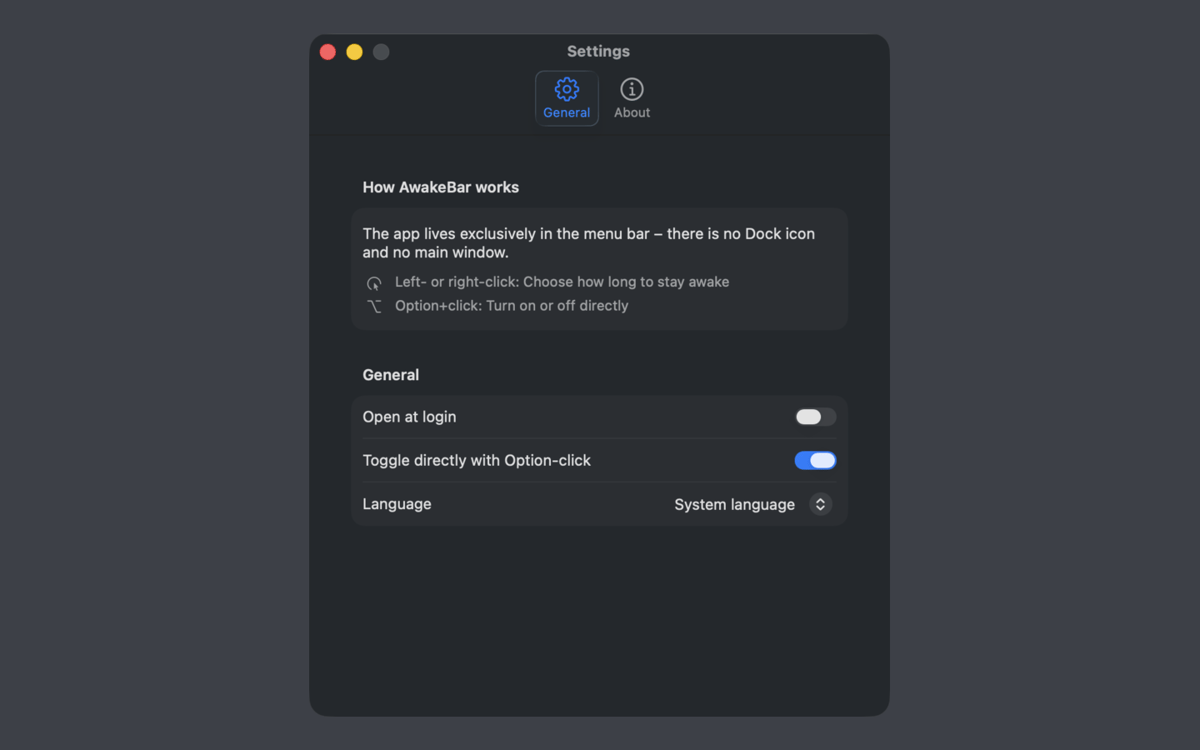
Set AwakeBar to start automatically at login via macOS login items, and it'll always be there when you need it. No manual launch required.
Fully offline, zero data collected
AwakeBar works entirely offline and collects no personal data — not now, not ever. It keeps your Mac awake using standard macOS power management, and that's all it does.
Profitez de centaines d'applications avec Membership
Devenez membre Setapp et utilisez des centaines d'applications incroyables grâce à un seul abonnement.
Forfait tout compris, après 7 jours d'essai gratuit
Installez Setapp sur votre Mac
Explorez des applications pour Mac, iOS et le Web. Découvrez comment accomplir facilement les tâches du quotidien.

Téléchargez l'application qui vous intéresse
Cette application vous attend dans Setapp. Installez-la d'un seul clic.

AwakeBar
Choisissez votre abonnement
Une seule application ou bien plus avec un abonnement Setapp. Accédez aux applications comme vous le souhaitez.

Profitez de centaines d'applications avec Membership
Devenez membre Setapp et utilisez des centaines d'applications incroyables grâce à un seul abonnement.
Forfait tout compris, après 7 jours d'essai gratuit
1
Installez Setapp sur votre Mac
Explorez des applications pour Mac, iOS et le Web. Découvrez comment accomplir facilement les tâches du quotidien.
2
Téléchargez l'application qui vous intéresse
Cette application vous attend dans Setapp. Installez-la d'un seul clic.
AwakeBar
3
Choisissez votre abonnement
Une seule application ou bien plus avec un abonnement Setapp. Accédez aux applications comme vous le souhaitez.
Des applications de qualité
Pour gérer des plannings, accomplir des tâches de routine, créer des contenus, coder et bien plus encore, optez pour Setapp.

TypingMind
IA conversationnelle avec interface alternative
générez ou résumez du texte
utilisez une bibliothèque de requêtes
IA

Spark Mail
Gérez vos e-mails
IA

CleanMyMac
Supprimez les fichiers inutiles

Bartender
Personnalisez la barre des menus

CleanShot X
Profitez de plus de possibilités pour les captures d'écran

Luminar Neo
Retouchez vos photos
IA

ClearVPN
Sécurisez votre connexion Internet

Craft
Travaillez sur vos documents
IA
AwakeBar
Your Mac, wide awake